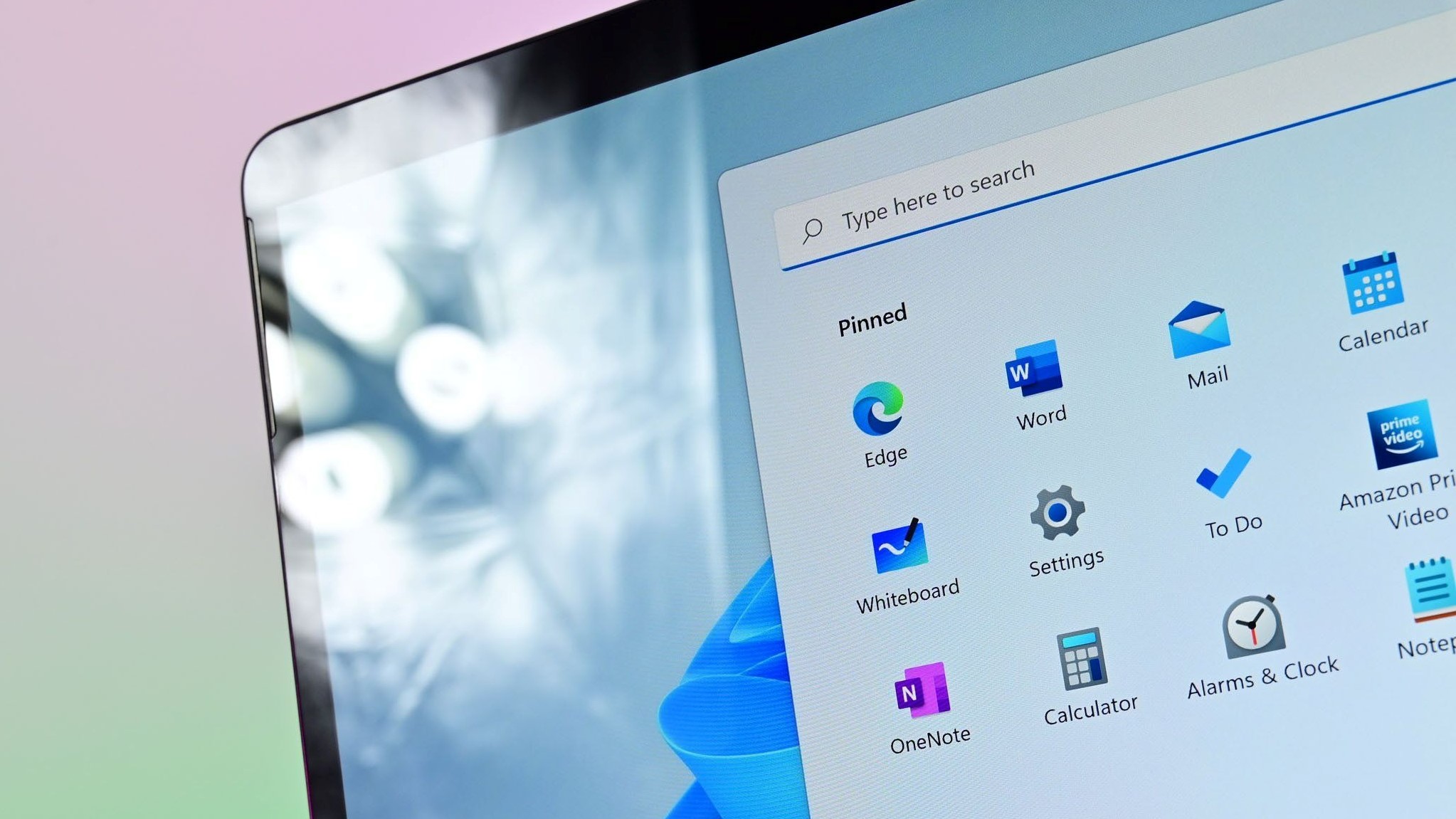
The new Start menu is responsive and more customizable than ever.
The Start menu on Windows 11 is about to get a major upgrade, and you can try it right now. Windows Insiders in the Dev Channel can now test the new Start menu in Windows 11.
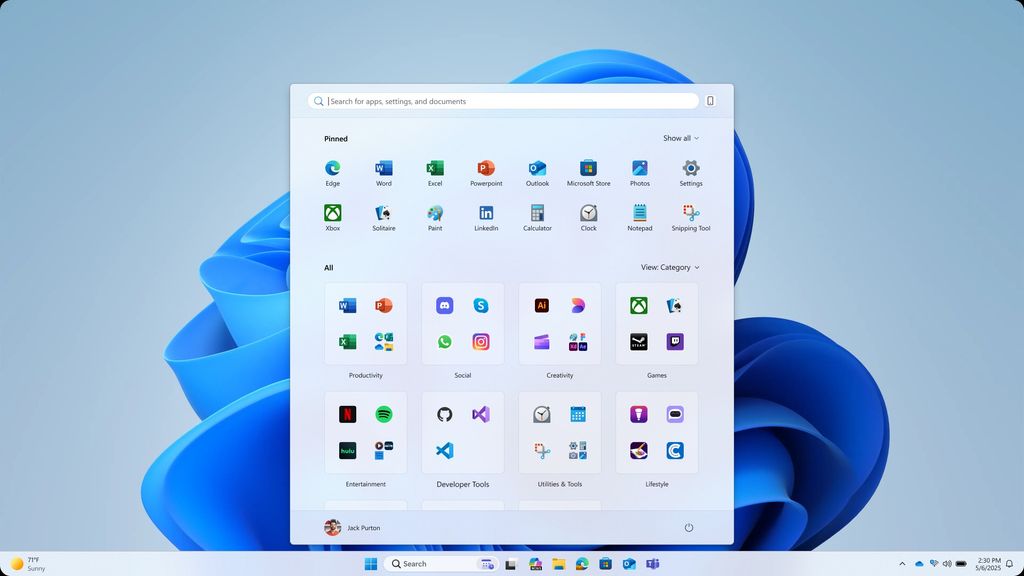
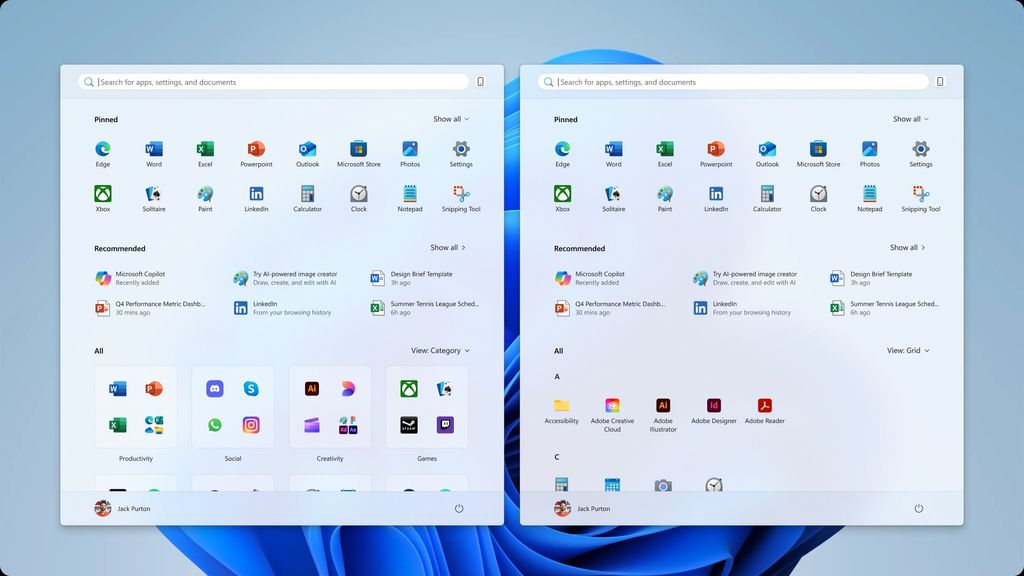
The refreshed Start menu brings the "All" section forward, making it easier to access. There are two views for that section: category and grid view.
Category view is the default. It automatically groups apps, much like the experience you'd have on some smartphones.
Grid view sorts apps alphabetically and takes advantage of the Start menu’s expanded size.
The Start menu now adapts to your screen size, expanding to up to eight columns of pinned apps, six recommendations, and four columns of categories.
The Pinned and Recommended sections of the Start menu are responsive as well, meaning they'll shrink or expand depending on how much you have pinned to Start.
You can now hide the Recommended section within the Start menu.
(Image credit: Microsoft)
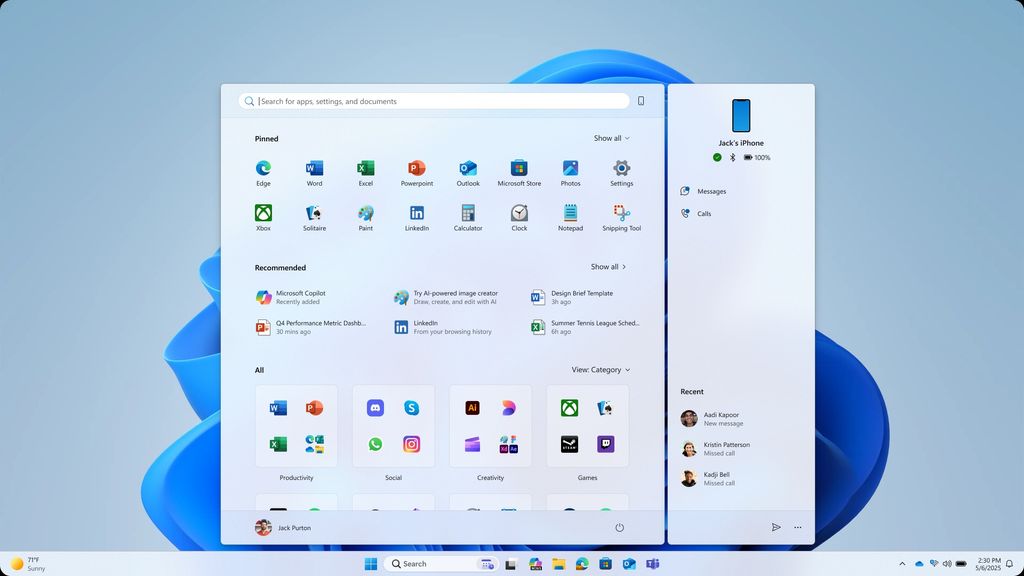
Phone Link now integrates with the Start menu on Windows 11.
(Image credit: Microsoft)
Category view (left) and grid view (right) are available in the refreshed Start menu.
(Image credit: Microsoft)
The Start menu on Windows 11 has received a fair bit of criticism over the years. Windows Phone and Live Tile enthusiasts disliked the shift to static icons.
Even those who liked the general interface were faced with a recommended section that could not be disabled. That feature gap is closed with the refreshed Start menu.
You can now turn off recommendations entirely. Previously, the recommended section remained even if you disabled its contents.
Our Senior Editor Zac Bowden went hands-on with the new Start menu before the experience was officially announced.
The Start menu also gained a powerful new tool for cross-device integration. People with connected Android or iOS devices can have content synced from their smartphone to an add-on of the Start menu.
That functionality, which works through Phone Link, is already generally available in most areas, though it will ship to the European Economic Area at a future date.
The same build of Windows 11 that brings the new Start menu to the Dev Channel also gives you the option to choose which Lock screen widgets appear. Microsoft outlines all the changes to the build in an Insider blog post.
Source
Hope you enjoyed this news post.
Thank you for appreciating my time and effort posting news every day for many years.
News posts... 2023: 5,800+ | 2024: 5,700+ | 2025 (till end of May): 2,377
RIP Matrix | Farewell my friend


3175x175(CURRENT).thumb.jpg.b05acc060982b36f5891ba728e6d953c.jpg)
Recommended Comments
Join the conversation
You can post now and register later. If you have an account, sign in now to post with your account.
Note: Your post will require moderator approval before it will be visible.