

3175x175(CURRENT).thumb.jpg.b05acc060982b36f5891ba728e6d953c.jpg)
These new Windows Terminal settings improvements include multiple changes meant to help experienced as well as novice users.
Windows Terminal is a very useful native tool on Windows meant for power users that utilize command-line. It offers several features like tabs, rich text rendering, GPU acceleration, and more. So if you use it frequently there is good news for you.
That's because Microsoft is prepping a big overhaul of the Windows Terminal settings UI as the company's Carlos Zamora, a software engineer, shared mockup images of the proposed changes so as to gather community feedback. The aim is to make the settings experience more intuitive, less cluttered, and easier to navigate for both new and experienced users.
One such notable change is the introduction of a dedicated settings window which would replace the current in-app panel. This approach is intended to give users a clearer view of options and reduce confusion when switching between the various categories. Like those such as Startup, Interaction, Personalization, and Compatibility, are being upgraded to better reflect their functionalities.
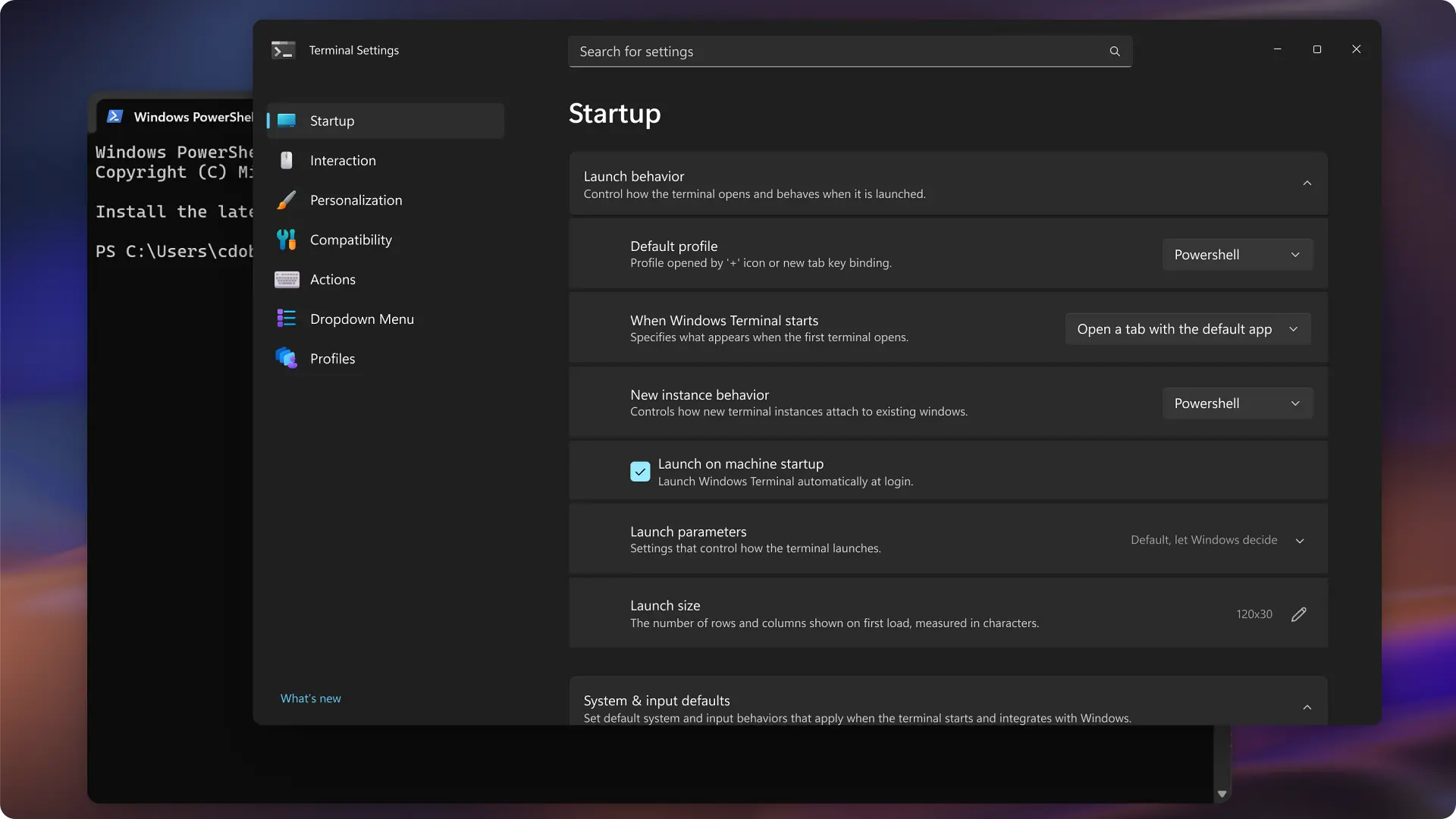
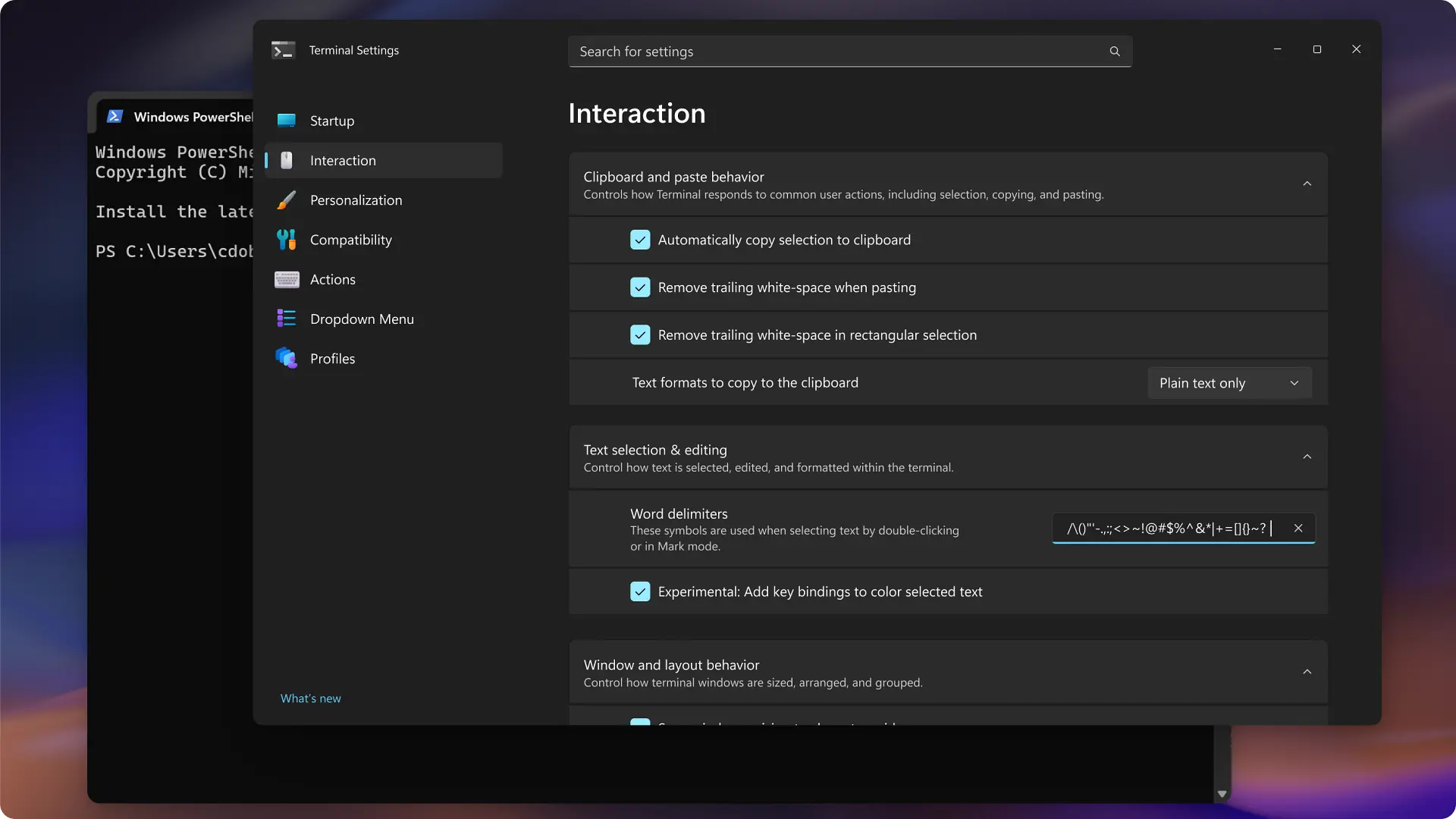
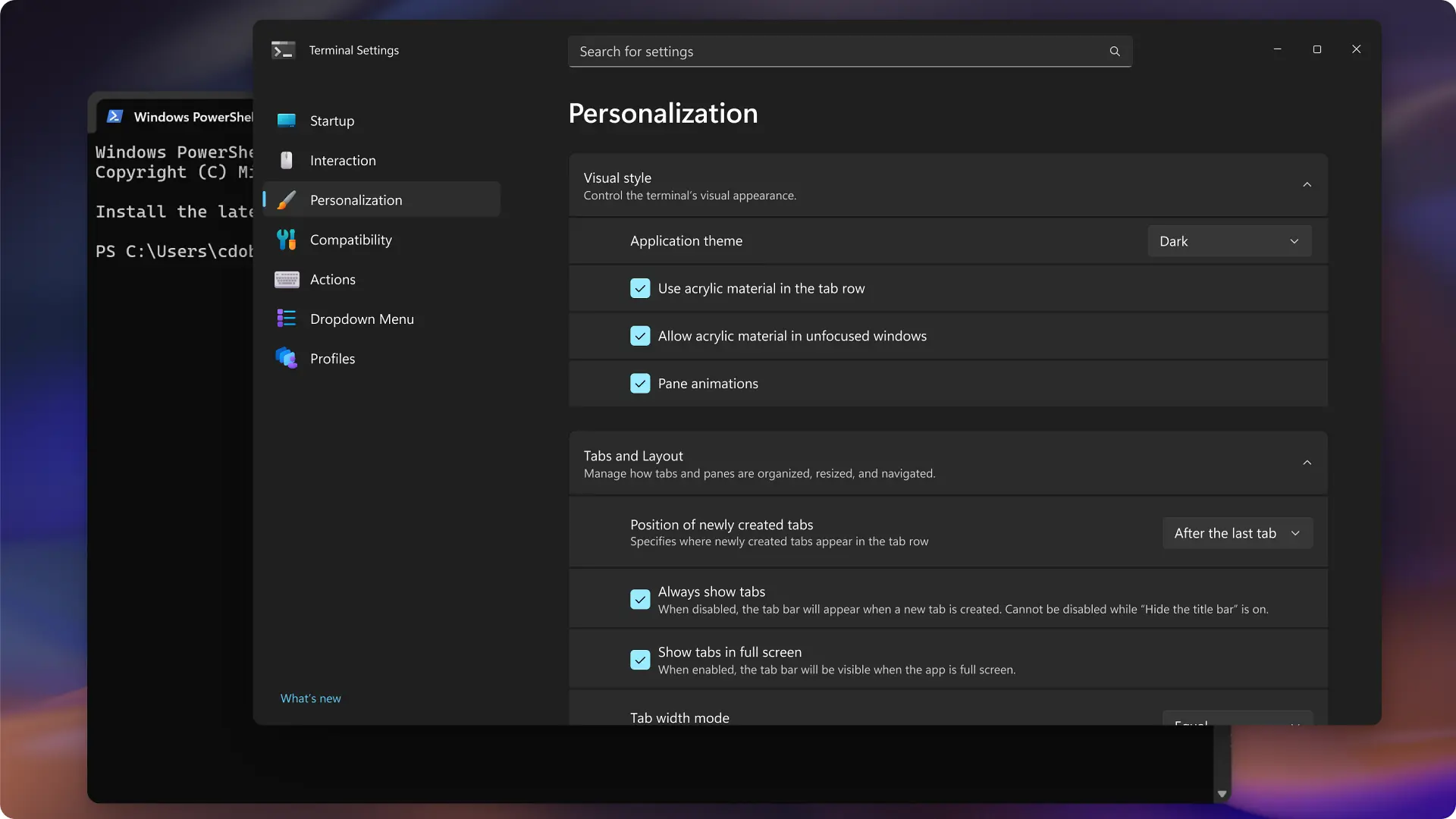
Toggle switches are expected to be replaced with checkboxes to be more consistent with modern UI conventions. If you are new to the app, you need not worry. Explanatory text will remain under each setting, which has been highlighted as particularly helpful for such novice users. Auto-save is planned as the default behavior, though indicators or undo options may be added too to reassure users who want more control.
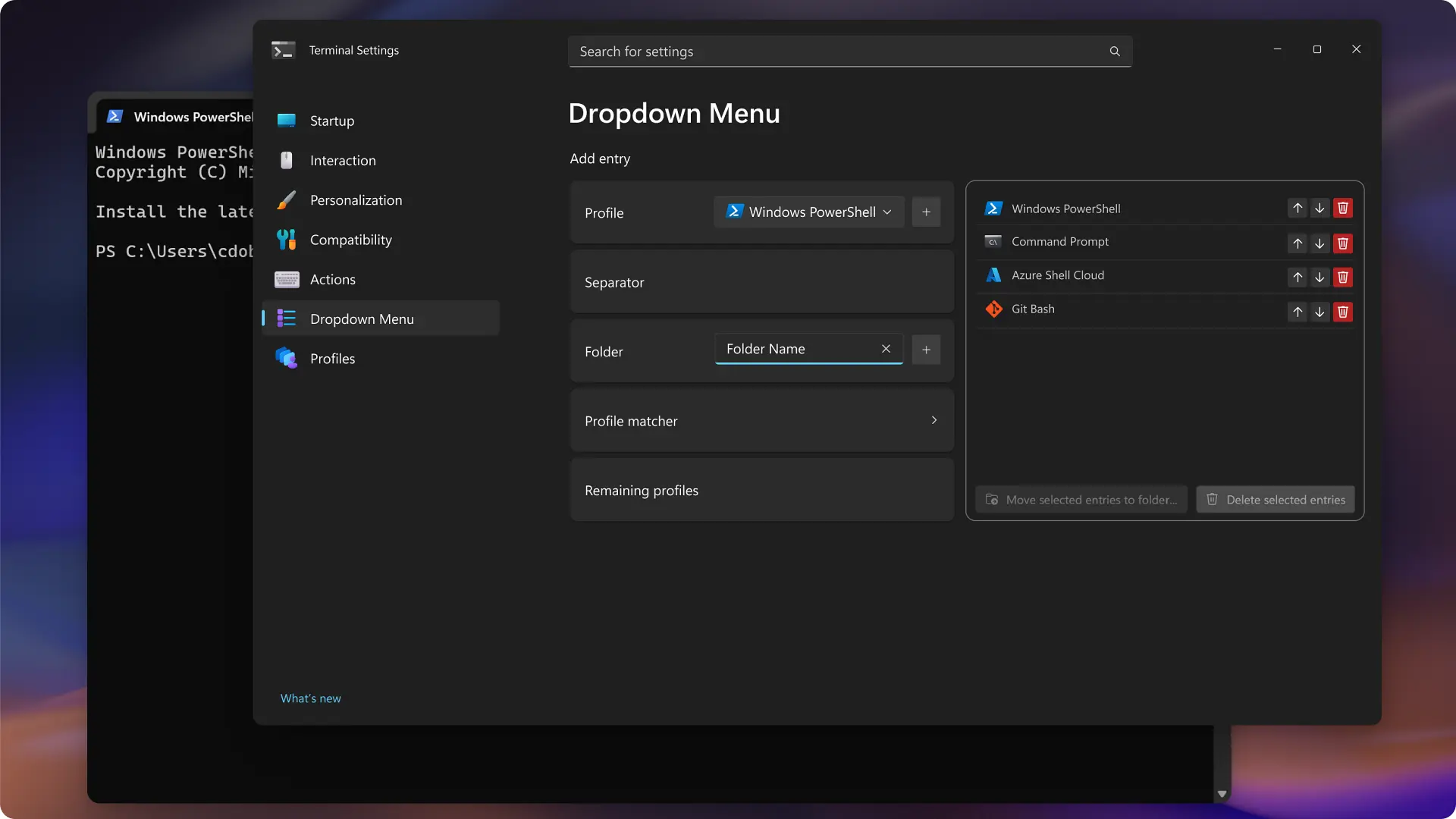
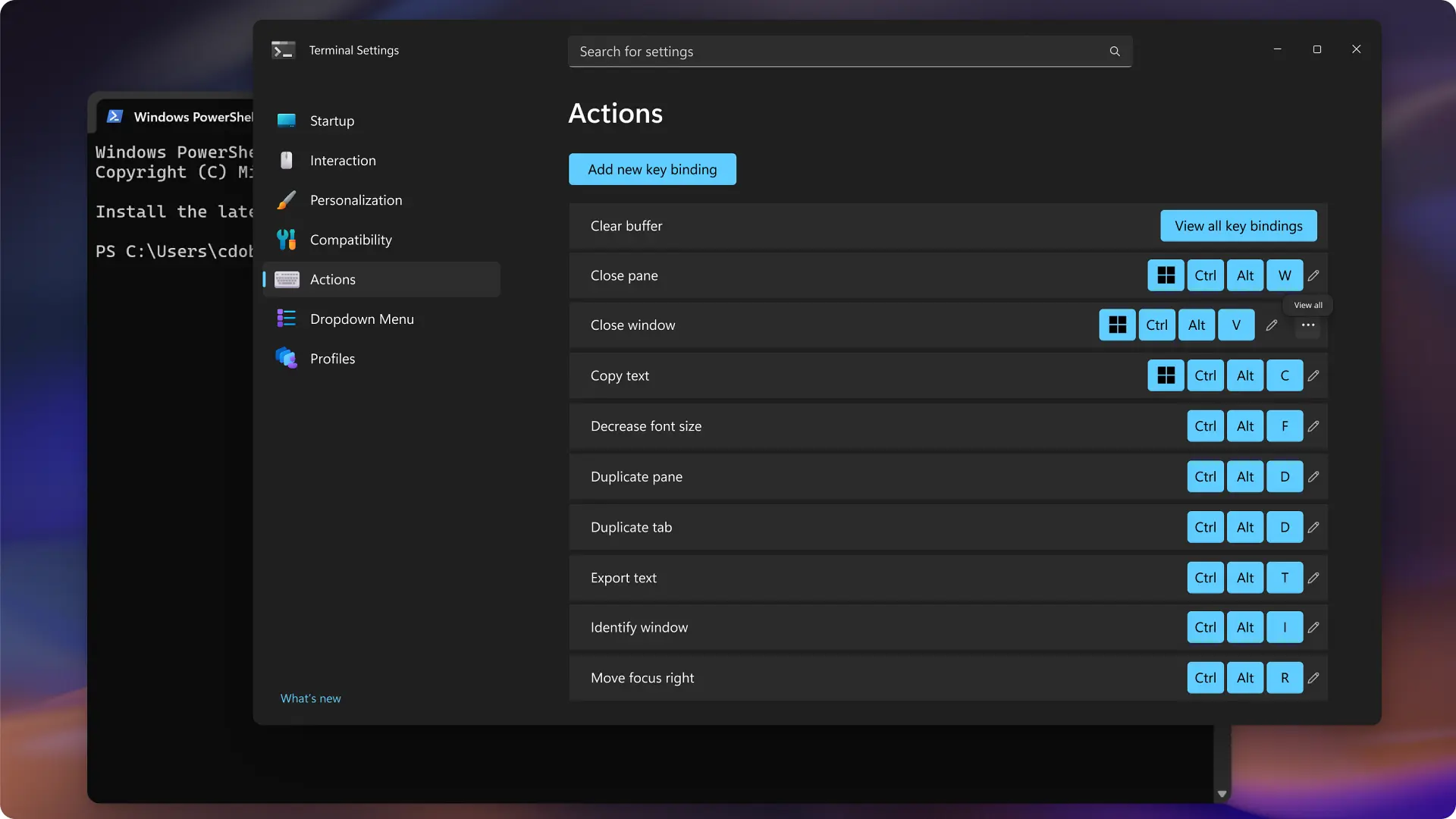
There are several other refinements like renaming the “New tab menu” to “Dropdown menu” for clarity, moving previews to the right side of the interface, and improving the profiles page with clearer navigation for defaults, color schemes, and individual profiles. Key bindings are also under review with talks around how best to display multiple shortcuts without overwhelming the UI.
You can find the issue here on Terminal's official GitHub repo and maybe give your own feedback there.
Hope you enjoyed this news post. Feedback welcome.
Posted Friday 10 April 2026 at 5:03 am AEST (my time).
News posts: 2023 5,800+ | 2024 5,700+ | 2025 5,700+ | 2026 (to end of March) 1,297
Recommended Comments
There are no comments to display.
Join the conversation
You can post now and register later. If you have an account, sign in now to post with your account.
Note: Your post will require moderator approval before it will be visible.