

3175x175(CURRENT).thumb.jpg.b05acc060982b36f5891ba728e6d953c.jpg)
In otherwise minor software update, macOS now uses M5’s new nomenclature.
As part of Apple’s flurry of Mac announcements earlier this week, the company announced the new M5 Pro and M5 Max processors. And those chips are shaking up the way that Apple designs and talks about its processor cores: What would have been called “performance” CPU cores are now “super” cores. “Efficiency” cores are still called efficiency cores. And there’s a new, third type of CPU core in between that is labeled a “performance” core.
Apple said earlier this week that the “super” name change would retroactively apply to the regular-old Apple M5’s performance cores, too. And the macOS Tahoe 26.3.1 update released yesterday officially made the name change, changing the labeling in both the System Information app and the Activity Monitor.
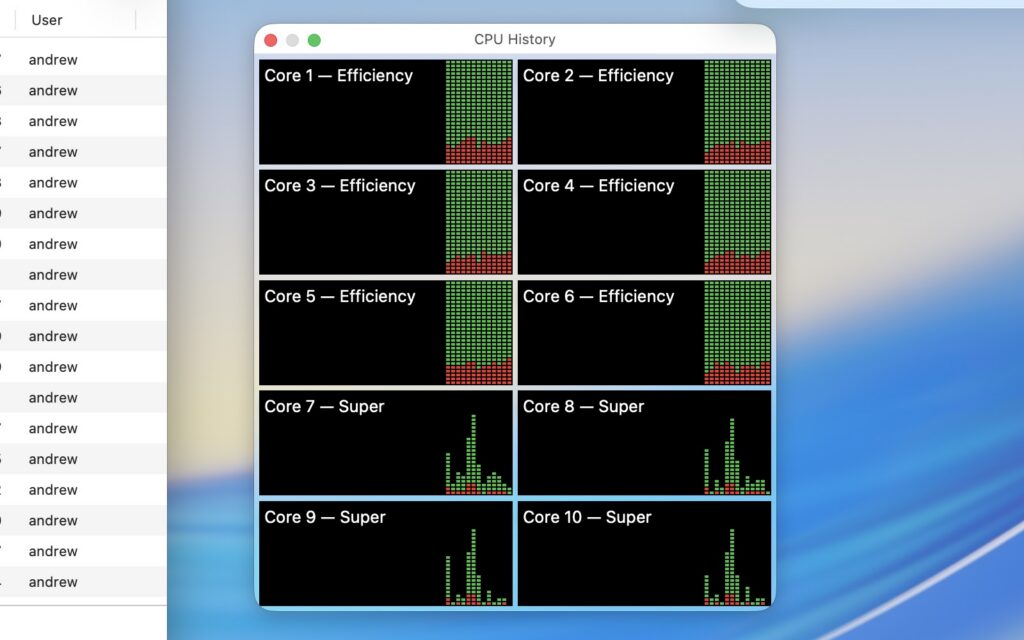
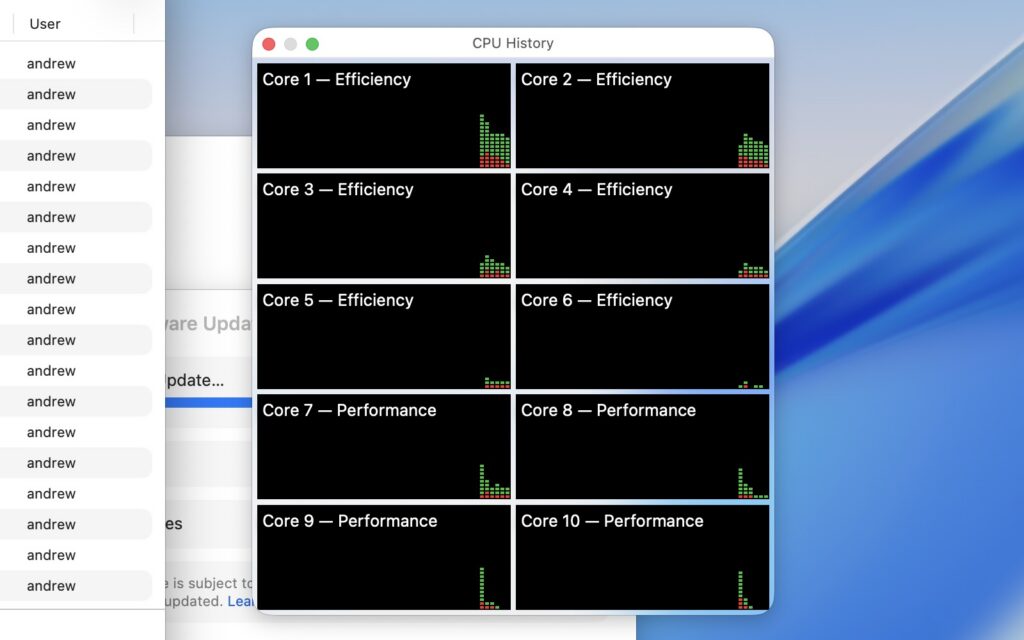
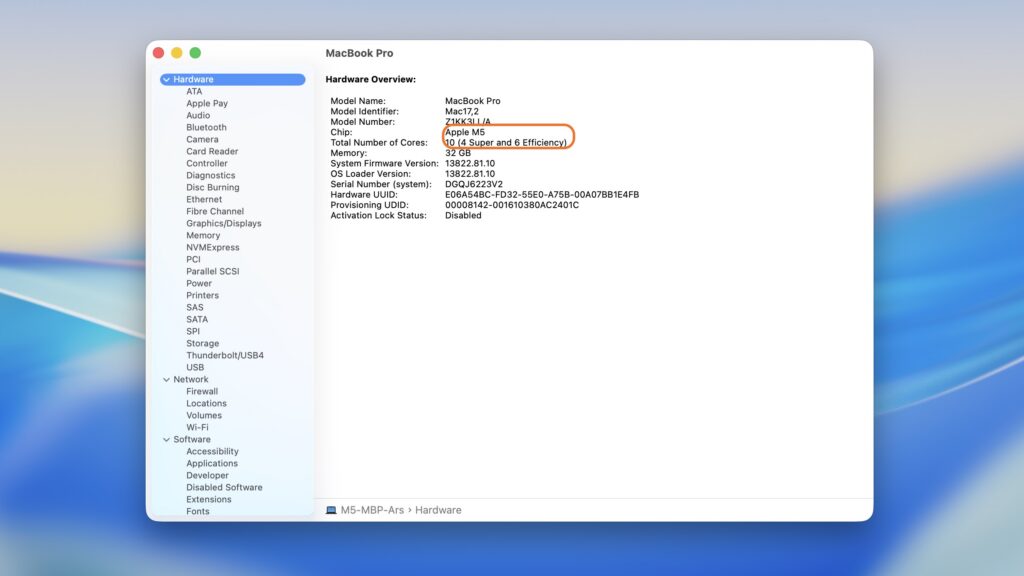
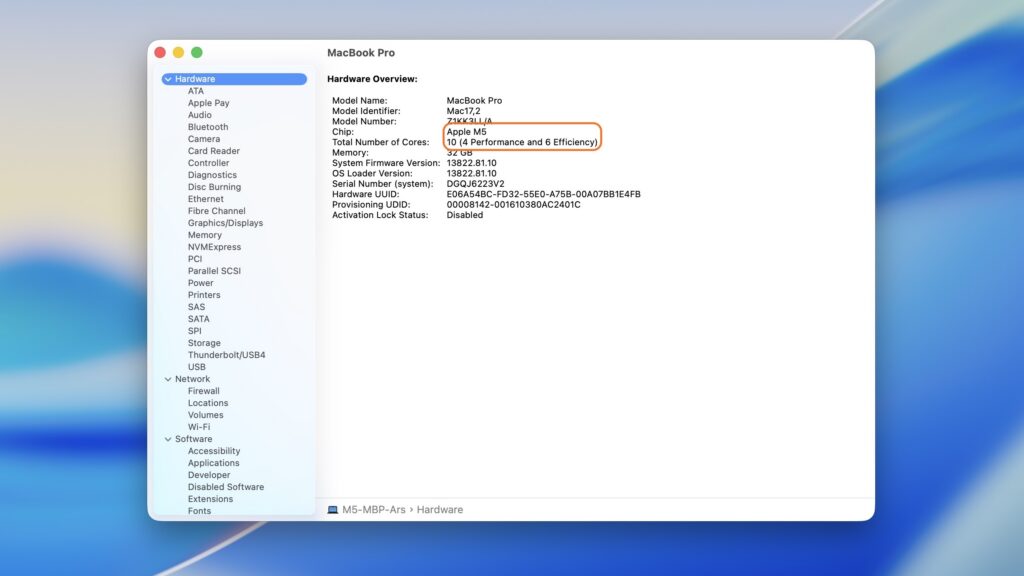
This “upgrade” should only apply to the M5 MacBook Pro, the sole M5-family Mac released before the name change was announced. It should go without saying that this is just a name change; you shouldn’t actually expect different behavior or performance from your Mac after installing the update. The new MacBook Airs and Pros with M5, M5 Pro, and M5 Max chips will likely already be using the new names out of the box.
Macs with older-generation M-series processors like the M4 also won’t see anything different. On the M1 through the M4 (and on the MacBook Neo’s A18 Pro, a relative of the M4 family), performance cores will stay performance cores, and efficiency cores will stay efficiency cores.
The macOS 26.3.1 update is also required to support Apple’s new Studio Displays. This may be because each of these monitors, like the original, is still a sort of iOS device on the inside. They use Apple’s A19-series chips, up from the A13 in the original Studio Display, and they run iOS-derived software that is updated periodically by the Mac they’re connected to. It’s likely there’s some kind of additional communication between a Mac and the Studio Display beyond just Thunderbolt and DisplayPort signals; the software update is what you need to support it on the Mac side.
Not all Macs support the Studio Displays, and even those that do aren’t always capable of driving the Studio Display XDR at its full 120 Hz refresh rate. The support lists are included on the specs pages for each monitor—note that the last few Intel Macs don’t make the list at all.
Hope you enjoyed this news post. Feedback welcome.
Posted Friday 6 March 2026 at 5:19 am AEST (my time).
News posts: 2023 5,800+ | 2024 5,700+ | 2025 5,700+ | 2026 (to end of February) 854
Recommended Comments
There are no comments to display.
Join the conversation
You can post now and register later. If you have an account, sign in now to post with your account.
Note: Your post will require moderator approval before it will be visible.