Windows 10 is three months away from the end of support. In October 2025, the operating system will receive its final cumulative update, concluding its ten-year lifecycle. However, Microsoft is allowing users to stick to Windows 10 for a while. The Extended Security Update program grants one more year of critical updates for regular consumers and three years for enterprise consumers.
The end of support does not mean your Windows 10 PC will explode overnight. It will continue working as before, but it won't receive any updates, which, in modern days, is a very risky business. If you cannot leave Windows 10 behind, you have to enroll your computer in the Extended Security Update program, which is available for free. Here is how to do it.
Note: As of July 16, the enrollment wizard is available in Windows 10 preview builds (Release Preview Channel), but it is coming to all users later this month and in August.
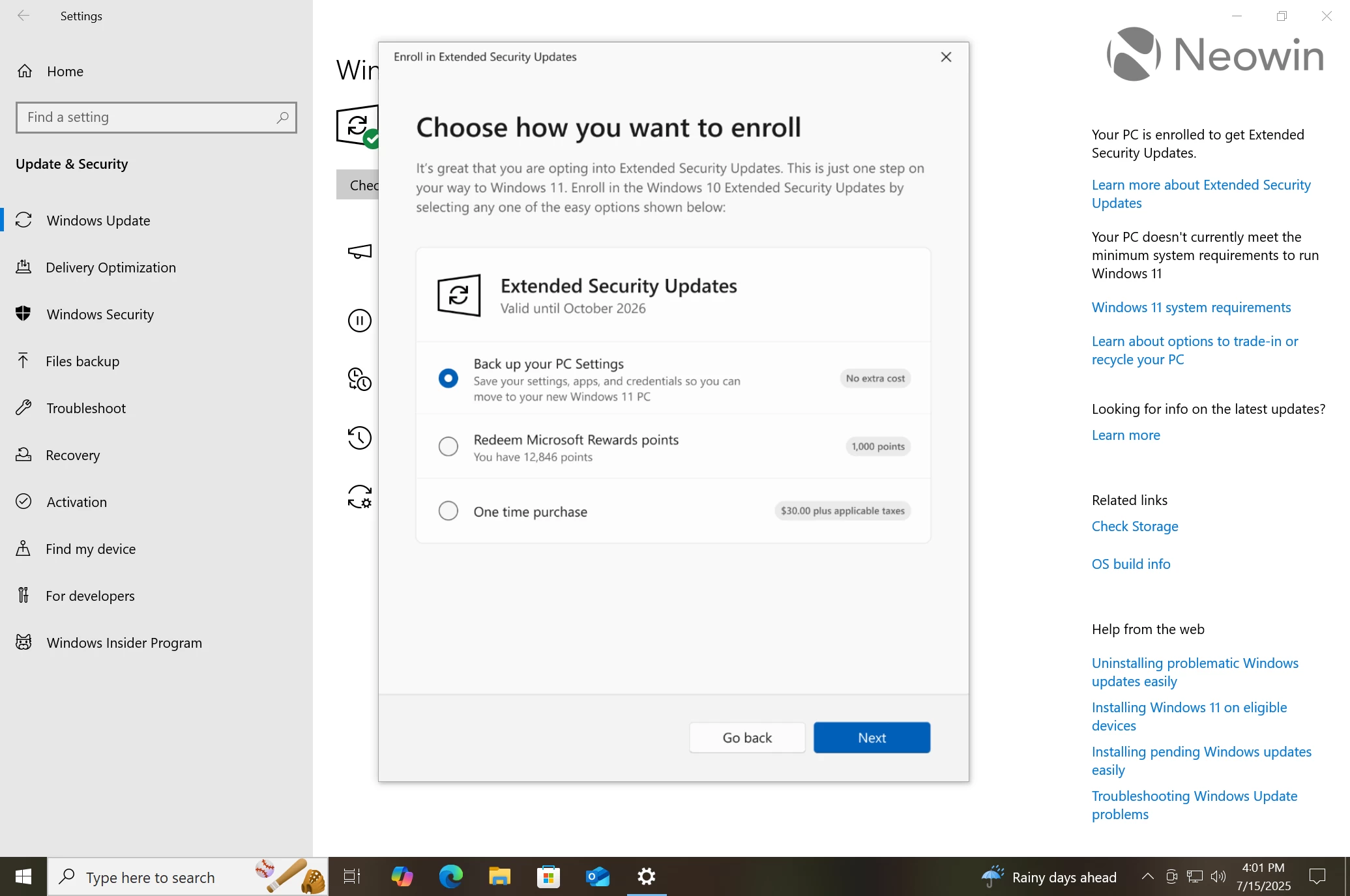
There are three ways to get extended security updates for Windows 10:
Enroll for free by signing in with a Microsoft account and backing up your settings.
Pay 1,000 Microsoft Rewards points.
Pay $30 (price may vary depending on your region and currency).
In this guide, we will focus on the first option, describing how to get Windows 10 security updates for free.
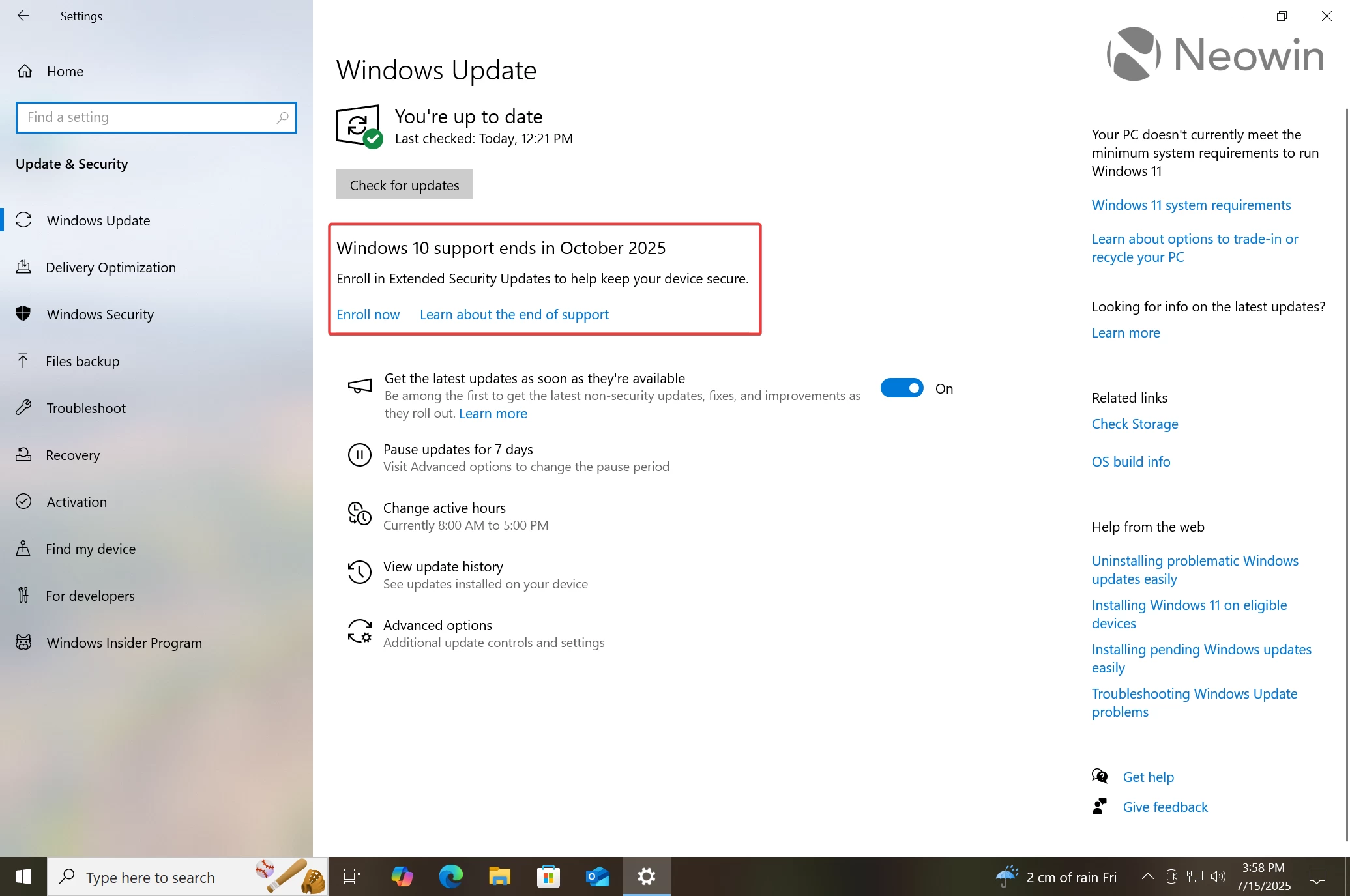
Go to Settings > Update and Security > Windows Update.
Download and install all available updates.
Return to the Settings app and find the "Windows 10 support ends in October 2025" banner.
Click "Enroll Now."
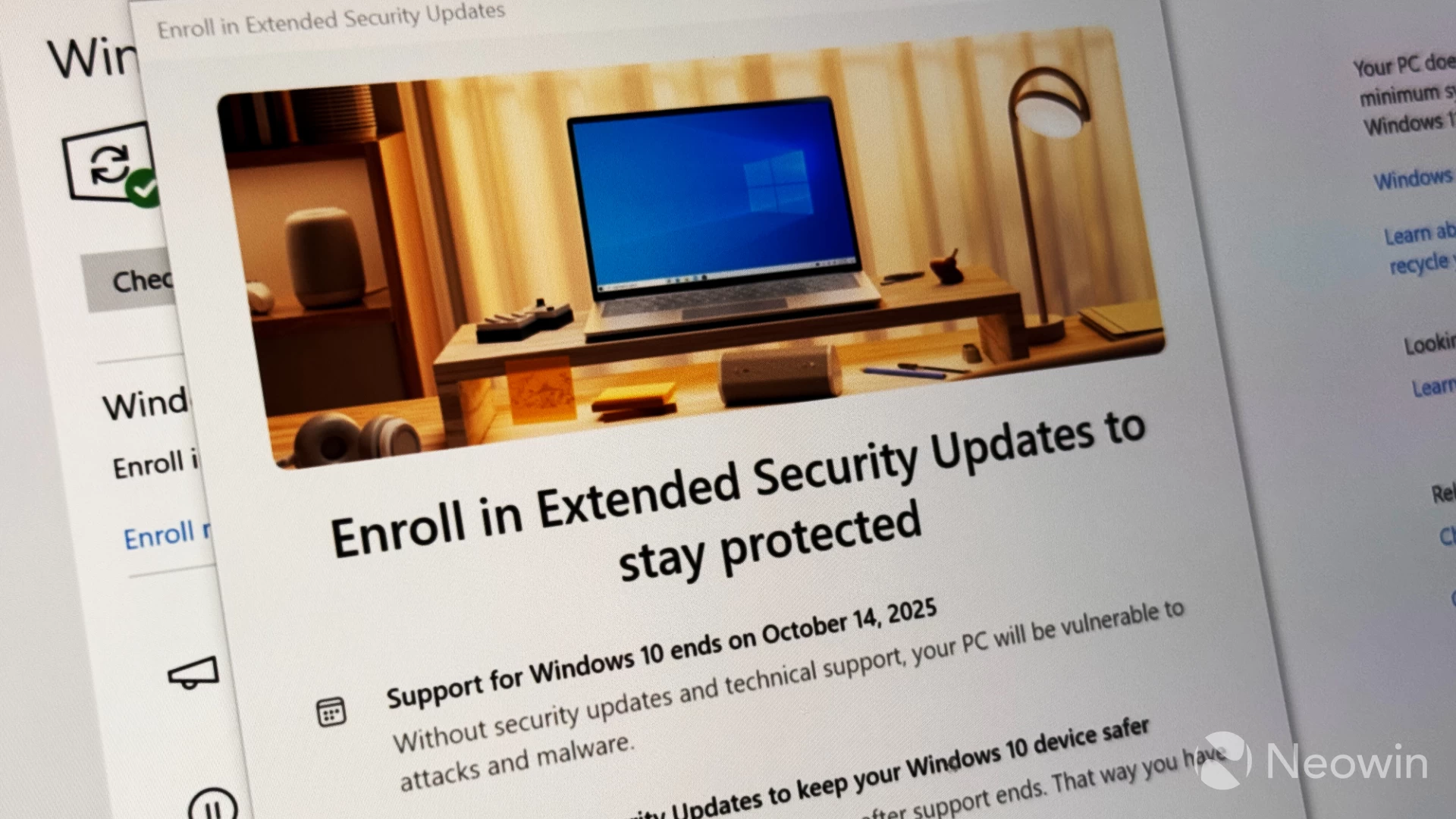
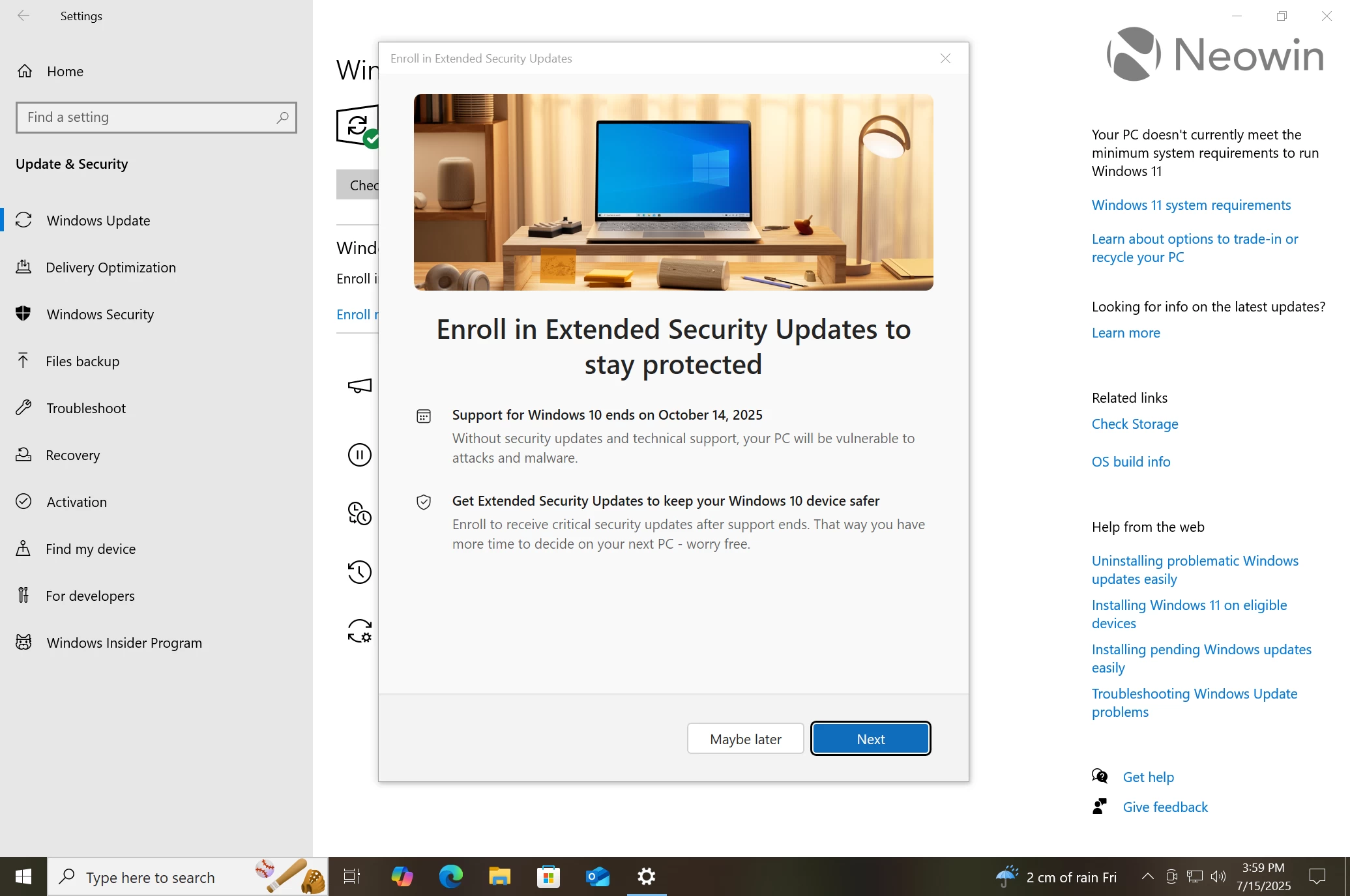
Windows 10 will open the ESU wizard. Click Next.
If you are using a local account, Windows will prompt you to sign in with a Microsoft Account.
Once logged in, you will be presented with three available options: back up settings and get updates for free, pay Microsoft 1,000 reward points, or pay $30. Select the first option.
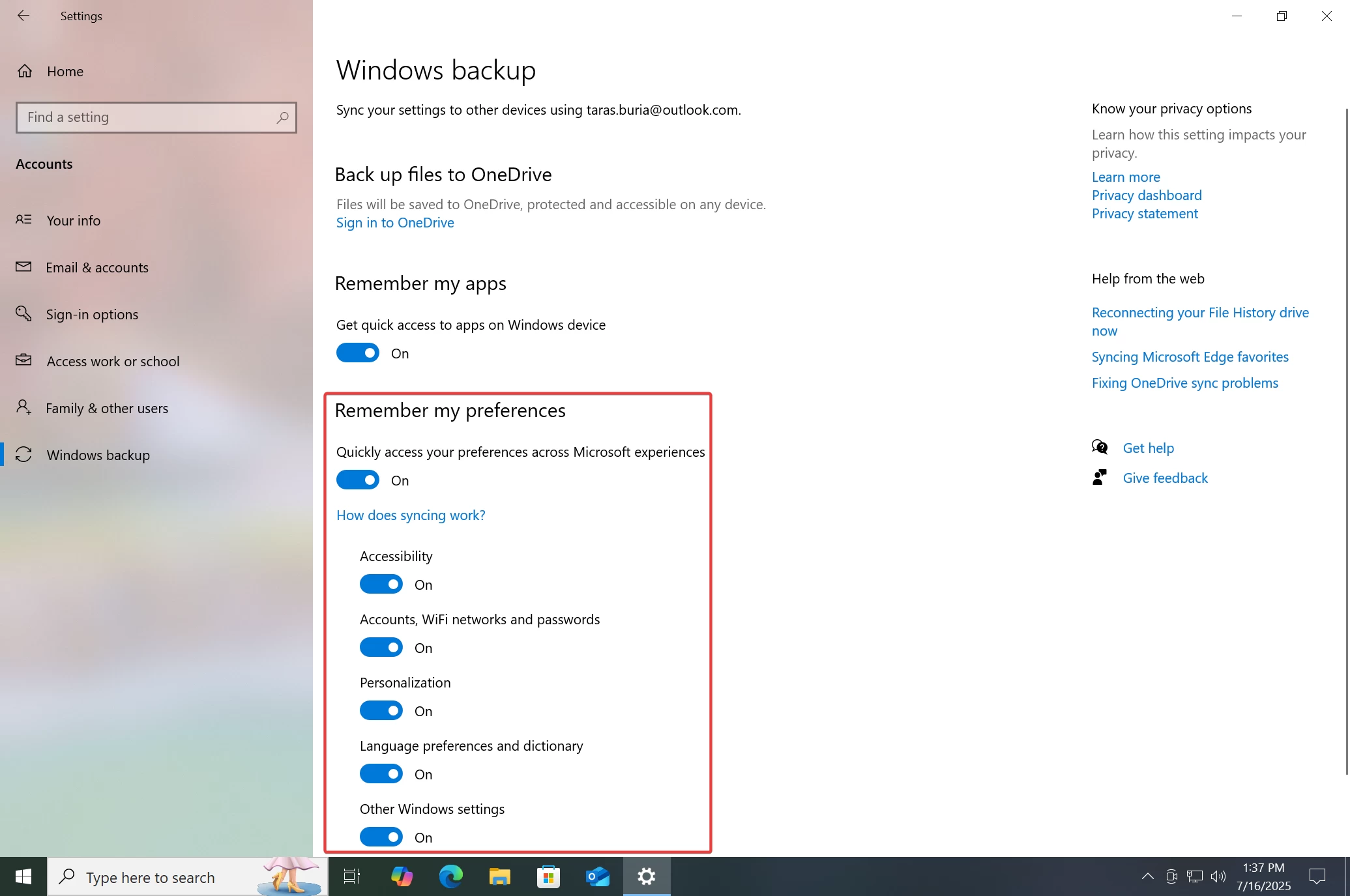
Alternatively, before enrolling, you can go to Settings > Accounts > Windows Backup and enable "Remember my preferences" with all of its toggles.
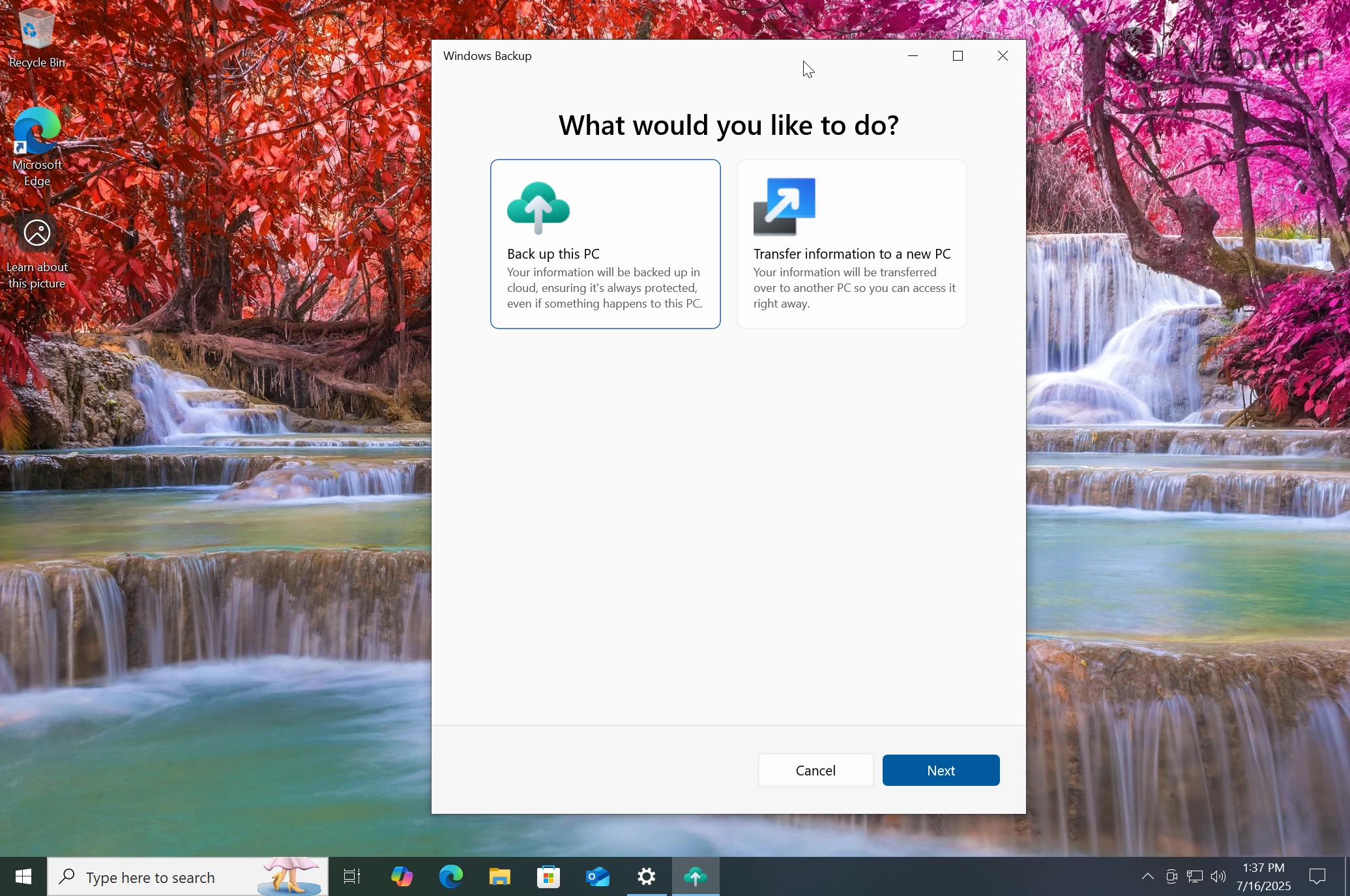
Another option is to launch the Windows Backup app from the Start menu, click "Back up this PC," and wait for Windows 10 to save your data in the cloud.
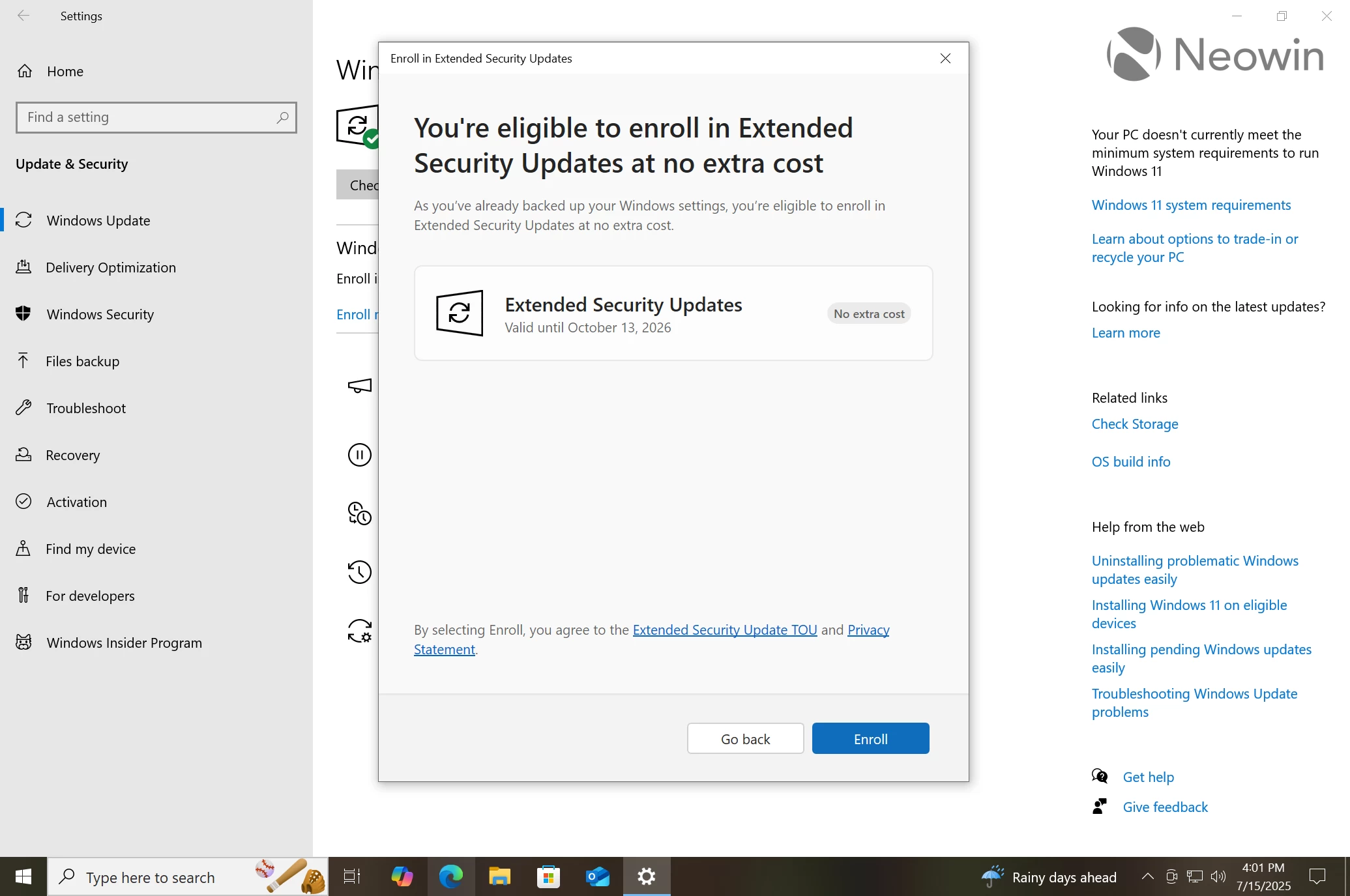
If you have already backed up your settings, Windows will tell you that you are eligible for free updates. If no, you will be prompted to do a backup.
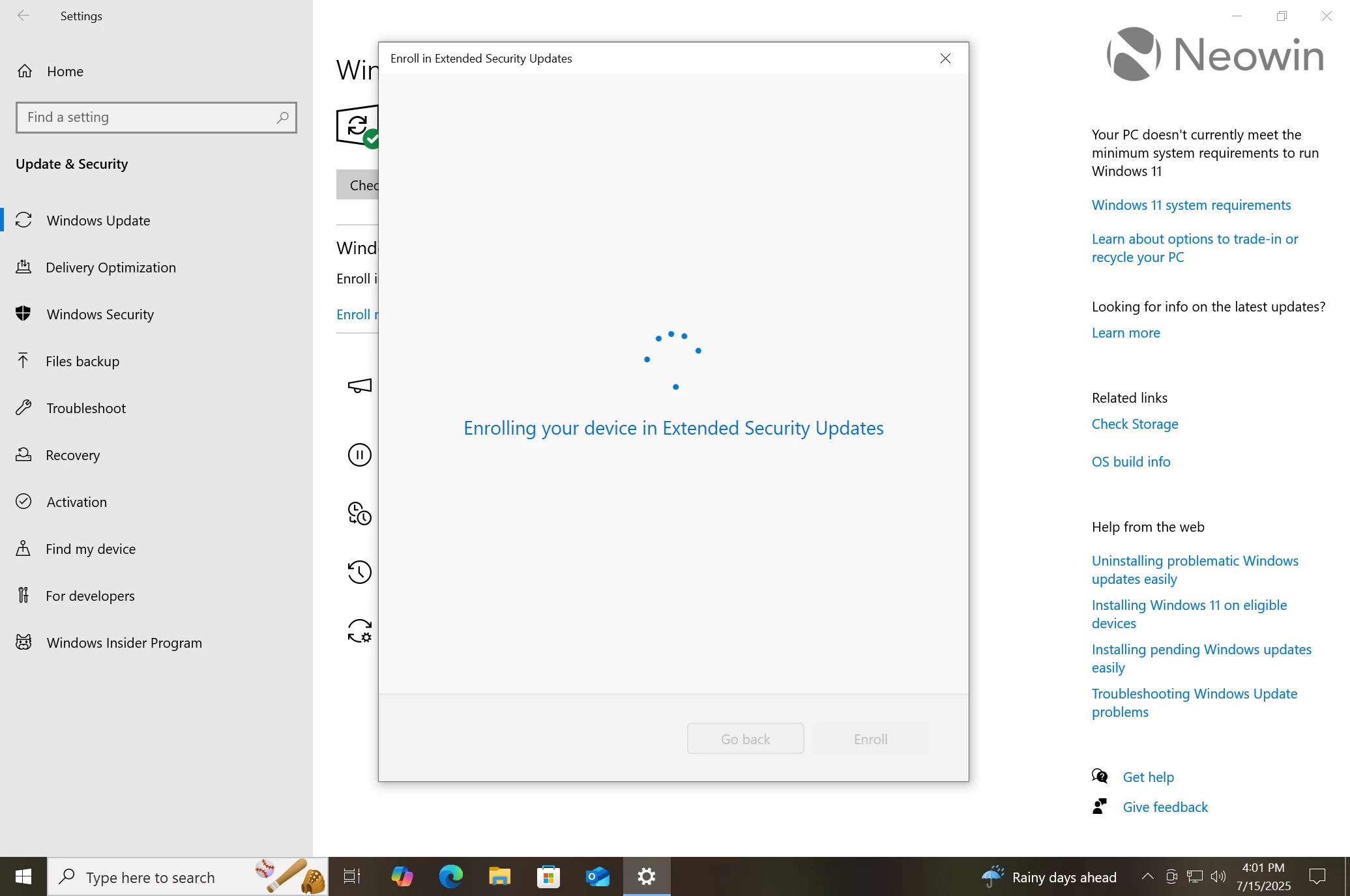
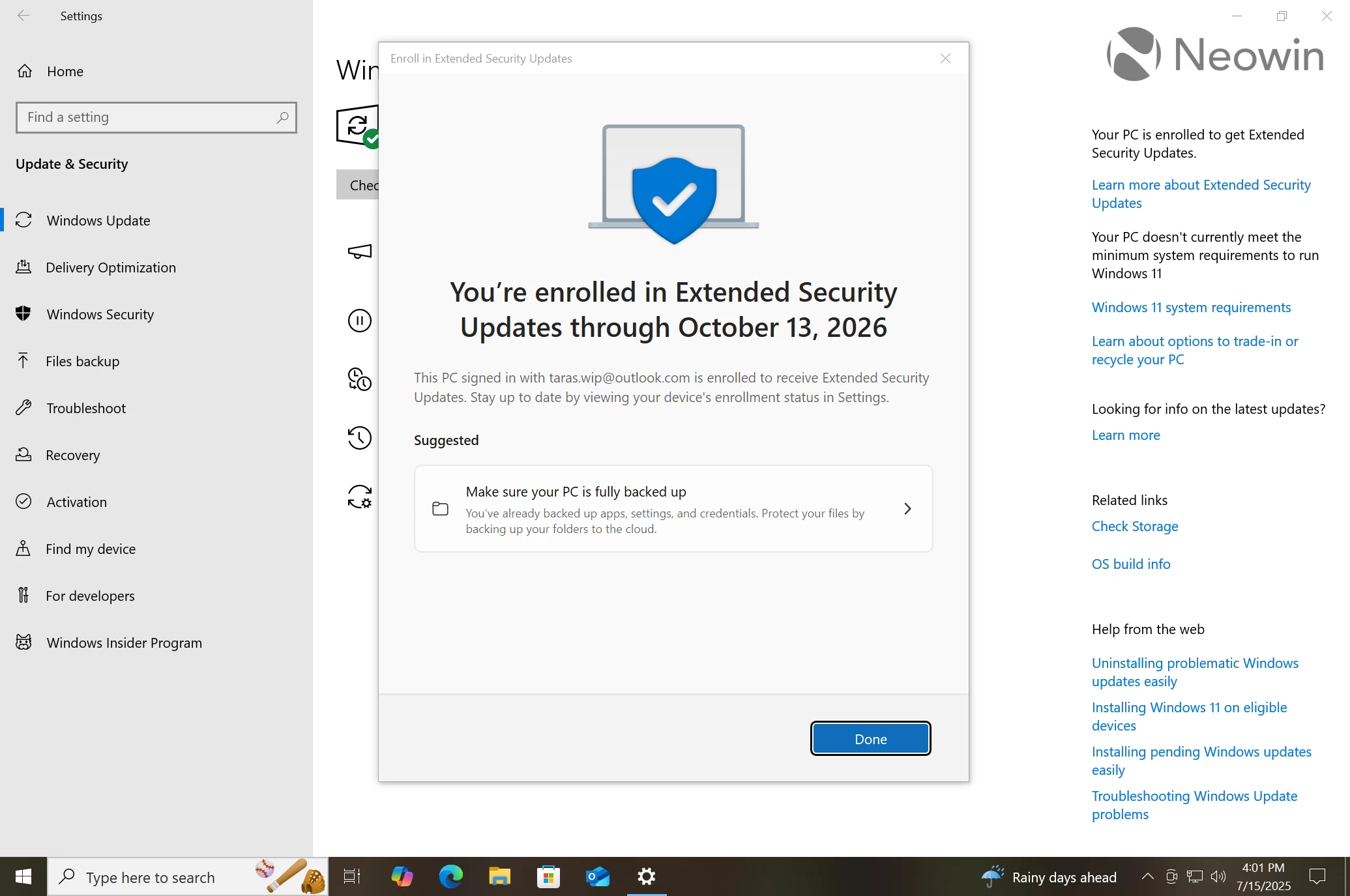
Click "Enroll" and wait for the wizard to sign you up.
Done, your system is now enrolled in the Extended Securiуty Update program, which grants you one year of security updates until October 13, 2026. After that, you are on your own.
If you are on Windows 10, what is your plan? Are you going to enroll in the ESU program or move to Windows 11?
You can post now and register later.
If you have an account, sign in now to post with your account.
Note: Your post will require moderator approval before it will be visible.


3175x175(CURRENT).thumb.jpg.b05acc060982b36f5891ba728e6d953c.jpg)

Recommended Comments
Join the conversation
You can post now and register later. If you have an account, sign in now to post with your account.
Note: Your post will require moderator approval before it will be visible.