

3175x175(CURRENT).thumb.jpg.b05acc060982b36f5891ba728e6d953c.jpg)
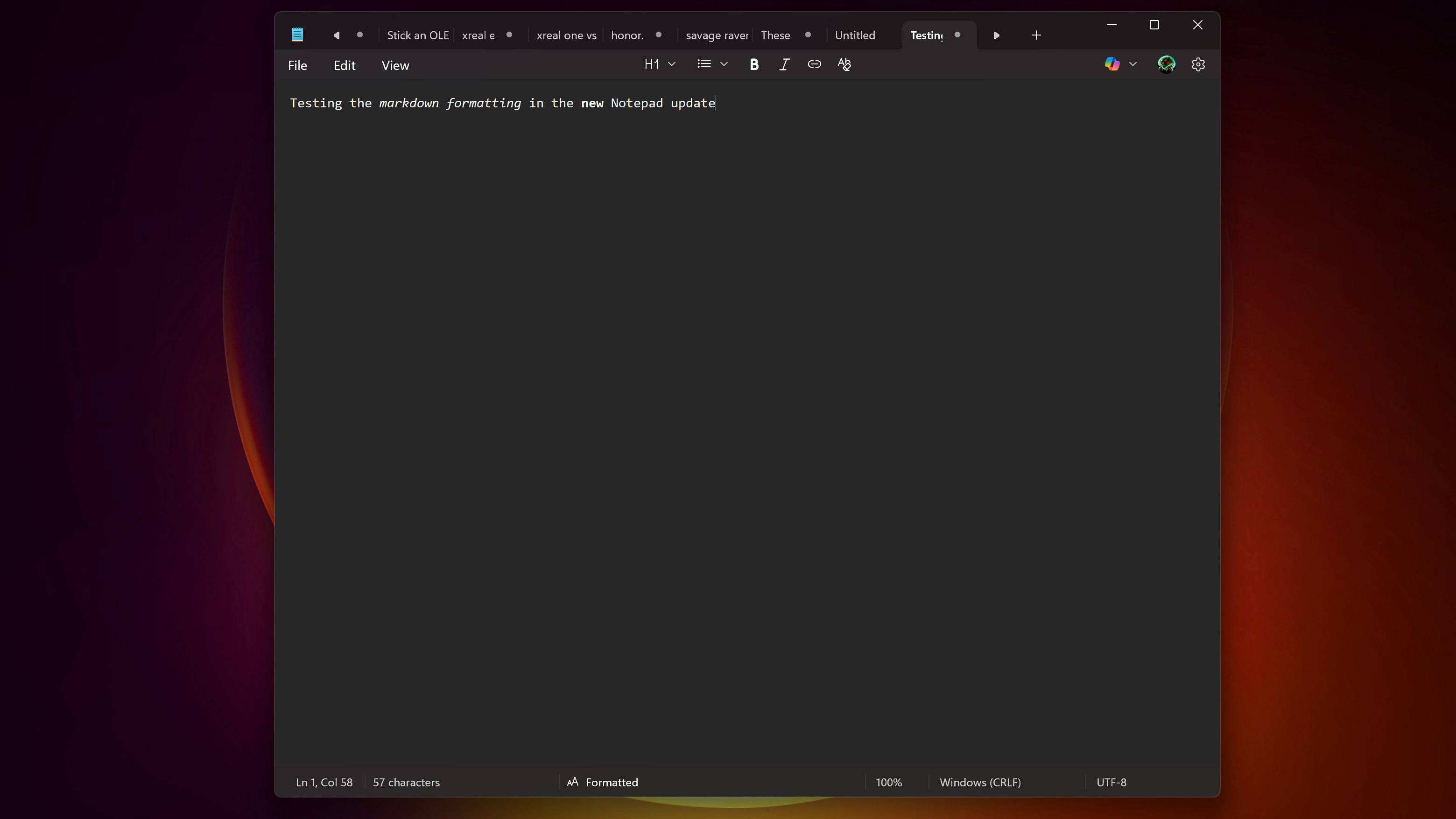
Notepad now lets you use markdown text formatting on Windows 11, which means you can write in Notepad just like you could in WordPad.
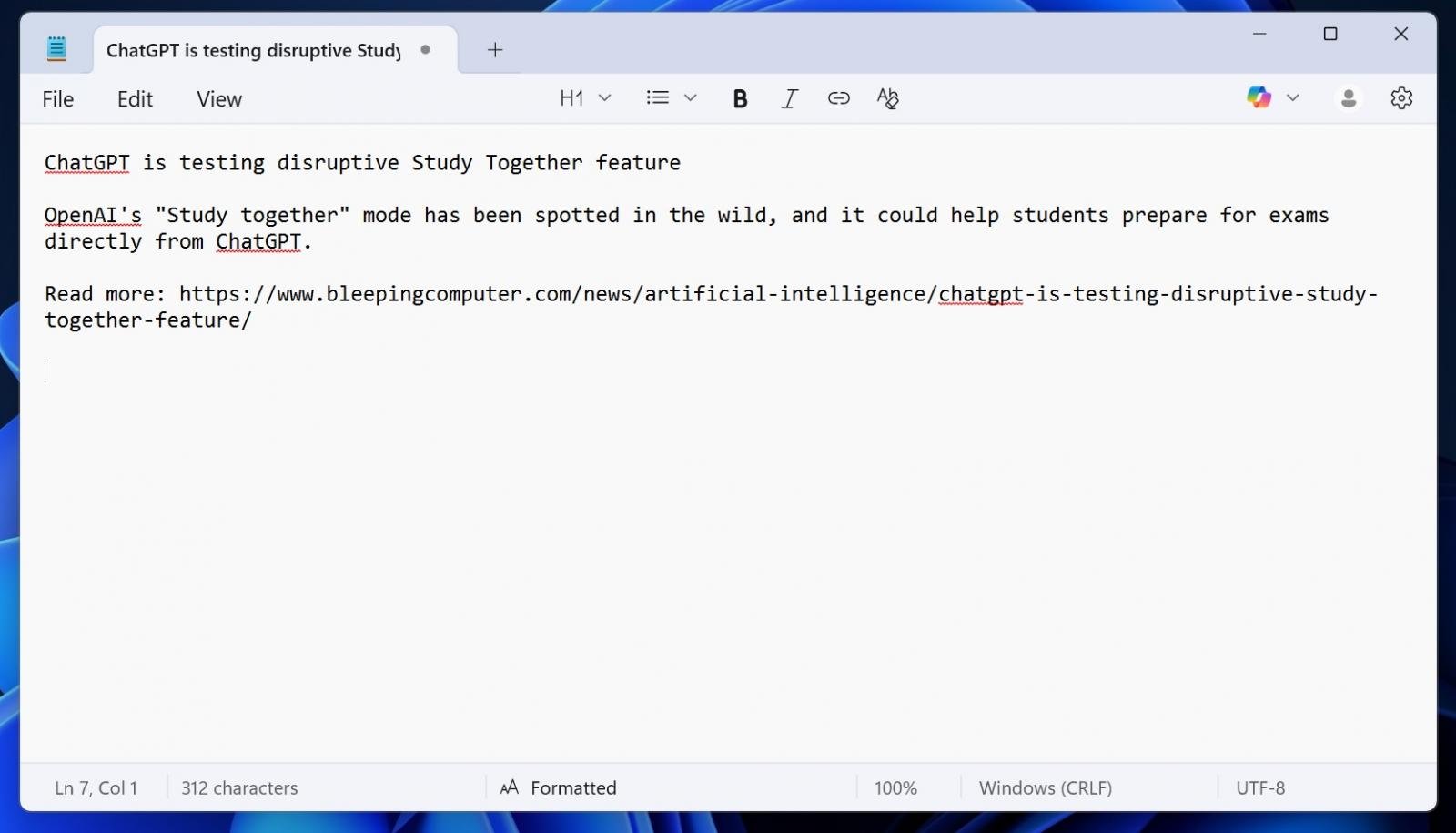
The new formatting feature is turned on by default, and you just need to select one of the options in the new formatting toolbar.
For example, when you highlight one of the lines in Notepad and choose your preferred heading, Notepad will instantly apply that formatting.
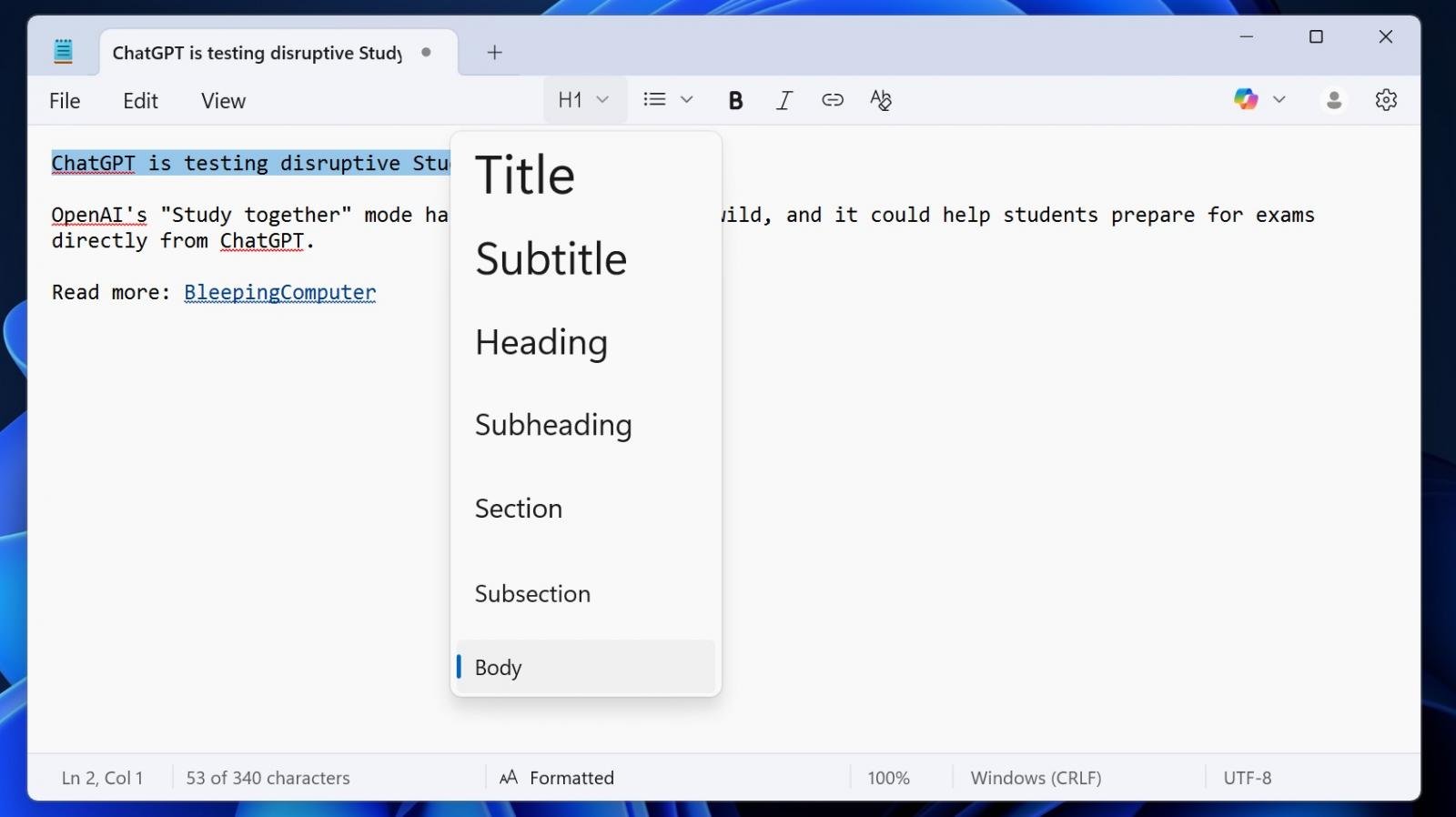
You can use a heading, a subheading, or a body tag. That's up to you. You can also use bullet points, including numbered bullet points.
You can keep using formatting as you type or switch to syntax-based formatting, where you can use "###" to turn a specific line into a heading.
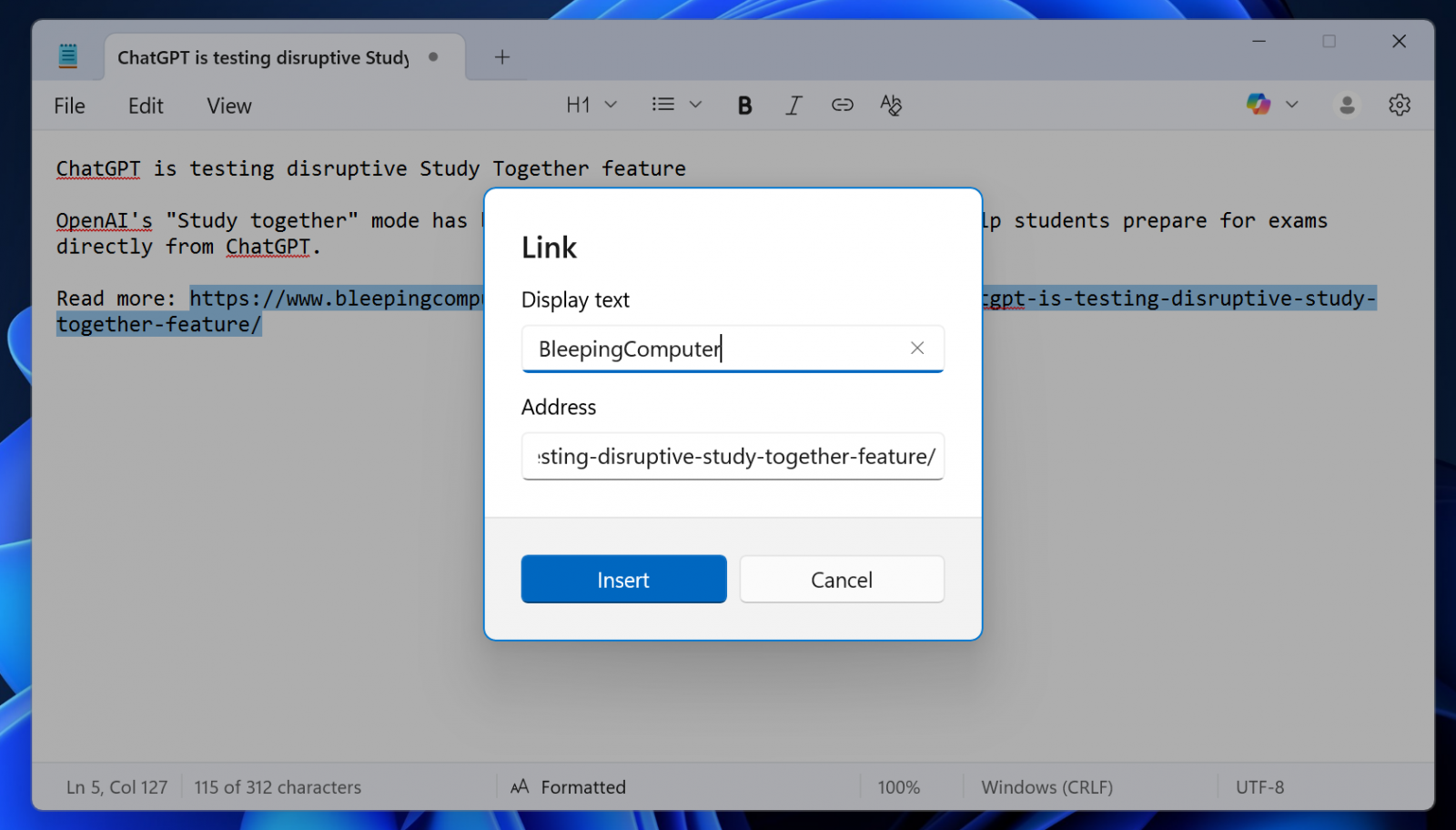
Notepad's lightweight text formatting also supports bold and italic styling, and hyperlinks.
.png)
While it's lightweight, and I can confirm Notepad doesn't use excessive CPU or memory at any point when formatting, you can always clear all formatting or turn off the feature from Settings.
Notepad's markdown is a great example of how Microsoft can add new features without annoying existing customers who love the app for its simplicity.
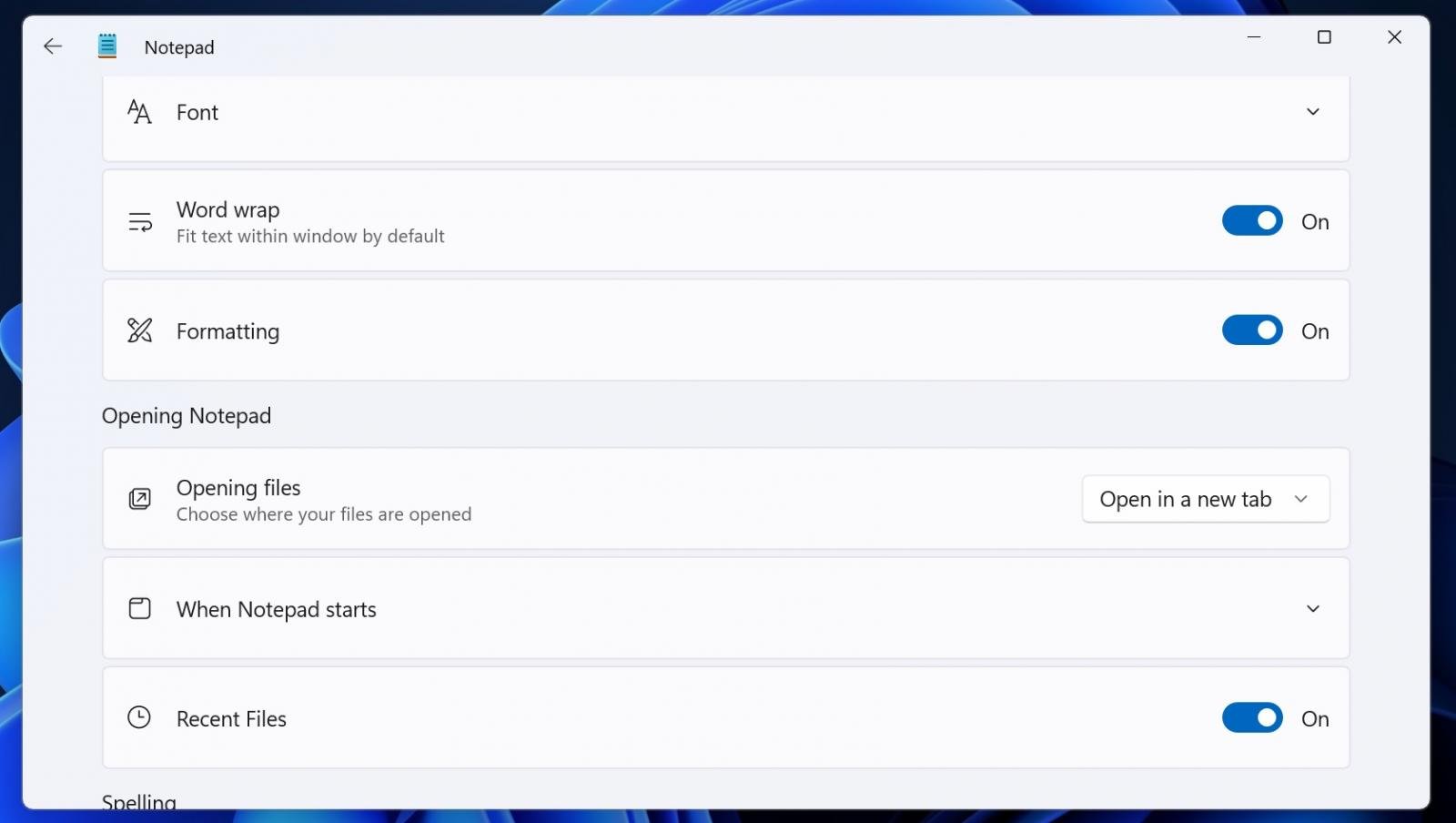
If you hate the idea, just open Notepad Settings and turn off the Formatting options.
Hope you enjoyed this news post.
Thank you for appreciating my time and effort posting news every day for many years.
News posts... 2023: 5,800+ | 2024: 5,700+ | 2025 (till end of June): 2,864
RIP Matrix | Farewell my friend
- Fowler
-
 1
1
Recommended Comments
There are no comments to display.
Join the conversation
You can post now and register later. If you have an account, sign in now to post with your account.
Note: Your post will require moderator approval before it will be visible.