

3175x175(CURRENT).thumb.jpg.b05acc060982b36f5891ba728e6d953c.jpg)
Notepad now supports lightweight formatting and Markdown.
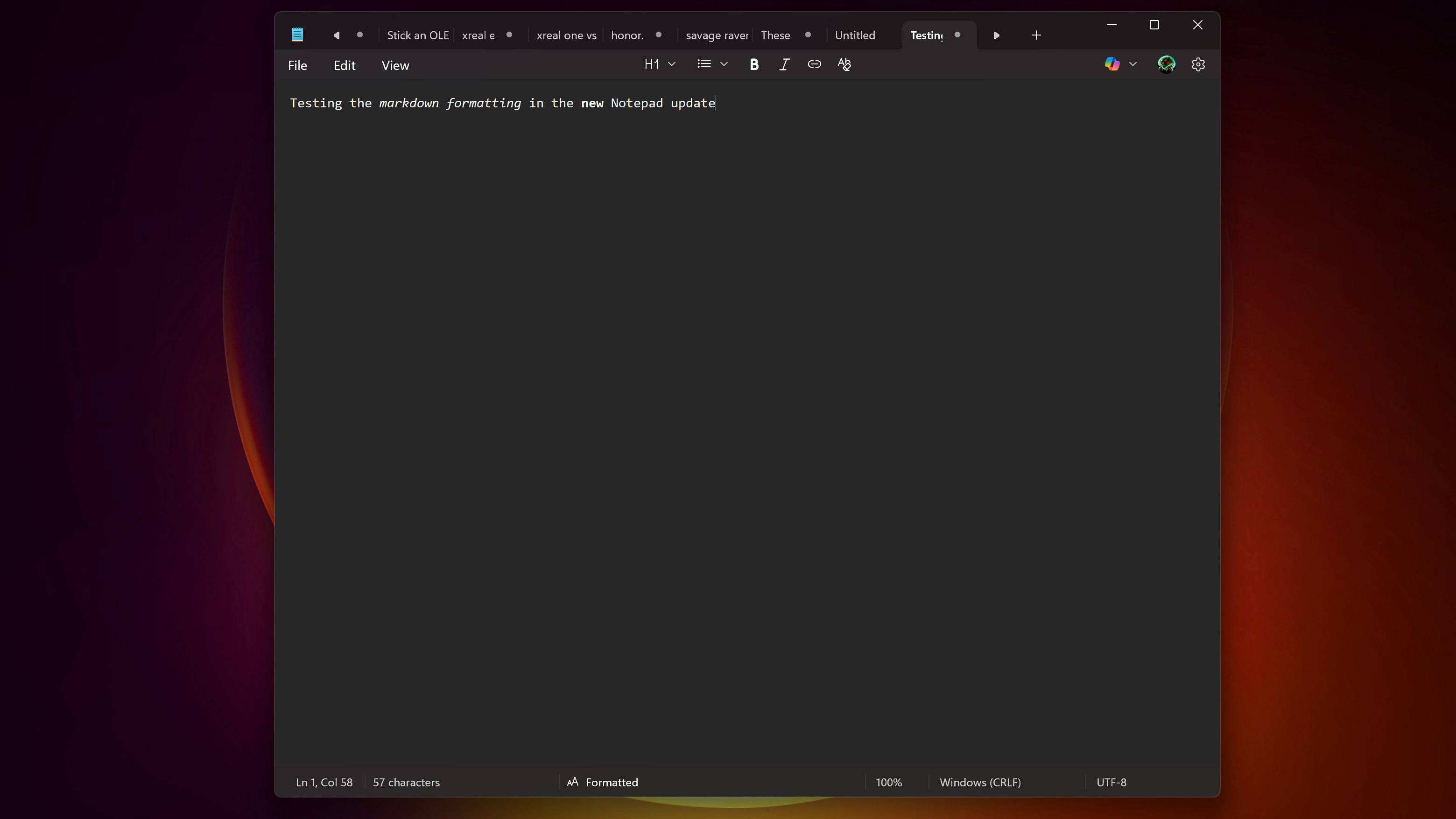
Notepad just received an update that adds new features to the classic app. Notepad has been around since 1983, holding strong as a basic text editor with a clean interface and minimal features. Microsoft took a bold step with its most recent update to Notepad by adding lightweight formatting features.
I say the additions are bold somewhat in jest, though any change to Notepad is noteworthy to some extent. Those who still use the app in 2025 often choose it for its basic design. Quite a few people were upset when Microsoft added Copilot to Notepad.
When Copilot was first announced for Notepad, many complained about bloat creeping into one of Microsoft's oldest apps.
"Okay but who in their right mind thought it was a good idea to kill the soul of such a simple utility and then do what everyone is doing to it?" asked Reddit user lars2k1 at the time.
Text formatting feels more in line with the aim of Notepad than an AI-powered text summarization tool.
One of my colleagues noticed new options the other day and joked, "What happened to my Notepad?" He was referring to the formatting toolbar that now lives at the top of the app. Within that bar sit options to apply formatting to text, such as bold and italic styling.
Notepad's menu also includes the option to clear all formatting to view plain text — also known as the right way to use Notepad.
Recommended Comments
There are no comments to display.
Join the conversation
You can post now and register later. If you have an account, sign in now to post with your account.
Note: Your post will require moderator approval before it will be visible.