

3175x175(CURRENT).thumb.jpg.b05acc060982b36f5891ba728e6d953c.jpg)
Windows 10 is fast approaching its tenth birthday, and to celebrate the occasion, we have been publishing features about the OS. These include items like our top 10 stories about Windows 10 from the past decade, 10 features that just never took off, and the operating system itself being one of the main reasons why Microsoft customers are so conscious about privacy now.
As we turn the page on Windows 10, we thought it would be interesting to take a look at some lingering issues or elements in the operating system that Microsoft hasn't been able to fix, despite the OS reaching ten years of life. Please keep in mind that the list below is not in any particular order:
Settings vs. Control Panel

Back in 2015, Microsoft told customers that it was working on deprecating the legacy Control Panel in favor of its modernized Settings app. Of course, this meant transitioning all existing Control Panel functionalities to this new interface, but Microsoft rightly emphasized that this was important to reduce code complexity and make the overall system leaner. However, fast-forward 10 years, and this is still a work in progress, even in Windows 11.
The Redmond firm has been focusing on migrating elements to the Settings app, but still seems unsure if it wants to truly kill Control Panel or not. It's baffling at this point, really, but at least there are fewer reasons to use the legacy application now.
Error 0x80070643

This Windows Recovery Environment (WinRE) error has been plaguing Windows 10 for over a year, but it's unfortunate that Microsoft can't fix it in an automated fashion and requires customers to perform manual steps. Now, the company has just settled on telling customers that they should just pretend that the error is not there, which, granted, isn't super difficult to do since it doesn't impact any critical workflows.
Tablet Mode
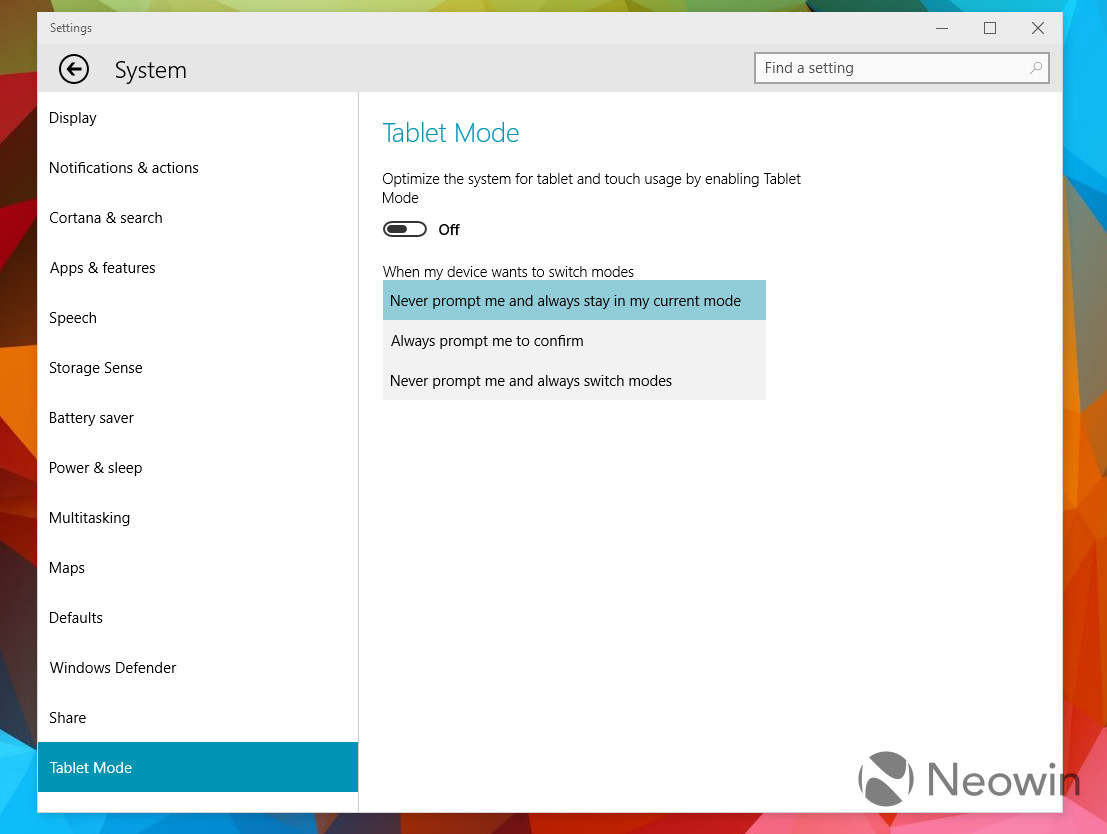
As the name implies, Tablet Mode in Windows 10 is a touch-friendly UX, which contains several changes in Windows 10 to make it easier to use with your hands. However, the company has never been able to really nail the concept despite multiple pivots in strategy leading up to Windows 11. It's just not that user-friendly, and it doesn't really boost productivity in a meaningful way. You're better off keeping your keyboard attached and just using that.
Windows Search

Look, I love Windows Search; you can read my whole essay on the topic. However, I do accept the functionality's shortcomings too. It just prioritizes Bing Search too much in some cases, especially when your search term is the slightest bit off from what is required. In a way, it does promote Bing to more customers, but I do think that ship has sailed, and at this point, Microsoft is risking alienating its user base even further with each passing day.
UX inconsistencies

In 2017, Microsoft announced the Fluent Design scheme for Windows 10. Although it looks great on the surface, the problem once again lies with Microsoft's execution. We are 10 years into the life of an operating system that is fairly mature by now, but still, we can see modern design elements along with legacy elements throughout the OS. This problem extends to the system theme too, where dark mode is not consistently applied across applications, even in those developed by Microsoft itself.
What Windows 10 elements continue to irk you? Let us know in the comments section below!
This story is a part of our "10 Years of Windows 10" collection, in celebration of the operating system's tenth anniversary, falling on July 29, 2025. Over the next few days and weeks, you'll be able to find more content on this topic in our dedicated section available here.
Hope you enjoyed this news post.
Posted Monday 28 July 2025 at 5:52 am AEST (my time).
News posts... 2023: 5,800+ | 2024: 5,700+ | 2025 (till end of June): 2,864
RIP Matrix | Farewell my friend
- Mutton
-
 1
1
Recommended Comments
Join the conversation
You can post now and register later. If you have an account, sign in now to post with your account.
Note: Your post will require moderator approval before it will be visible.