

3175x175(CURRENT).thumb.jpg.b05acc060982b36f5891ba728e6d953c.jpg)
Microsoft typically highlights the shiniest and seemingly groundbreaking features when it is advertising Windows. Recent examples of such capabilities are the controversial Windows Recall and Copilot integration, but as I have said in the past, it's often the smaller features that you never think or know about that really make a difference to your productivity workflows.
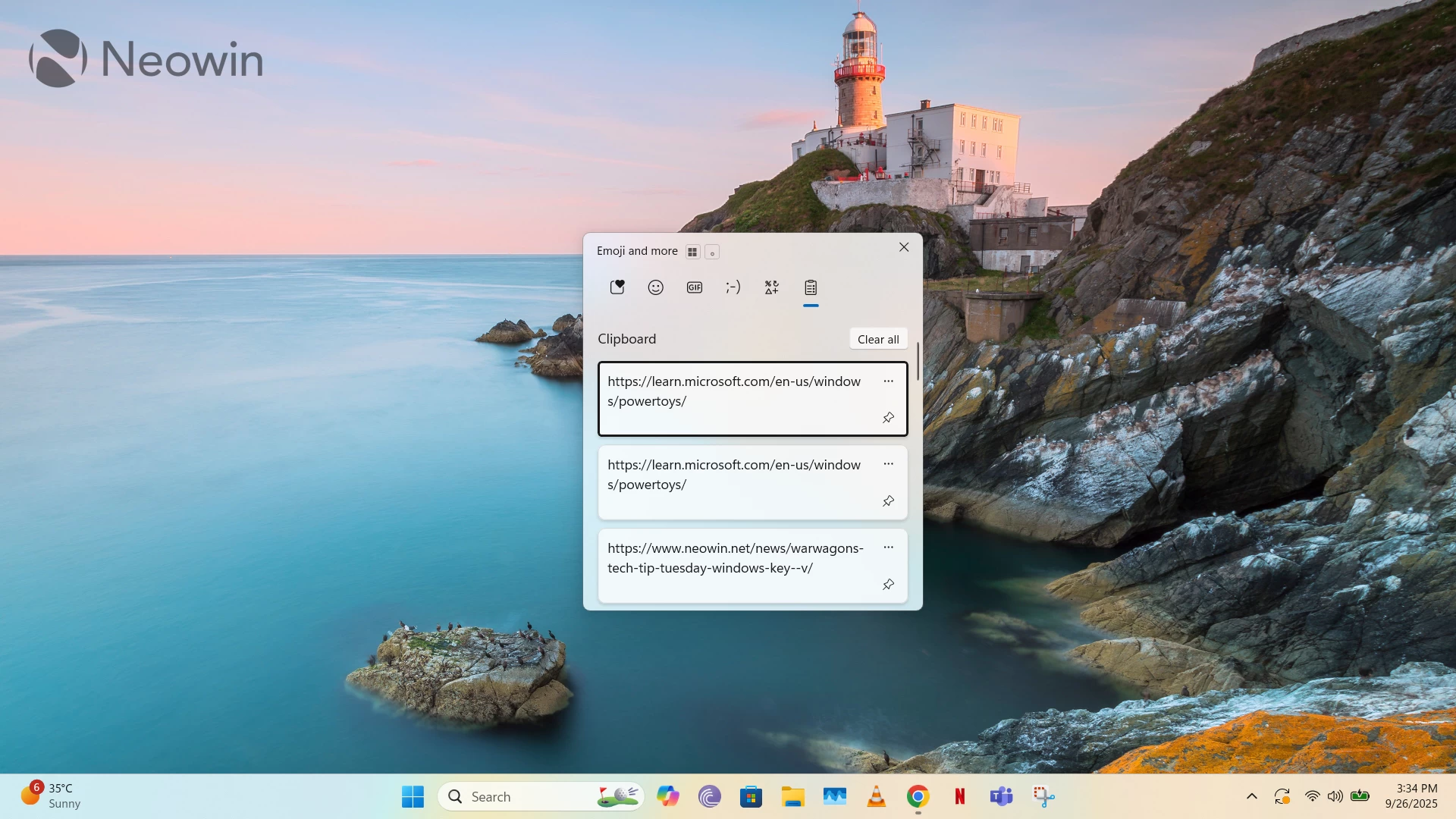
One such feature in Windows 10 and 11 is Clipboard History, which I think Microsoft doesn't do a particularly good job of advertising, even though it was previewed in Windows 10 over seven years ago and officially released through the Windows 10 October 2018 Update. We even wrote a short guide in 2022 about how you can use Clipboard History, but if you don't have the time to read that, use the Win + V shortcut instead, and you'll figure it out.
Copy-paste operations are typically performed using the Ctrl + C, Ctrl + V shortcuts, but a problem with this approach is that it's one-shot. You can only keep one item "in memory," and if you use the copy operation on another item of text, it will overwrite the previous content. This is where Clipboard History comes into play, as it's a supercharged version of the copy-paste operations.
Clipboard History can save up to 25 items, which include rich content like images and emoji. You can pin items that you suspect you'll use frequently and manually delete those that you don't need anymore. It's very easy to insert/paste copied items in your desired location as well; simply place the cursor on the destination, press Win + V, and click on the item that you want inserted.

Another major selling point of Clipboard History for those who use their Microsoft account across multiple devices is that their history will sync across those machines. You can enable this capability through Windows Settings, and it can be very handy if you regularly shift your workflows across devices. A bonus capability in Clipboard History is that it integrates quite well with Microsoft PowerToys through the Advanced Paste utility, which also opens up even more opportunities if you enable dedicated OpenAI-powered AI capabilities in that toy. Similarly, a third-party tool that we covered recently, WindowSill, integrates with Clipboard History too.
Clipboard History is something that I use regularly, both on my personal and work machines, as I regularly need to backlink to our older articles multiple places within the piece that I am writing up at the time. If I were restricted to the standard Ctrl + C, Ctrl + V shortcuts, my productivity would have been severely hampered. I have talked to some of my work colleagues as well, and many who are aware of the feature consider it a crucial piece of their workflows, while those who don't are fairly impressed when they do try it out for the first time.
Clipboard History is an essential weapon in my arsenal of Windows-based productivity, and while I understand that it likely doesn't seem ground-breaking enough for Microsoft to continue advertising it, I do think it's much better than most of the AI slop that the company has been trying to shove down our throats in the name of productivity.
Hope you enjoyed this news post. Feedback welcome.
Posted Saturday 27 September 2025 at 1:08 pm AEST (my time).
News posts... 2023: 5,800+ | 2024: 5,700+ | 2025 (till end of August): 4,048
- jenyco2
-
 1
1
Recommended Comments
There are no comments to display.
Join the conversation
You can post now and register later. If you have an account, sign in now to post with your account.
Note: Your post will require moderator approval before it will be visible.