

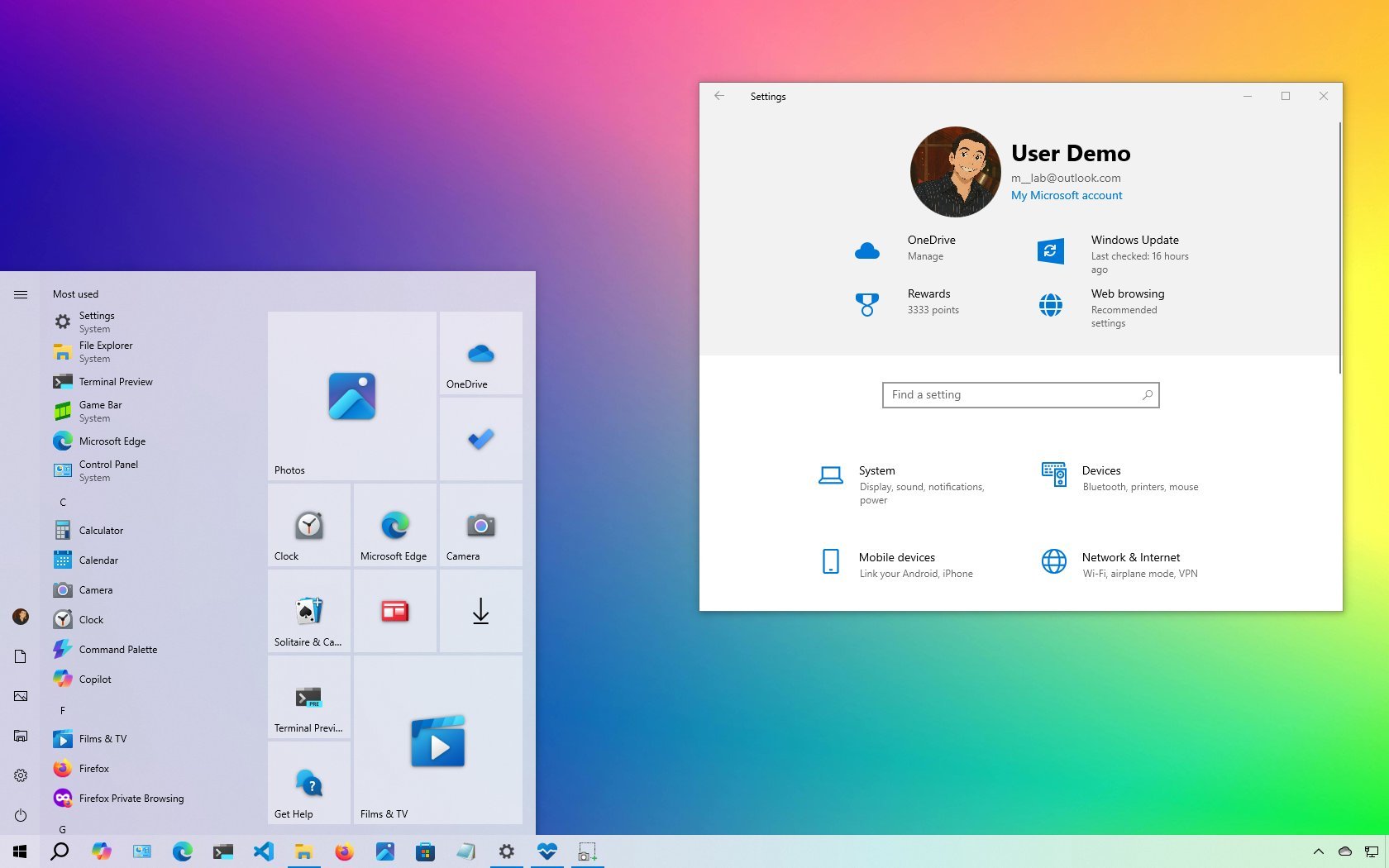
3175x175(CURRENT).thumb.jpg.b05acc060982b36f5891ba728e6d953c.jpg)
As Microsoft pushes for the upgrade to Windows 11, many users are feeling the pull of nostalgia. Are we trading stability for trendy features?
Since the end of support for Windows 10 is fast approaching, I wanted to take a moment to reflect on my experience with the operating system. Although Microsoft is pushing hard for everyone to switch to Windows 11, either by upgrading or changing devices, I think there are still good reasons many of us will want to hold on to Windows 10 for as long as we can.
For me, it's not only about hardware compatibility or customization. It's about the overall balance of performance, stability, and usability that this version delivers.
4 reasons I want to keep Windows 10 as long as possible
Here are the main reasons I want to keep using Windows 10 despite its upcoming retirement.
1. Hardware compatibility
Windows 10 runs on almost any hardware, even older ones. On the other hand, Windows 11 has strict requirements (TPM 2.0, Secure Boot, newer CPUs), so older but still functional computers can't upgrade without workarounds.
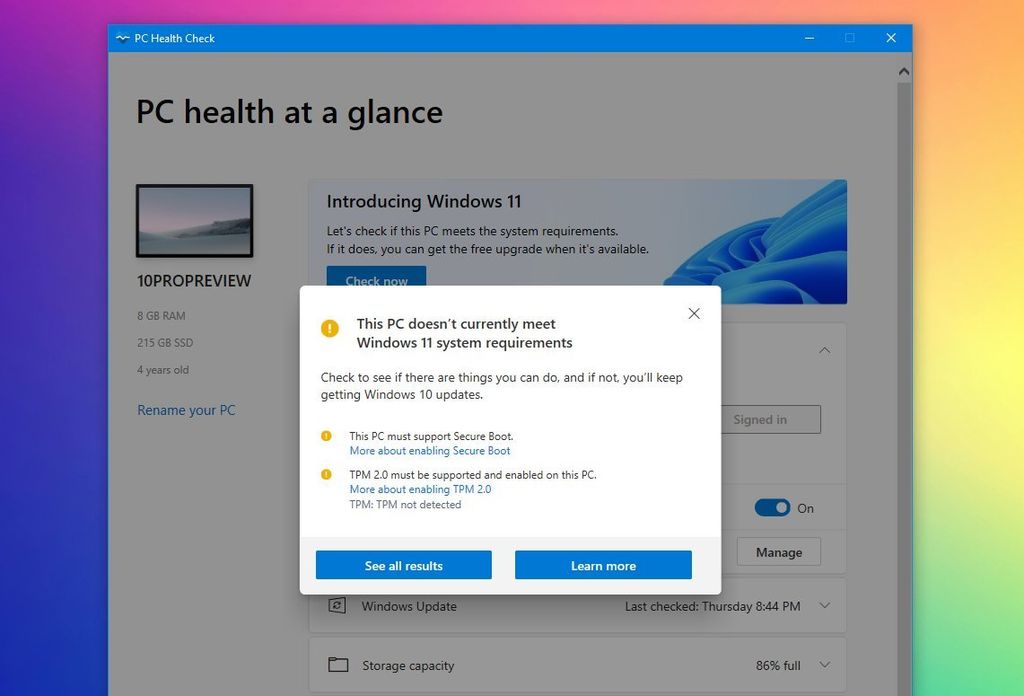
(Image credit: Mauro Huculak)
Even if you use workarounds, the device still needs a processor with support for the POPCNT (Population Count) instruction. Otherwise, Windows 11 (version 24H2 and higher) won't boot. This requirement primarily impacts chips released before 2007.
This makes Windows 10 the only practical choice for a vast number of older, but still capable, devices.
2. User interface and customization
Windows 10 simply gives you more control over the way your desktop looks and works.
The Start menu was one of its best features, combining the familiar design of Windows 7 with the modern touch of Live Tiles from Windows 8. Even after Live Tiles became static, the layout remained functional. You could resize the menu, use it in full screen, and quickly scroll through apps thanks to its left-aligned design.
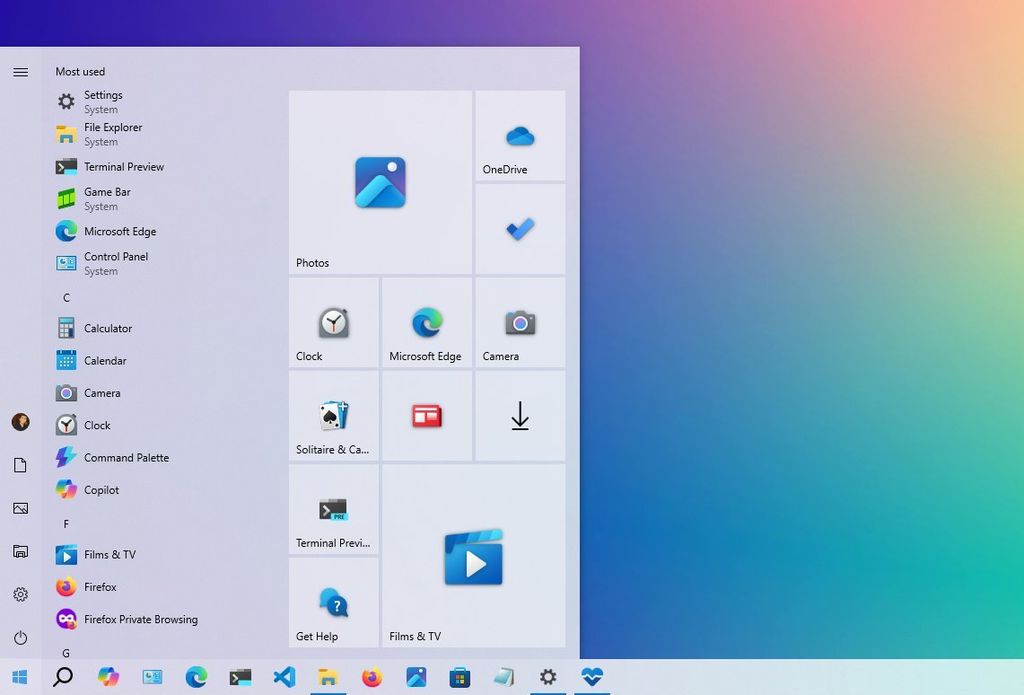
(Image credit: Mauro Huculak)
The Taskbar was equally flexible. You could move it to any edge of the screen, resize it, and customize it without restrictions. The context menu offered the complete set of options in one place, without forcing you to click "Show more options" to see the entire list.
On Windows 11, the Taskbar looks similar at first glance, but is far more restrictive. Customization options are limited, the Start menu is centered by default, and even basic right-click menus are simplified in a way that slows down power users.
3. No AI to worry about
Windows 10 includes only limited AI features, mainly through Microsoft Edge and the optional Copilot app, both of which you can easily remove or disable. This gives you more control over your system and helps keep it feeling private and less intrusive.
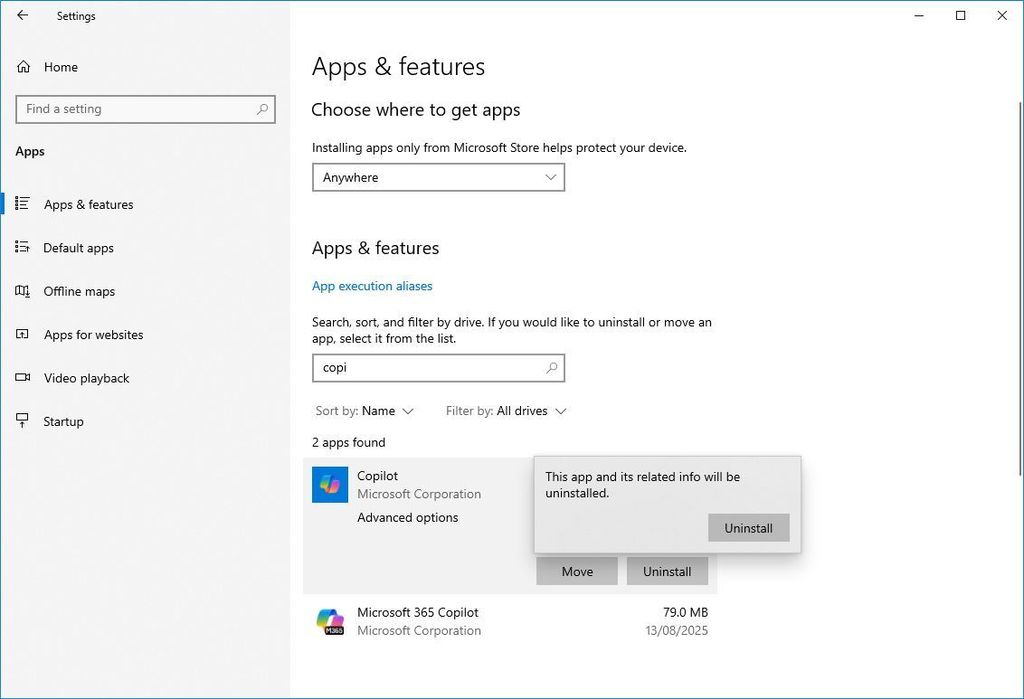
(Image credit: Mauro Huculak)
Windows 11, on the other hand, is integrating AI into nearly every update, and the trend shows no sign of slowing down. While most AI features require special hardware like an NPU (Neural Processing Unit) and won't appear on older devices, your next computer will likely unlock all of them, including Windows Recall, Click to Do, AI agents in Settings, and more. The operating system also includes the Windows Copilot Runtime, which allows other apps to tap into AI features.
Although AI seems to be here to stay, not everyone is comfortable with that level of integration in the operating system.
4. Familiar and stable
Windows 10 has been around since 2015, giving Microsoft a lot of time to resolve bugs and refine the user experience. Many users feel that the older version of the operating system is more stable and reliable, which I happen to agree with, whereas Windows 11, being newer, still has some problems and occasional bugs.
Also, for the older generation of users, Windows 10 offers a more familiar experience that's easier to use and navigate, requiring minimal learning time, especially for businesses.
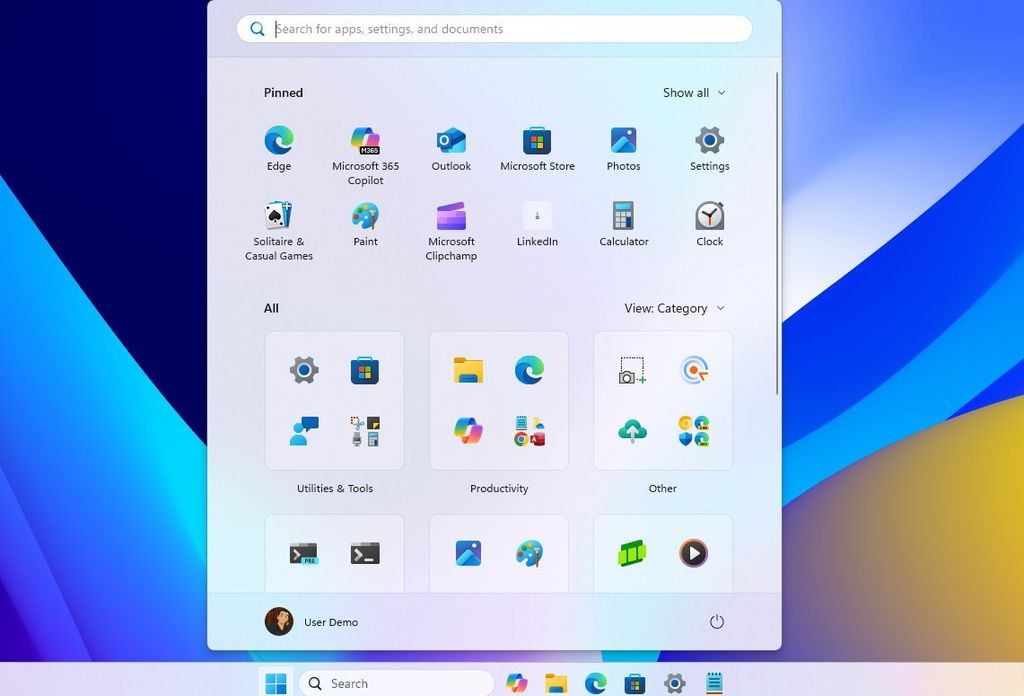
As I mentioned earlier, I do find the Start Menu, Taskbar, and other elements to be more familiar and functional. Windows 11's centered Start menu and more restrictive Taskbar customization options are often defined as a step backward. The multi-row Taskbar and the ability to move it to different parts of the screen in Windows 10 are features many users miss.
(Image credit: Mauro Huculak)
Windows 11 is still evolving and has its share of bugs. Even upcoming changes, like the new Start menu that merges "Pinned" and "All" apps into one scrollable page, may simplify things but won’t please everyone.
What happens next
Although Windows 10 is still a highly popular operating system, we can't ignore that on October 14, 2025, support will end for the Home and Pro editions, and you'll have to decide your next step.
The end of support (or end of life) means that the operating system will no longer receive security and maintenance updates, new features, or technical support of any kind.
The logical choice is to upgrade to Windows 11 to maintain the support of your computer. However, if you want to stay on Windows 10 as long as possible, you have a viable option. You can enroll your device in the Extended Security Update (ESU) program to continue receiving security updates for another year.
The program costs $30 (or equivalent in your region), and it'll provide the necessary critical updates to maintain your device's security until October 2026.
Alternatively, you can also access the program by redeeming 1000 points from your Microsoft Rewards program, or you can get it for free (kinda) by using OneDrive to back up your data to the cloud.
(Image credit: Mauro Huculak)
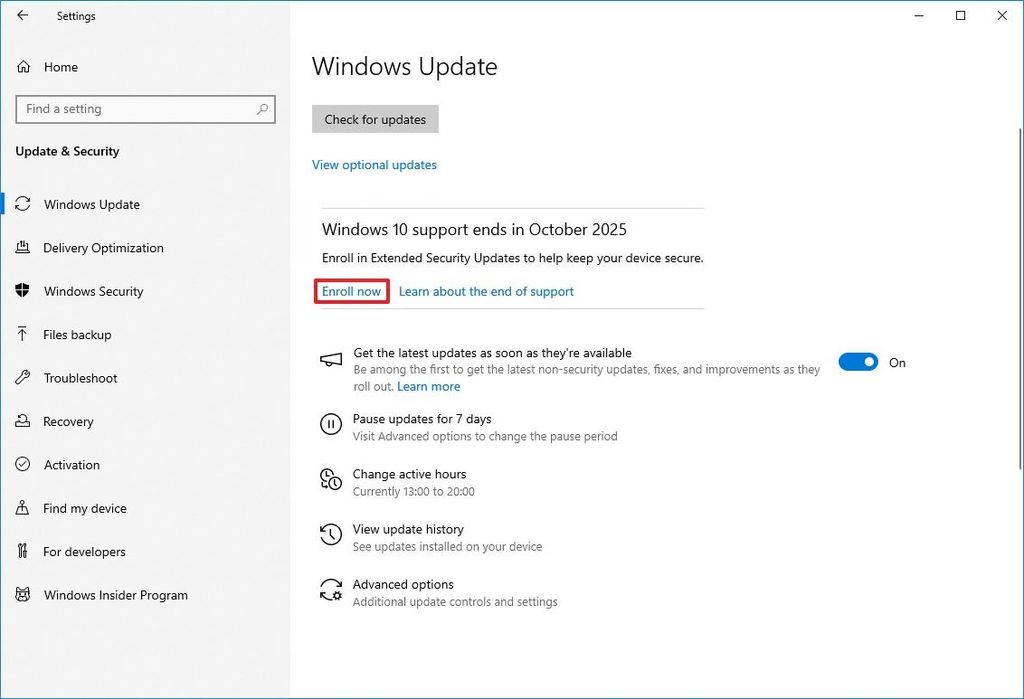
To enroll in the ESU program, you can do this from Settings > Update & Security > Windows Update and click the Enroll now option that will appear under the "Check for updates" button, or from the right-side page. You'll also need to be signed in with a Microsoft account to access the program.
Then, you have to choose how you want to enroll, and continue with the on-screen directions.
Microsoft is still rolling this option out, which means that it can take some time to appear on your computer.
Are you upgrading to Windows 11 or staying on Windows 10 with the ESU program? Let me know in the comments.
Hope you enjoyed this news post. Feedback welcome.
Posted Monday 18 August 2025 at 3:08 am AEST (my time).
News posts... 2023: 5,800+ | 2024: 5,700+ | 2025 (till end of July): 3,458
- Tzcon, Miroglu.80 and lurch234
-
 3
3
Recommended Comments
Join the conversation
You can post now and register later. If you have an account, sign in now to post with your account.
Note: Your post will require moderator approval before it will be visible.