

3175x175(CURRENT).thumb.jpg.b05acc060982b36f5891ba728e6d953c.jpg)
Computer users have plenty of choice when it comes to an essential piece of software: password managers. From built-in browser password managers to local apps or cloud-based services that sync your data across all of your devices -- and the company's cloud -- there is much choice, which can be overwhelming.
One of our favorite password managers is KeePass. The main version of the program is available for Windows, but the format that it uses is widely used and apps, for instance KeePassXC, are available for more or less any system you can think of. Add plugin support to the mix, and you get a password manager that is very powerful, yet keeps you in full control all the time.
KeePass 2.60: here is what is new
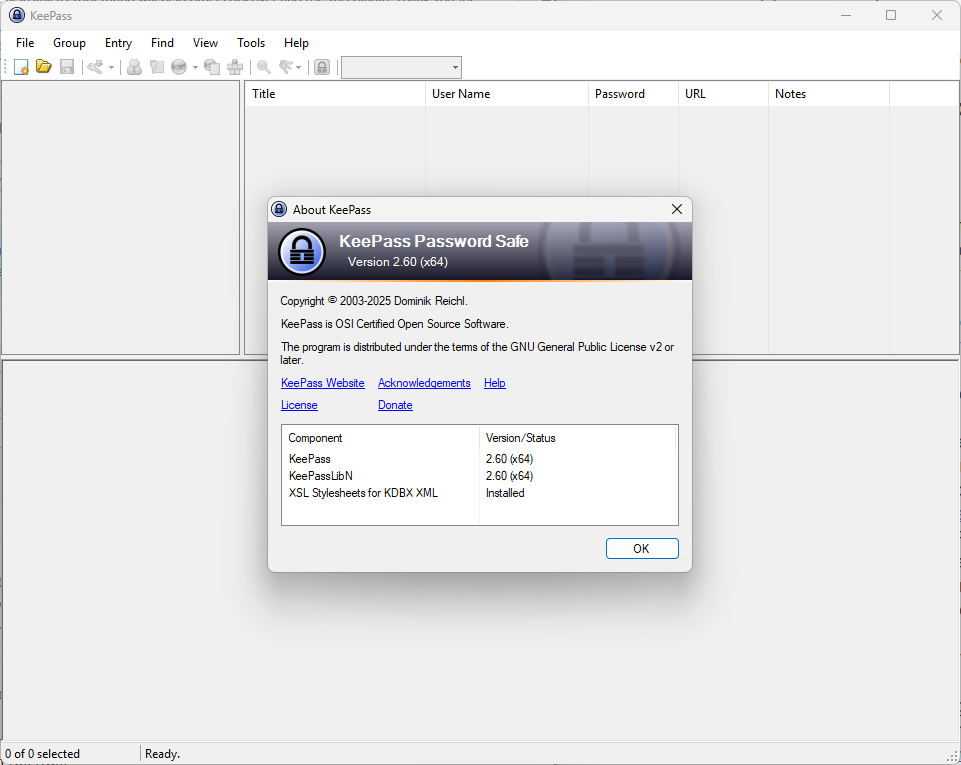
KeePass 2.60 is the latest version of the 2.x branch of the password manager. You can download it from the developer website and upgrade existing versions that way. While KeePass does include update notifications, updating is not integrated nor automatic.
Just run the installer after the download to upgrade the installation. Portable users can copy the data into the portable folder to update.
So what is new in the release? The official blog post lists a large number of new features and improvements.
Here are the main changes:
- Press Ctrl-A in list view that supports multiple selections to select all items at once.
- Press Delete when you have items selected to delete them, provided that the view supports deletion.
- French-speaking users may see a warning because of a conflict between the global auto-type hotkey Ctrl-Alt-A and the French Standard AZERTY layout.
- The clearing countdown for the Clipboard now shows the remaining time in seconds. Previously, it only showed a bar.
- Support for importing Firefox 143 CSV password files was added.
- When importing Bitwarden JSON data, "totp" fields that consist of only Base32 characters are now treated as "a shared secret for time-based one-time password generation".
- Added support for parsing Unix timestamps in milliseconds.
- New search option: search for group paths.
- Option new main entry list columns "Group Path" and "Group Name".
As for improvements, there is a significant amount listed. You may notice that the auto-complete of the quick search box is not showing any suggestions anymore. This is caused by a bug that is affecting the display when running new searches.
You can check out the remaining improvements, which address quite a few bugs and issues for the most part.
Now You: do you use a password manager? If so, what is your favorite program for the job and why? Feel free to leave a comment down below.
Hope you enjoyed this news post. Feedback welcome.
Posted Tuesday 4 November 2025 at 5:05 am AEST (my time).
News posts... 2023: 5,800+ | 2024: 5,700+ | 2025 (till end of October): 5,009
- Mutton and phen0men4
-
 2
2
Recommended Comments
There are no comments to display.
Join the conversation
You can post now and register later. If you have an account, sign in now to post with your account.
Note: Your post will require moderator approval before it will be visible.