

3175x175(CURRENT).thumb.jpg.b05acc060982b36f5891ba728e6d953c.jpg)
Opera launches Paste Protect, a built-in tool that blocks malicious actors from accessing your PCs clipboard.
Popular browser Opera has just launched a feature that protects your clipboard from malicious actors. The feature is called Paste Protect, and it’s built directly into the desktop version of the browser, so there’s no need to configure or turn on anything manually.
And indeed, your PC’s clipboard is an underrated but also vulnerable place. The feature is aimed squarely at ClickFix, a social engineering technique that's been spreading fast. It usually starts with a fake error message, a broken CAPTCHA, or a video that won't play, and tricks the victim into copying a command and pasting it into their own terminal or Windows Run dialog.
An infiltrated command can then install malware, steal saved credentials, or hand an attacker remote access to your PC. We’ve recently heard of the Lumma Stealer case, which is one of the most widespread infostealers Microsoft has tracked. It used fake CAPTCHAs and ClickFix-style prompts as one of its primary distribution methods. Once inside a system, it went after browser passwords, cryptocurrency wallets, and saved login sessions. Lumma Stealer affected hundreds of thousands of Windows PCs in just two months.
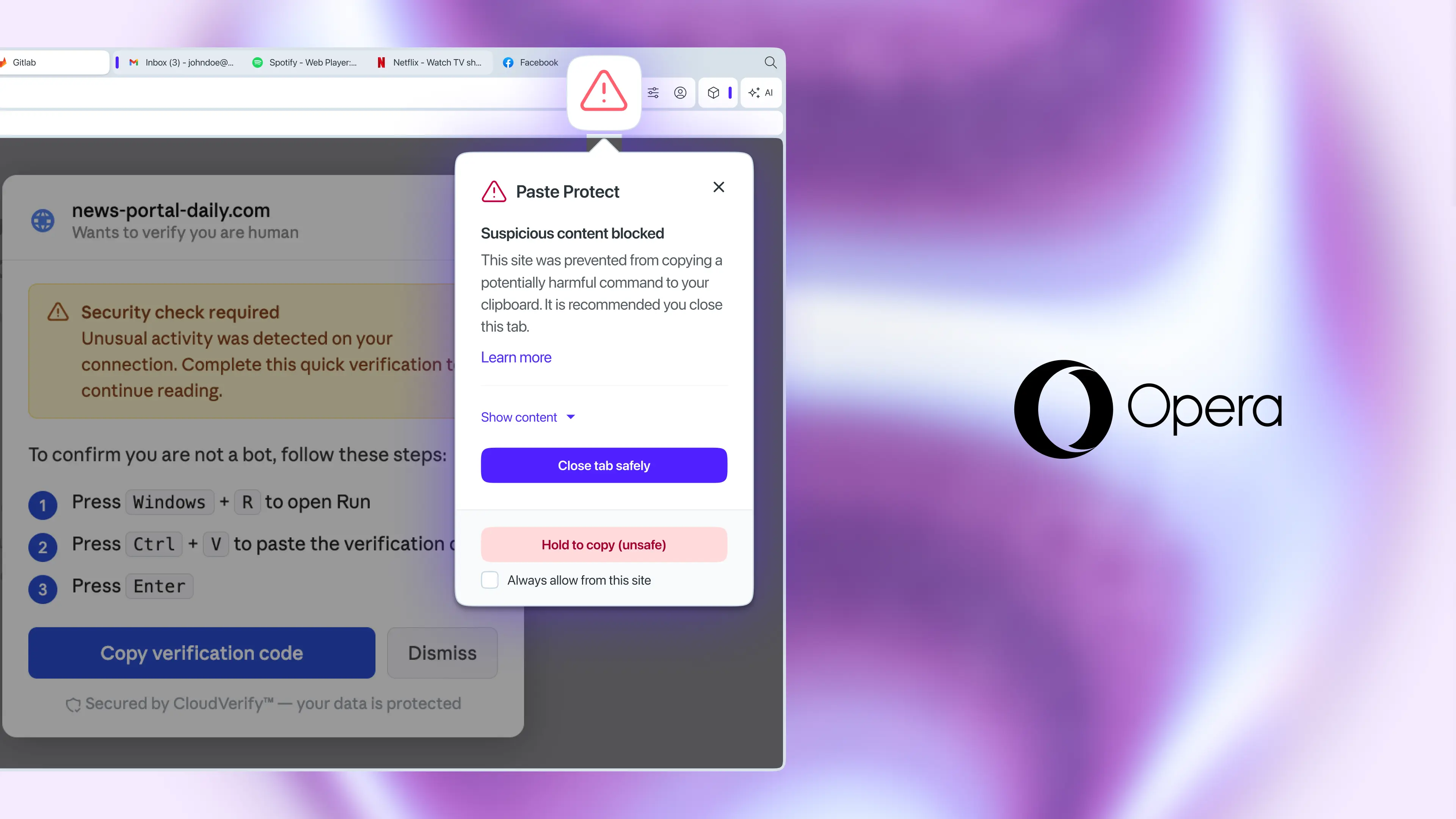
Paste Protect is made up of two parts. The first is Hijack protection, a feature Opera has actually had since 2021, which stops external apps from sneakily swapping out something you copied. The second and genuinely new piece is Injection protection. This feature watches your clipboard in real time and, if something suspicious is caught, blocks the access immediately. You’ll then get a warning popup, with a red icon appearing in the address bar.
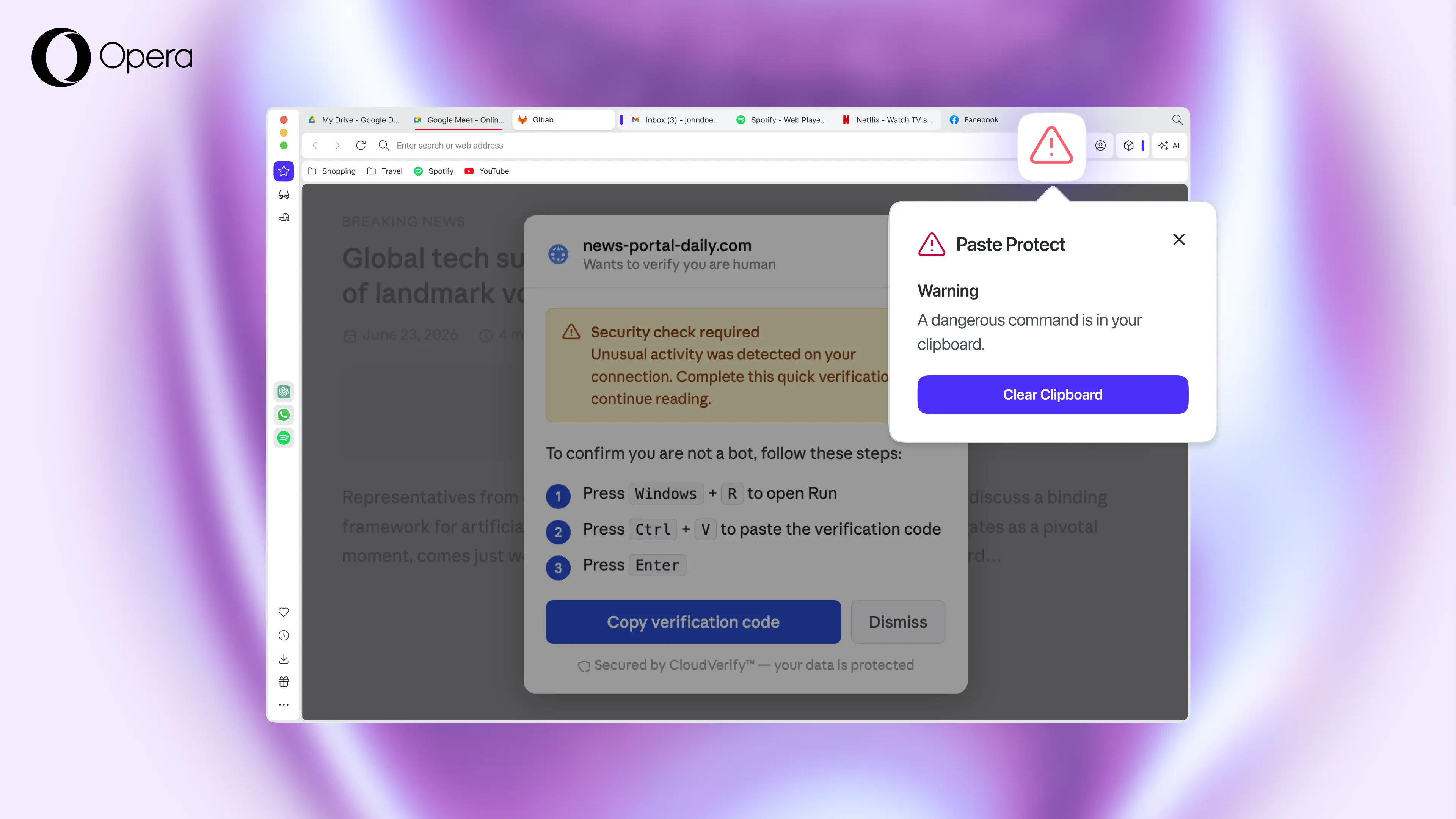
Another genuinely useful trait of Paste Protect is that users can peek at the first 120 characters of whatever got blocked. Developers can also whitelist specific sites or force a copy by holding Ctrl+C for five seconds. But we only recommend this if you’re absolutely sure what you’re copying.
Opera says its browser is the first major browser to have such a feature, and it checks. Right now, you can only install similar protection in other browsers through various plugin and third-party extensions.
You can download Opera from the official website. The browser is available on Windows, macOS, Linux, ChromeOS, iOS, and Android. But keep in mind that Paste Protect is currently only available on desktop.
Hope you enjoyed this news post. Feedback welcome.
Posted Friday 3 July 2026 at 1:08 pm AEST (my time).
News posts: 2023 5,800+ | 2024 5,700+ | 2025 5,700+ | 2026 (to end of June) 2,475
- flash13
-
 1
1
Recommended Comments
There are no comments to display.
Join the conversation
You can post now and register later. If you have an account, sign in now to post with your account.
Note: Your post will require moderator approval before it will be visible.