

3175x175(CURRENT).thumb.jpg.b05acc060982b36f5891ba728e6d953c.jpg)
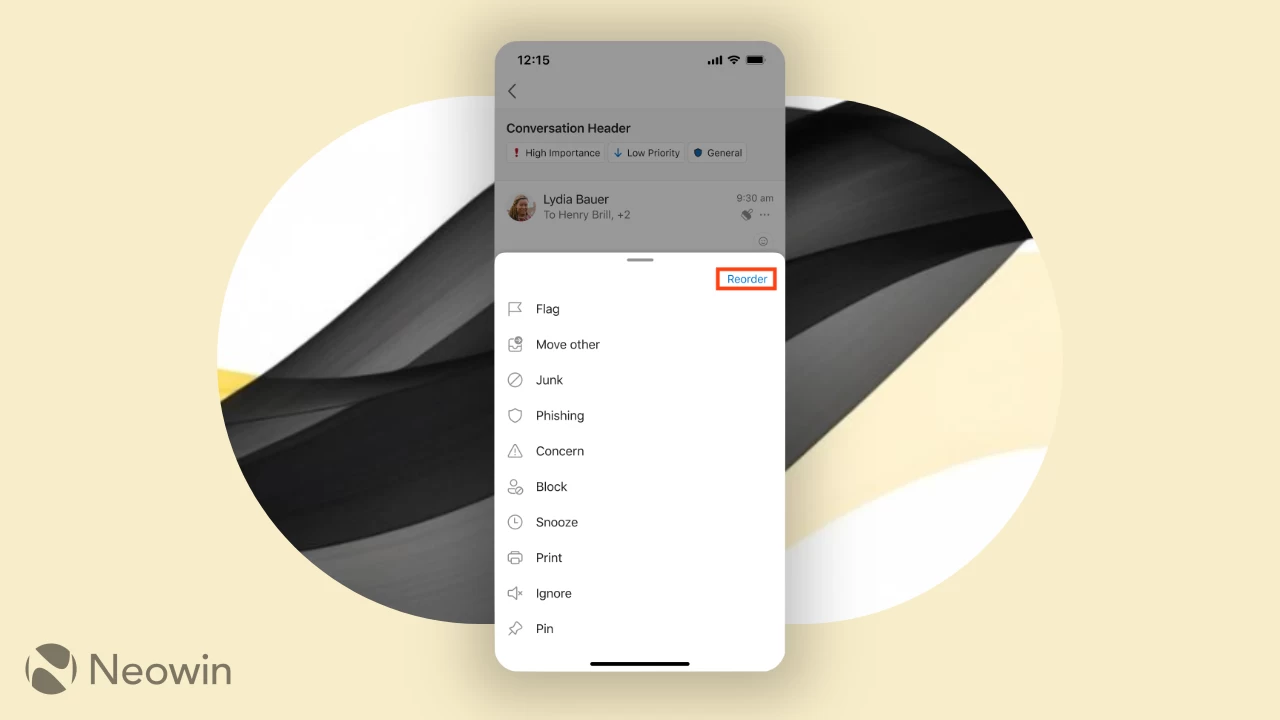
Microsoft has announced a new feature that will finally allow you to customize the action toolbar in Outlook for Android and iOS. For a long time, the main actions you could take on an email were stuck in a static position in the top-right corner. Deleting, archiving, or marking something as unread meant reaching your thumb all the way up there. Now, that entire bar has been moved to a, perhaps, much more sensible spot at the bottom of the screen.
Here's how it works. When you open an email, you will see a new toolbar at the bottom of the screen.
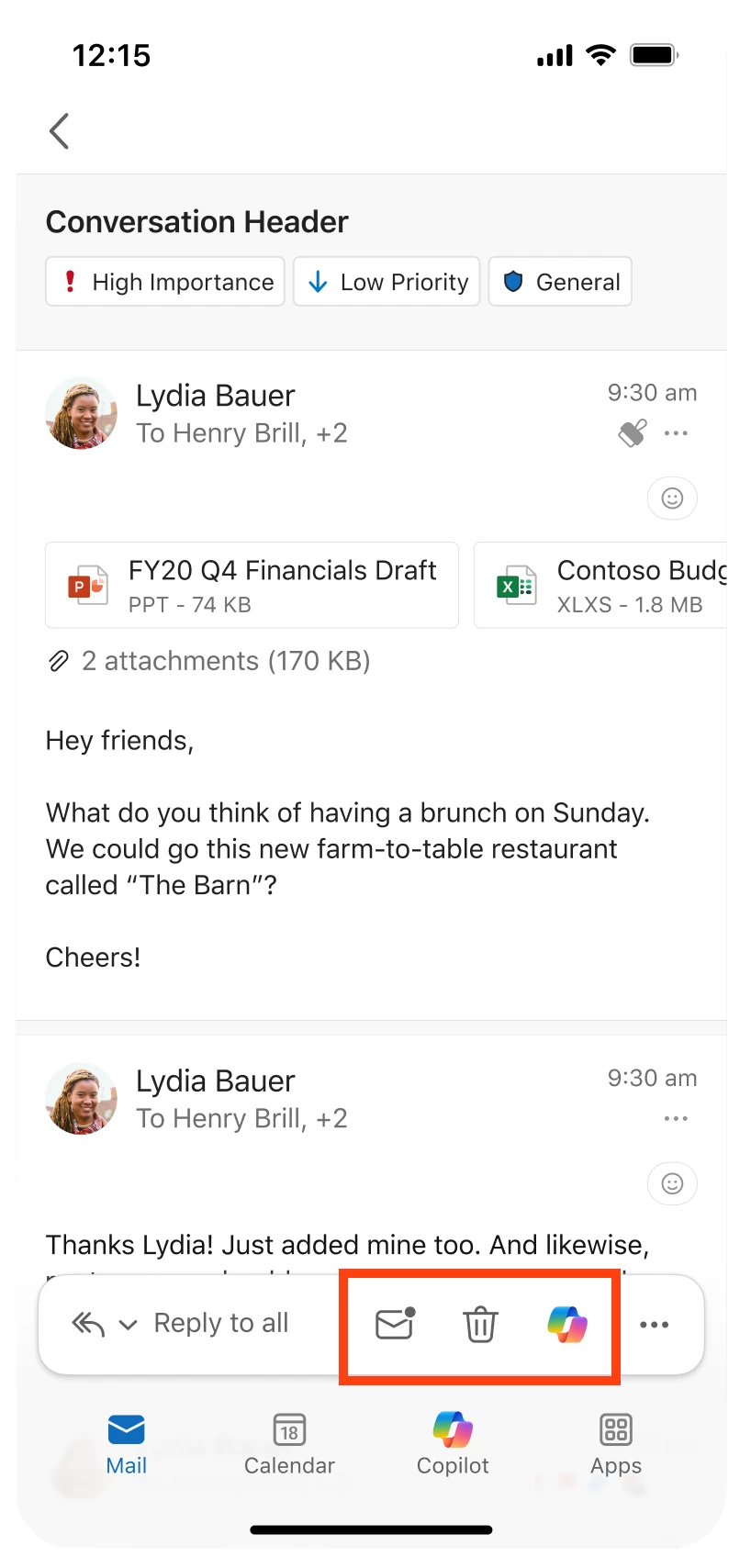
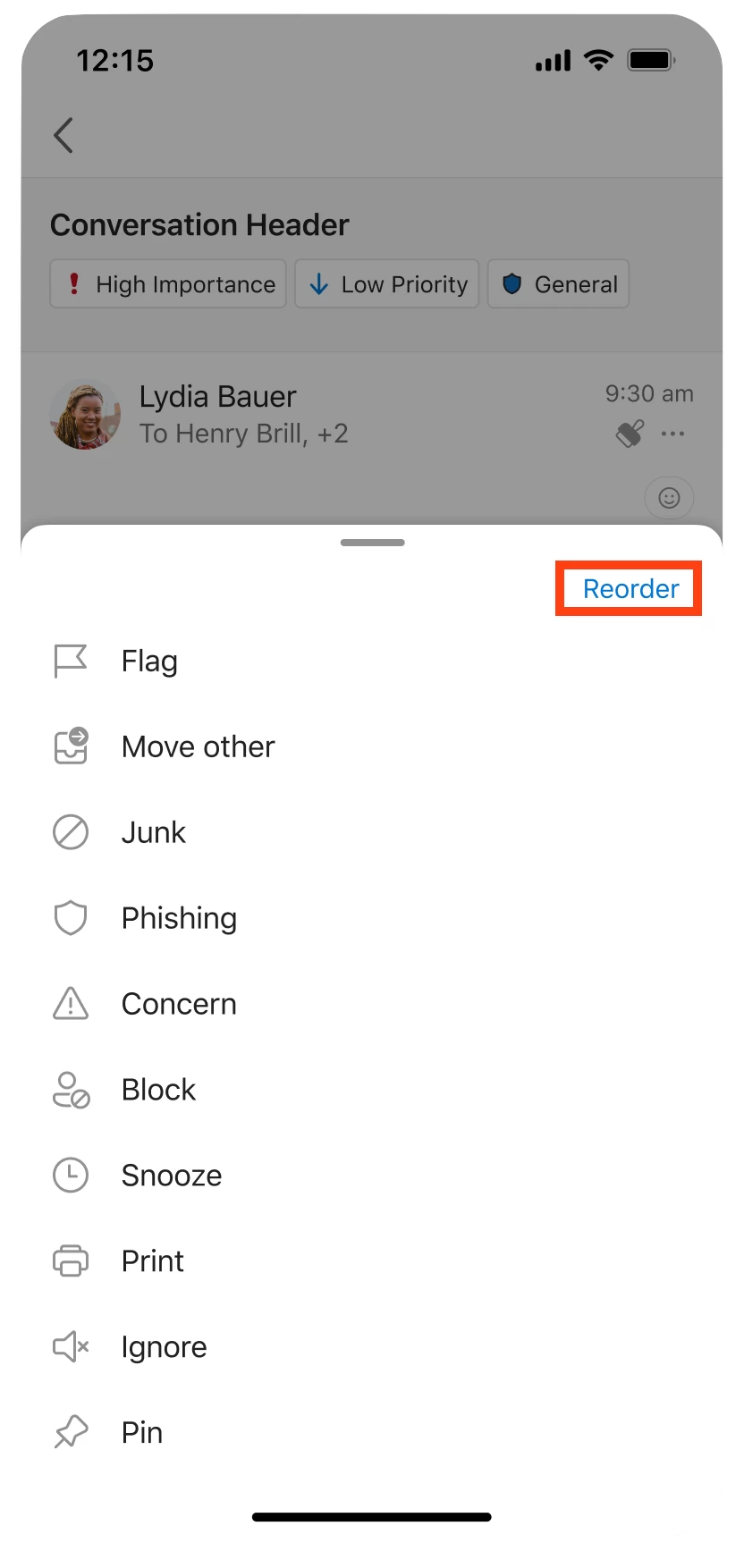
This bar holds several actions you can take, like Reply, Delete, and so on. Any commands that cannot fit are tucked away behind a "More options" button. To change the layout, you just tap that button. From there, you can tap More options (...) > Reorder, as shown in the following screenshot:
Then, from there, you just drag and drop the actions you want onto the main bar. Once you set it, the layout stays the same across all your accounts.
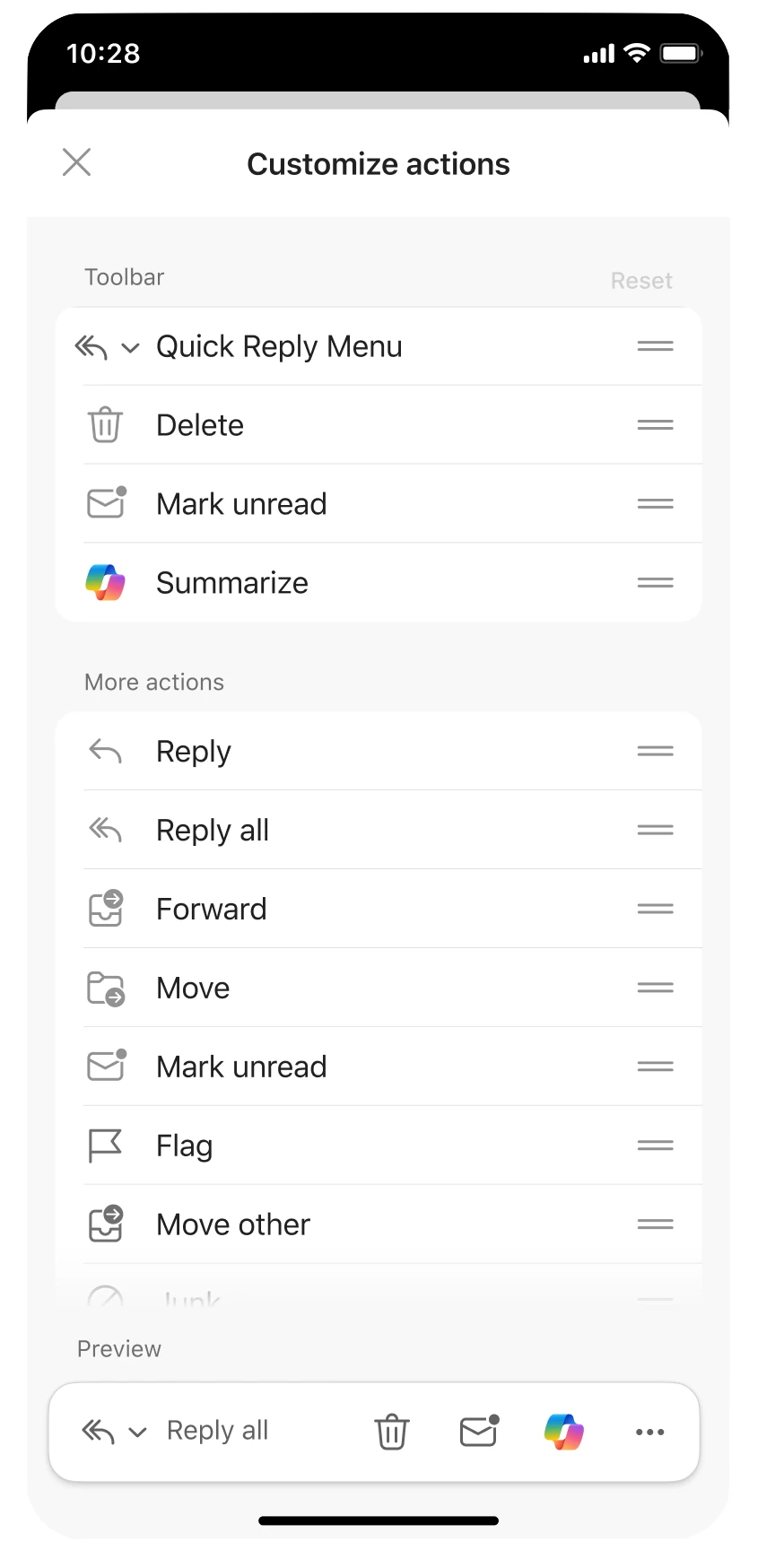
Now, it is not without its quirks. There are a couple of known issues, like the fact that your layout might change depending on your screen size or if you flip your phone horizontally. If your custom actions do not fit, they will get bumped to the overflow menu automatically. You will also see more grayed-out, disabled buttons than before. Microsoft says this is intentional so actions do not disappear from view entirely.
This update is currently rolling out to anyone running at least Build 4.2522.0 on Android or Build 4.2522 on iOS.
Hope you enjoyed this news post.
Thank you for appreciating my time and effort posting news every day for many years.
News posts... 2023: 5,800+ | 2024: 5,700+ | 2025 (till end of June): 2,864
RIP Matrix | Farewell my friend
Recommended Comments
There are no comments to display.
Join the conversation
You can post now and register later. If you have an account, sign in now to post with your account.
Note: Your post will require moderator approval before it will be visible.