

3175x175(CURRENT).thumb.jpg.b05acc060982b36f5891ba728e6d953c.jpg)
Microsoft Edge is testing a background playback feature that lets you enjoy content even when your phone is locked.
Microsoft Edge has an experimental feature that supports background video playback on Android. Anyone can try the feature, but you have to download Microsoft Edge Canary for Android and jump through a few hoops, including enabling a flag.
The answer to the most pressing question is yes, the feature does let you play YouTube videos in the background even if you do not have YouTube Premium. I tested it on several videos, including the Windows Central Podcast and various songs.
Video Background Play works when you navigate to other tabs, swap to another app, and even when you lock your phone.
Playing YouTube videos while your phone is locked is nothing new, but Google tends to plug holes and workarounds from time to time. Having the option in Edge is convenient, assuming it makes its way to general availability.
The new feature was spotted by Leo Varela, who shared a video on X (formerly Twitter).
The new feature is still in testing, so you may run into some bugs. In my brief time with it, video background playback has worked well. Music, podcasts, and other content continue to play even when I shut my phone or lock my device.
The media banner on my phone even brings in the correct artwork for whatever video is playing in the background.
How to enable video background playback on Microsoft Edge

Enabling background playback in Microsoft Edge currently requires a flag.
(Image credit: Future)
- Download Microsoft Edge Canary for Android.
- Open Edge Canary.
- Navigate to edge://flags in the navigation bar.
- Search for "background."
- Tap the box below "Video Background Play" and toggle the setting to "Enabled."
- Follow the prompt to restart Microsoft Edge Canary.
If videos on Edge still stop playing when you navigate to a different tab or switch apps, make sure that Edge has background playback enabled. Note that this is a different setting to the flag you just enabled.

(Image credit: Future)
- Open Microsoft Edge Canary.
- Open Settings using the hamburger menu and tapping "Settings."
- Scroll down and select "Site Settings."
- Select "Background video playback."
- Toggle the option on.
Hopefully, Microsoft streamlines this process into a single setting.
Microsoft vs. Google
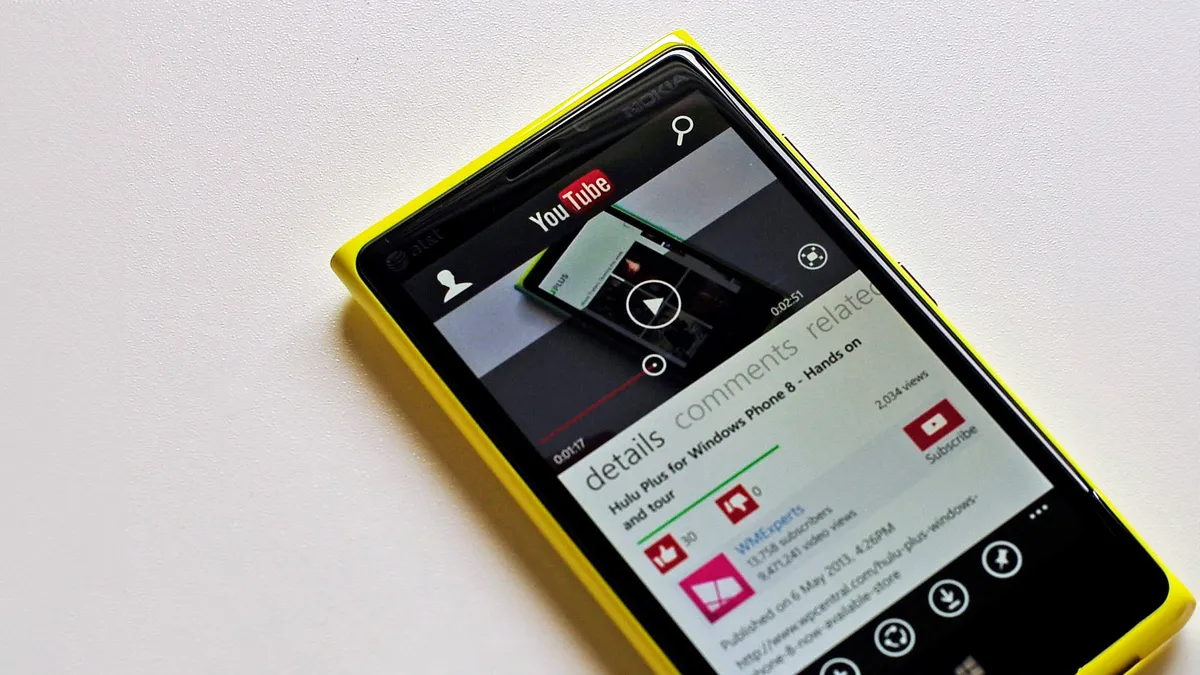
Microsoft has a storied history with YouTube, including the tech giant making an app that was later broken by Google.
(Image credit: Windows Central)
In a vacuum, the new feature for Microsoft Edge is a useful addition to the browser. But it's difficult to view anything related to Microsoft and Google in a vacuum. The tech giants have a feud lasting well over a decade that's centered around YouTube.
Google famously refused to make Google Chrome or YouTube apps for Windows Phone. Third-party developers did their best to fill the gap with apps such as MetroTube and myTube! Even back then, third-party apps had features like offline playback and playing content in the background.
Microsoft even built its own YouTube app, but Google controversially revoked Microsoft's YouTube API keys.
It would be funny to watch Microsoft reignite the war over YouTube through this new Edge feature. I can't imagine Google is happy about such an easy method for background video playback being available.
The ability to play videos in the background is one of the benefits of YouTube Premium. That subscription also removes ads from the platform and lets you download content for offline use.
To be completely honest, YouTube Premium is an excellent value, as long as you take advantage of its features. Full access to YouTube Music and an ad-free YouTube experience are worth $13.99 in my opinion.
But if you just want to play content in the background, you don't need to subscribe to YouTube Premium. You just need to use Microsoft Edge.
Hope you enjoyed this news post. Feedback welcome.
Posted Thursday 28 August 2025 at 5:02 pm AEST (my time).
News posts... 2023: 5,800+ | 2024: 5,700+ | 2025 (till end of July): 3,458
Recommended Comments
There are no comments to display.
Join the conversation
You can post now and register later. If you have an account, sign in now to post with your account.
Note: Your post will require moderator approval before it will be visible.