


3175x175(CURRENT).thumb.jpg.b05acc060982b36f5891ba728e6d953c.jpg)
Today is a big day for Apple users, as the company started rolling out new versions of its operating system. iOS 26, iPadOS 26, watchOS 26, and other systems are now available for download on supported devices. While all updates feature the new Liquid Glass language, iPadOS 26 is extra special this year, as it brings one of the biggest, if not the biggest, updates to the company's tablets.
iPadOS 26 focuses on two key areas of the operating system: multitasking and design. Starting with multitasking, iPadOS now has a Mac-like windowing system, which allows you to have as many windows on the screen as you want. Additionally, iPadOS 26 lets you resize those windows to your heart's liking. Mac's "traffic light" buttons are also now available on iPad, offering familiar window controls, plus there is a menu bar borrowed straight from macOS.
And if you wonder why iPadOS 26 arrived after iPadOS 18, that is not because Apple does not know how to count past 18, but because it wanted to unify its operating systems under one version and tie it to the current year.

For those who prefer the old windowing system, Apple allows switching back to the traditional full-screen iPad experience in the Settings app.
iPad's operating system is now more capable when it comes to background tasks. Stuff like Final Cut export now properly runs in the background, meaning you can do something else while your videos export. The Files app now lets you have colorful folders with emoji, and you can pin folders to the dock. Finally, the Preview app made its way from Mac to iPadOS, offering users a built-in PDF reader and editor.

As for the design, iPadOS 26 now has the new Liquid Glass design language with transparent UI elements that reflect and refract light as you scroll. The lock screen lets you resize the clock to adapt to your wallpaper, and the home screen now has a new transparent icon style.
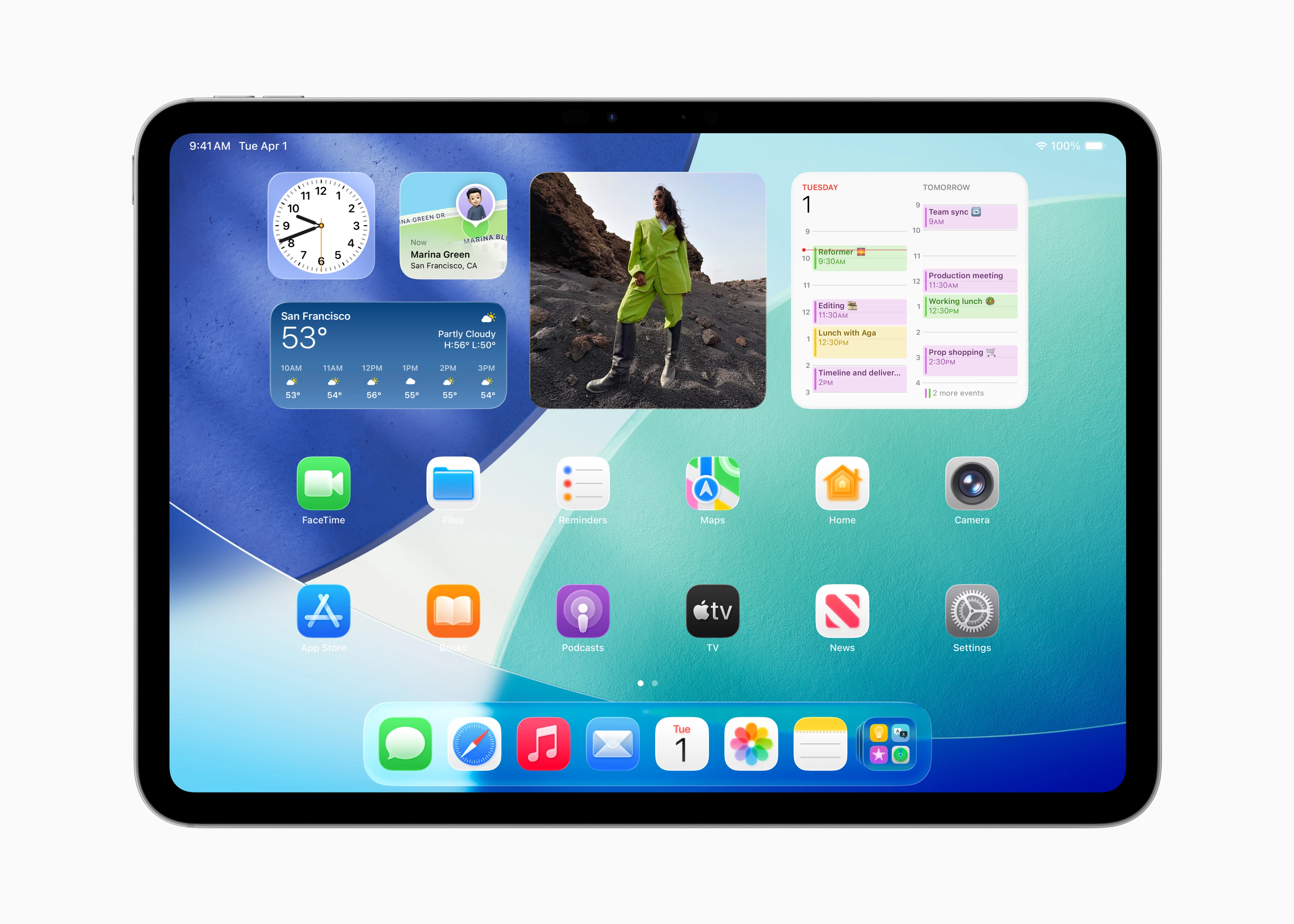
Here are some other improvements and new features that you will find in your iPad after upgrading to iPadOS 26:
- iMessage: Live Translations, chat backgrounds, spam filters, and polls in group chats.
- Phone App: iPad now has the Phone app with all the features from its iPhone counterpart.
- Games App: A dedicated hub for gaming-related things and a special Game Overlay flyout that allows adjusting system settings, chatting with friends, and inviting people to play without leaving your game.
- Journal App: Another app that made its way from iPhone to iPad.
- Notes: The app now lets you keep transcriptions of recorded conversations and export notes as Markdown files.
- Photos: The app received an updated layout with improved controls.
iPadOS 26 is available for the following iPads:
| iPad | iPad mini | iPad Air | iPad Pro |
|---|---|---|---|
|
iPad 8 |
iPad mini 5 iPad mini 6 iPad mini (A17 Pro) |
iPad Air 3 iPad Air 4 iPad Air 5 iPad Air M2 iPad Air M3 |
iPad Pro 11" 1st gen and newer iPad Pro 12.9" 3rd gen and newer iPad Pro M4 |
You can download and install iPadOS 26 by heading to Settings > General > Software Update.
Hope you enjoyed this news post. Feedback welcome.
Posted Tuesday 16 September 2025 at 6:34 pm AEST (my time).
News posts... 2023: 5,800+ | 2024: 5,700+ | 2025 (till end of August): 4,048
Recommended Comments
There are no comments to display.
Join the conversation
You can post now and register later. If you have an account, sign in now to post with your account.
Note: Your post will require moderator approval before it will be visible.