

3175x175(CURRENT).thumb.jpg.b05acc060982b36f5891ba728e6d953c.jpg)
Valve has released Windows 11 drivers for its new Steam Machine, although it has cautioned about some of the main caveats too.
After assuring that its highly-anticipated Steam Machine will be a "good deal" back in November 2025, Valve finally unveiled the official specs and pricing of its latest hardware this June. Regardless of what you feel about that or whether the company has met your expectations, Valve has now released official Windows 11 drivers for the Steam Machine.
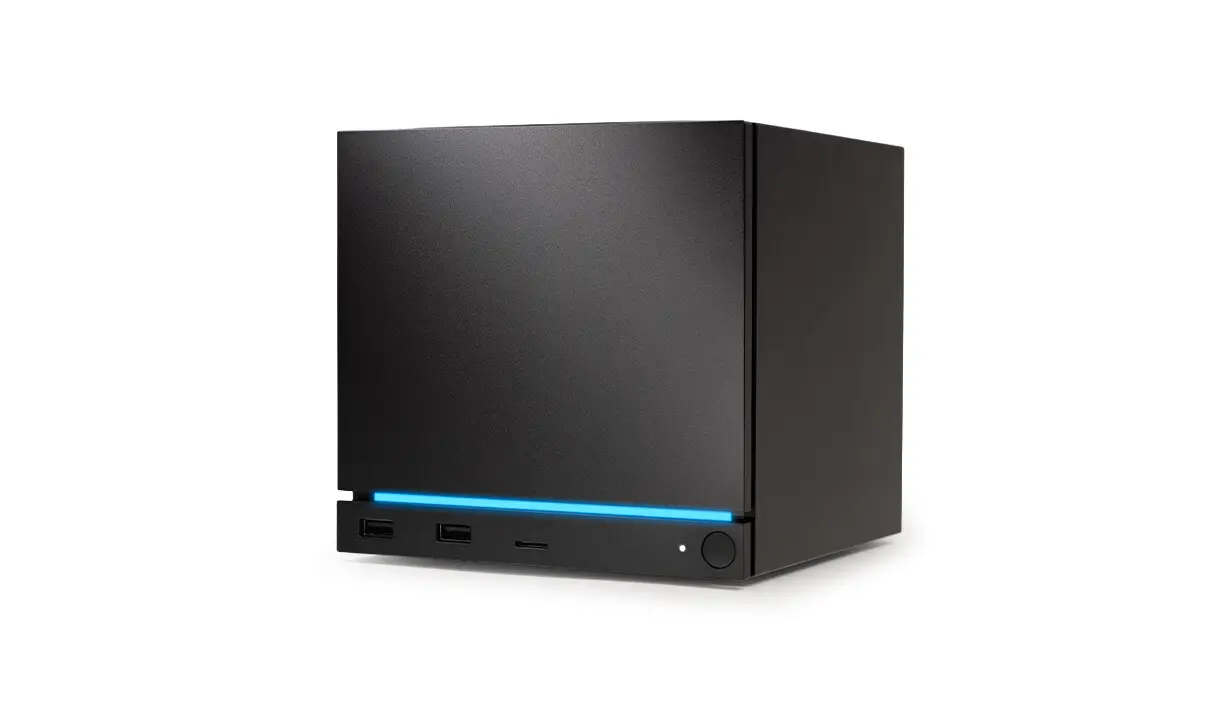
The Steam Machine, if you are not aware, is the latest addition to Valve's Steam Hardware lineup, which comprises the Steam Deck OLED, Steam Controller, Steam Frame VR headset, and the new Steam Machine.
Back in 2022, Valve dropped the Steam Deck, and soon after, Windows driver support followed. However, there were some major caveats. For example, at that time, there was no proper TPM support on it, which essentially meant Windows 11 was out of the question, and as such, initially, the Steam Deck officially supported Windows 10 only. Things were better with the Steam Deck OLED that launched later, though Valve still did not offer technical support for Windows, despite providing drivers.
Things have remained the same with the Steam Machine too, as Valve notes that it is "unfortunately unable to offer 'Windows on Steam Hardware' support." And since dual-booting Windows 11/10 with SteamOS is not ready yet, users will have to wipe SteamOS completely. After this, if things go wrong, though, you will have to work on it yourself to resolve them. Thankfully, Valve does provide an official advisory on SteamOS troubleshooting and recovery.
Another thing to keep in mind is that you will have to be connected to the internet via Ethernet during the installation when entering the product key, as Wi-Fi won't work at this point.
In total, the company has provided four driver packages, one each for the GPU, the Wi-Fi adapter, the Bluetooth adapter, and finally, the SD card reader, alongside a simple instruction against each:
-
Graphics driver - run Setup.exe to install.
-
Wi-Fi driver - right click qcwlan64.inf and select install.
-
Bluetooth driver - right click BtFilter.inf and select install.
-
SD Card reader driver - run Setup.exe to install.
You can download the respective drivers by visiting the page linked below on Valve's official site.
Source: Valve (spotted by VideoCardz)
Hope you enjoyed this news post. Feedback welcome.
Posted Wednesday 8 July 2026 at 2:19 pm AEST (my time).
News posts: 2023 5,800+ | 2024 5,700+ | 2025 5,700+ | 2026 (to end of June) 2,475
Recommended Comments
There are no comments to display.
Join the conversation
You can post now and register later. If you have an account, sign in now to post with your account.
Note: Your post will require moderator approval before it will be visible.