

3175x175(CURRENT).thumb.jpg.b05acc060982b36f5891ba728e6d953c.jpg)
Catch up with this week's Microsoft stories about Windows 11 getting Xbox mode, becoming less annoying, and more.
This week's Microsoft Weekly news recap brings you the latest stories from the world of Microsoft, including Windows 11 becoming less irritating and more modern. There is also the new Xbox mode for all Windows 11 PCs, several reviews to check out, gaming news, and more.
Quick links:
Windows 11 and Windows 10
Here, we talk about everything happening around Microsoft's latest operating system in the Stable channel and preview builds: new features, removed features, controversies, bugs, interesting findings, and more. And, of course, you may find a word or two about older versions.
The April 2026 non-security update was released this week with quite a few important changes and new features. There is the new Xbox mode available for all PCs, new archive format support in File Explorer (plus fixes), performance improvements, and more. Just note that your PC might restart more times due to Secure Boot certificate updates.

On May 1, Microsoft updated the official documentation for the April 2026 Patch Tuesday updates to detail driver changes that potentially break backup software. However, there is a workaround.
Earlier this year, Microsoft pledged to fix Windows 11 and focus on things that users want instead of doing tone-deaf changes and implementing controversial features that no one asked for. This week, a new report emerged, detailing Microsoft's plan on doing that. Codenamed "K2," it was reportedly put together in the second half of 2025 in an attempt to not just fix Windows 11, but also improve how internal teams develop the operating system..
Speaking of improvements, check out the details about Microsoft upgrading Modern Standby in Windows 11.
Do you remember Microsoft staging an iPhone funeral back in the Windows Phone era? Someone in France decided to pull an Uno reverse card on Microsoft. While nobody was desecrating Windows Phone's corpse, French activists held a Windows 10 funeral, thus protesting against Microsoft crippling hundreds of millions of PCs that are ineligible to run Windows 11. As a reminder, the Extended Security Program for Windows 10 ends this October, leaving millions of users at a crossroads: buy a new device or stay unprotected in this digitally hostile world.

To finish this week's Windows section, check out this neat-looking concept that imagines the operating system without AI clutter and ads while focusing on usability and convenience. The proposed Start menu changes also look interesting, but not everyone agrees on the idea.
Windows Insider Program
Here is what Microsoft released for Windows Insiders this week:
| Builds | |||
|---|---|---|---|
| Experimental (Future Platforms) |
Only general improvements and fixes in this update. |
||
| Experimental (26H1) |
This build brings general improvements and Task Manager updates, which include better insights into NPU usage, a new Isolation column, and more accurate CPU speed tracking. |
||
| Experimental Channel |
In this build, you will find Windows Widgets improvements, a redesigned Run dialog, File Explorer fixes, Windows Share improvements, new features for the magnifier, and more. |
||
| Beta Channel |
This build has Windows Share improvements, changes to storage settings, Task Scheduler improvements, and a more accurate CPU speed tracking in Task Manager. |
||
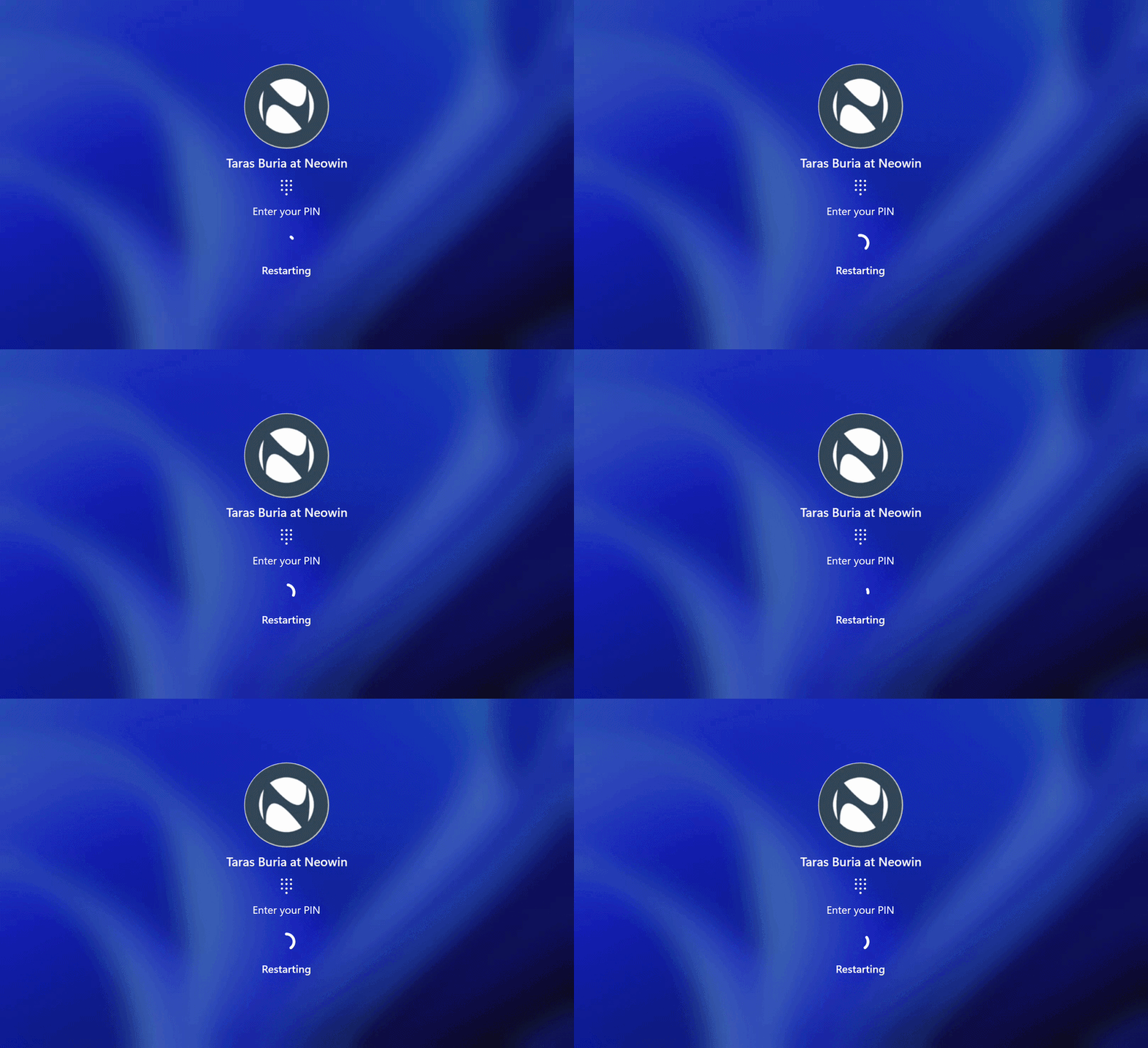
The latest Windows 11 preview builds also ditch another UI relic from the operating system. A Windows 8-like spinner is going away, and Microsoft is replacing it with a more modern one on various loading screens that you see every day.
Another old part of the Windows 11 UI that Microsoft is redesigning is the Run dialog. The latest Windows 11 preview builds contain a redesigned Run dialog built with WinUI 3, which offers dark theme support, more modern visuals, better performance, and easier access to the user folder. For now, the new Run dialog is an optional feature, which you can enable in Settings > System > Advanced.
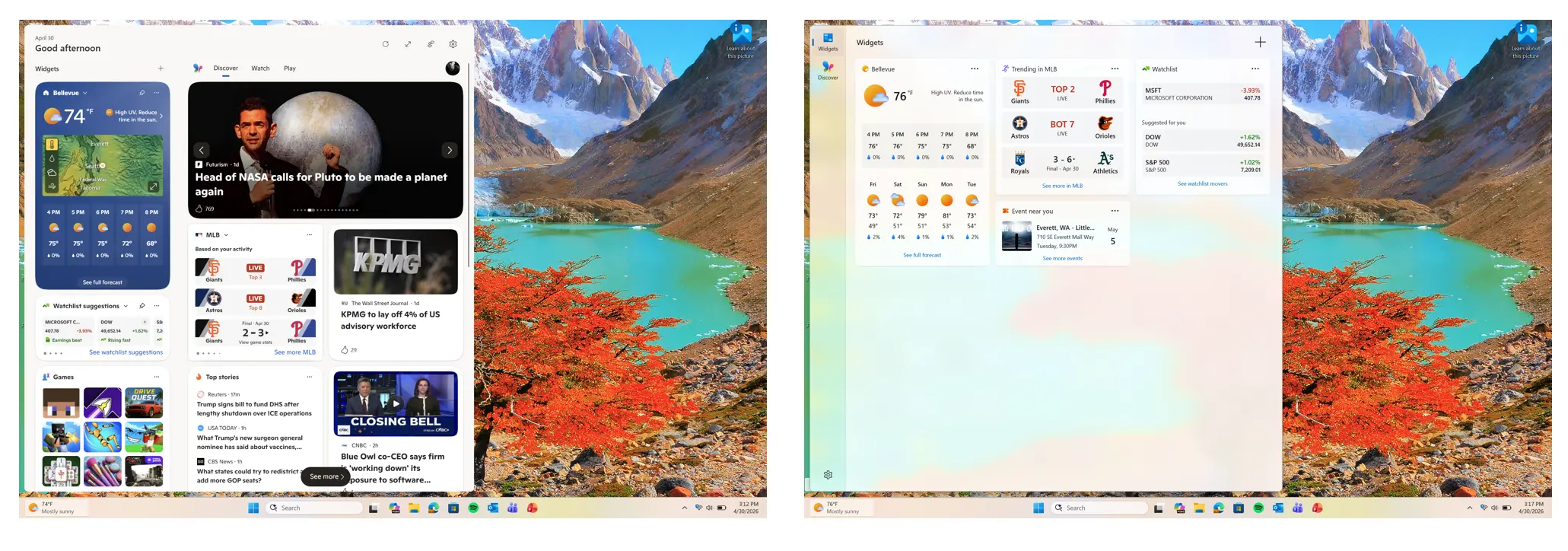
Microsoft is also reworking Windows Widgets. The company admitted that the current form is "distracting and overwhelming." As such, the latest Windows 11 preview builds change the default behavior: no more news feeds enabled by default, no open-on-hover, and no frequent nudges and notifications. We still cannot pin widgets to the desktop, but at least some much-needed improvements are finally here.
Microsoft shared a recap of everything it added to Windows 11 in April. The recent Windows 11 preview updates contain quality-of-life improvements and user-requested features as Microsoft tries to reignite the excitement and convince everyone that it still cares about its operating system.
Finally, Microsoft has a few updates for IT Admins. They now have a new kill switch for pre-installed Windows apps and the ability to upgrade to Windows Server 2025 via Windows Update.
Updates are available
This section covers software, firmware, and other notable updates (released and coming soon) delivering new features, security fixes, improvements, patches, and more from Microsoft and third parties.
Microsoft released PowerToys 0.99. The latest major update for our favorite set of tools for Windows 10 and 11 introduced two big upgrades: Power Display and "Grab and Move." Power Display lets you control your monitor using a handy flyout with various sliders for brightness, contrast, volume, color temperature, and more (it is particularly nice for multi-monitor setups). The Grab and Move tool is a window-management utility that allows you to grab a window anywhere (remember to hold the Alt key) and drag it across the screen without aiming for the title bar. In addition, there are some useful upgrades for the Keyboard Manager, Command Palette dock, and more.

After a few days, PowerToys 0.99.1 arrived to fix a few issues with these new tools. Plus, Microsoft is working on a new tool called Show Desktop, inspired by PeekDesktop, made by a Microsoft engineer.
With April 2026 now behind us, it is time to recap all the features that Microsoft added to its products over the last 30 days. Here is everything new in Excel, including smarter Copilot editing, Python integration, improved collaboration tools, and more. A similar recap is available for Teams as well.
Speaking of Office apps, users discovered a new banner in Teams begging to unlock a premium version of the service. It is not hard to imagine their reaction to that. Also, Microsoft is making Copilot in OneNote much more useful, and Word is getting Anthropic AI models to help tidy your documents.
On the browser side, we have Mozilla releasing a small Firefox update. Firefox 150.0.1 arrived as a servicing update to address issues with drop-down lists, location permissions, and more. Additionally, it increased the masked email limit from 5 all the way to 50 for users in the Firefox Relay free tier.
Microsoft Edge also received a new update this week. Version 147.0.3912.98 brought fixes for PDF viewer crashes and plenty of security fixes, which originate from Chromium.
Finally, check out Microsoft's Q3 2026 fiscal year results, which the company announced on April 30.
Here are other updates and releases you may find interesting:
-
OpenAI goes multi-cloud as Microsoft agreement shifts to non-exclusive.
-
Logitech updated Options+ with Enhanced Easy-Switch and other improvements.
-
Microsoft will begin blocking legacy TLS connections in Exchange Online soon.
-
ShareX 20 has been released with a new editor and other improvements.
-
Microsoft enables TypeScript 7 Beta by default in Visual Studio 18.6 Insiders 3.
Here are the latest drivers and firmware updates released this week:
- Intel Wi-Fi and Bluetooth 24.40.0 drivers with performance and reliability improvements on Windows 10 and 11.
- NVIDIA 596.36 WHQL with RTX 5070 12GB Laptop GPU support and Conan Exiles Enhanced support.
Reviews are in
Here is the hardware and software we reviewed this week
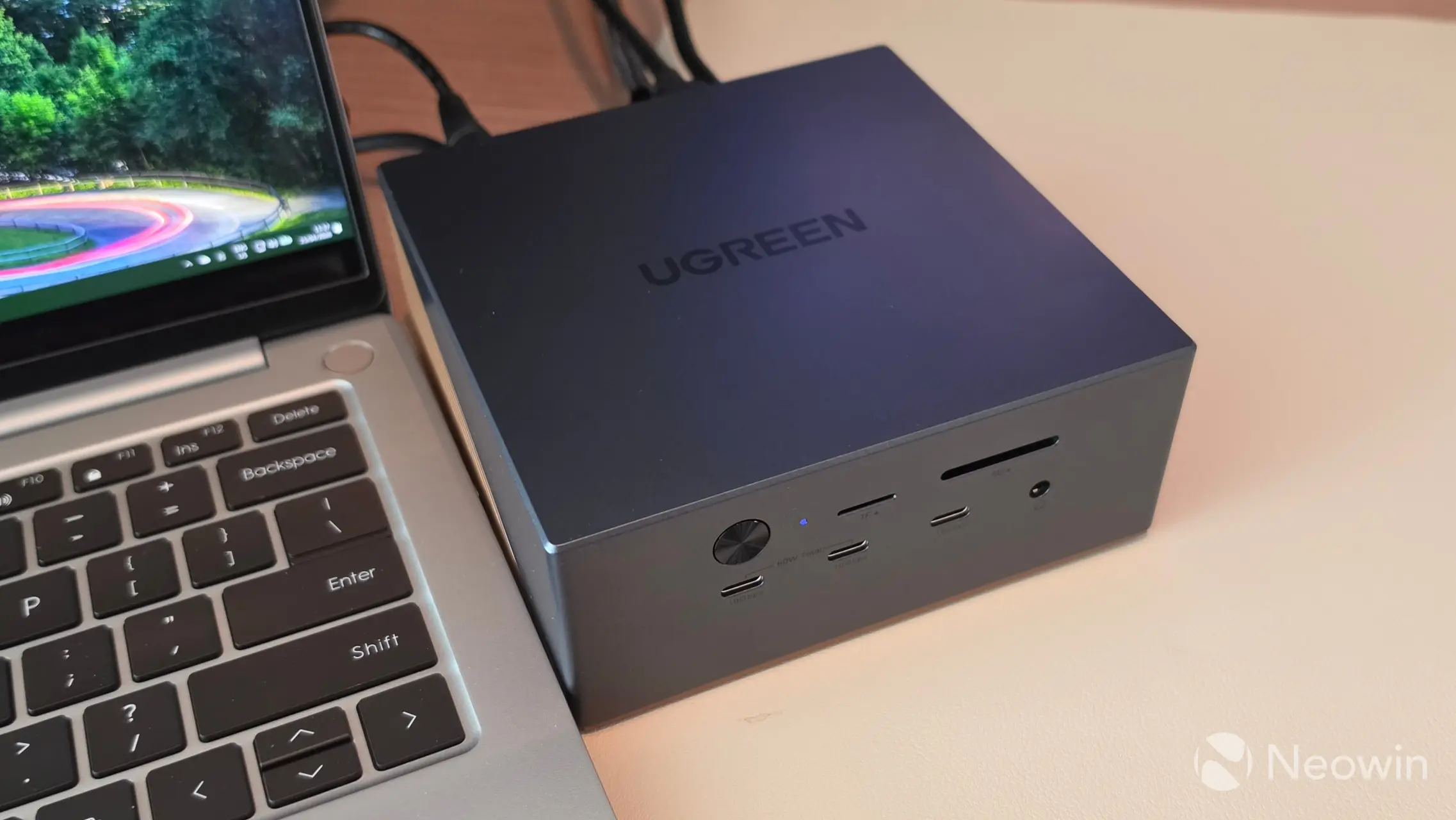
This week, Steven Parker reviewed the UGREEN Revodok Maxidock 17-in-1 Thunderbolt 5 Docking Station (what a name, huh?). This neat-looking brick brings a ton of useful ports and expandability to your Thunderbolt 5-enabled device. The price is not low, and for half a grand, one should expect a lot from such a device. As such, we nitpicked a few quirks and cons, but the dock proved itself good overall, and there is a lot to like about it. Check out the full review here.
Next, we have a review of the TerraMaster D1 SSD, an inexpensive, dust- and waterproof 10 Gbps enclosure that can preserve your SSD in harsh conditions and survive submersions up to 30 minutes. At only $39.99, this enclosure is nearly perfect, and the only complaint we have is the lack of an M.2 latching system. Our full review is available here.
On the gaming side
Learn about upcoming game releases, Xbox rumors, new hardware, software updates, freebies, deals, discounts, and more.
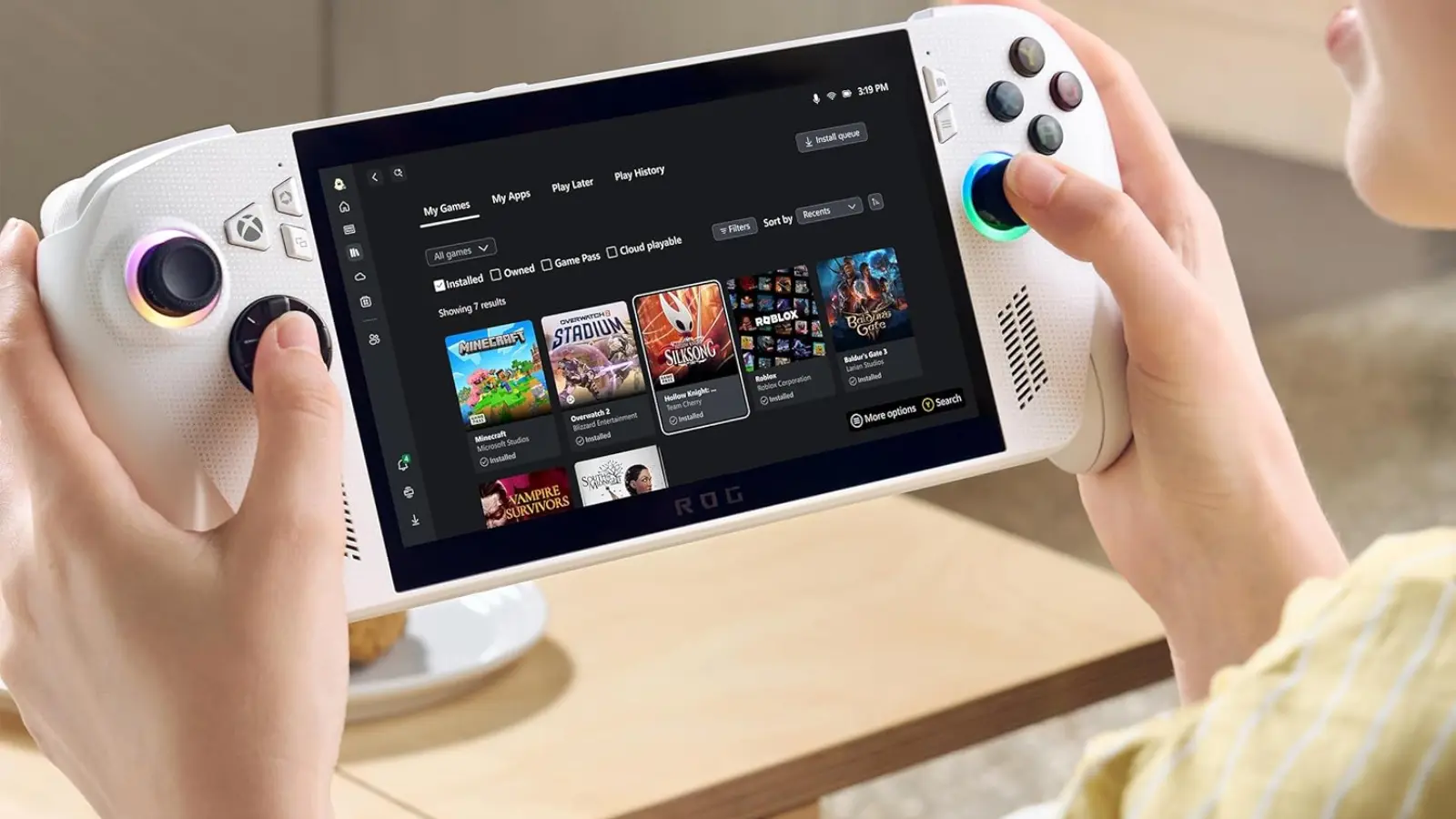
Microsoft released a big update for its ROG Xbox Ally handheld console. It received TV enhancements, Auto Super Resolution, a gamepad cursor, audio upgrades, and more.
NVIDIA announced new games for the GeForce NOW cloud streaming service. Those include 007 First Light, Playground Games' Forza Horizon 6, Deep Rock Galactic: Rogue Core, Heroes of Might and Magic: Olden Era, and more. Additionally, NVIDIA significantly expanded access to its RTX 5080 servers.
Obsidian Entertainment released an update for the original The Outer Worlds on all platforms, bringing users bug fixes, enhancements, and new features. Additionally, the game received a free content update for everyone.

This week's deals and freebies include another Hogwarts Legacy giveaway. And if you do not mind spending some money on new games, check out this week's Weekend PC Game Deals article.
Hope you enjoyed this news post. Feedback welcome.
Posted Sunday 3 May 2026 at 7:23 am AEST (my time).
News posts: 2023 5,800+ | 2024 5,700+ | 2025 5,700+ | 2026 (to end of April) 1,700
Recommended Comments
There are no comments to display.
Join the conversation
You can post now and register later. If you have an account, sign in now to post with your account.
Note: Your post will require moderator approval before it will be visible.