

3175x175(CURRENT).thumb.jpg.b05acc060982b36f5891ba728e6d953c.jpg)
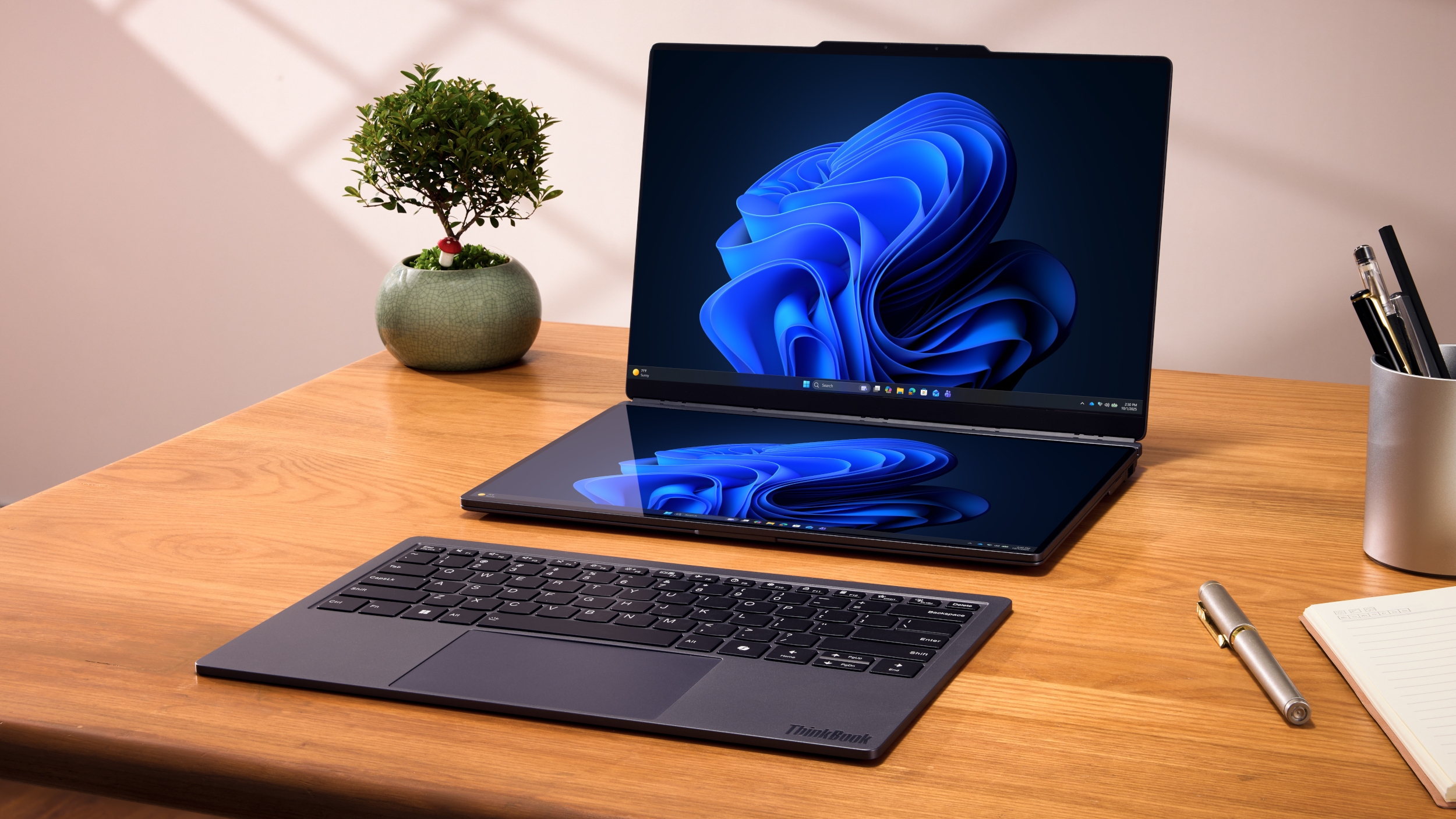
Dual-screen laptops are evolving, and Lenovo's ThinkBook Modular concept is the best example I've seen so far.
I'm admittedly a bit of a sucker when it comes to dual-screen laptops, so Lenovo's new modular ThinkBook, shown off at MWC 2026, grabbed my attention immediately.
Not only is it a fresh take on how a dual-screen laptop handles all the extra hardware, but it's also a dream come true for anyone who never seems to have the right selection of ports.
The ThinkBook Modular AI PC concept is built into a 14-inch frame, compact enough to remain portable as part of Lenovo's "carry small, use big" motto. The main 14-inch display is where you'd expect it on the inside of the lid, but beyond that is where normalcy begins to take a back seat.
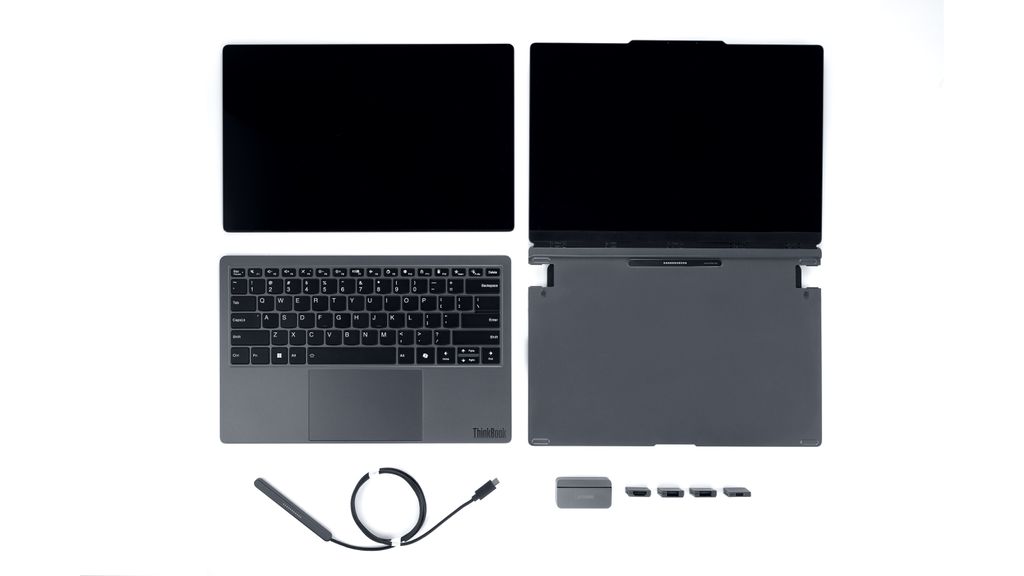
A look at the separate modular parts of the new ThinkBook concept, with extra ports and POGO-to-USB-C cable included.
(Image credit: Lenovo)
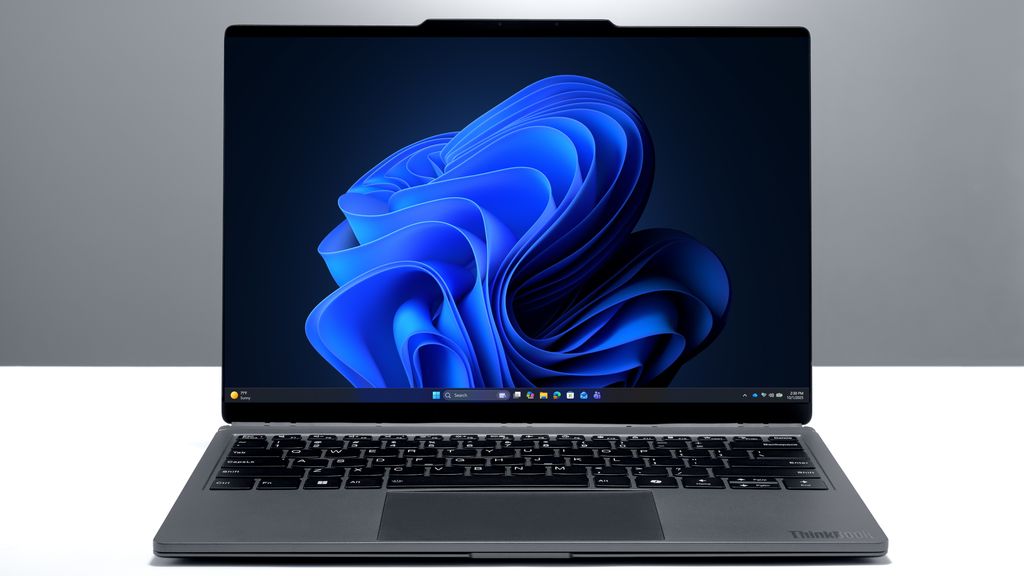
The ThinkBook Modular concept operating as a regular 14-inch laptop with one display and attached keyboard.
(Image credit: Lenovo)
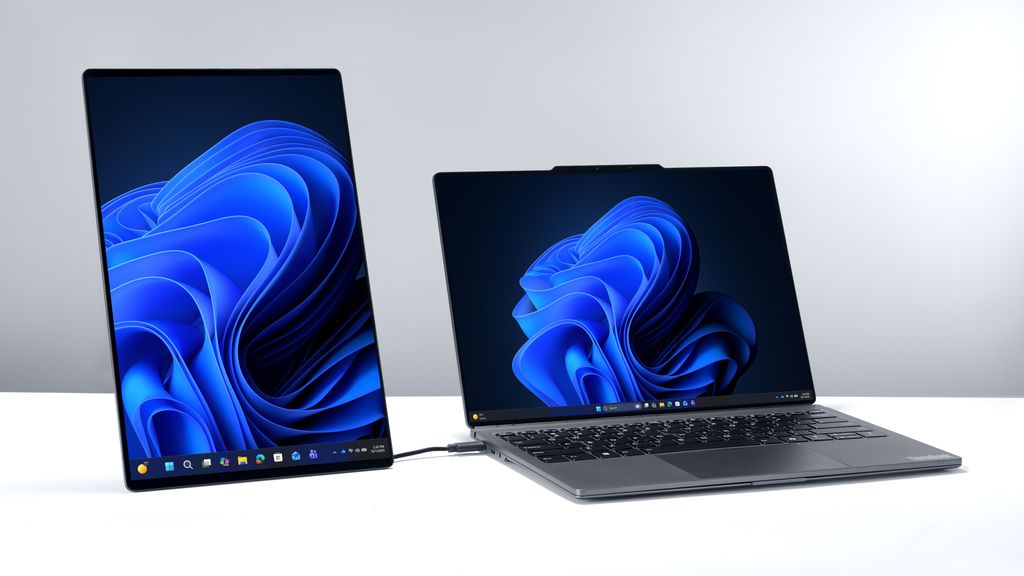
The ThinkBook Modular with the second display operating as a vertical screen next to the laptop.
(Image credit: Lenovo)
The keyboard and touchpad slab isn't actually permanently attached to the base of the laptop. It clips into place with POGO pins and magnets, and it's easily removed to be used wirelessly via Bluetooth.
Why remove the keyboard from the base of the PC? To make room for a second 14-inch display, of course. It attaches to the same magnets and POGO pins that the keyboard uses, allowing you to create a dual-screen laptop that works in horizontal or vertical orientations.
Lenovo also placed POGO pins and magnets on the outside of the laptop's lid, allowing users to attach the display in an outward-facing manner. That's great for collaboration, and it also serves as storage for the second display when it's not in use.
Building on the Yoga Book 9i and Zenbook Duo's brilliant designs

A look at the ASUS Zenbook Duo with keyboard and touchpad portion sitting in front.
(Image credit: Future)
This new Lenovo concept design reminds me a lot of what ASUS did with its Zenbook Duo that I reviewed last year, where the keyboard and touchpad are a separate piece that operates wirelessly.
However, on the Zenbook Duo, the second screen is fixed to the chassis and simply hides below the keyboard when not in use. It admittedly works really well, and I actually prefer the Zenbook Duo over the gorgeous Yoga Book 9i that I also reviewed, at least from a functional standpoint.
But with Lenovo's concept, that second screen can be used apart from the rest of the laptop; connect it with a USB-C to POGO cable rather than the built-in POGO pins on the laptop's chassis, and you have a secondary monitor ready to go, no matter where you're working.
Lenovo's ThinkBook Modular dual-screen PC has swappable ports

A look at the extra modular ports that Lenovo includes with the ThinkBook Modular concept.
(Image credit: Lenovo)
Something else that Lenovo's ThinkBook Modular adds to the mix is swappable ports. The slim base of the PC includes a couple of cutouts where you can slide ports in and out as needed.
It looks as though Lenovo includes HDMI, dual USB-A, and USB-C modules with each laptop.
This being a concept PC that's still under development, Lenovo doesn't share any timeframe for when (or if) this PC will launch. I might be a bit biased here with my interest in dual-screen advancements, but I really do hope Lenovo gets the ThinkBook Modular into a state where it can see a real release.
What do you think about Lenovo's new dual-screen laptop concept?
Are you a fan of dual-screen laptops? In your opinion, what is the current best dual-screen laptop on the market? Let me know in the comments section
Hope you enjoyed this news post. Feedback welcome.
Posted Monday 2 March 2026 at 12:01 pm AEST (my time).
News posts: 2023 5,800+ | 2024 5,700+ | 2025 5,700+ | 2026 (to end of February) 854
Recommended Comments
There are no comments to display.
Join the conversation
You can post now and register later. If you have an account, sign in now to post with your account.
Note: Your post will require moderator approval before it will be visible.