


3175x175(CURRENT).thumb.jpg.b05acc060982b36f5891ba728e6d953c.jpg)
Microsoft is testing a new feature in Windows 11's Snipping Tool. You'll soon be able to use the app's built-in image editor to add text to your screenshots.
The Snipping Tool has had an optical character recognition (OCR) feature for a while now, which you can use to extract text from screenshots. It even has some AI-powered options, but it's kind of funny that you couldn't add text to an image until now. It's such a basic feature.
Anyway, the feature was spotted by PhantomOfEarth, a reliable Windows insider, who also uploaded a video to demo the new options. The Snipping Tool has a new T button, aka a Text icon on the toolbar, clicking on which opens a secondary toolbar in the image editor.
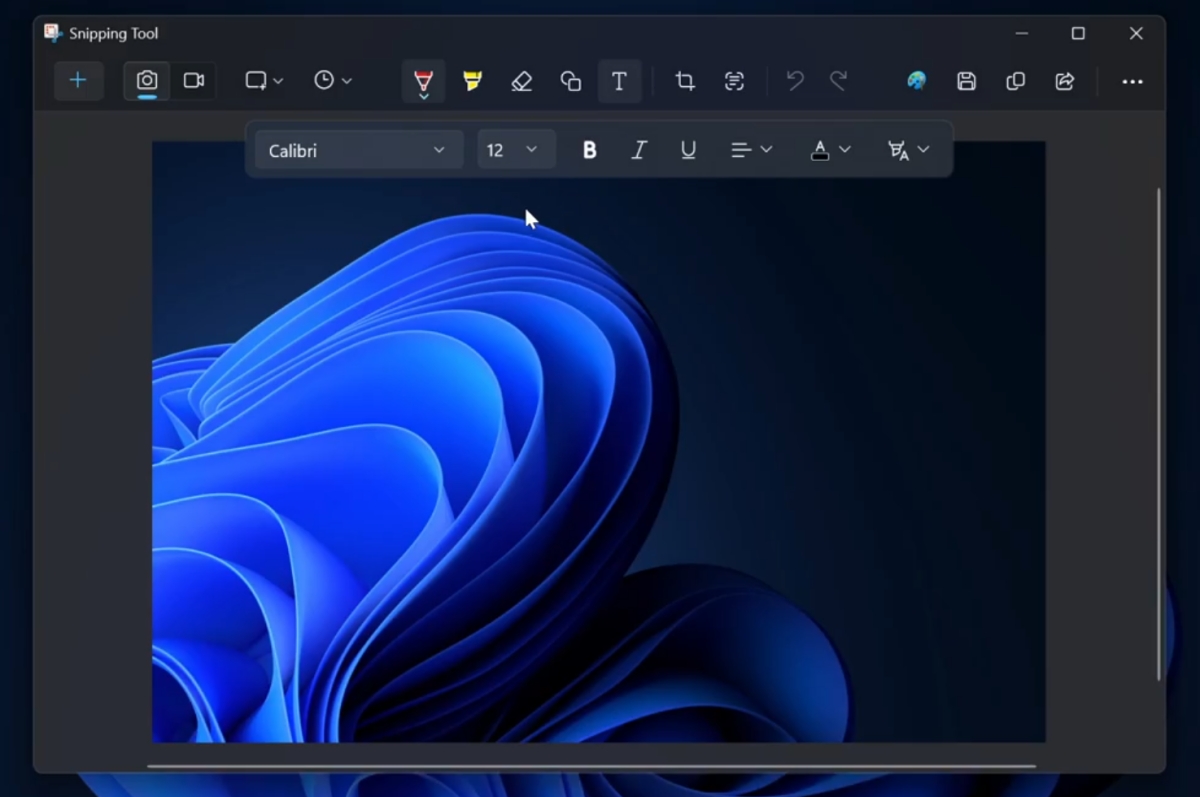
(Image courtesy: PhantomofEarth)
While it can be used to watermarking images, that's not its primary purpose. The text tool is used to annotate images, to highlight something.
Users will be able to select the font type and size of the text, and choose from basic formatting options such as Bold, Italics and Underline. You can customize the color for the text. Once you have made your selection, just draw a box where you want the text to appear, and type in what you want it to say. That's pretty simple. There is also an option to add a highlight/marker pen effect to the text.
It is unclear which build of Windows 11 the Add Text feature is being tested in, but given that PhantomofEarth usually tests the latest builds to spot new features and changes, it is likely being tested in the newest Dev Channel version. Microsoft had released Windows 11 26220.7070 to the Dev and Beta Channels a few days ago for participants in the Windows Insider Program
Want a more powerful screenshot utility? Take a look at ShareX or Flameshot
Which screen capturing tool do you use?
Hope you enjoyed this news post. Feedback welcome.
Posted Tuesday 11 November 2025 at 1:53 am AEST (my time).
News posts... 2023: 5,800+ | 2024: 5,700+ | 2025 (till end of October): 5,009
Recommended Comments
There are no comments to display.
Join the conversation
You can post now and register later. If you have an account, sign in now to post with your account.
Note: Your post will require moderator approval before it will be visible.