

3175x175(CURRENT).thumb.jpg.b05acc060982b36f5891ba728e6d953c.jpg)
Microsoft is ending Windows 10 support in less than three months, and because of that, millions of users will be updating their old computers that cannot run Windows 11 to newer hardware. To make the transition easier, Microsoft is working on a new tool that can transfer not only settings but also files from an old computer to a new one. In a newly published support document, Microsoft explained how the recently discovered experience works.
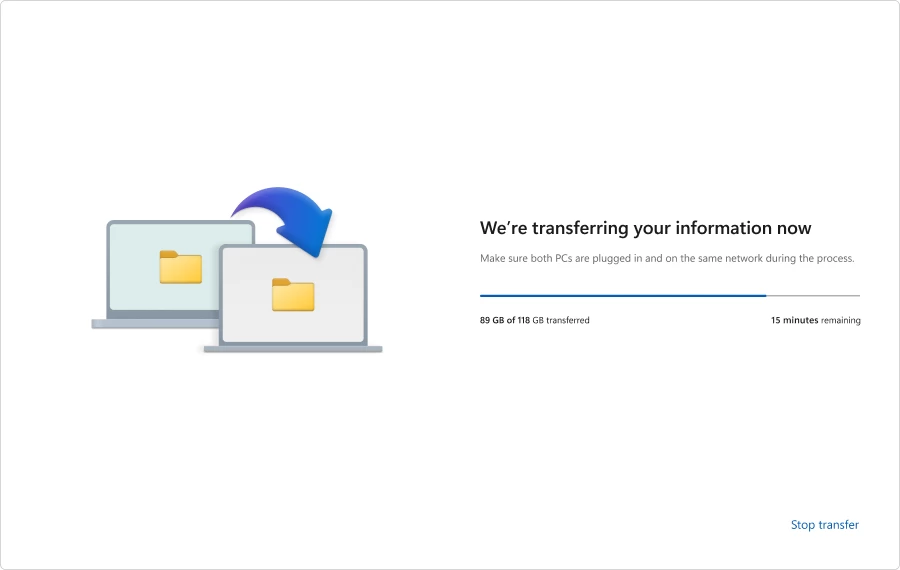
The new backup experience uses a local network to connect two devices and transfer all your files, settings, and preferences. On your old computer, you can launch the Windows Backup app, select "transfer information to a new PC," and then follow on-screen instructions to pair the two devices with a special code.
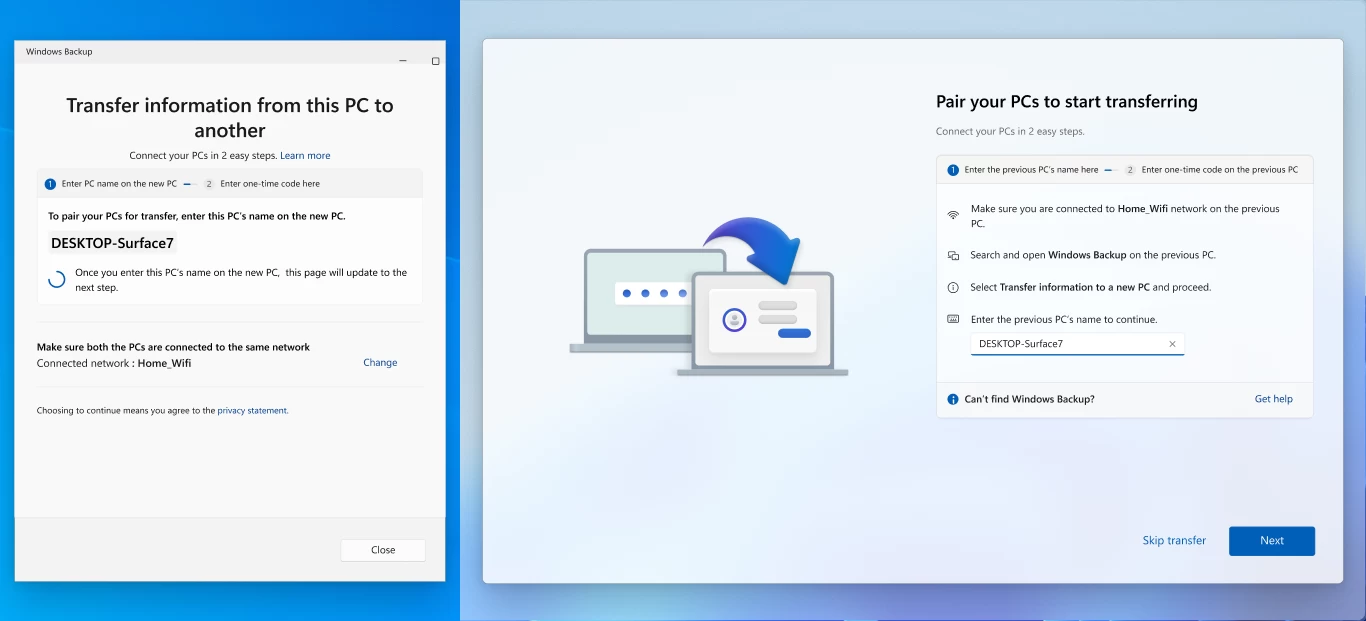
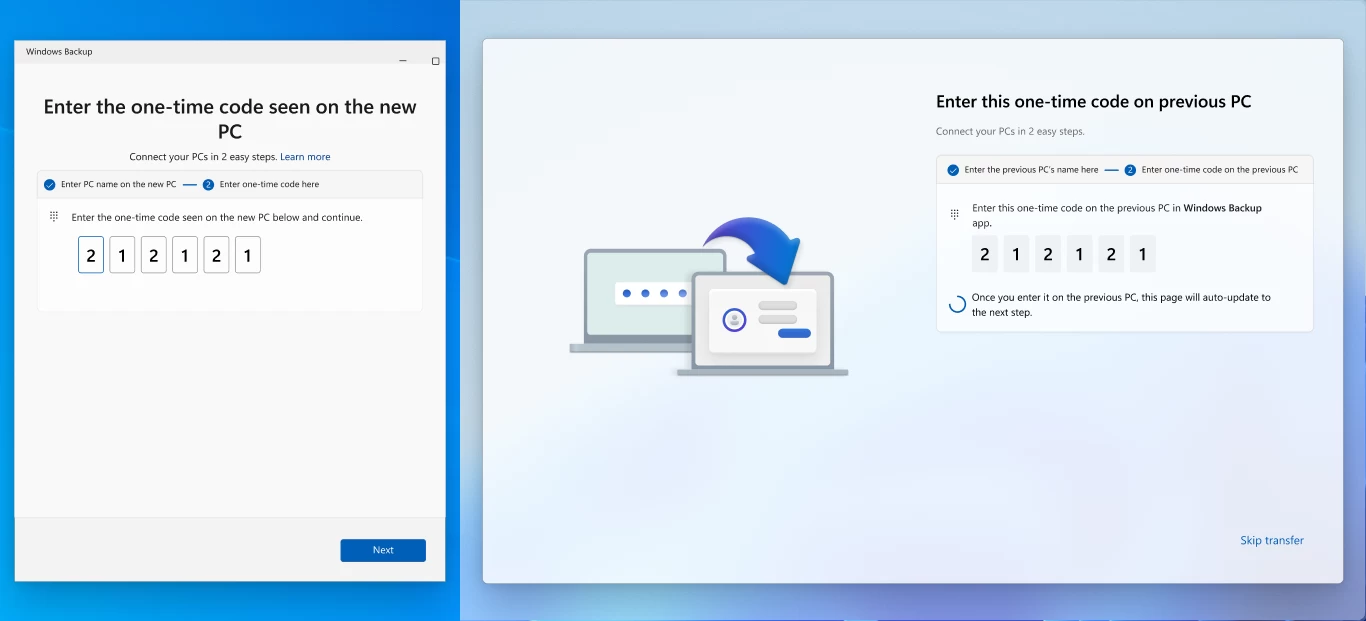
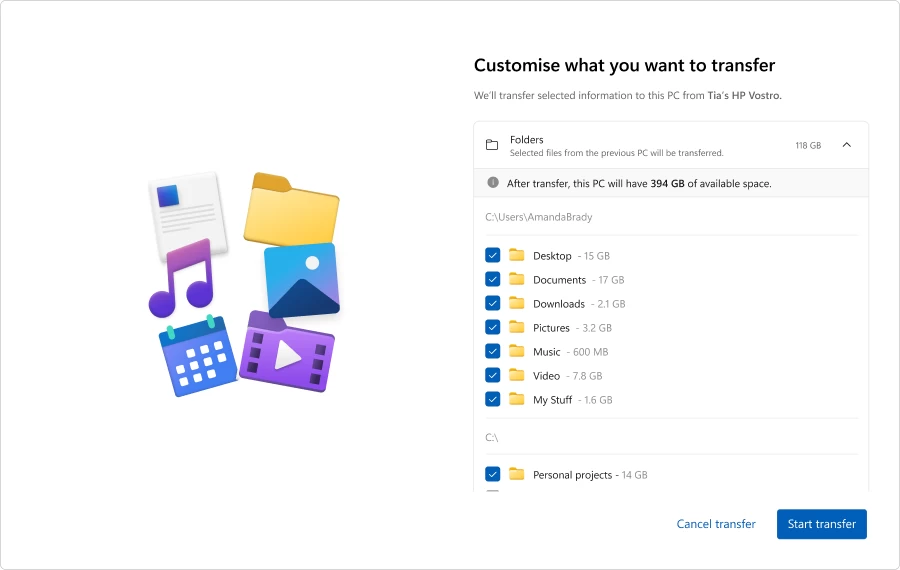
After that, Windows 11 will ask you to select what folders you want to move. You can choose any user folder and even entire drives (make sure your BitLocker drives are decrypted). After that, you can click "Start transfer" and watch Windows 11 move your files from one PC to another via the network.
Once the process is over, Windows will show you a summary of everything that has been moved to the new computer. After that, you will be able to finish the initial setup as usual and have all your important files ready for you.
In the support document, Microsoft adds that the backup experience cannot transfer the following items:
- System files and folders such as Program Files, Program Data, Temp, etc.
- OneDrive. You have to set up OneDrive on the new PC separately.
- Installed apps.
- Credentials and passwords.
- Data on BitLocker-encrypted drives. You have to decrypt them first.
The new file transfer experience is available for Windows Insiders, and it will soon be ready for all users. To try it, your old PC must run Windows 10 or 11 (with the latest cumulative updates), and the new PC should run Windows 11 version 24H2 or newer. Note that as of right now, ARM-based computers are not supported, so if you plan to buy a Surface Laptop 7 or another ARM-powered Copilot+ PC, get ready to move files manually until Microsoft fixes this unfortunate omission.
Hope you enjoyed this news post.
Posted Tuesday 22 July 2025 at 11:38 am AEST (my time).
News posts... 2023: 5,800+ | 2024: 5,700+ | 2025 (till end of June): 2,864
RIP Matrix | Farewell my friend


Recommended Comments
There are no comments to display.
Join the conversation
You can post now and register later. If you have an account, sign in now to post with your account.
Note: Your post will require moderator approval before it will be visible.