

3175x175(CURRENT).thumb.jpg.b05acc060982b36f5891ba728e6d953c.jpg)
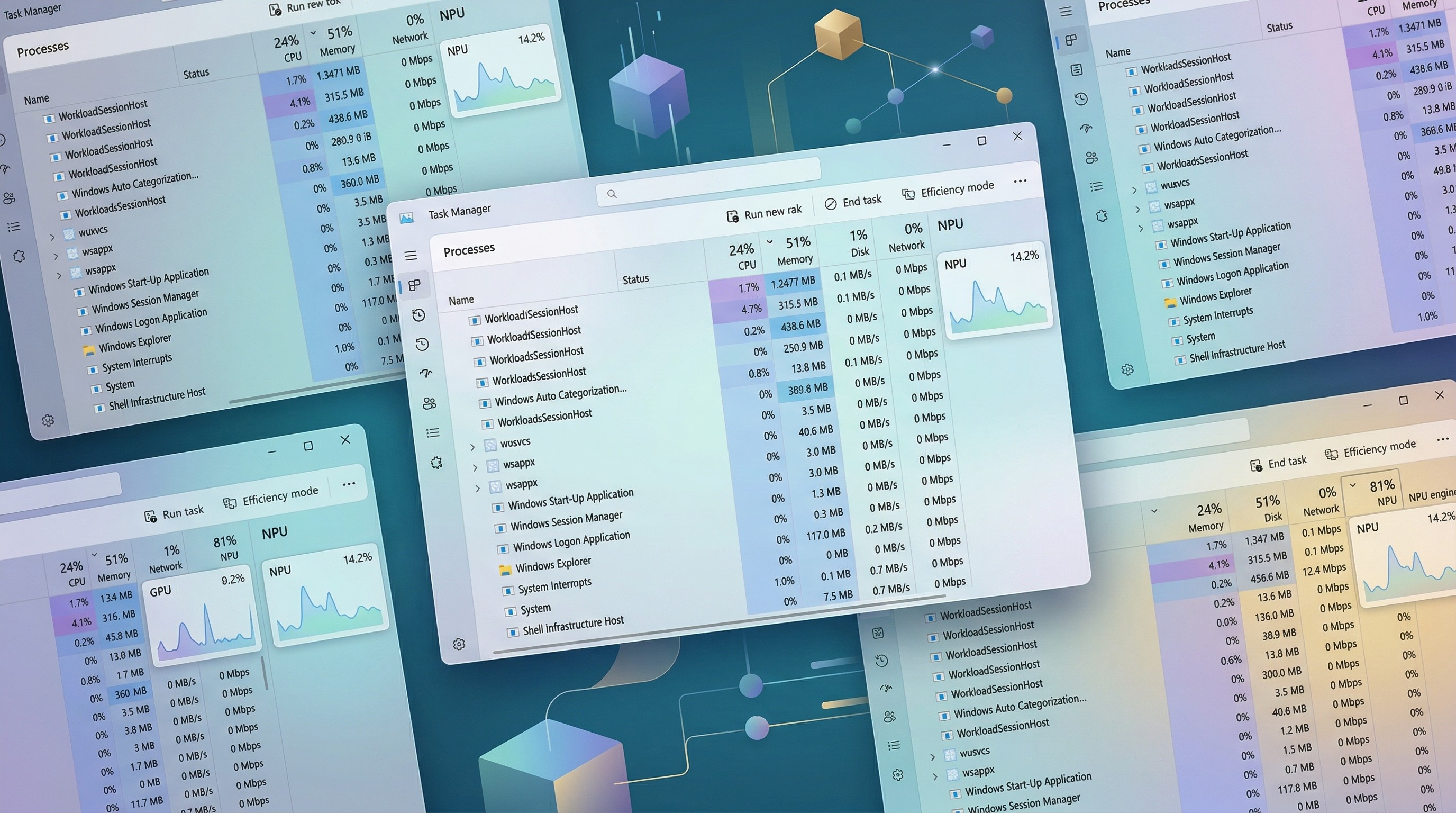
NPUs are only becoming more common in the PCs we buy, so it only makes sense that Task Manager be capable of monitoring what it's doing.
Windows 11's Task Manager is finally getting more nuanced insights into the performance and usage of your PC's Neural Processing Unit (NPU).
The NPU only began its mainstream run with the launch of Qualcomm Snapdragon X chips and Microsoft Copilot+ PCs in 2024. Since then, it has become a topic of debate whenever AI PCs are mentioned, for it's the NPU that technically makes your Windows 11 device fit into the emerging category.

We gave the update a try, and it's now far easier to see which processes are using the NPU. (Image credit: Future)
Microsoft points out in its Insider Blog that the Details tab in Task Manager will also have optional NPU Dedicated Memory and NPU Shared Memory columns with further information regarding exactly how the system is employing the NPU.
In the Performance tab, neural engines that belong to a GPU rather than an NPU will also appear. The goal here, according to Microsoft, is to provide "a more complete view of -related system activity."
My take on Windows 11's Task Manager picking up more NPU stats
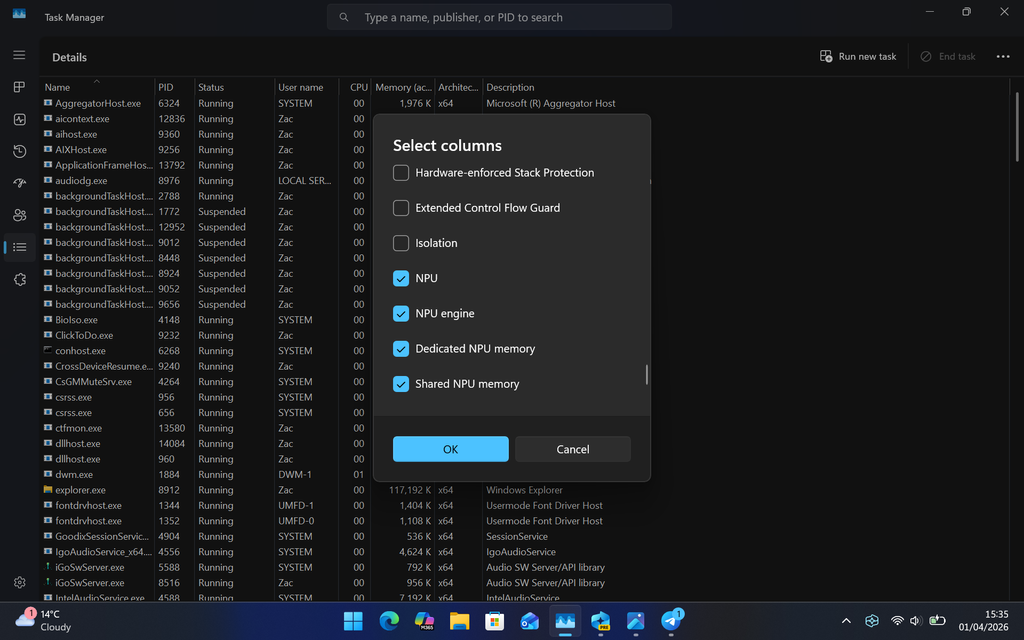
The new NPU columns in Task Manager are completely optional.
(Image credit: Future)
The rise of AI PCs and their NPUs has been a staggered affair. Qualcomm's Snapdragon X chips were the first to debut with an NPU powerful enough (measured in TOPS) to handle Windows 11's built-in Copilot+ AI tools, and it was up to Intel and AMD to play catch-up in the following years.
We've now arrived at a point where most new laptops (and even some desktops) are launching with an NPU inside, many of which make the cut for Copilot+, whether you're buying Qualcomm, Intel, or AMD hardware. There are certainly still some outliers, but you get the point.
Aside from the Copilot+ tools in Windows 11, it hasn't exactly been easy to identify the benefits of an NPU for the average PC user. Task Manager's previous lack of in-depth hardware monitoring for the NPU certainly didn't help.
I wrote about this dilemma in late 2024 when I tested a Lenovo mini PC with a discrete NPU that now looks like it was way ahead of its time.
Apps for Windows 11 are increasingly picking up utility for a PC's NPU, and I don't doubt that the NPU will become an ever more important component moving forward. Windows 11's Task Manager improvements involving the NPU might be a bit late, but better now than never.
Will improved NPU performance monitoring come in handy?
Small changes like this add up over time, and I'm personally happy to see that Task Manager now shows more data regarding a piece of hardware that's now becoming common in PCs.
What do you think? Is it something you'll use? What other ways do you monitor NPU usage? Let me know in the comments section!
Hope you enjoyed this news post. Feedback welcome.
Posted Thursday 2 April 2026 at 5:32 am AEST (my time).
News posts: 2023 5,800+ | 2024 5,700+ | 2025 5,700+ | 2026 (to end of March) 1,297
Recommended Comments
There are no comments to display.
Join the conversation
You can post now and register later. If you have an account, sign in now to post with your account.
Note: Your post will require moderator approval before it will be visible.