



Microsoft is testing two new features in Windows 11's Notepad. The text editor is getting support for Tables and more AI features.
Notepad has gained a lot of features in the past few years, and while option like tabs, auto-save, spell check have been welcomed by users, some features have been viewed as bloat. In July 2025, the Redmond company added support for Markdown syntax formatting in the text editor app.
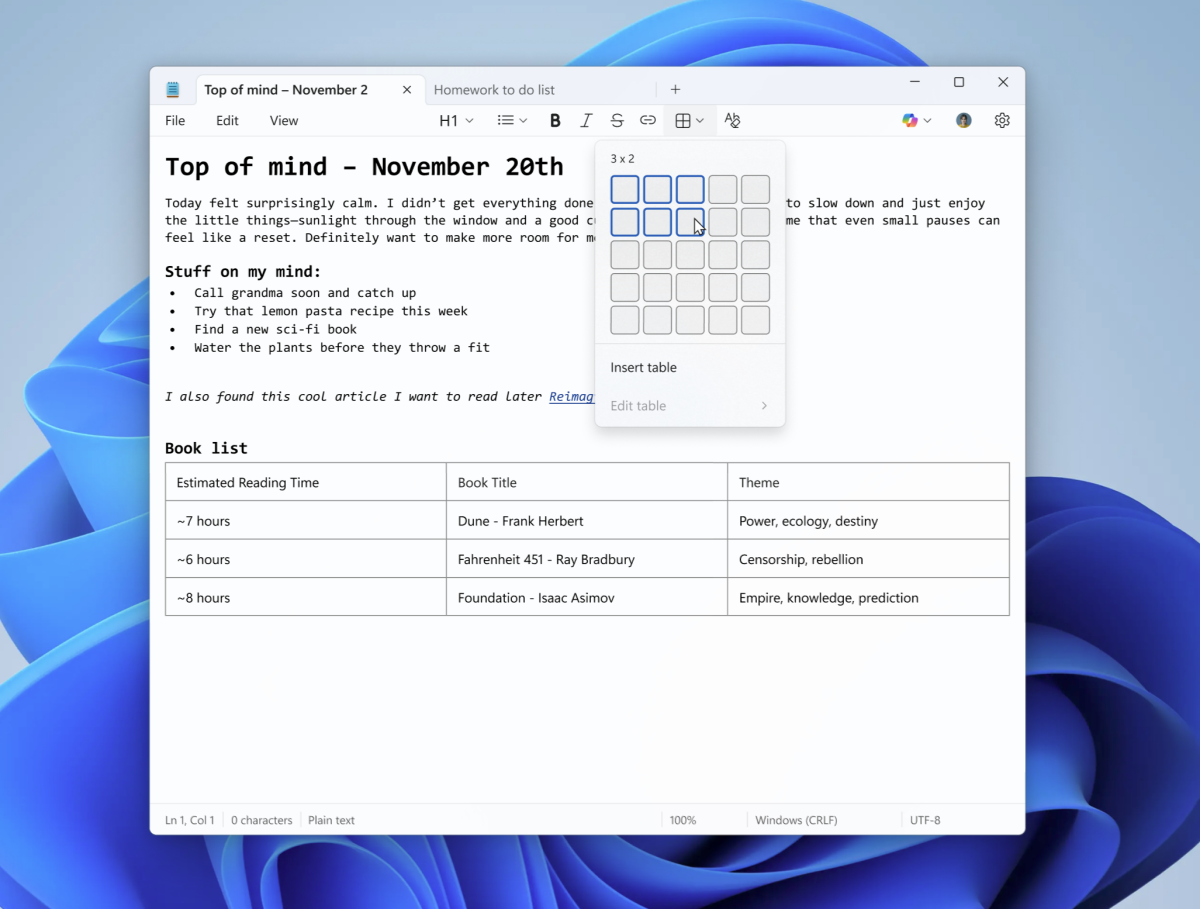
Now, it is bringing support for Tables. Microsoft says that a new option to add Tables is available on the formatting toolbar, it's the grid icon, users can click on it to view a grid and select the number of rows and columns. E.g. The screenshot below shows a 3 by 2 table. That's similar to how you insert Tables in Microsoft Word.
(Image courtesy: Microsoft)
But, you can also add tables using Markdown syntax. Users will be able to edit the table to add or remove rows and columns from the Table menu, or simply by right-clicking on the table.
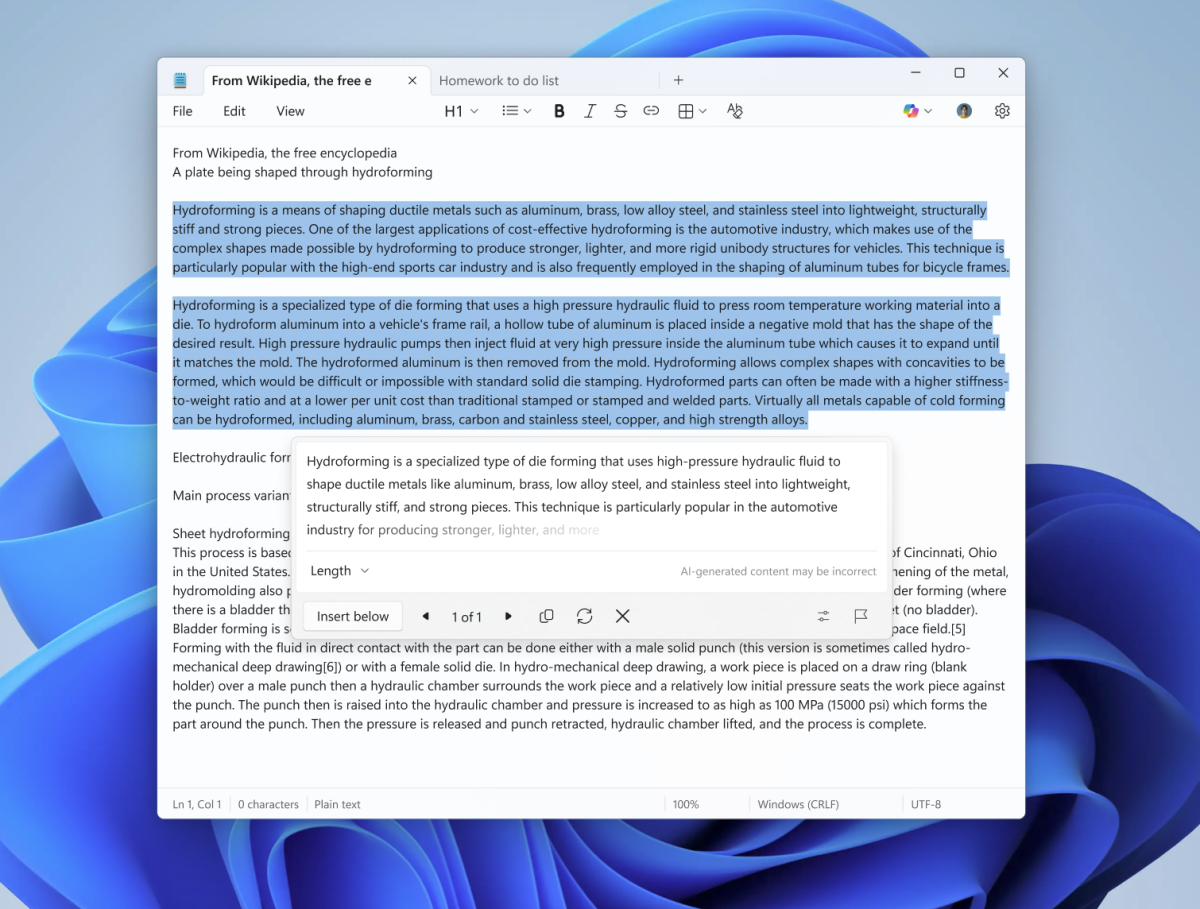
Microsoft says it is improving the AI features in Notepad, i.e. Write, Rewrite and Summarize with streaming result responses.
Prior to this update, the text editor waited to generate the full response and then displayed it to the user. The new streaming AI results will appear as the text is generated, so you can preview it or interact with it.
(Image courtesy: Microsoft)
The results are generated locally, but only for the Rewrite feature, and this is limited to Copilot+ PCs. You know what that means, Write and Summarize don't generate the content locally on Copilot+ PCs, and none of the three features work offline on non-Copilot+ computers. Speaking of which, users will need to sign in to their Microsoft account to use Write, Rewrite, and Summarize in Notepad. This likely has to do with rate limits, and the Copilot credits allocated to the account.
Tables and Streaming AI results are available in Notepad version?11.2510.6.0 for Windows Insiders in the Canary and Dev Channels.
What is Microsoft doing? I remember when Notepad used to be a plain text editor. WordPad died for this.
Edited by Karlston
- Adenman
-
 1
1
Recommended Comments
There are no comments to display.
Join the conversation
You can post now and register later. If you have an account, sign in now to post with your account.
Note: Your post will require moderator approval before it will be visible.