

3175x175(CURRENT).thumb.jpg.b05acc060982b36f5891ba728e6d953c.jpg)
Customizable widgets, dynamic widgets, battery percentage indicators, and gamepad support are all coming soon to the lock screen on Windows 11.
Microsoft is working on several key upgrades for the lock screen on Windows 11, many of which will debut over the summer. It's been a long time since Microsoft touched the lock screen with any meaningful changes or updates, which is why it's a surprise to see so many new features for it coming soon.
First up, Microsoft is finally going to let you customize the widgets that appear on the lock screen. Up until now, the widgets that appear there have been fixed, with the only configurable option being to enable or disable them. But soon, you'll be able to move, add, and remove individual widgets, including custom and third-party ones.
This feature is actually already rolling out for users in the EU, but isn't currently available globally. Microsoft does intend to roll it out to the rest of the world over the summer, and so soon everyone will be able to customize the widgets that appear on the lock screen.
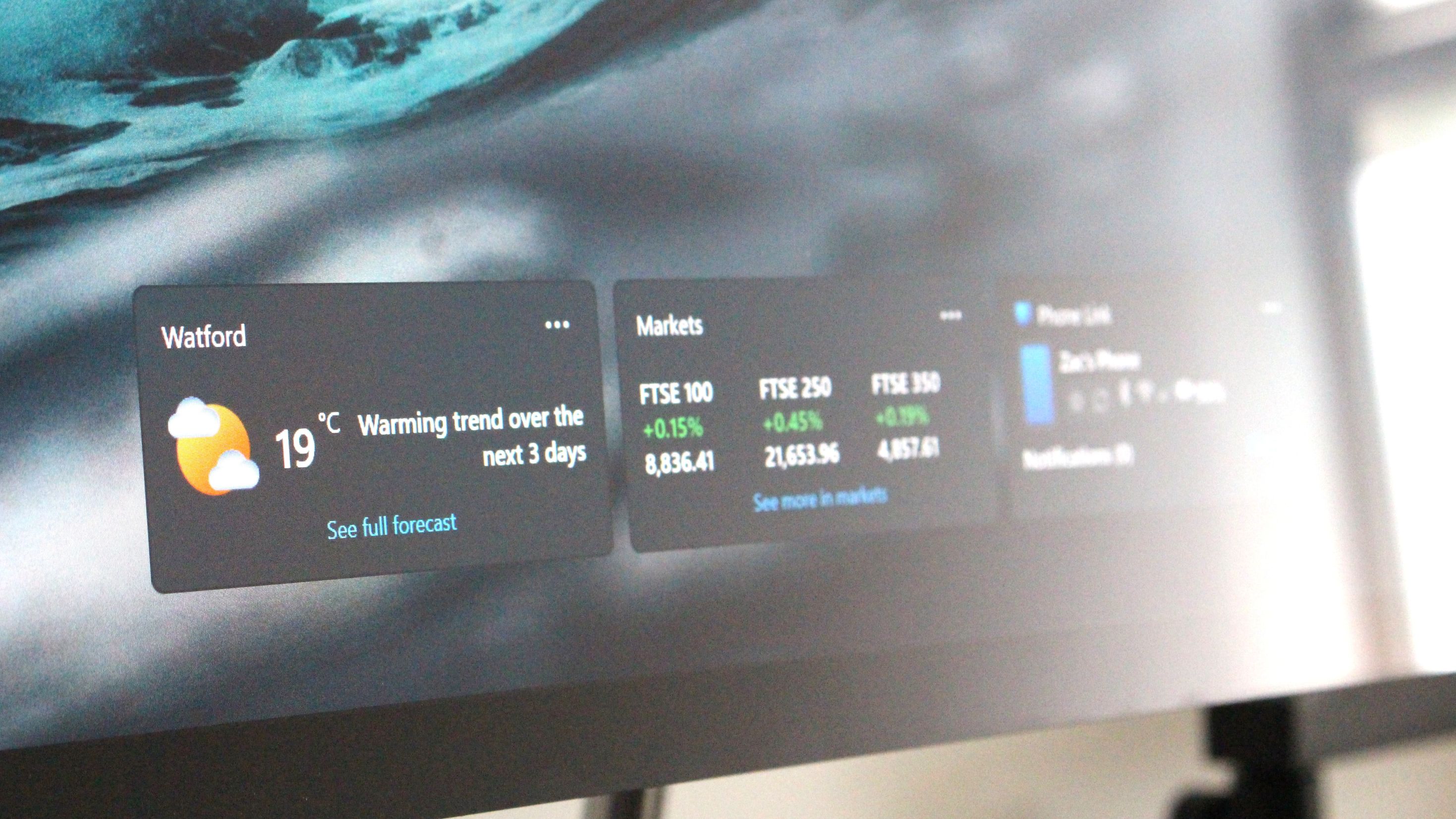
The new customizable widgets feature will let you arrange your widgets in which ever order you like and add new ones that previously weren't available on the lock screen. For example, I've added Phone Link to the lock screen, which displays my current phone status such as connectivity, battery level, and missed notifications.
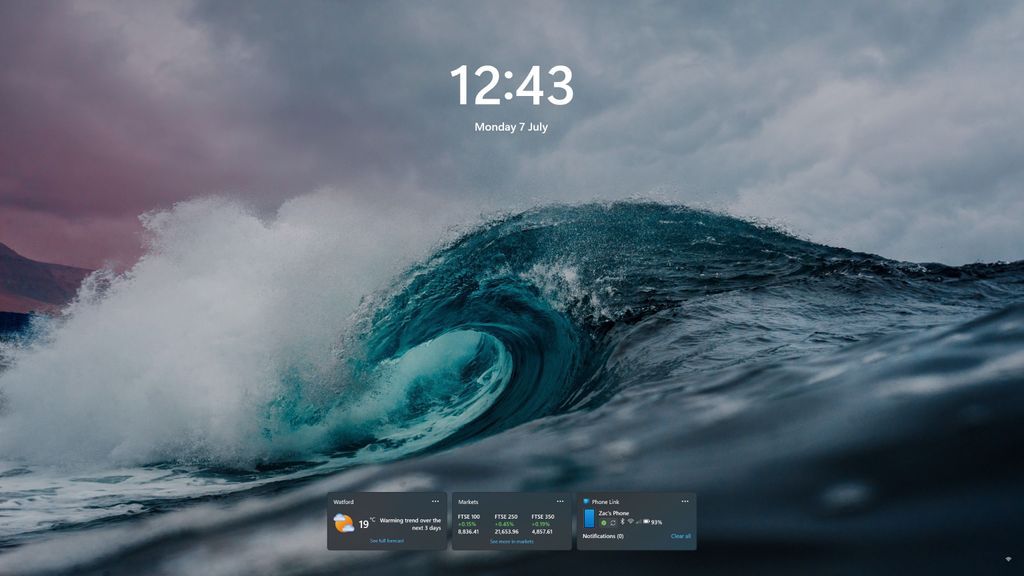
Customizable widgets makes the lock screen infinitely more useful. You can have up to 4 on screen.
(Image credit: Windows Central)
Being able to see that info directly on the lock screen without first needing to login to my PC is super useful. I use a desktop at home, and I frequently lock my device when I step away from it, so when my PC is sitting idle on the lock screen, being able to glance over to it to see if I've missed anything on my phone is great.
In addition to customizable widgets, Microsoft appears to also be working on a feature called "dynamic widgets," that will automatically show suggested widgets on the lock screen instead of you manually choosing which ones you want to appear. If you're someone who isn't bothered about manually customizing your lock screen, this feature will be handy to you.
So that's two big updates coming soon to the lock screen on Windows 11. There's also more, including one that I thought Windows already had for at least 10 years. Soon, you'll be able to see your battery percentage right on the lock screen. I know, I can't believe it either.
Microsoft only just recently added the ability to see your battery percentage on the Taskbar on Windows 11, and now it's getting around to letting you see it in the bottom right corner on the lock screen too. This is something modern platforms have had since forever, and Windows is finally getting it in 2025.
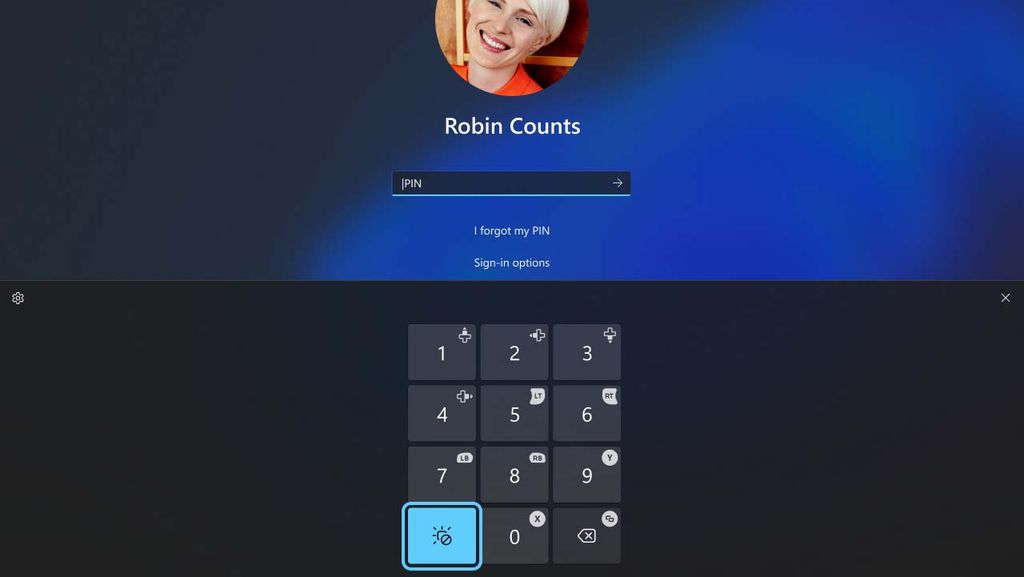
Signing into Windows on a gaming device will be much easier.
(Image credit: Microsoft)
In addition to new features, Microsoft is also making it easier to login to Windows using a gamepad. In recent months, Microsoft has committed itself to improving Windows 11 so that it runs better on gaming devices, specifically handhelds, which in recent months has come under pressure from SteamOS.
One way Microsoft is making it easier to use Windows with a gaming controller is via the lock screen, where you will soon be able to easily insert your Windows pincode using the buttons on a controller. If you're familiar with the pin code feature on Xbox, this will feel right at home for you.
There are also hints that Microsoft is working on a new dynamic AI-powered wallpaper setting for Windows 11, which will likely also apply to the lock screen if it comes to fruition. Generating dynamic wallpapers based on AI is a feature both Android and iOS/iPadOS has, and so it would be nice to see it come to Windows too.
Most of these features will begin to rollout to all users over the summer and into the fall. If you're a Windows 11 in the EU, you likely already have access to the feature that lets you customize which widgets appear on the lock screen. The rest of them will land later this year.
Hope you enjoyed this news post.
Thank you for appreciating my time and effort posting news every day for many years.
News posts... 2023: 5,800+ | 2024: 5,700+ | 2025 (till end of June): 2,864
RIP Matrix | Farewell my friend
Recommended Comments
There are no comments to display.
Join the conversation
You can post now and register later. If you have an account, sign in now to post with your account.
Note: Your post will require moderator approval before it will be visible.