


3175x175(CURRENT).thumb.jpg.b05acc060982b36f5891ba728e6d953c.jpg)
Microsoft kicks off this Monday with a duo of nearly identical builds for Windows Insiders in the Dev and Beta Channels. Build 26200.5661 (Dev) and 26120.4452 (Beta) are now available for download with two big changes: a new home page for Recall and the recently spotted ability to customize where system indicators appear on the screen.
The new Recall home page features more personalized content to help you get back to recent activities. It displays your latest snapshots and a curated view of the top three applications and websites you have spent the most time on in the past 24 hours. Here is what it looks like:

In addition, Recall received a new nav bar on the left side of the screen with quick links to Home, Timeline, Feedback, and Settings.
The next big addition is the ability to change where system indicators (brightness, volume, and more) appear on the screen. Now, you can set these at the top-left corner or top-center.
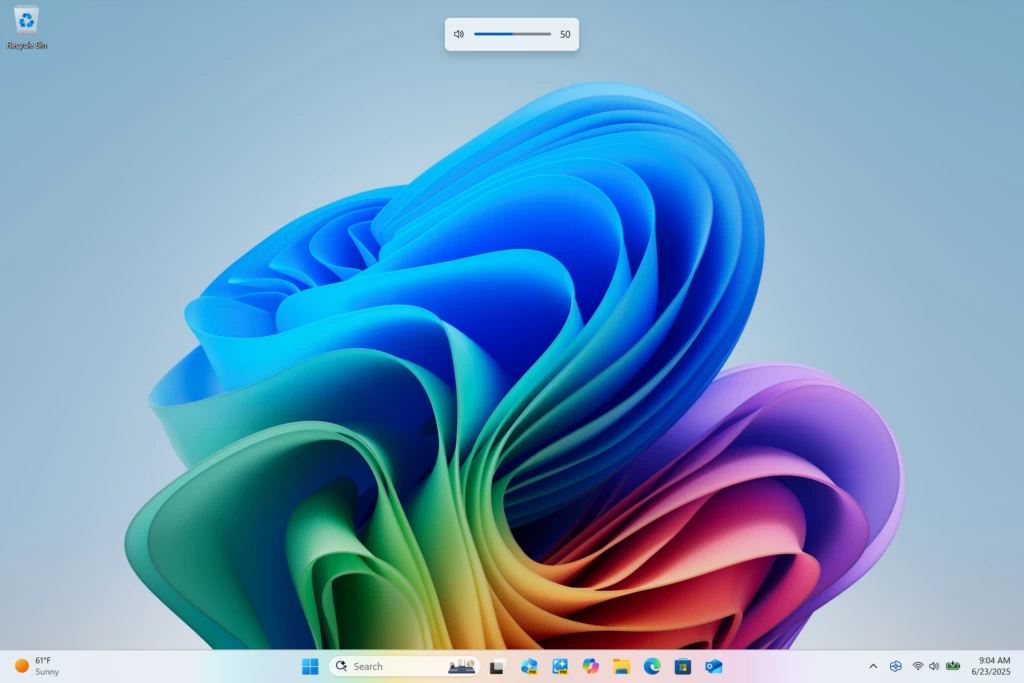
To adjust this, go to Settings > System > Notifications > Position of the onscreen pop-up.
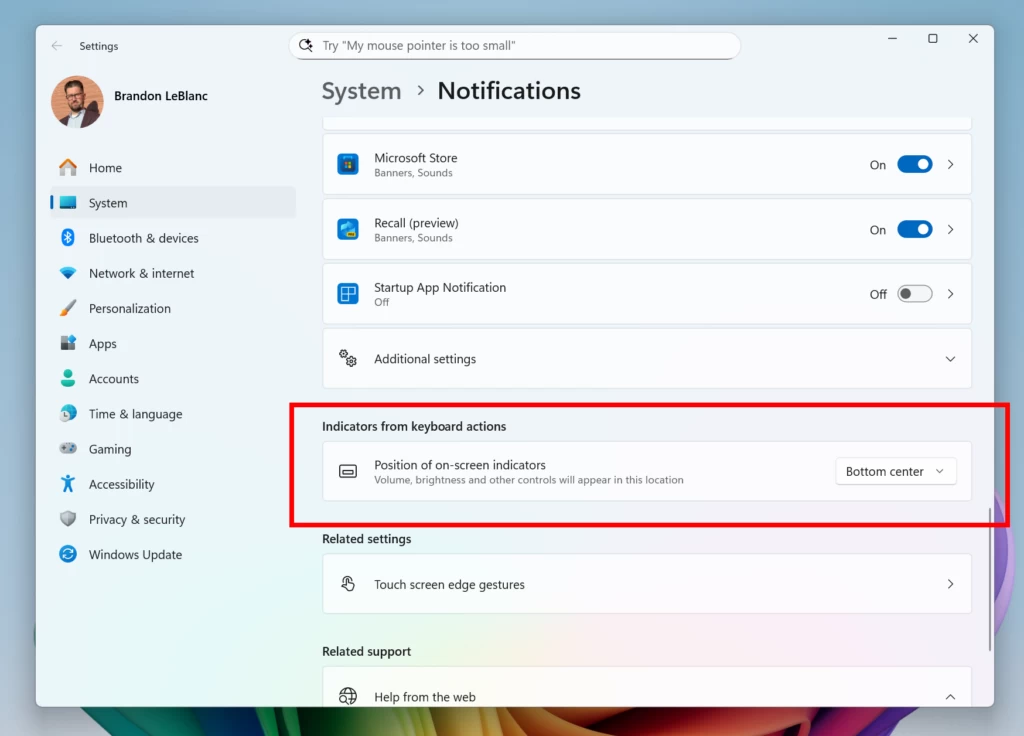
Here are other changes included in today's builds:
-
[Start menu]
- We are adding a Boolean to the Configure Start Pins policy to allow admins to apply Start menu pins once. This means that a user will receive admin pins on day 0 but can then make any changes to their Start pinned layout and have those safeguarded. These changes can be optionally applied through the existing configuration service provider (CSP).
-
[File Explorer]
- We are restarting the roll out of AI actions in File Explorer that began rolling out with Build 26120.4151. Some Insiders may have seen the feature disappear.
-
[Settings]
- In the most recently flights, we have added the country or region selected during device setup under Settings > Time & language > Language & region.
Here is what was fixed:
[General]
- Fixed the issue causing the Windows Vista boot sound to play instead of the Windows 11 boot sound.
- Fixed an issue where the option to reset your PC under Settings > System > Recovery wasn’t working on the previous build.
- Fixed an underlying issue leading to certain KVM virtual machines unexpectedly failing to boot, showing “UNSUPPORTED_PROCESSOR”.
The Dev build has an extra fix:
- Fixed the issue causing a small number of Insiders to experience repeated bugchecks with KERNEL_SECURITY_CHECK_FAILURE after upgrading to most current Dev Channel builds.
Known issues include the following:
[General]
[IMPORTANT NOTE] When joining the Beta Channel on Windows 11, version 24H2 – you will be offered Build 26120.4250 After installing Build 26120.4250, you will be offered the most recent update available. This 2-hop experience to get onto the latest flight in the Beta Channel is just temporary.
- After you do a PC reset under Settings > System > Recovery, your build version may incorrectly show as Build 26100 instead of Build 26120. This will not prevent you from getting future Beta Channel updates, which will resolve this issue.
- Some Windows Insiders may experience a rollback trying to install this update with a 0x80070005 in Windows Update. We’re working on a fix for Windows Insiders impacted.
[Start menu]
The following are known issues for Windows Insiders with the new Start menu:
- Using touch to navigate the new Start menu may not work reliably. For example, it currently does not support the swipe-up gesture.
- Drag and drop capabilities are limited from “All” to “Pinned.”
- In some cases, duplicate entries may appear in folders on the Start menu.
[Xbox Controllers]
- Some Insiders are experiencing an issue where using their Xbox Controller via Bluetooth is causing their PC to bugcheck. Here is how to resolve the issue. Open Device Manager by searching for it via the search box on your taskbar. Once Device Manager is open, click on “View” and then “Devices by Driver”. Find the driver named “oemXXX.inf (XboxGameControllerDriver.inf)” where the “XXX” will be a specific number on your PC. Right-click on that driver and click “Uninstall”.
[Click to Do (Preview)]
- The following known issues will be fixed in future updates to Windows Insiders:
- Windows Insiders on AMD or Intel™-powered Copilot+ PCs may experience long wait times on the first attempt to perform intelligent text actions in Click to Do after a new build or model update.
[File Explorer]
The following are known issues for AI actions in File Explorer:
- Narrator scan mode may not work properly in the action result canvas window for the Summarize AI action for Microsoft 365 files when reading bulleted lists. As a workaround, you can use Caps + Right key to navigate.
[Widgets]
- Until we complete support for pinning in the new widgets board experience, pinning reverts you back to the previous experience
You can find the announcement for the Dev build here and for the Beta build here.
Hope you enjoyed this news post.
Thank you for appreciating my time and effort posting news every day for many years.
News posts... 2023: 5,800+ | 2024: 5,700+ | 2025 (till end of May): 2,377
RIP Matrix | Farewell my friend
Recommended Comments
There are no comments to display.
Join the conversation
You can post now and register later. If you have an account, sign in now to post with your account.
Note: Your post will require moderator approval before it will be visible.