

3175x175(CURRENT).thumb.jpg.b05acc060982b36f5891ba728e6d953c.jpg)
Windows 11 build 26300.8085 is out in the Dev Channel with a mouse crosshair tool and a brand-new Feedback Hub app.
Friday Windows 11 preview builds are here, and Microsoft is offering Windows Insiders four new updates to try. Build 26300.8085 is out in the Dev Channel, and build 26220.8079 arrived in the Beta Channel, with two more builds available for Canary Channel users. Dev and Beta Channels are where Microsoft introduces new features first, so here is what is new in today's releases.
Unlike previous updates, today's Dev Channel build does not share its changelog with the Beta Channel build. New features and improvements include the following:
[Pointer Indicator: Accessibility setting for low vision Windows users]
We are resuming the rollout of the Point Indicator Accessibility setting. This feature enables low vision users on Windows to easily locate and use their cursor to increase productivity and efficiency when using a Windows device.
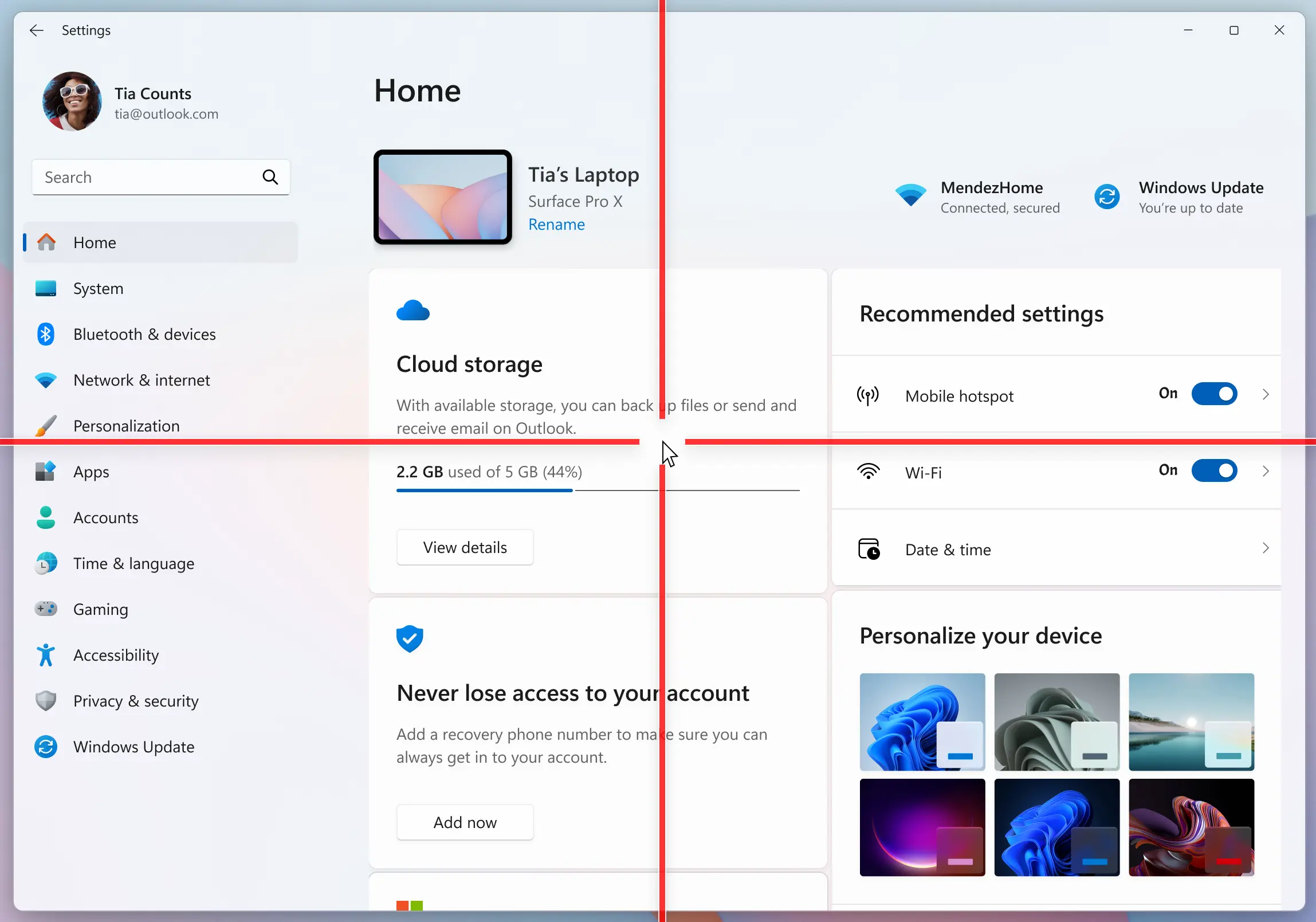
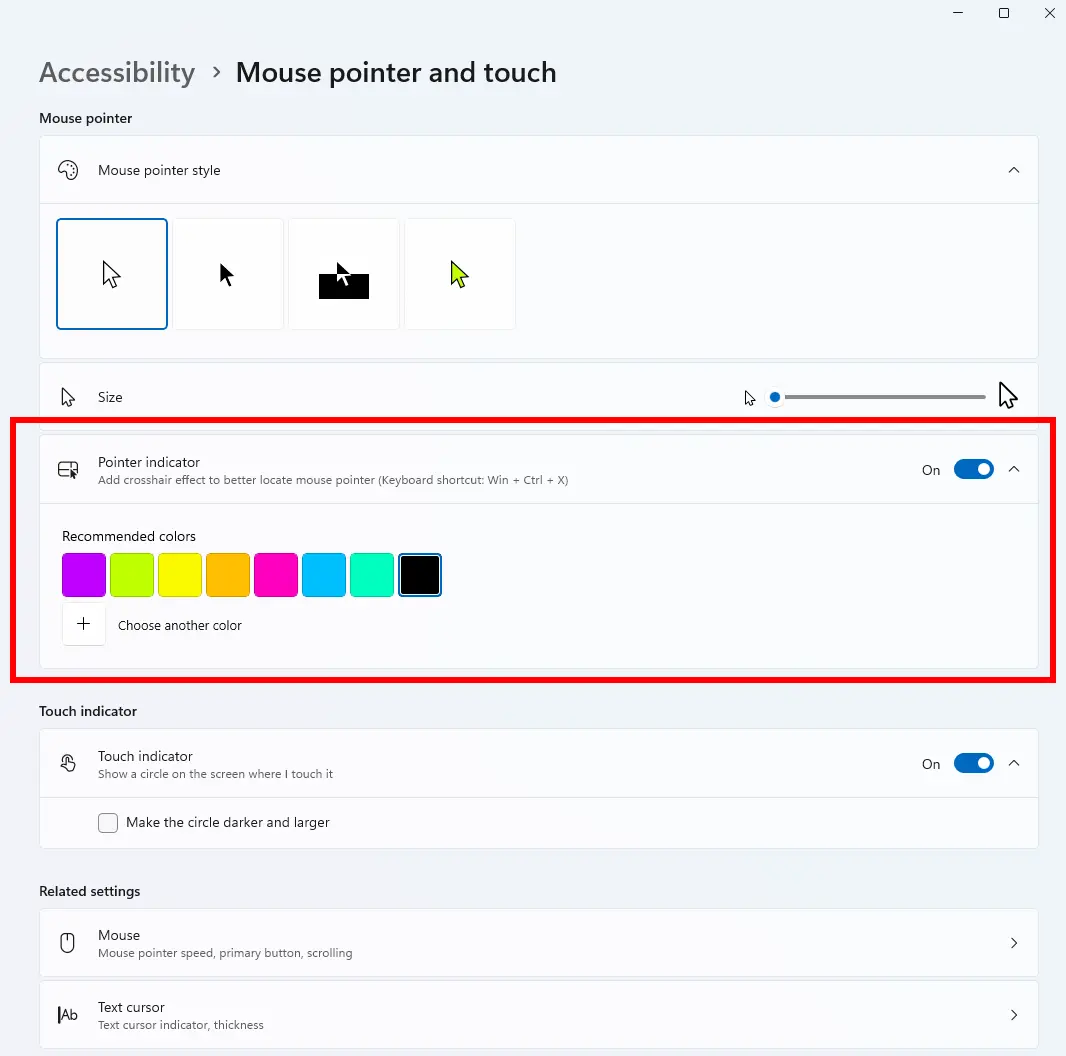
To enable this experience, go to Settings > Accessibility > Mouse pointer and touch and enable the Pointer indicator setting. You can also search for the setting by name. When the setting is enabled, you can toggle it on/off with the keyboard shortcut, Win + Ctrl + Shift + X.
[Windows Magnifier]
- Windows magnifier can now magnify protected content.
[Network and Sharing]
- We fixed an issue where the Network and Sharing Center could incorrectly display two active Wi-Fi connections after switching from one Wi-Fi network to another. The Network and Sharing Center now correctly reflects a single active Wi-Fi connection when you connect to a new network.
[Input]
- Improved explorer.exe reliability when closing the input flyout.
- Improved reliability of configuring the fluid dictation option in voice typing (Windows key plus H) settings.
[Feedback Hub]
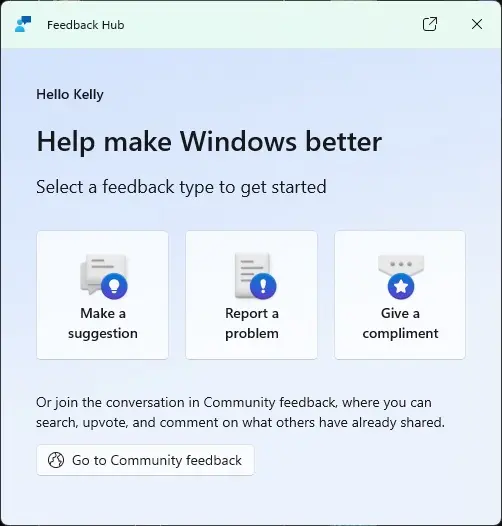
Introducing the new Feedback Hub, bringing a refreshed, modernized experience:
-
Simpler feedback submission flow: Feedback is now submitted using a single unified template, with the added ability to search categories. The feedback form itself has been modernized enabling for faster iteration and future improvements.
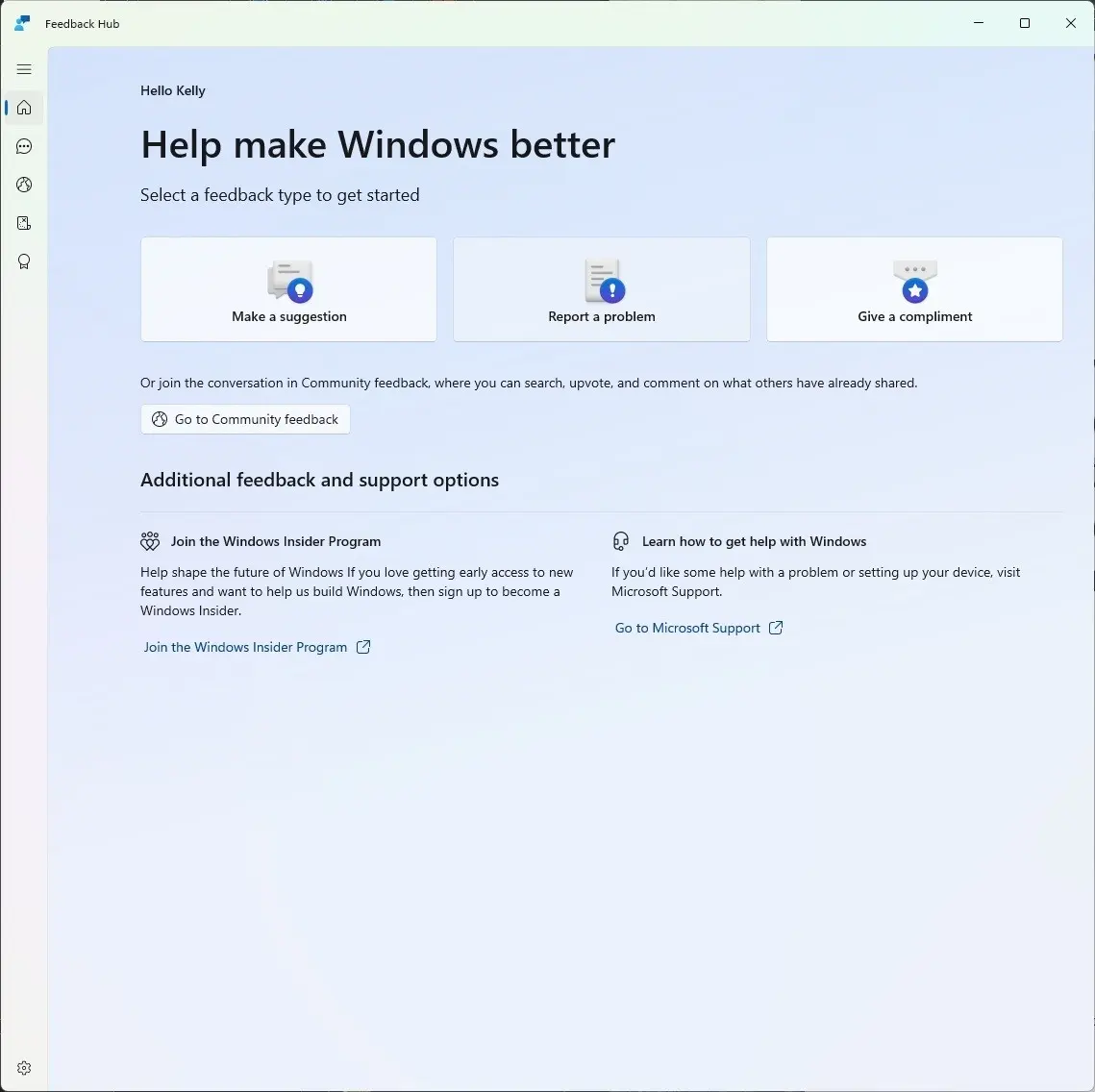
- Simpler navigation: My Feedback now lives directly in the navigation pane, and Community feedback (formerly All feedback) makes it easier to discover and engage with feedback from others. The Announcements page has been removed to focus more on giving and exploring feedback. You can still find announcements on the Windows Insider Blog.
- New compliment feedback type: Call out what’s working well.
- Private or public feedback: Choose whether your feedback is visible to the Insider community.
-
New focused feedback experience: a new smaller Feedback Hub surface, making it easier to provide quick, in-the-moment feedback. You can expand to the full Feedback Hub experience by pressing the button in the upper right corner.
- Improved screenshot capture and review tooling: making it easier to capture and include visuals when sharing feedback.
As for the Beta Channel build, it only contains the following:
[Input]
- Improved explorer.exe reliability when closing the input flyout.
- Improved reliability of configuring fluid dictation option in voice typing (Windows key plus H) settings.
[Network and Sharing]
- We fixed an issue where the Network and Sharing Center could incorrectly display two active Wi-Fi connections after switching from one Wi-Fi network to another. The Network and Sharing Center now correctly reflects a single active Wi-Fi connection when you connect to a new network.
You can find the announcement blog post here (Dev Channel) and here (Beta Channel).
Hope you enjoyed this news post. Feedback welcome.
Posted Saturday 21 March 2026 at 5:47 am AEST (my time).
News posts: 2023 5,800+ | 2024 5,700+ | 2025 5,700+ | 2026 (to end of February) 854
Recommended Comments
There are no comments to display.
Join the conversation
You can post now and register later. If you have an account, sign in now to post with your account.
Note: Your post will require moderator approval before it will be visible.