


3175x175(CURRENT).thumb.jpg.b05acc060982b36f5891ba728e6d953c.jpg)
Windows 10 support will be over in less than one week, and with it, Windows 11 is expected to gain more users. However, the latter is known for being picky and not quite as omnivorous as its predecessor when it comes to supported hardware. Therefore, if you want to install Windows 11 without any hacks or bypasses, it is important to know whether your computer actually supports it. This is where WhyNotWin11 comes in handy.
While Microsoft has its tools for compatibility checks, such as Windows Health Check, WhyNotWin11 stands out by offering a comprehensive overview of each critical component and offering more detailed explanations of what you can do about it. For example, enable Trusted Platform Module (TPM) if it is disabled by default. It can also tell if it is possible to replace a certain component, which is extra helpful for less experienced users.
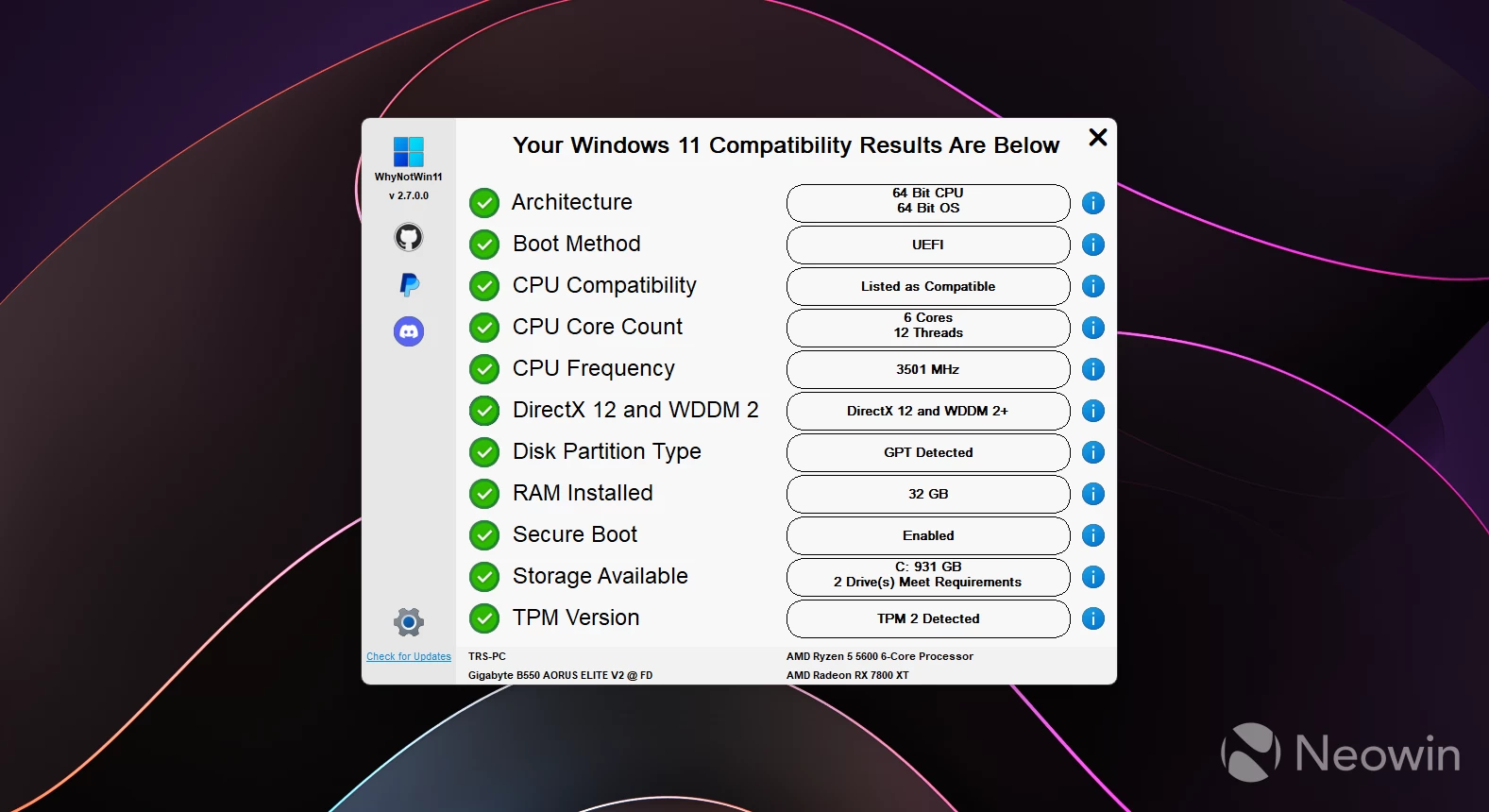
With the latest update, WhyNotWin11 received improved CPU and GPU detection and the ability to update the list of processors if the user is connected to the internet. Also, even though most users are not going to use the app many times, WhyNotWin11 now supports themes so that you can customize the app's look to your liking.
Here is the rest of the changelog:
- Changes Sidebar Icons
- Updates Processor List
- Updates Most Icons used
- Updates Various Language Files
- Improves Processor Family Regex (Credit @mq1n)
- Updates Program Hover Description
- Changes Check Statuses to use Icons
- Fixes Language Files getting Blanked out
- Changes GPT Check to Pass within WinPE
- Adds GPU Model Number String Matching
- Adds Source Code to Application Resources (Extract using Resource Hacker or Similar)
- Reduces and Improves WMI Resource Usage
- Improves CPU Check Backup String Matching (Credit @PicoMitchell)
- Improves TPM Check when not an Administrator
- Adds WinPE HWID to GPU Model Number Lookup
- Fixes String Shortening for Gigabyte Motherboards
- Fixes Monospace Tab Alignment when Exporting as TXT
- Changes CPU Checks to All Pass if a Supported CPU is detected
- Reduces Excessive File Write Operations when exporting as CSV
- Adds Group Policy Values for Theme File and Background Images
- Fixes Beginning of Strings being Cut-off if /extras used Multiple Times
- Changes GPU Check to Pass if a Supported Qualcomm GPU is detected
- Fixes Issue in which Donators would Receive a "Product Shipped" Email
- New Check Status Icons will show as Shields if Running as Administrator
- Adds Not-Yet-Used Code for Required Checking Monitor Size/Resolution (Credit @Qazy147)
- Adds Ability for CPU and GPU Lists to Automatically Update if Connected to the Internet
- Changes Default Theme Check to Check Theme Folder instead of the Same Directory as WhyNotWin11
You can download WhyNotWin11 from its GitHub repository. If your computer turned out to be incompatible with Windows 11 but you still want to get it, check out this guide detailing how to install Windows 11 version 25H2 on unsupported PCs.
Hope you enjoyed this news post. Feedback welcome.
Posted Thursday 9 October 2025 at 3:02 am AEST (my time).
News posts... 2023: 5,800+ | 2024: 5,700+ | 2025 (till end of September): 4,533
- MrZeb
-
 1
1
Recommended Comments
Join the conversation
You can post now and register later. If you have an account, sign in now to post with your account.
Note: Your post will require moderator approval before it will be visible.