

3175x175(CURRENT).thumb.jpg.b05acc060982b36f5891ba728e6d953c.jpg)
Windows 11 just made managing settings easier with a new AI agent, and here's what you need to know.
On Windows 11, Microsoft is improving the Settings app with AI integration through a new agent designed to help you find and configure system settings more quickly.
Currently, using Settings effectively means knowing exactly what you're looking for and where it can be found. While the search tool can help, it still relies on you having a general idea of the setting's name or feature.
If you're an experienced user, navigating the interface comes almost naturally. However, for most people, it's a challenge. To simplify this process (and continue integrating AI deeper into the operating system), Microsoft is introducing an AI assistant within the Settings app that can guide you through system configuration more easily.
Defining the AI agent in Windows 11’s Settings app
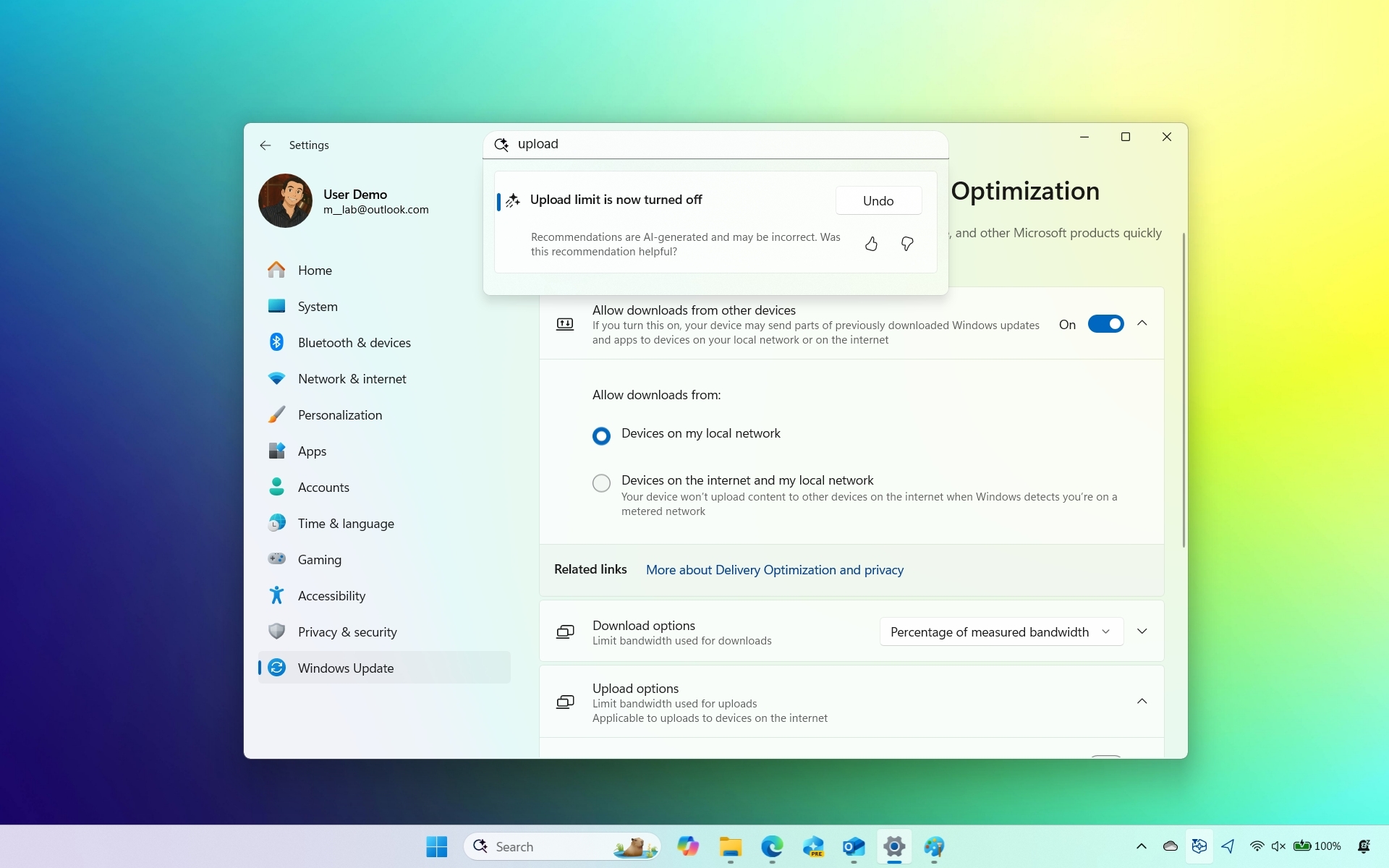
The AI agent coming to Windows 11 isn't a chatbot like Copilot. Instead, it's built directly into the Settings app's search box, allowing you to find configuration options by simply describing the issue or change you want to make.
(Image credit: Mauro Huculak)
More importantly, you can use plain, natural language to explain what's wrong or what you're trying to do. The AI agent understands your intent and surfaces the relevant setting or automates the necessary steps to apply the changes.
You can think of it less like a search tool and more like a built-in assistant that's always available to help you troubleshoot or customize your system.
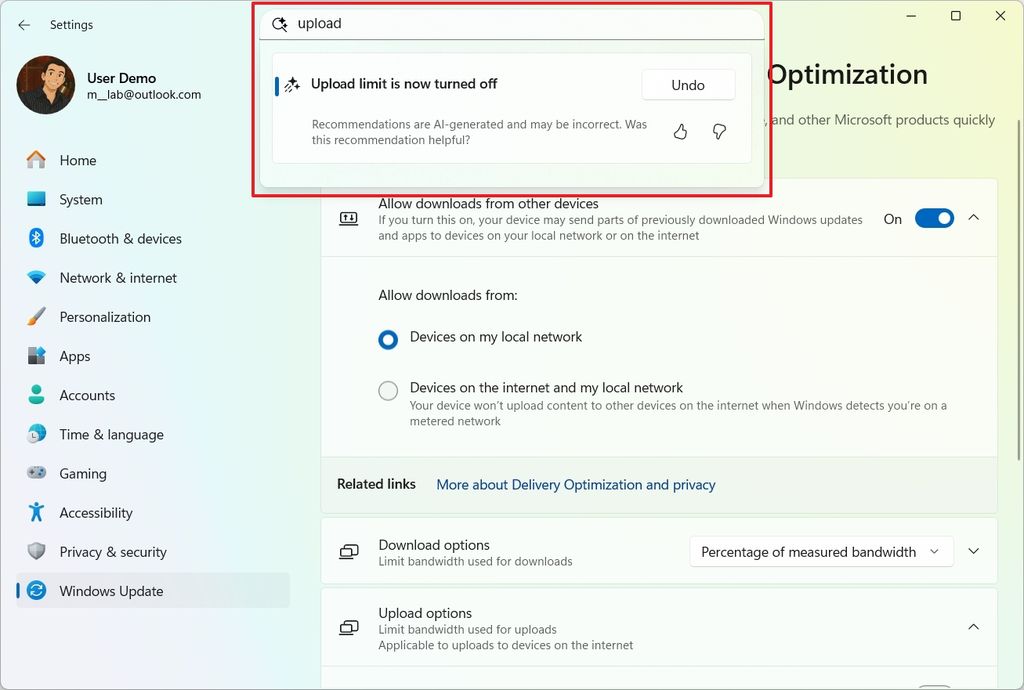
Microsoft previously experimented with a similar concept using Copilot. That version, known internally as "Copilot suggestions," aimed to provide help by offering setting recommendations based on user activity. However, the Copilot-based approach was eventually abandoned in favor of this AI agent built into the Settings experience.
(Image credit: Microsoft)
How to use the AI agent to change system settings
If you want to try out the new assistant, open the Settings app on your Copilot+ PC and use the search box to describe the problem or the setting you want to change.
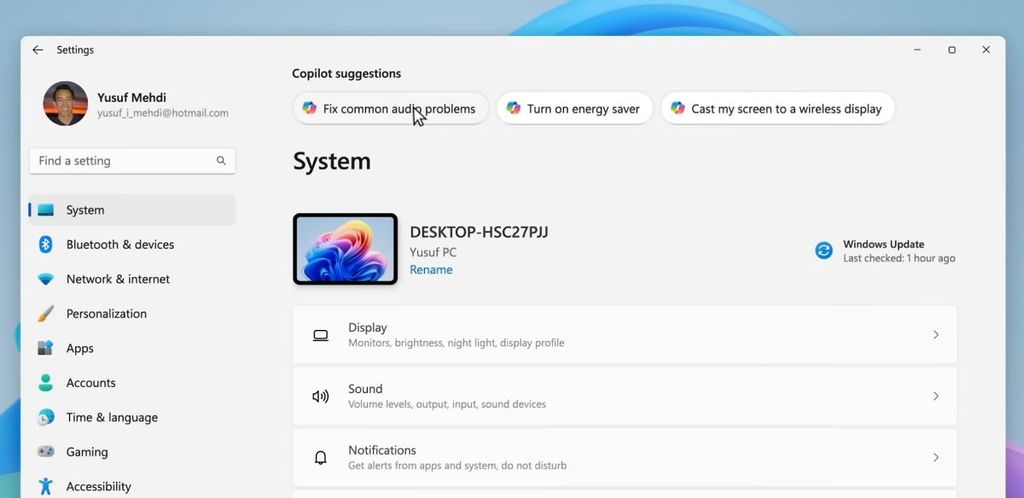
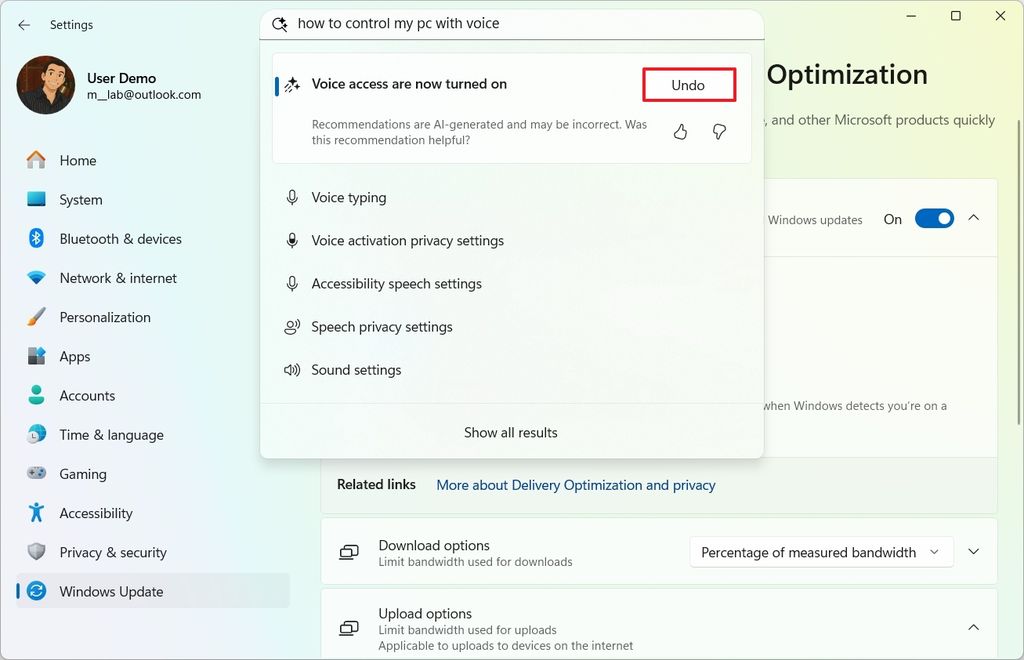
As you type, real-time results will appear, and the AI agent will suggest a direct action. For example, if you ask, "How to control my PC by voice," the assistant will offer to enable Voice Access. Clicking the "Apply" button will automatically enable the feature.
(Image credit: Mauro Huculak)
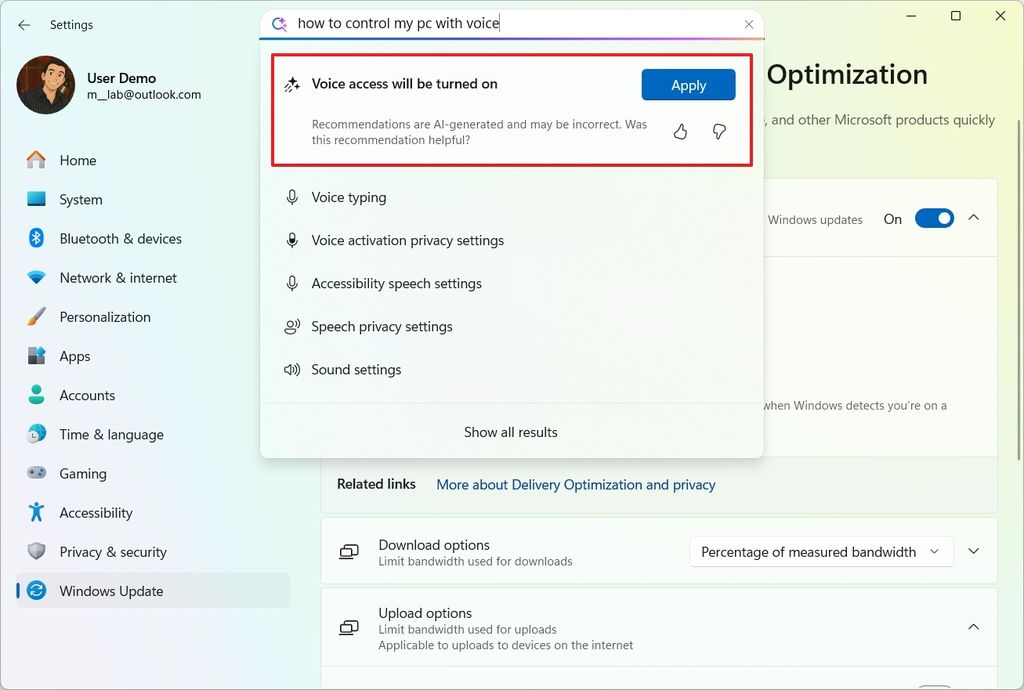
If you stay in the search box after applying a change, you may see an option to "Undo" the action, when supported.
(Image credit: Mauro Huculak)
While having a built-in support assistant in Settings sounds helpful, it's not perfect. The AI won't respond intelligently to every query.
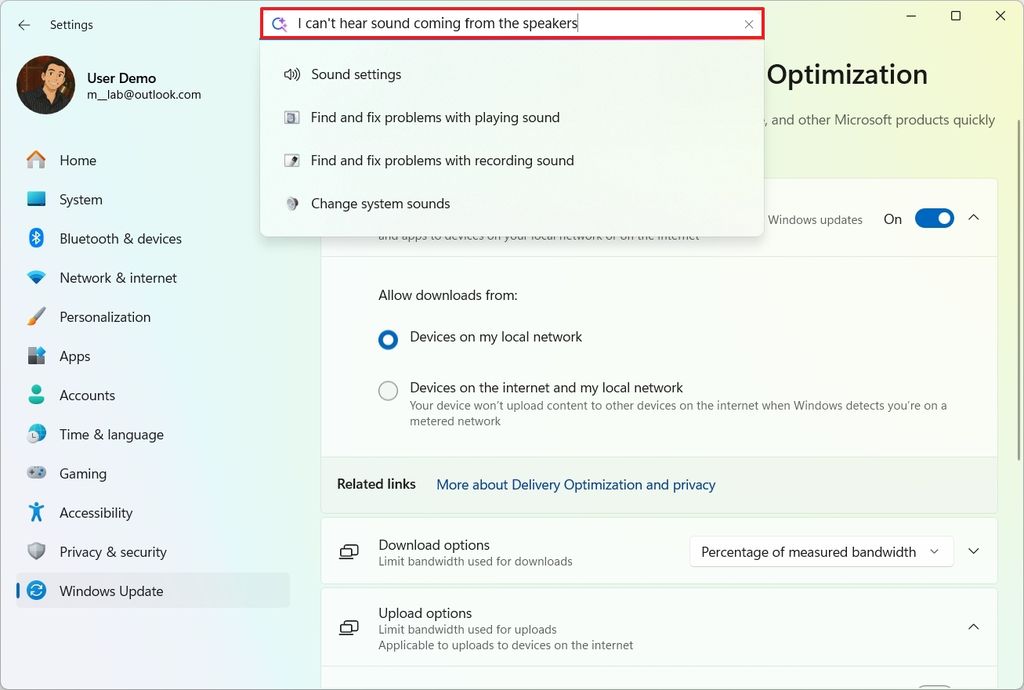
During testing, I muted the PC and asked, "I can't hear sound coming from the speakers," but instead of offering to unmute the device, the assistant only surfaced standard sound settings.
(Image credit: Mauro Huculak)
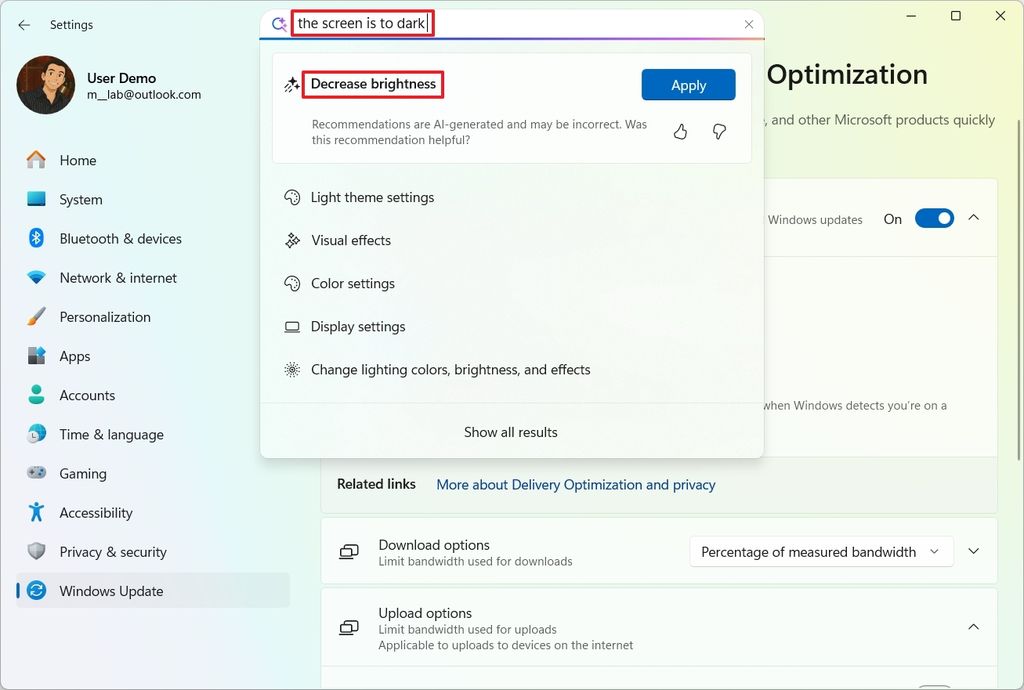
On the other hand, asking about the screen being too dark prompted the assistant to increase the brightness. However, the experience had some rough edges. The assistant increased the brightness without specifying how much, and it failed to understand the typo in a previous query, "the screen is TO dark." It only surfaced the correct suggestion once the grammar was fixed.
(Image credit: Mauro Huculak)
While the feature shows promise, Microsoft has acknowledged these limitations. The current behavior is tied to the capabilities and constraints of the AI model powering the experience.
Why Microsoft chose the Mu model for the Settings AI agent
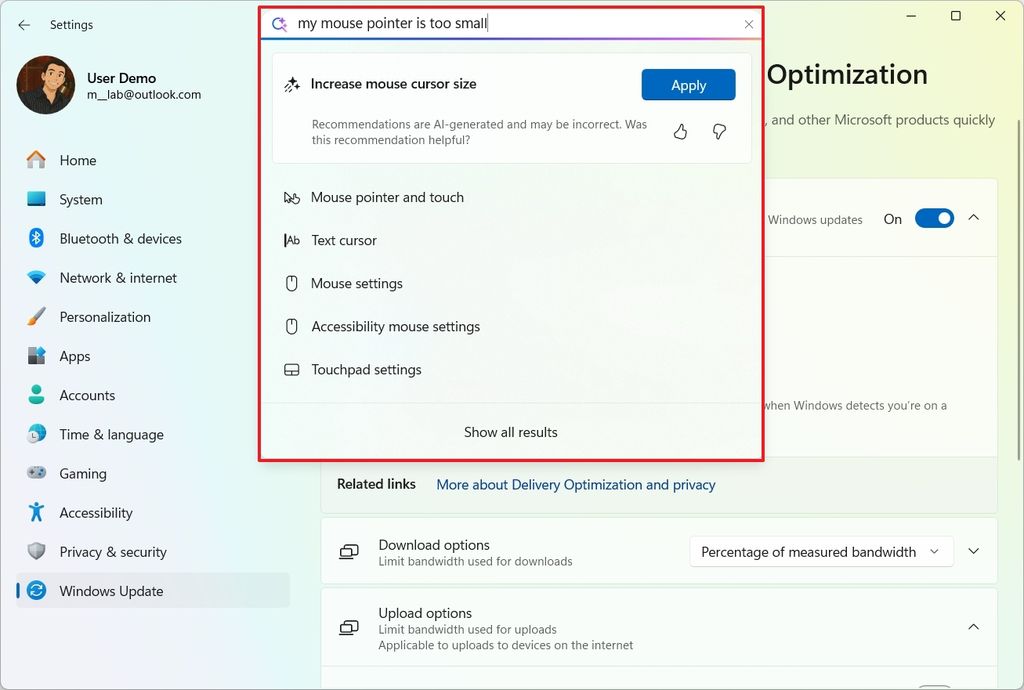
The AI agent in the Settings app is powered by the Mu model, a small language model (SLM) designed to run entirely on-device. According to Microsoft, Mu doesn't require an internet connection and processes natural language input locally through the system's Neural Processing Unit (NPU), generating responses at over 100 tokens per second, meaning near-instant feedback.
(Image credit: Mauro Huculak)
However, bringing the agent into the Settings app introduced its own unique set of challenges. System configuration isn't like casual human conversation, because it requires precise intent recognition and ultra-low latency. Microsoft initially explored using a Phi-based LoRA-tuned model for the task, but response times exceeded the acceptable thresholds, making it unsuitable for an experience that requires instant and reliable performance.
Although the Mu model offers the required performance and power consumption, the precision wasn't too accurate. However, the company was able to improve the model by scaling the training samples and expanding it to hundreds of more settings, which resulted in response times of under half a second.
The model was trained using a large set of inputs, including real user queries, synthetic prompts, and usage data, allowing it to better understand the intent behind common troubleshooting and customization tasks. Microsoft found that Mu performed best when handling multi-word queries that clearly described the user's intent, which is why the agent was integrated into the search box, allowing the search functionality to produce results for short queries without a clear intent that Mu can't handle.
Finally, to prevent confusion in scenarios where multiple overlapping settings exist, Mu was tuned to prioritize the most frequently accessed options, delivering quick, reliable answers without guessing at vague commands.
It's important to note that the AI agent is only available for Copilot+ PCs. At the time of writing, you can access it through the Windows Insider Program, and it's unclear when it'll roll out to compatible devices.
Hope you enjoyed this news post.
News posts... 2023: 5,800+ | 2024: 5,700+ | 2025 (till end of June): 2,864
RIP Matrix | Farewell my friend
Recommended Comments
There are no comments to display.
Join the conversation
You can post now and register later. If you have an account, sign in now to post with your account.
Note: Your post will require moderator approval before it will be visible.