

3175x175(CURRENT).thumb.jpg.b05acc060982b36f5891ba728e6d953c.jpg)
FluentFlyout feels right at home on Windows 11 and it fills gaps left by Microsoft.
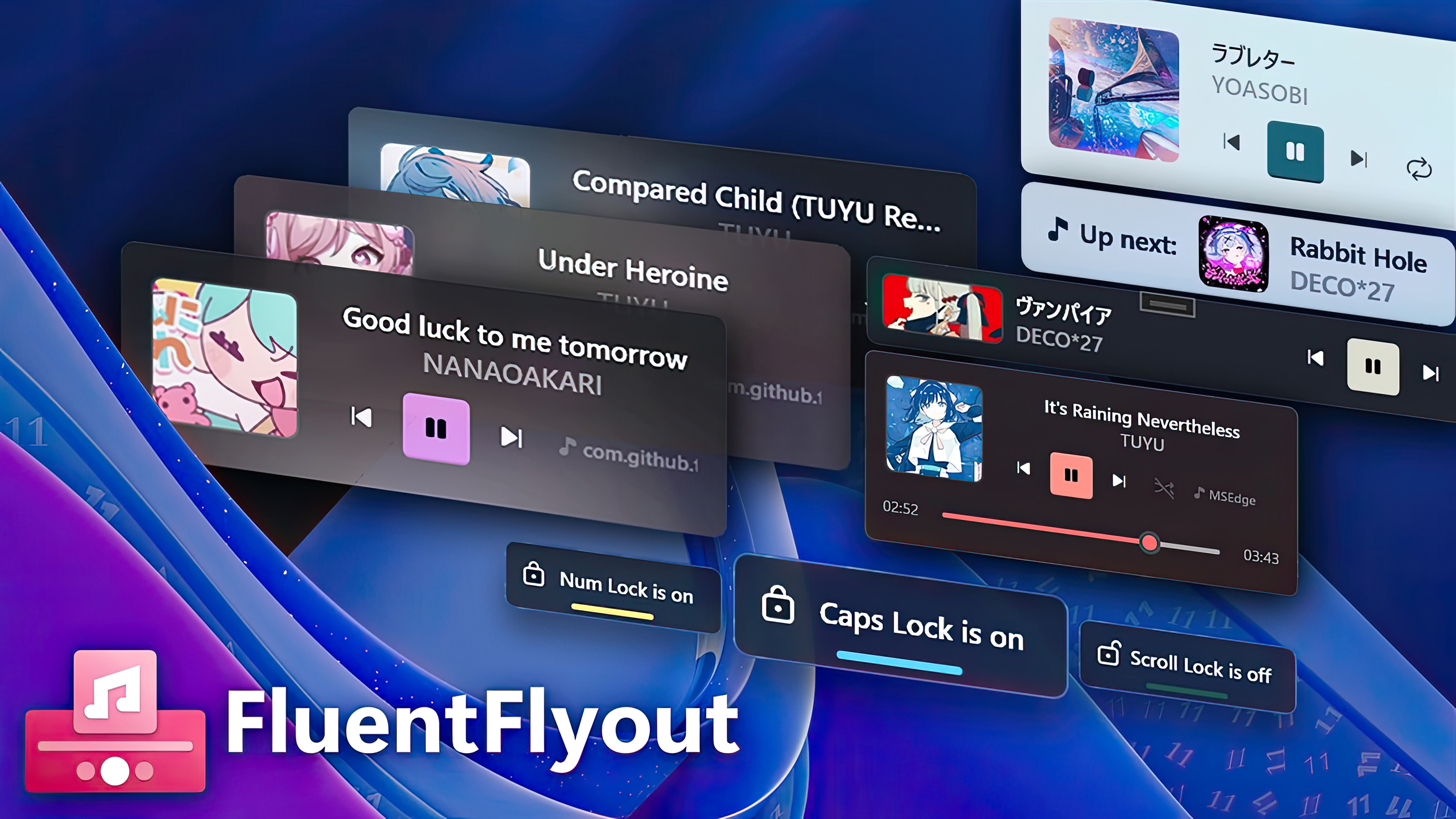
Windows 11 gained a must-have app last year, and now that app runs on Snapdragon X-powered PCs. FluentFlyout adds functional flyouts to Windows 11, such as enhanced media controls.
The flyouts feel natural to use, and I find them easier to get to than the built-in Windows 11 media controls that live in the Quick Settings menu. They're also customizable, allowing you to have bare-bones flyouts that just show a few buttons or fleshed-out controls with scrubbable timelines and more.
Change log
- 🖥️ Switch Monitors: Added the ability to select which monitor to display Flyouts and the Taskbar Widget!
- 🖱️ Added Title and Artist hover tooltips to Taskbar Widget and Media Flyout, allowing you to see the full title and artist name if it's cut off
Taskbar Widget updates
- 🔧 Added Taskbar Widget manual custom padding setting for customized Windows taskbars
- Fixed Taskbar Widget scaling improperly when content is long
- Fixed Taskbar Widget positioning being incorrect in some cases
- Fixed rare crash when right-clicking on the Taskbar Widget
- Other under-the-hood changes to the Taskbar Widget to make it more stable
Other updates
- 💻 Fixed trackpad scrolling speed in settings being too fast
- Fixed tray icon disappearing after Windows Explorer resets
- Removed verbose logging as it wasn't necessary in release builds
- Fixed Lock Flyout visual glitches on first flyout
- Changed Acrylic window background opacity to match Windows 11 more closely
- ARM64 configuration support: FluentFlyout will now work on ARM64 CPU architecture devices
- Updated update notification to be translatable
- Added Turkish language support for GitHub README files
- Updated translations (thanks to @bywhite0, @VeryFat123, @Tomflame-4ever, @Pigeon0v0, @yoyo435, @xsm2, @oski165, @logounet, @ysfemreAlbyrk, @Ste3798, @kek353, @weiss-rn, @avshalombegler, @tnhung2011 and others on Weblate!)
If you want the unabridged change log, it's available on GitHub.
Windows 11 has always been frustratingly inconsistent, so it's refreshing to see a developer take the time to tweak acrylic settings and make small aesthetic changes.
Recommended Comments
There are no comments to display.
Join the conversation
You can post now and register later. If you have an account, sign in now to post with your account.
Note: Your post will require moderator approval before it will be visible.