

3175x175(CURRENT).thumb.jpg.b05acc060982b36f5891ba728e6d953c.jpg)
Back in the day, I remember incessantly right-clicking my Windows XP desktop and hitting "Refresh" on the subsequent context menu multiple times before firing up a game. I don't know how or why, but the idea had been planted in my brain that refreshing via the desktop before running a game would make the game and the entire PC run faster. I'm not sure if this is a regional thing localized to where I grew up, or if this was something that all of us collectively believed as kids.
As time passed and I started developing an interest in PCs and the tech behind them, I naturally began to question this reasoning. After all, why would a user be required to manually press buttons to make their PC run faster? Why wouldn't the PC automatically re-allocate its resources to make that happen without requiring user intervention?
After some research, I was able to confirm that hitting Refresh on the desktop cannot magically make my games or my PC run faster. The truth behind it - for those still unaware - is a bit boring, actually.
What does Refresh on Windows desktop actually do?
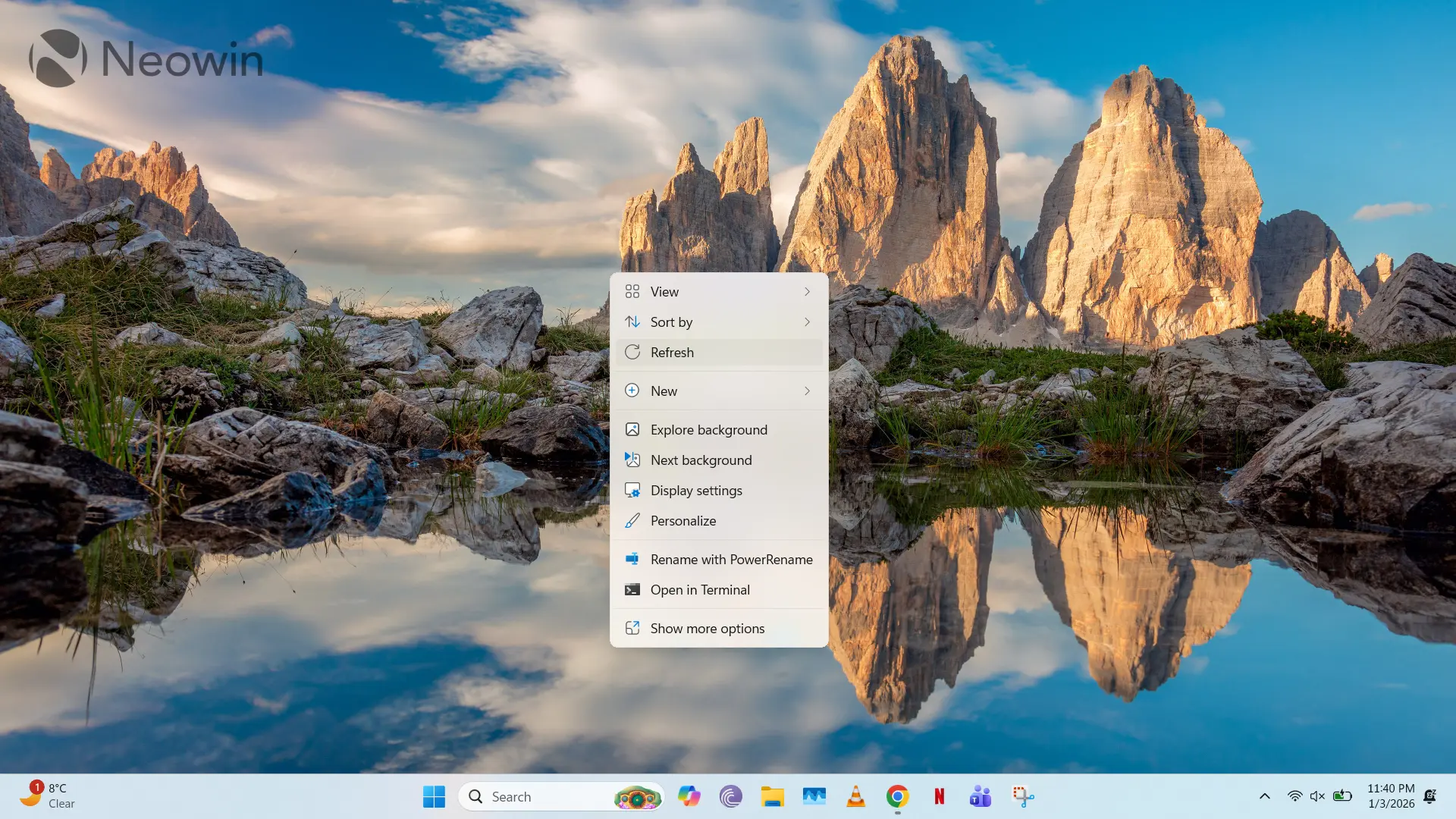
Hitting Refresh on a Windows desktop basically "redraws" the display. This means that it potentially resolves issues related to broken and missing icons or when certain files and folders may not immediately display on your desktop after copy and move operations. It ensures that the cached desktop view is refreshed with the latest directory structure. That's all there is to it.
Wait, so it does not make my games and PC run faster?
Nope. This is just a myth with an unknown origin. My understanding is that, as kids, we actually deluded ourselves into thinking that it was making our games run faster, even though it had absolutely no impact on performance.
So, do I even need to Refresh my desktop?
Look at it this way: if your PC's desktop view is completely correct and updated in terms of directory structure and icons, pressing Refresh will actually request precious time from your PC's processor to redraw the display, even though it doesn't need to. Those CPU cycles are better used elsewhere.
As such, you should only use this option if you run into issues rendering your Windows desktop or if your recently copied/moved files aren't being displayed.
Did you use the Refresh button frequently when you were young? Do you still use it as a force of habit? Let us know in the comments section below!
Hope you enjoyed this news post. Feedback welcome.
Posted Sunday 4 January 2026 at 12:56 pm AEST (my time).
News posts... 2023: 5,800+ | 2024: 5,700+ | 2025: 5,700+
- dabourzannan
-
 1
1
Recommended Comments
There are no comments to display.
Join the conversation
You can post now and register later. If you have an account, sign in now to post with your account.
Note: Your post will require moderator approval before it will be visible.