

3175x175(CURRENT).thumb.jpg.b05acc060982b36f5891ba728e6d953c.jpg)
Microsoft's new Low Latency Profile feature makes almost everything on Windows 11 faster. Watch it in action on Start menu, File Explorer, Outlook.
Earlier this year, Microsoft revealed its plan on how it is going to make an active effort to improve the performance of Windows 11 and its various elements. Some of these have already started landing too; in fact the company is even making progress elsewhere like in the case of PowerToys that could also indirectly help Windows perform better.
If you are wondering what's going on, it was recently revealed that the Redmond giant has been working on a plan internally known as "K2" with the aim of bettering everything on Windows 11. And this isn't just limited to performance and usability improvements either.
However, software optimization can only go so far and to help the OS get faster, it has to rely on hardware-based improvements. We did cover such a case with AMD's upcoming CPPC feature called "highest frequency" (read about it in this dedicated article here).
Microsoft, too, is introducing something to Windows 11 called "low latency profile" and it this will work irrespective of the processor, be it AMD64 CPUs like Intel or AMD or ARM64 ones like from Qualcomm. Essentially what this new tech will do is apply a maximum available clock frequency boost for a very small span of time, like for one to three seconds, when a user launches any app. The idea is that the app launch time will reduce while the quick clock burst should not impact the overall efficiency of the system by much.
Fellow outlet Windows Central tested this to see how well it performs, and there is good news to share; there's definitely a noticeable reduction in launch times, and it is quite visible indeed.
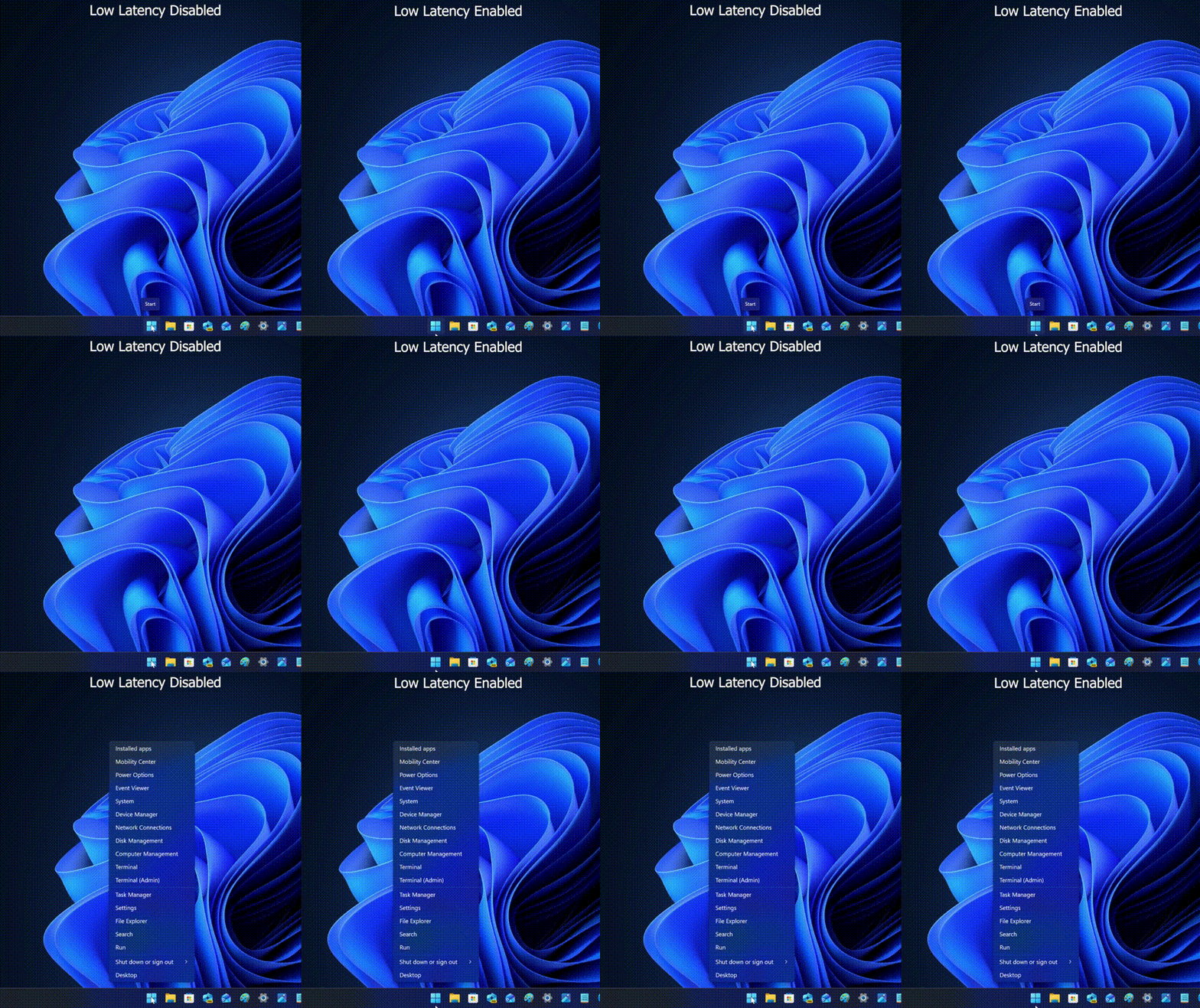
Above there is a side-by-side comparison of the feature with it disabled (left) versus enabled (right). As you can see while the launch of the Start button's right-click context menu did not outright happen faster on the right side, it did seem like the Start menu launch with low latency mode OFF was a bit stutter-y.
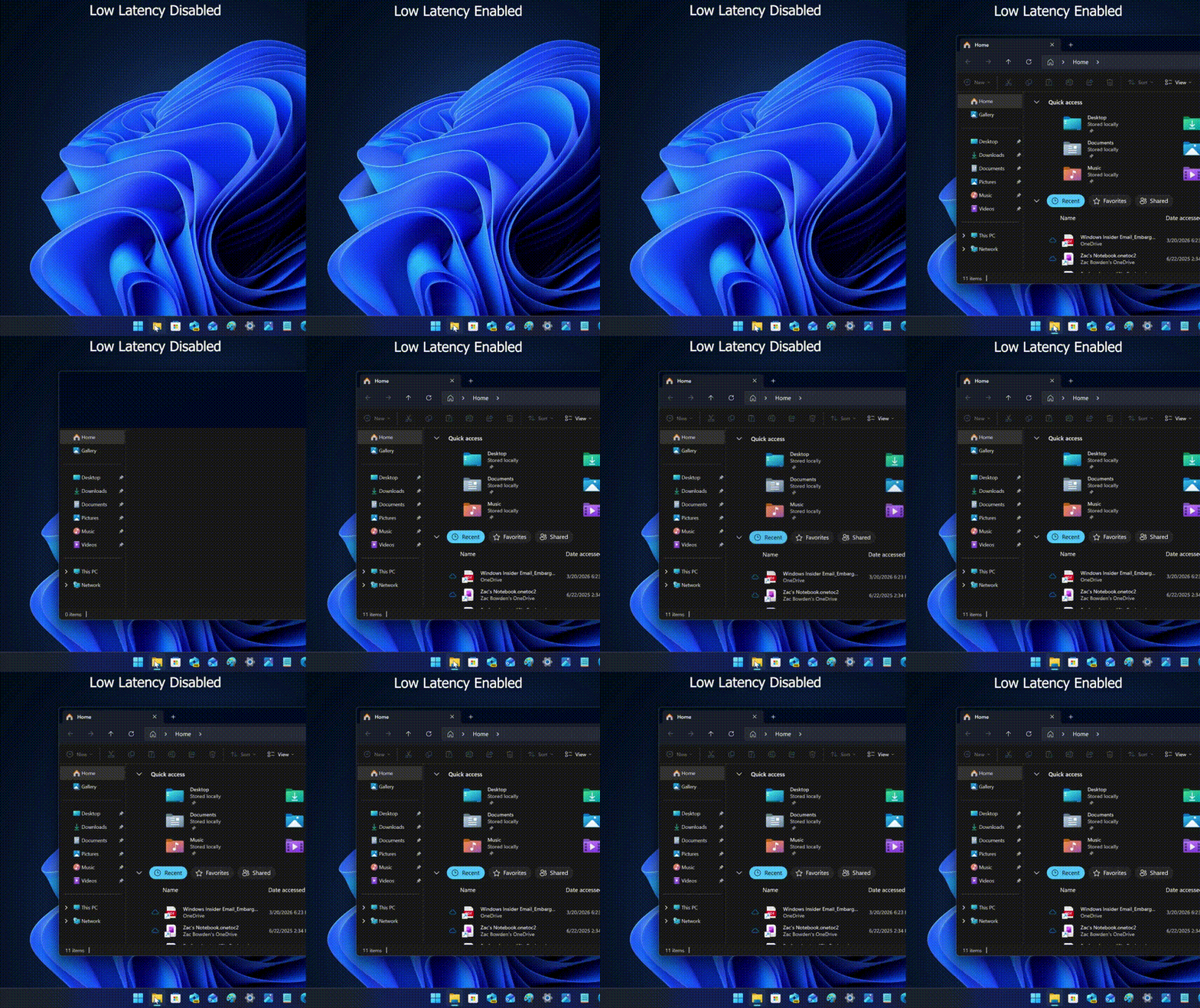
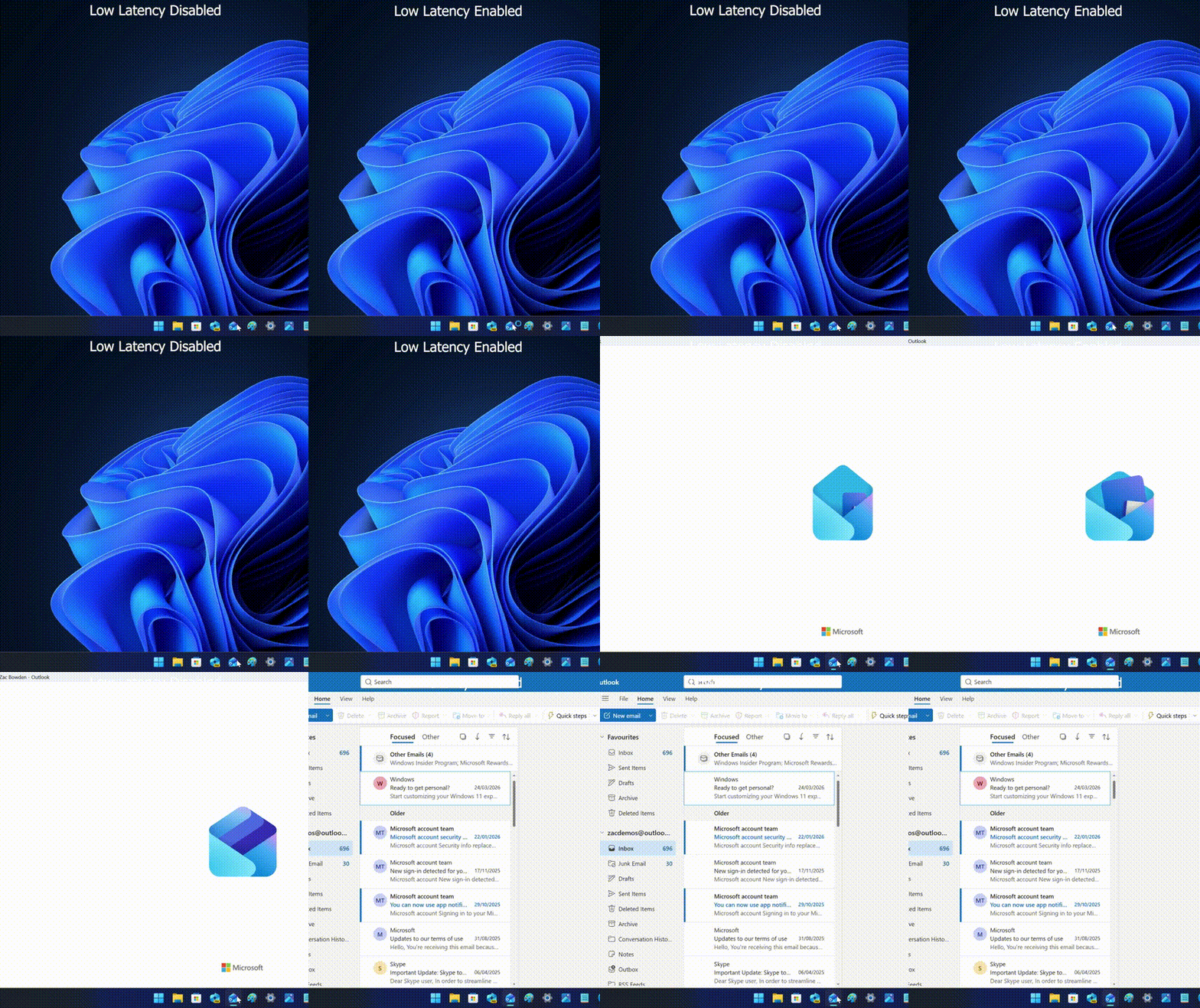
The next examples are obviously faster with Low Latency Mode enabled as both File Explorer and Outlook launch. The rendering of the applications on both occasions is noticeably quicker with the new feature enabled, like there is far fewer micro-hiccups on the right side.
Other than these, Microsoft Store and Settings also showed similar behavior wherein Low Latency Profile side was perceptibly better. Bear in mind though that this boosts the processor to its maximum available frequency, which means any chip that can boost quicker and higher, even on a single thread, will likely have an advantage over something that can't run so fast. Currently the feature is hidden but you can try it for yourself by enabling it using ViVeTool.
Source and images: Windows Central (X)
Hope you enjoyed this news post. Feedback welcome.
Posted Sunday 10 May 2026 at 7:26 am AEST (my time).
News posts: 2023 5,800+ | 2024 5,700+ | 2025 5,700+ | 2026 (to end of April) 1,700
- Fowler
-
 1
1
Recommended Comments
There are no comments to display.
Join the conversation
You can post now and register later. If you have an account, sign in now to post with your account.
Note: Your post will require moderator approval before it will be visible.