



The Files app has released its latest update with version 4.1 which brings several new customization options, a new dedicated settings page and more.
Files, a popular Windows 11 third-party file manager, has received its latest update today with new version 4.1. The new release brings a range of useful customization and usability improvements aimed at enhancing the Windows file management experience.
One of the headlining additions is a redesigned customizable toolbar system that can be availed by right-clicking any toolbar item.
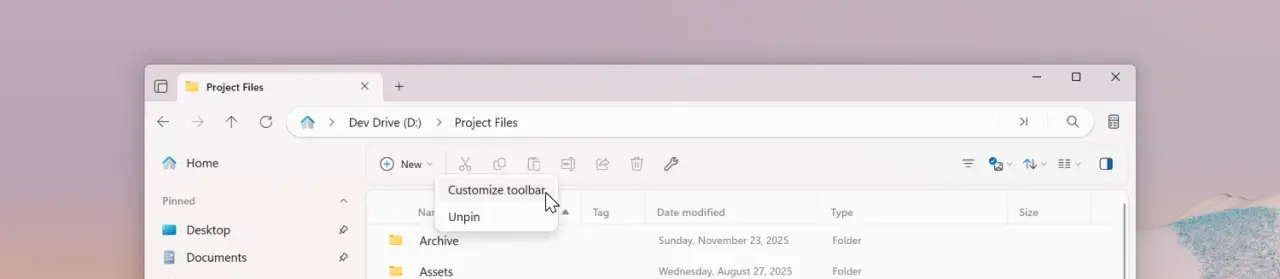
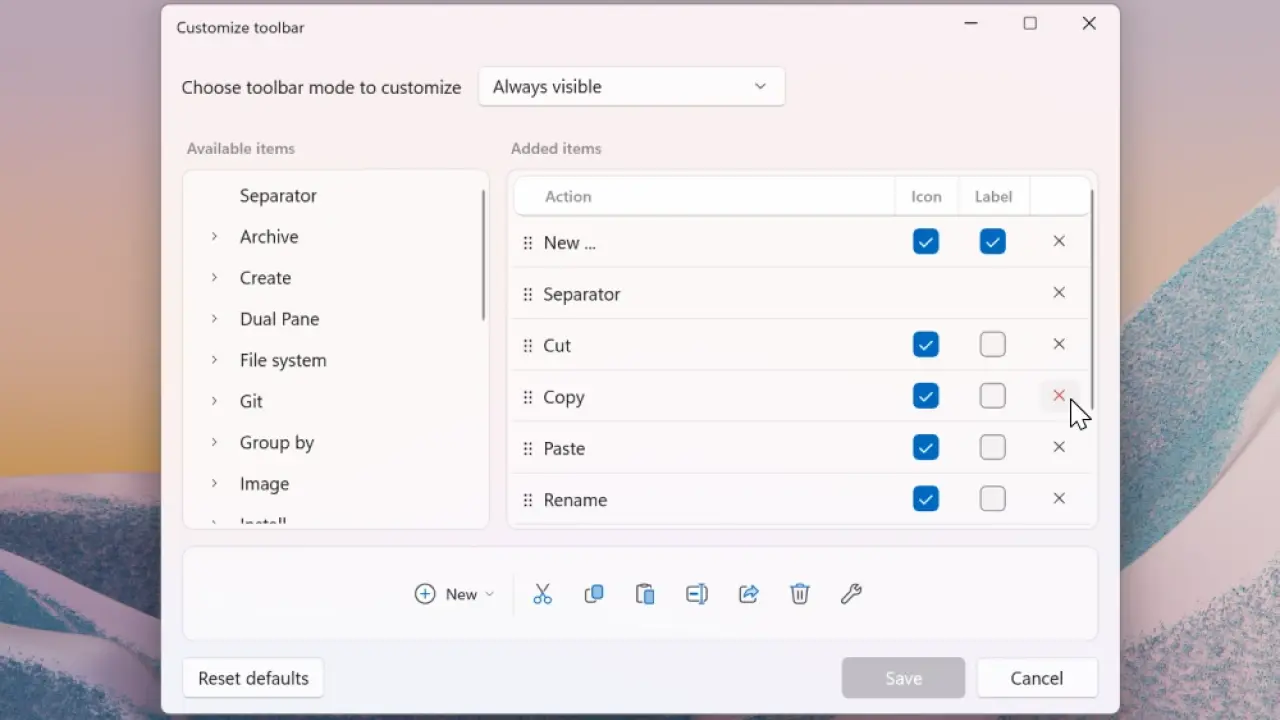
Users can now choose which toolbar buttons and actions appear, rearrange them according to their preferences, and it should be fairly intuitive too as it will work by simply dragging and dropping. The update also allows toolbar items to be hidden quickly through a right-click “Unpin” option. So different toolbar modes can be customized independently depending on your needs.
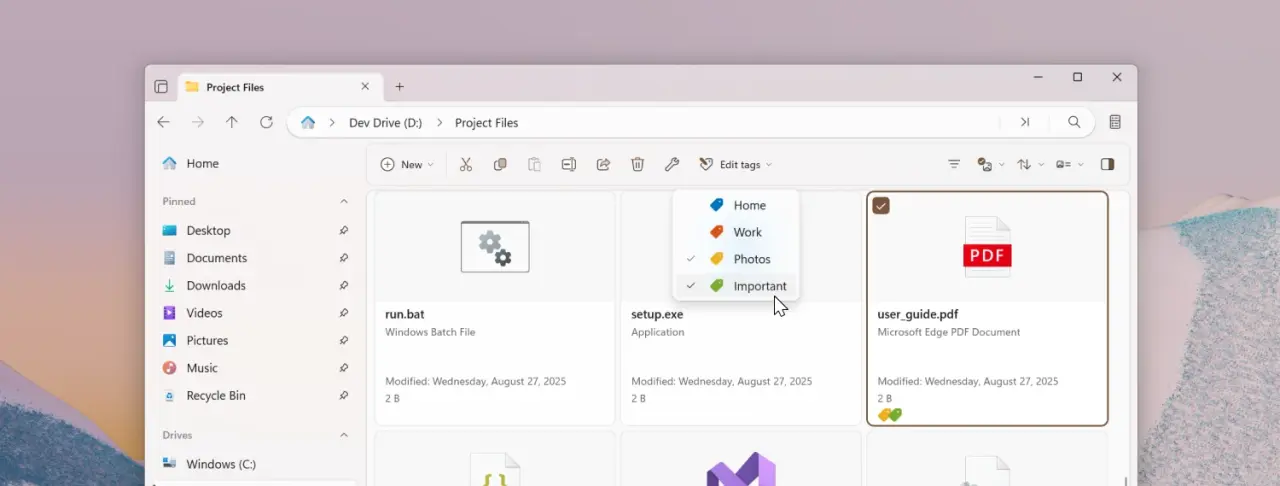
File tagging management has also been improved with a new Edit Tags option. If you are not familiar, tagging helps you sort files and folders.
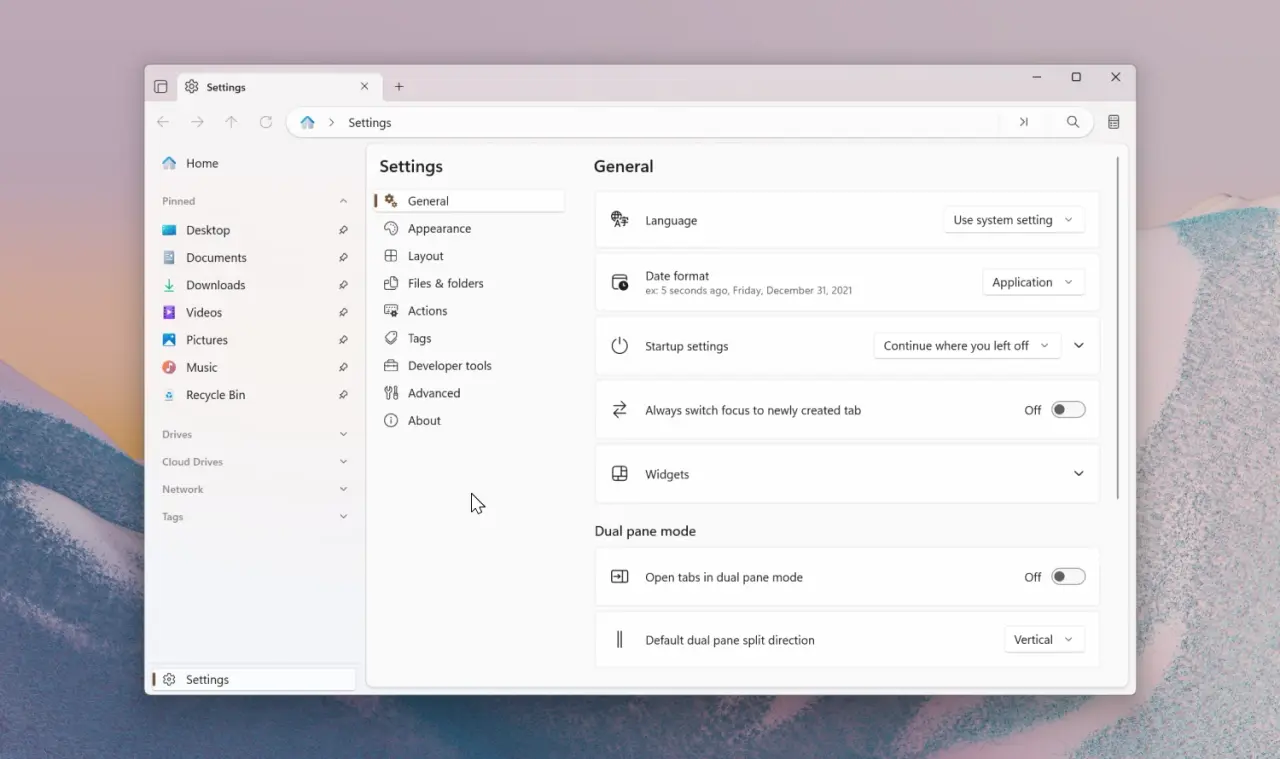
The release also introduces a dedicated Settings page that replaces the previous dialog interface. The new layout is intended to create more room for future options and includes support for searching settings directly through the Omnibar. Alongside this redesign, users can now change the display font used across the application by selecting from fonts installed on their system. The application now also respects the default terminal configured in Windows Settings when using the “Open in Terminal” action.
Theme management also received attention in the update with new actions, allowing users to assign keyboard shortcuts for switching themes. A built-in shortcut, Ctrl + Alt + T, can now toggle between light and dark modes.
Aside from new features, the release includes a number of bug fixes and other refinements. The changelog is given below:
-
The setting to opens items with a single-click now offers more flexibility. The following options are now available:
-
Folders
- Always use single click
- Never use single click
- Use single click for touch
- Use single click for mouse
-
Files
- Always use single click
- Never use single click
- Use single click for touch
- Use single click for mouse
-
Folders
-
Video and audio files now show their duration in tooltips, and tooltips in the grid layout feel snappier overall.
-
AVI files can now be previewed in the Preview Pane.
-
Files now displays the access keys provided by shell extensions in the right-click menu.
-
Fixed an issue where thumbnails didn’t refresh when a file was updated.
-
Fixed an issue where PowerToys Peek wasn’t detected when installed in a custom location.
-
Fixed an issue where importing settings could fail.
-
Fixed an issue where opening programs from search results could fail.
-
Fixed an issue where the tags widget displayed duplicate items.
-
Fixed an issue where the operation status was reported incorrectly when moving files from protected or administrator folders.
-
Fixed an issue where the window didn’t get focus when launched with Win+E.
-
Fixed an issue where previewing CSS files didn’t work correctly.
Files 4.1 stable version is available for download from the official website and the Microsoft Store. The Microsoft Store listing is paid so that willing users can show monetary support to the app author for their contribution.
- jenyco2
-
 1
1
Recommended Comments
There are no comments to display.
Join the conversation
You can post now and register later. If you have an account, sign in now to post with your account.
Note: Your post will require moderator approval before it will be visible.