


3175x175(CURRENT).thumb.jpg.b05acc060982b36f5891ba728e6d953c.jpg)
Microsoft released plenty of Windows 11 updates in the first half of 2025. While the formal "big feature update" is coming in the second half of the year in the form of version 25H2, monthly updates delivered quite a lot of changes and new features. Check out our top 10 list here. Now, let's see what Microsoft has in store for the rest of the year.
The following 10 changes and upgrades are currently available in Windows 11 preview builds. Note that some features might not make it to the stable channel or arrive later. However, you can try them out by downloading one of the latest preview builds.
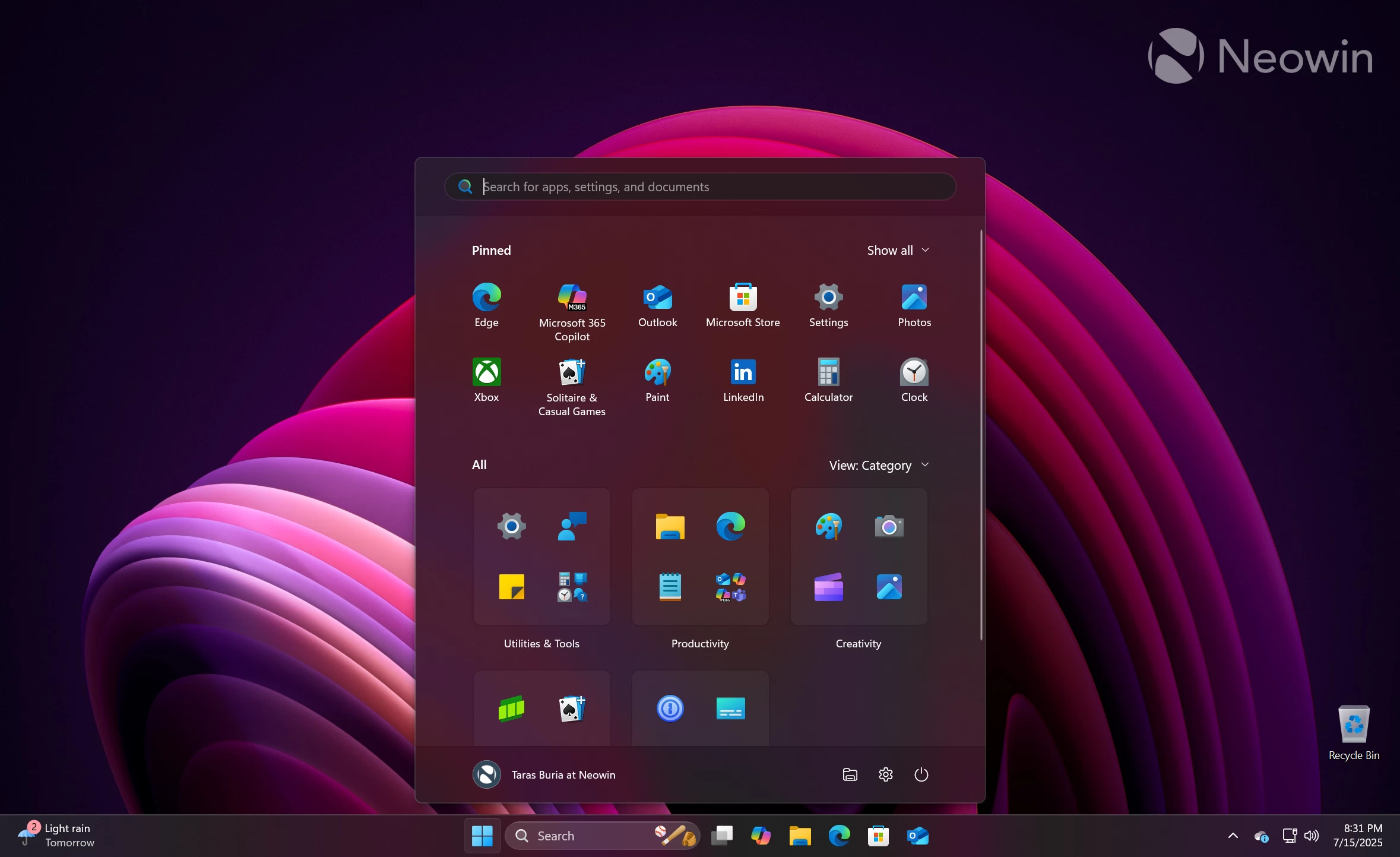
1. Brand-new Start menu
Microsoft officially announced the new Start menu a couple of months ago. It is a major step up from what we had all these years, with plenty of user feedback fully or partially addressed. The menu now uses a single scrollable view, the Recommended section can be turned off, and users can enjoy bigger sizes with more layouts. If you frequently use the Start menu, the new variant will be a nice upgrade for you. It could potentially convince naysayers to finally leave Windows 10 behind.
By the way, check out some of the ideas and concepts that Microsoft considered while redesigning the Start menu.
2. Adaptive Power Saver
Microsoft wants to make Windows 11 more energy efficient and improve battery life by introducing the so-called adaptive power saver. It will turn on or off power saver mode depending on the current workload, not your current battery level. Also, it will not dim your screen, unlike what we currently have in the stable channel. The new energy saver will be available on laptops, tablets, and handhelds, or any Windows 11 device with a battery inside.
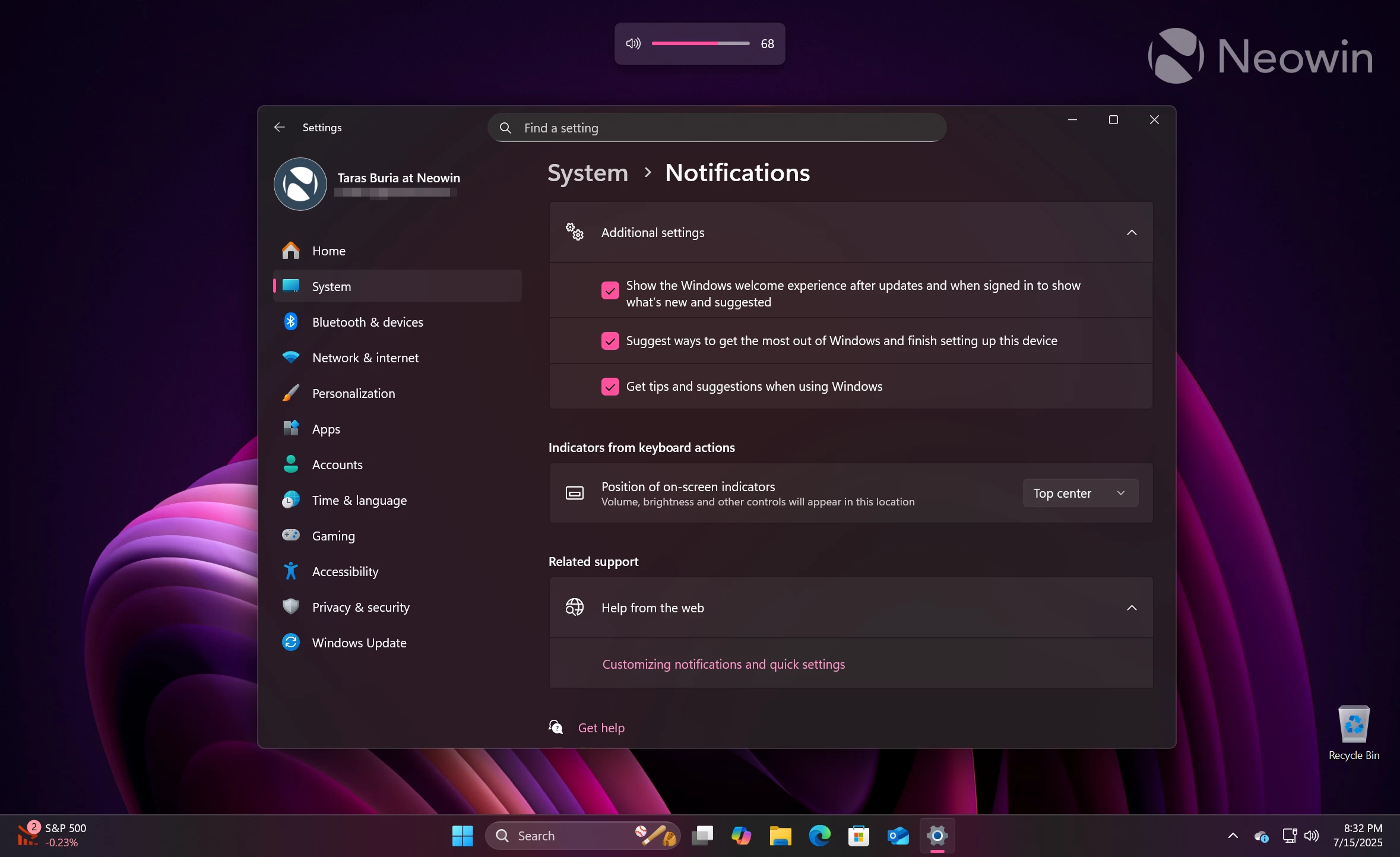
3. Change where hardware indicators appear
I am not sure if there are people who wanted to make the volume or brightness flyout appear in the top-left corner or top-center, but here we go. Soon, Microsoft will let you select where hardware indicators or flyouts appear. I would rather have the ability to move the taskbar to the top or left/right, but unfortunately, Microsoft is not asking me or thousands of other users.
4. Agentic search in Settings
This feature is exclusive to Copilot+ PCs. Agentic search in Settings lets you use natural language to describe what is wrong with your PC, and the operating system will offer solutions and even suggest taking action on your behalf. For example, you can say, "My cursor is too small." The system will understand the problem and make the cursor larger or show you where you can adjust it yourself. Pretty cool stuff. Too bad it will take my job, though.
By the way, the search box in the Settings app is now larger and at the top-center.
5. Notification center clock
This is a small change, but apparently, a lot of Windows 11 users miss the notification clock from Windows 10. Soon, it will finally make it to Windows 11, allowing you to see a bigger time when viewing notifications or the calendar flyout, which, unfortunately, remains extremely primitive. Come on, Microsoft!
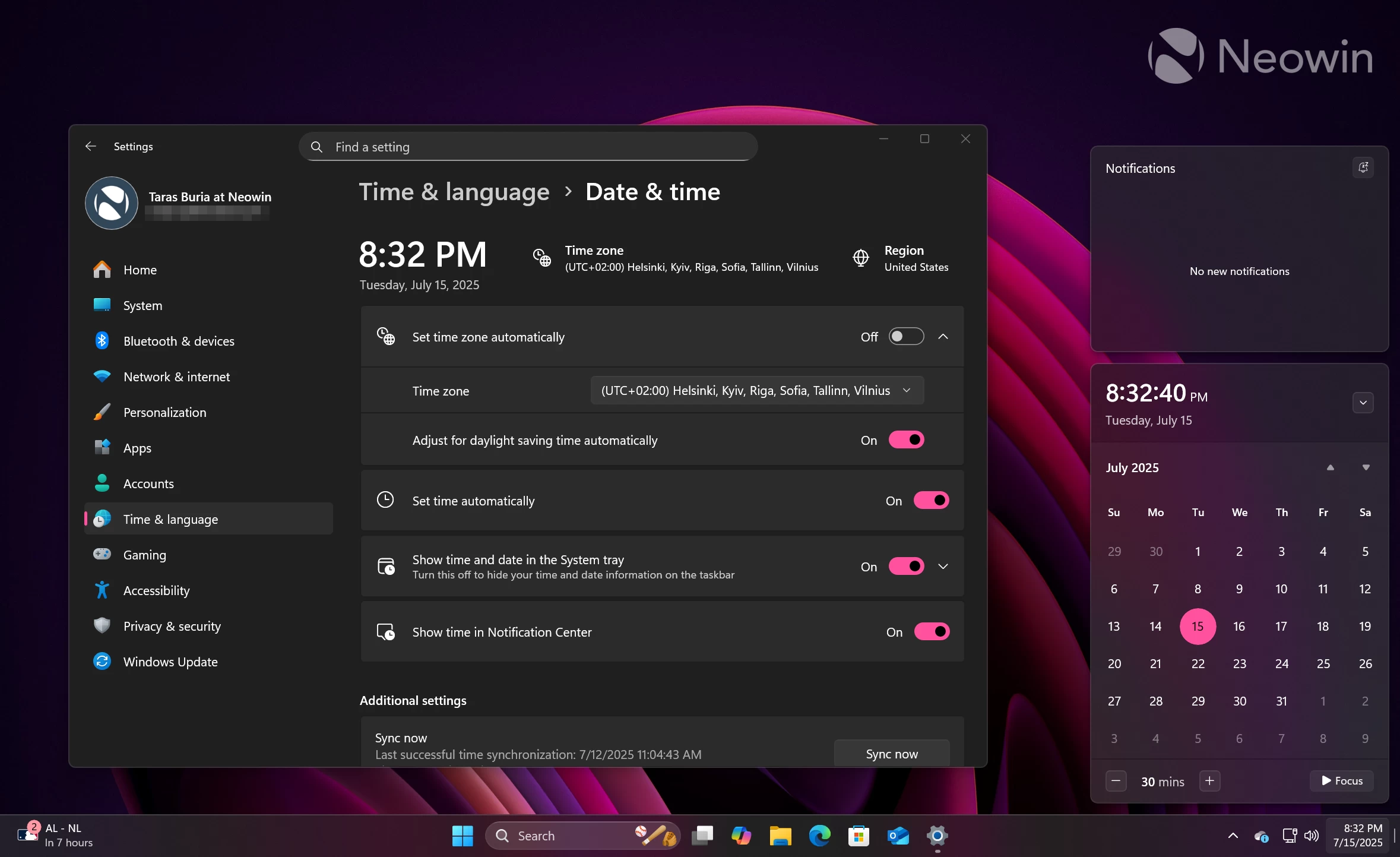
I have to give Microsoft credit for extra customization: You can turn off the notification center clock if you do not like it.
6. Lock Screen customization
Windows 11 will soon let you pick what widgets appear on the lock screen. If you only want to have the weather widget or traffic, Settings > Personalization > Lock Screen will allow you to disable unused widgets and keep only the necessary ones.
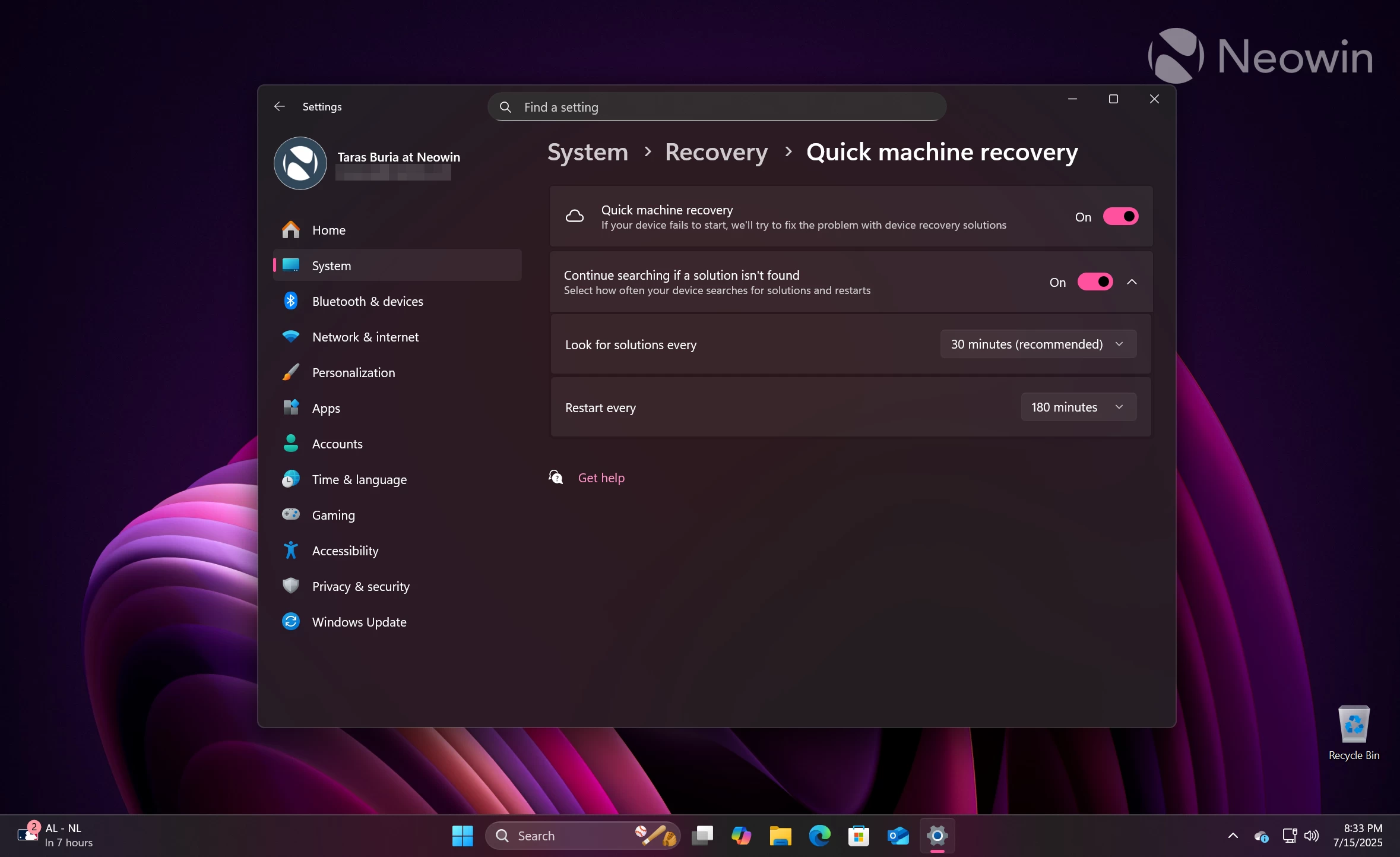
7. Quick Machine Recovery
Quick Machine Recovery is a new security feature that Microsoft introduced to help deal with the results of widespread outages like the one that happened in the Summer of 2024. Now, if a system cannot boot, it can try to receive the necessary fixes or mitigations by connecting to Windows Update from the recovery environment.
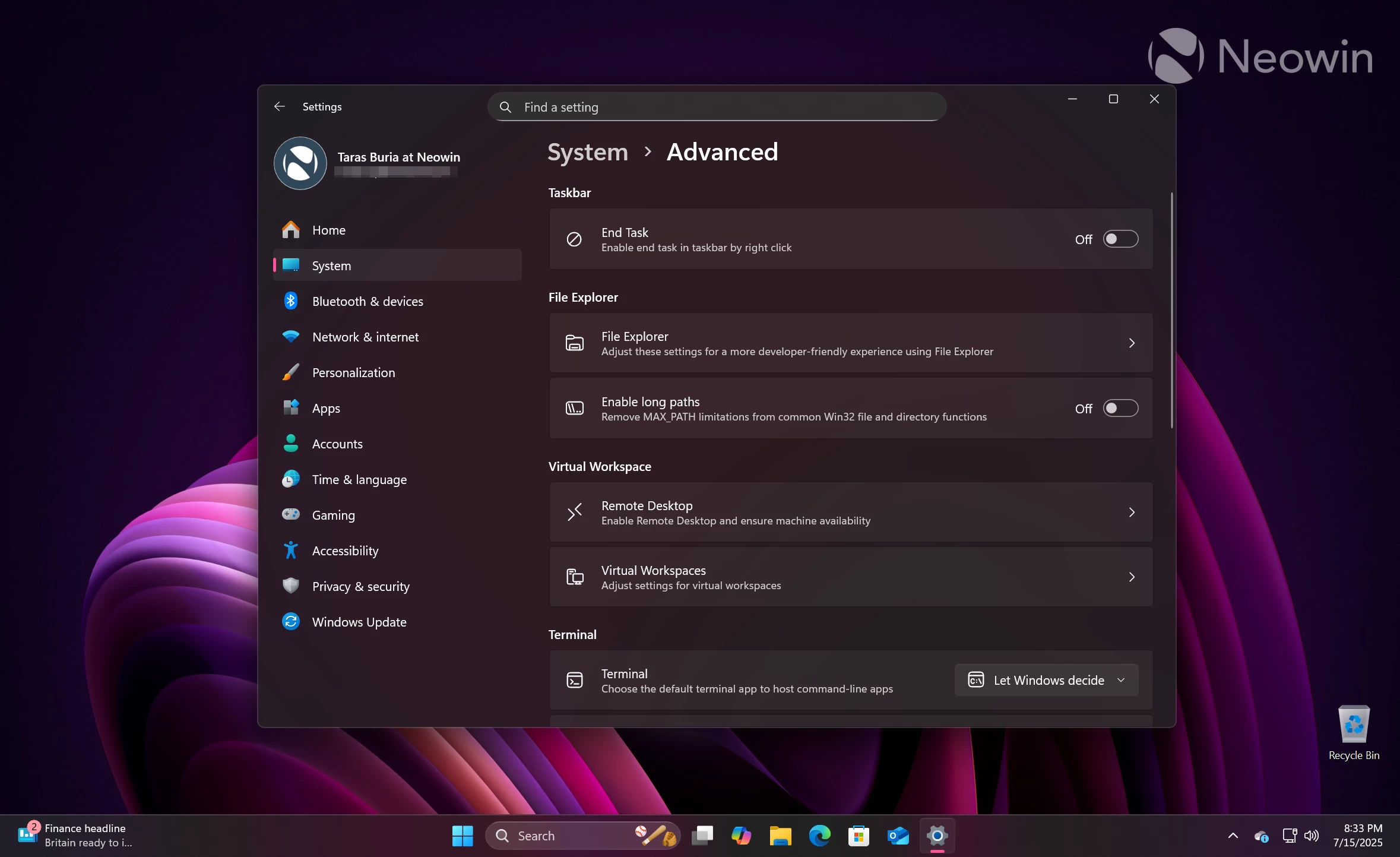
8. Windows Advanced Settings
The Windows Advanced Settings Section will soon replace the For Developers section in the Settings app. It will bring certain features from the now-killed Dev Home app, including the ability to toggle long paths in directories, Virtual Workspaces settings, File Explorer source code integration, and more. Besides, Microsoft is making the new section a bit tidier with feature groups like Taskbar, File Explorer, Terminal, Virtual Workspaces, and more.
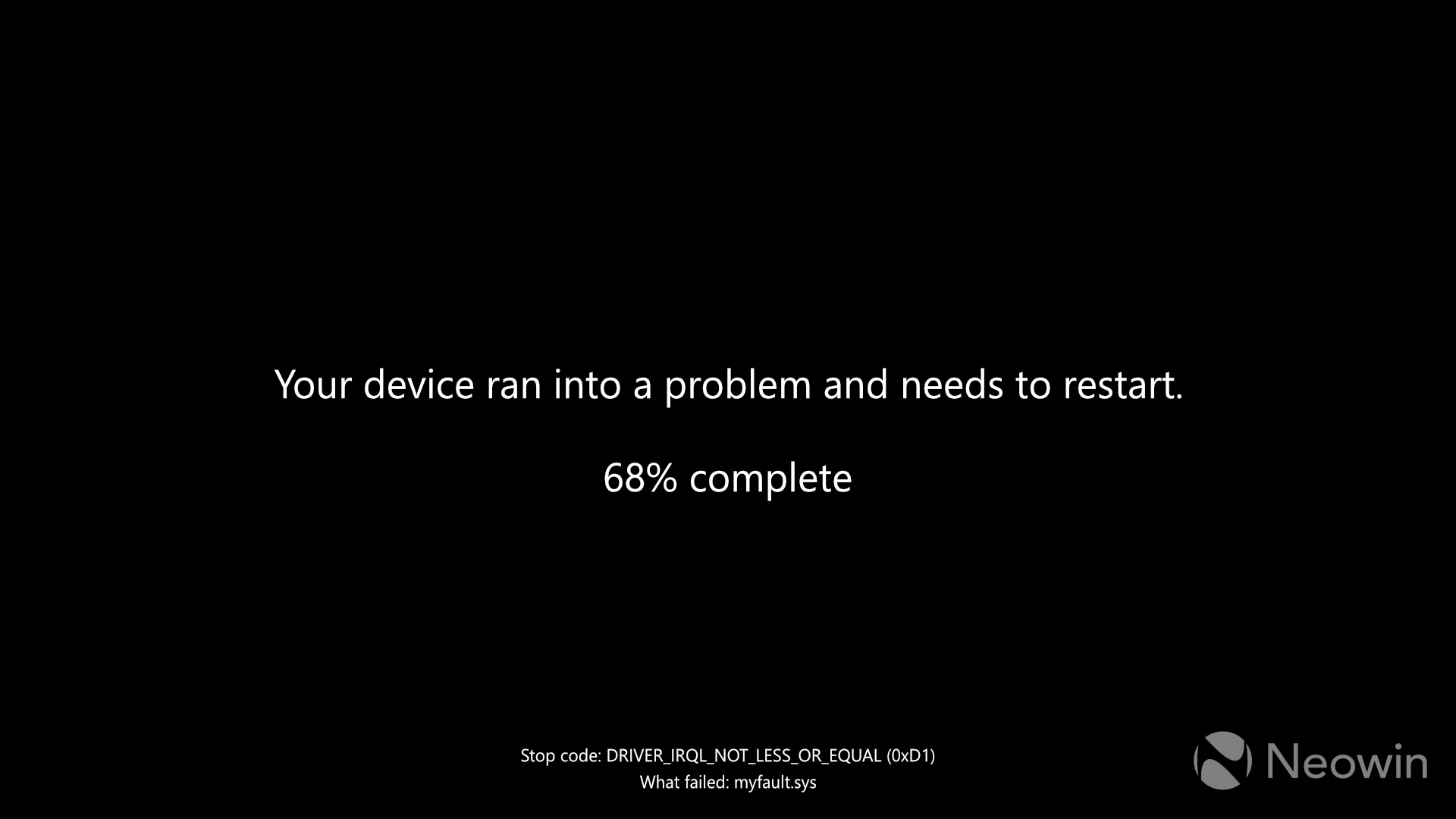
9. Black Screen of Death
Blue Screen of Death, or BSOD, is going away. It will soon become the Black Screen of Death with no iconic smiley face, QR codes, or any mentions of Windows 11 at all. Microsoft is streamlining the experience to help users better understand what caused a crash, and that it is not always Microsoft that is to blame. Here is what the new Black Screen of Death looks like:
10. Passkey improvements
Microsoft is improving the passkey experience for those using 1Password, a popular third-party password manager. Windows Security will be able to use your stored passkeys and save new ones across websites.
These ten features are not everything that Microsoft has in store. Future updates will bring more changes and improvements, and some of them will arrive in monthly cumulative updates. What features caught your attention, and what do you want Microsoft to change the most? Share your thoughts in the comments.
Hope you enjoyed this news post.
Posted Wednesday 16 July 2025 at 1:51 pm AEST (my time).
News posts... 2023: 5,800+ | 2024: 5,700+ | 2025 (till end of June): 2,864
RIP Matrix | Farewell my friend
Recommended Comments
Join the conversation
You can post now and register later. If you have an account, sign in now to post with your account.
Note: Your post will require moderator approval before it will be visible.