Windows 11's taskbar is a pretty minimalistic piece of user interface, and if you have a big screen, chances are that there are two vast areas of nothing to the left and right of your pinned apps. While Microsoft wants to keep things simple and not overload the interface with buttons and elements, I always thought that the company could add more to make the taskbar a bit more useful, and a simple weather widget is simply not enough.
Since we are talking about Windows, third-party apps always come to the rescue where Microsoft falls short (intentionally or not). Sometimes, this help comes from Microsoft's engineers themselves. Meet WindowSill, a new app from Microsoft software engineer Etienne Baudoux, whose aim is to bring a TouchBar-like experience to Windows 11.
Note: The developer provided a review copy of the app free of charge.
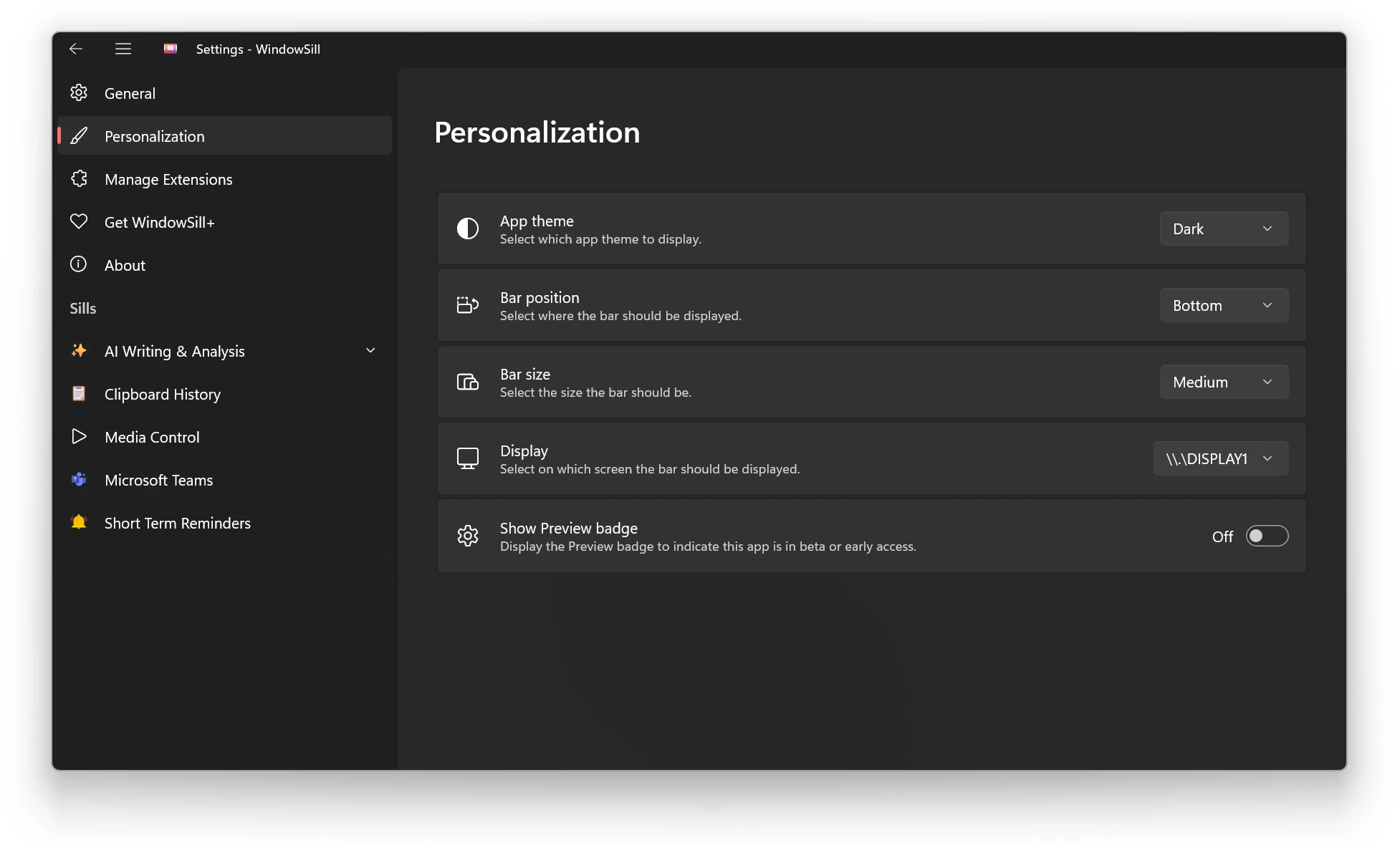
WindowSill is a small (or large, depending on how you like it) panel that appears above the taskbar with a bunch of various useful features. Unlike Microsoft, which stubbornly refuses to let users reposition the taskbar, WindowSill can be placed on top of the screen or to its side. It is a very customizable experience, which I like.
But the app is not about customization, even though it is an important part of it. Its goal is to give you several easy-to-access, always-available tools. WindowSill comes with a few of them, and thanks to extensibility, other developers can contribute to the project and offer their own extensions to further extend the app’s capabilities.
Out-of-the-box, WindowSill offers the following modules:
Media Controls: Play, pause, skip. This module works with browsers and popular streaming services such as Apple Music, Spotify, Netflix, YouTube, and more. I control music using my keyboard and mouse gestures, but it is handy to see what is currently playing.
Clipboard History: Access to your recently copied items. This feature relies on Clipboard History in Windows Settings, and the app will prompt you to enable it during the first launch.
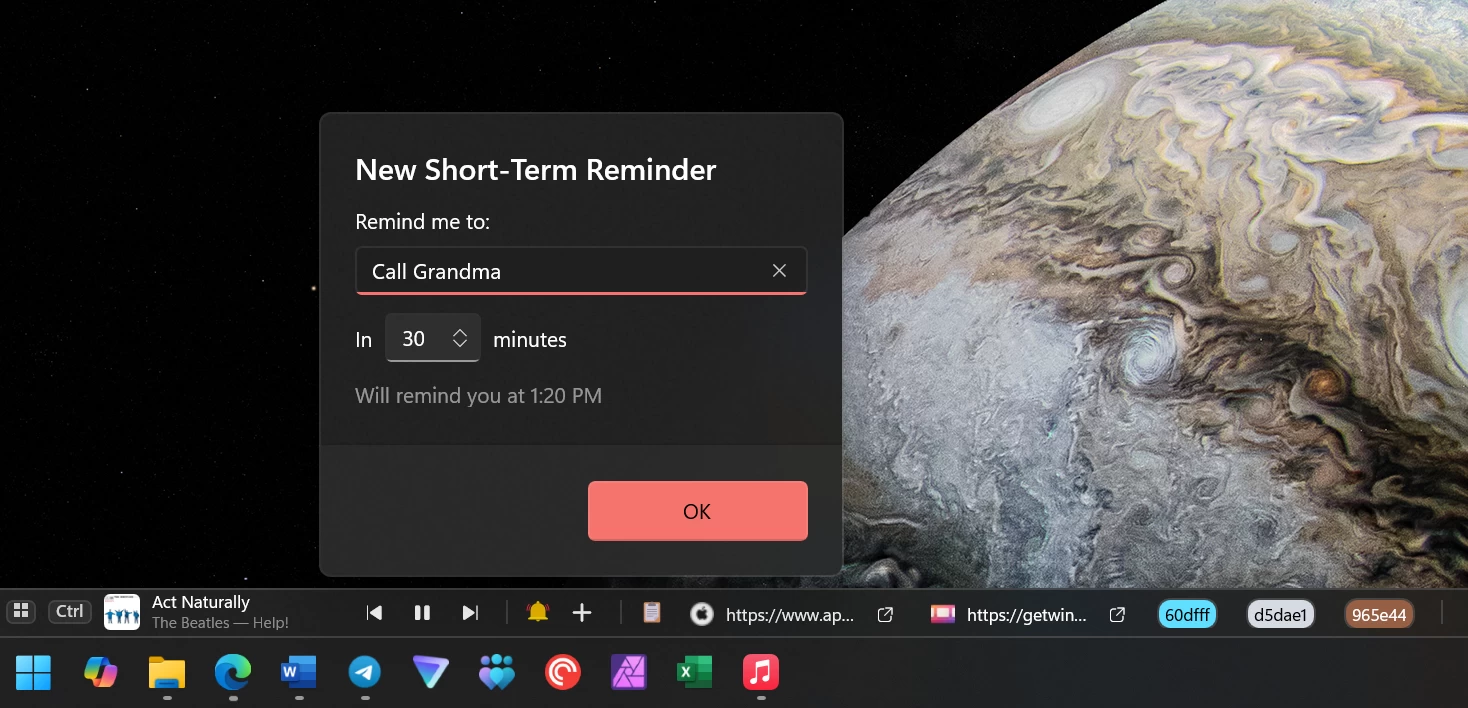
Quick Reminders: I found this particularly useful. I am the kind of person who needs to write everything; otherwise, I forget it in an instant. A quick reminder to reply to that email, edit something, take out the trash—you name it. Just type something and specify when WindowSill should remind you about it (this only works for short-term reminders, like in one hour or a few minutes).
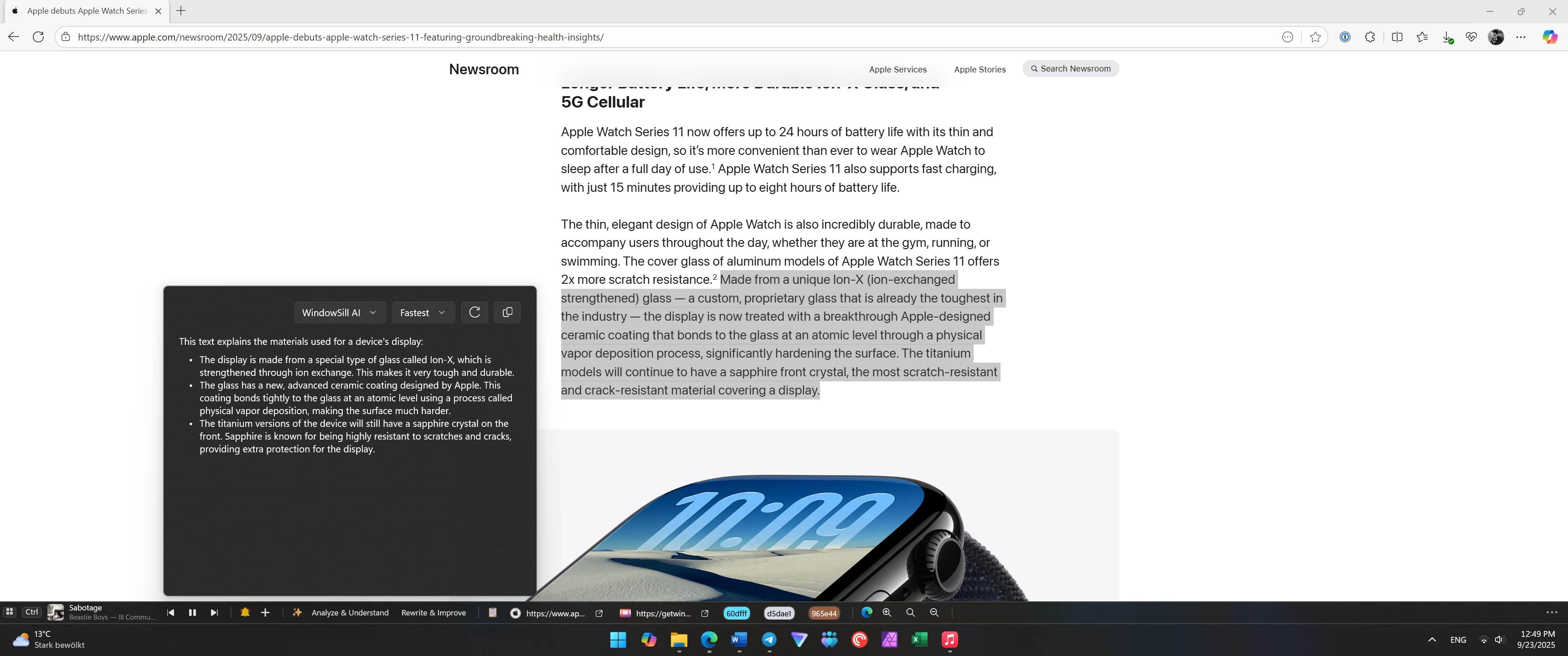
AI-based Text Assistance: Rewrite, proofread, summarize, translate, change tone, and more. Paid subscription for WindowSill enables offline mode thanks to built-in AI models from OpenAI and other providers, but you can also use your own API keys for Google Gemini, ChatGPT, Llama, Claude, and more. In addition to modifying your text, WindowSill can analyze and explain text on your screen. Simply highlight what you need and click Analyze and Understand.
Meeting Controls: Mute, unmute, react, leave meetings—all from WindowSill. As of right now, supported services include Teams, Zoom, and Discord. WhatsApp will join soon.
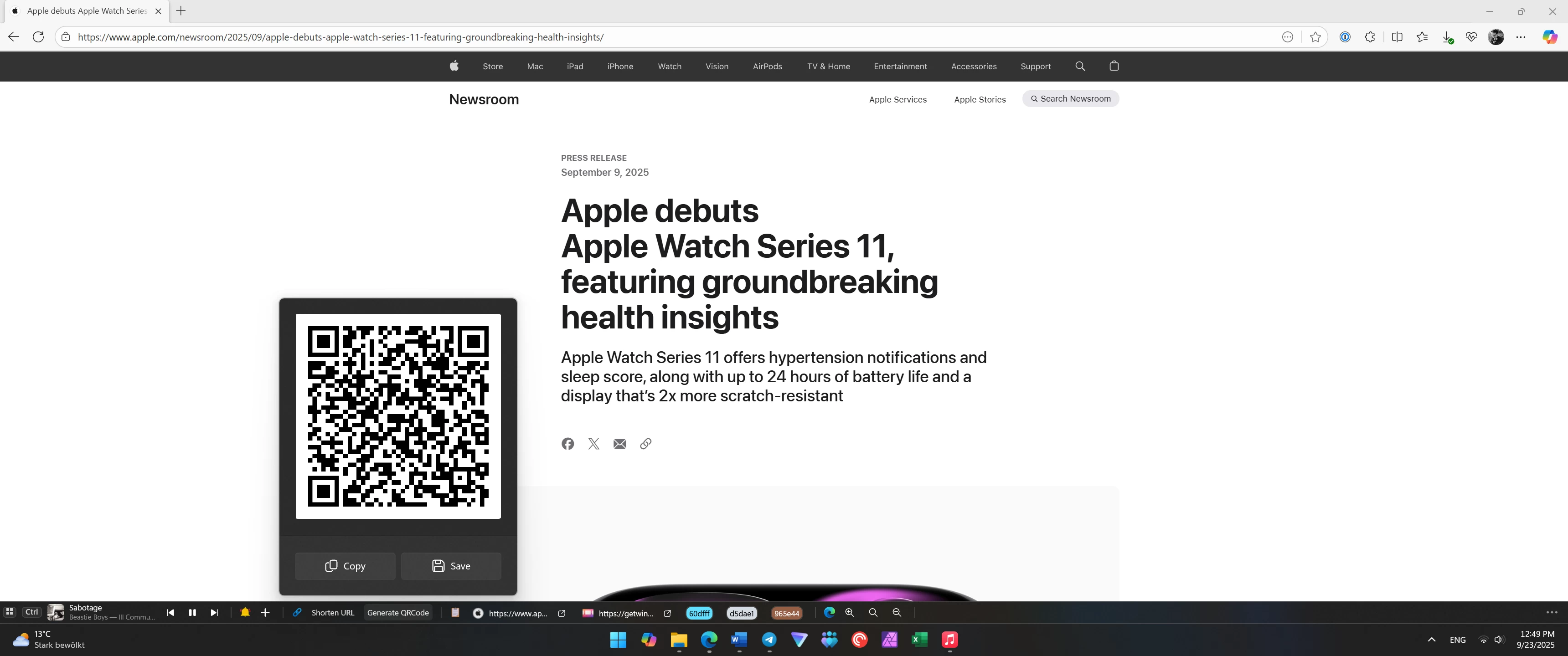
Image and URL utilities: Change image formats, compress pictures, shorten URLs, and generate QR codes. Simply highlight a URL, and it will present you with available options.
Browser controls: In the current form, these only include page zoom in Chrome, Edge, Firefox, Opera, Vivaldi, and Brave. I wish there were additional quick commands, but that’s all we have for now.
In addition to useful utilities, WindowSill offers a bunch of other conveniences. You can select items on the panel with the Win + Ctrl + Number shortcut, specify how many items appear on the screen, toggle off separate modules, and even make sure your data stays away from screenshots with screen recording protection.
I had a chance to play with WindowSill over the last few weeks, and it proved to be a very helpful addition to the tools and apps I use daily. Of course, not all modules were particularly useful, but like I said, you can toggle off what you do not need.
The only thing I am not the biggest fan of is the animations. They are technically fine and properly implemented, but a bit distracting. When switching apps, things jump around, and as a person who struggles with distractions and focus, getting used to it was a bit challenging. However, I mitigated it by turning off Windows Animations in accessibility settings, a trick I recently recommended to improve perceived Windows snappiness.
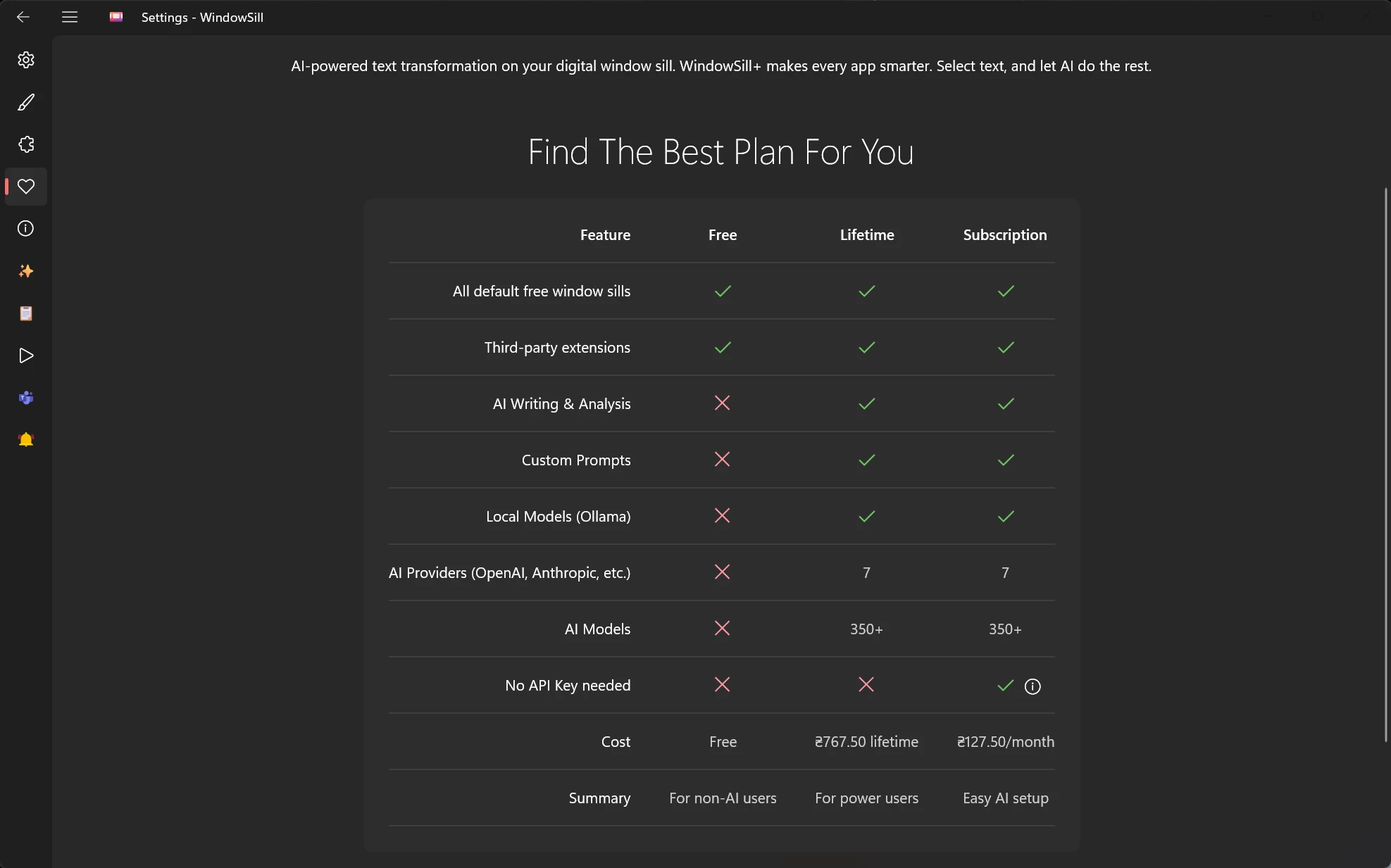
WindowsSill is now available for free in the Microsoft Store, and it works on Windows 11 and 10. However, some of its features require either a one-time purchase or a subscription. Default and third-party modules are available for free, but AI-based features (if you have your own API key), custom prompts, and local models only work after a one-time $29.99 purchase. If you want to use WindowSill and all of its capabilities without an API key, that will be $4.99 per month. There is a free one-week trial, so that you can try it before paying.
You can post now and register later.
If you have an account, sign in now to post with your account.
Note: Your post will require moderator approval before it will be visible.


3175x175(CURRENT).thumb.jpg.b05acc060982b36f5891ba728e6d953c.jpg)
Recommended Comments
There are no comments to display.
Join the conversation
You can post now and register later. If you have an account, sign in now to post with your account.
Note: Your post will require moderator approval before it will be visible.