

3175x175(CURRENT).thumb.jpg.b05acc060982b36f5891ba728e6d953c.jpg)
If you have been a regular Neowin reader, you are probably aware of Microsoft's stance on using local accounts when installing Windows 11. The company has never really been quite a fan of that as it has actively tried to discourage the use of local accounts while promoting the benefits of the Microsoft Account, like BitLocker encryption recovery, which can be a scary thing if you are not careful.
While there had been bypasses to allow the installation of Windows 11 without an internet and Microsoft Account (MSA), the Redmond giant has begun plugging those holes.
It started earlier this year, with KB5053658, when the company blocked the famous BYPASSNRO OOBE MSA skip when you are online (still works without an internet). And now with one of the recent Windows 11 25H2 insider builds, Microsoft has blocked the "start ms-cxh:localonly" bypass too which allowed users to quickly create a local account using the command.
The company claimed it removed it so that users do not "inadvertently skip critical setup screens" as Microsoft wrote:
Local-only commands removal: We are removing known mechanisms for creating a local account in the Windows Setup experience (OOBE). While these mechanisms were often used to bypass Microsoft account setup, they also inadvertently skip critical setup screens, potentially causing users to exit OOBE with a device that is not fully configured for use. Users will need to complete OOBE with internet and a Microsoft account, to ensure device is setup correctly.
Interestingly, there is still an official way to bypass the requirement for an internet connection and creation of a Microsoft Account. As YouTuber ThioJoe recently highlighted, during the Windows 11 installation users can still use the "Set up for work or school" option instead of the "Set up for personal use" to skip the check.
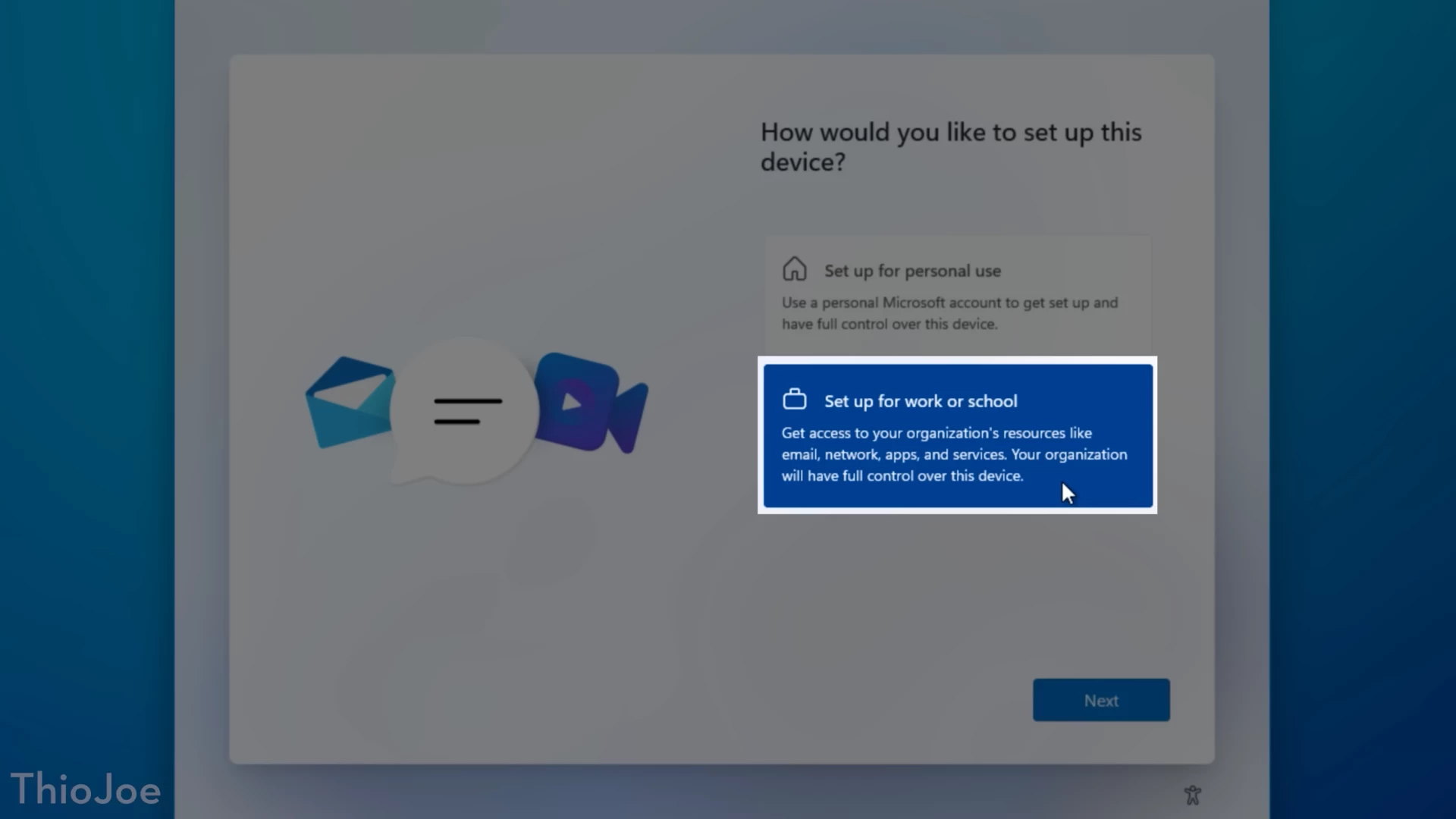
After that, you need to select "Domain join instead" by going into the "Sign-in options" as shown in the images below:
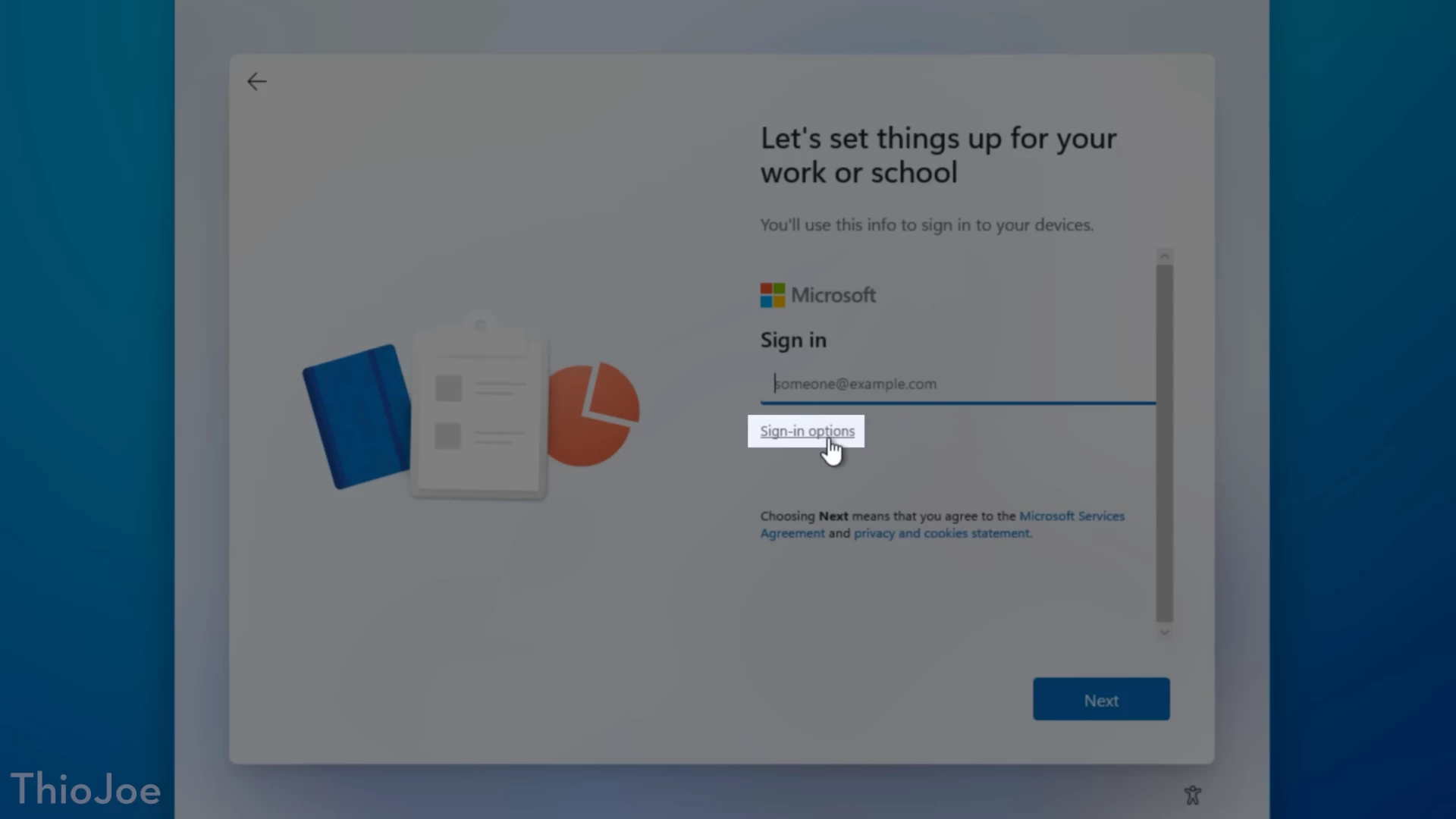
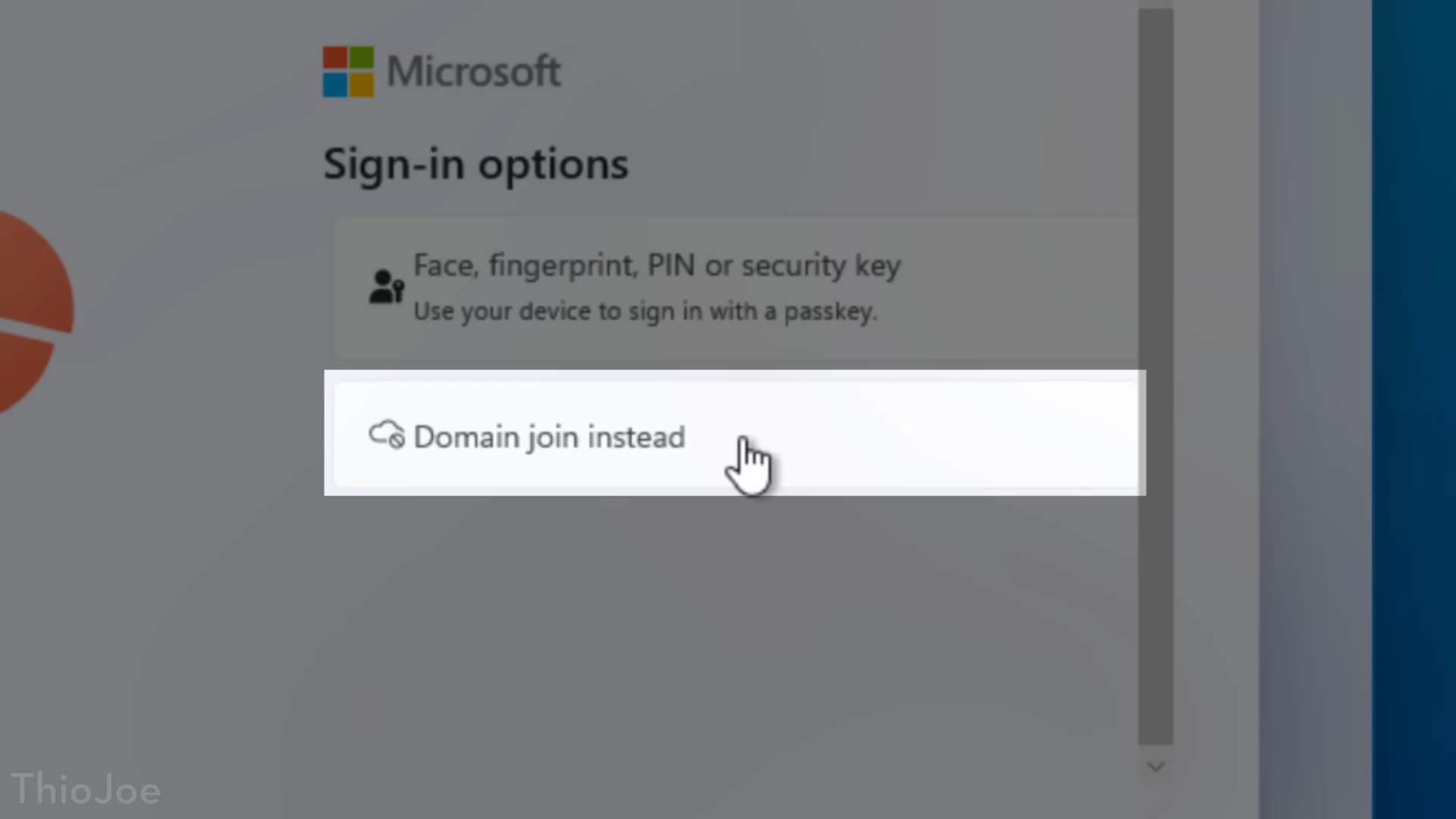
If you are looking to install Windows 11 Pro edition, this method should work. However, Home edition does not have it and thus you are probably out of luck in that case.
You can also check out our guide on ways to install Windows 11 offline.
Hope you enjoyed this news post. Feedback welcome.
Posted Monday 13 October 2025 at 11:46 am AEST (my time).
News posts... 2023: 5,800+ | 2024: 5,700+ | 2025 (till end of September): 4,533


Recommended Comments
Join the conversation
You can post now and register later. If you have an account, sign in now to post with your account.
Note: Your post will require moderator approval before it will be visible.