

3175x175(CURRENT).thumb.jpg.b05acc060982b36f5891ba728e6d953c.jpg)
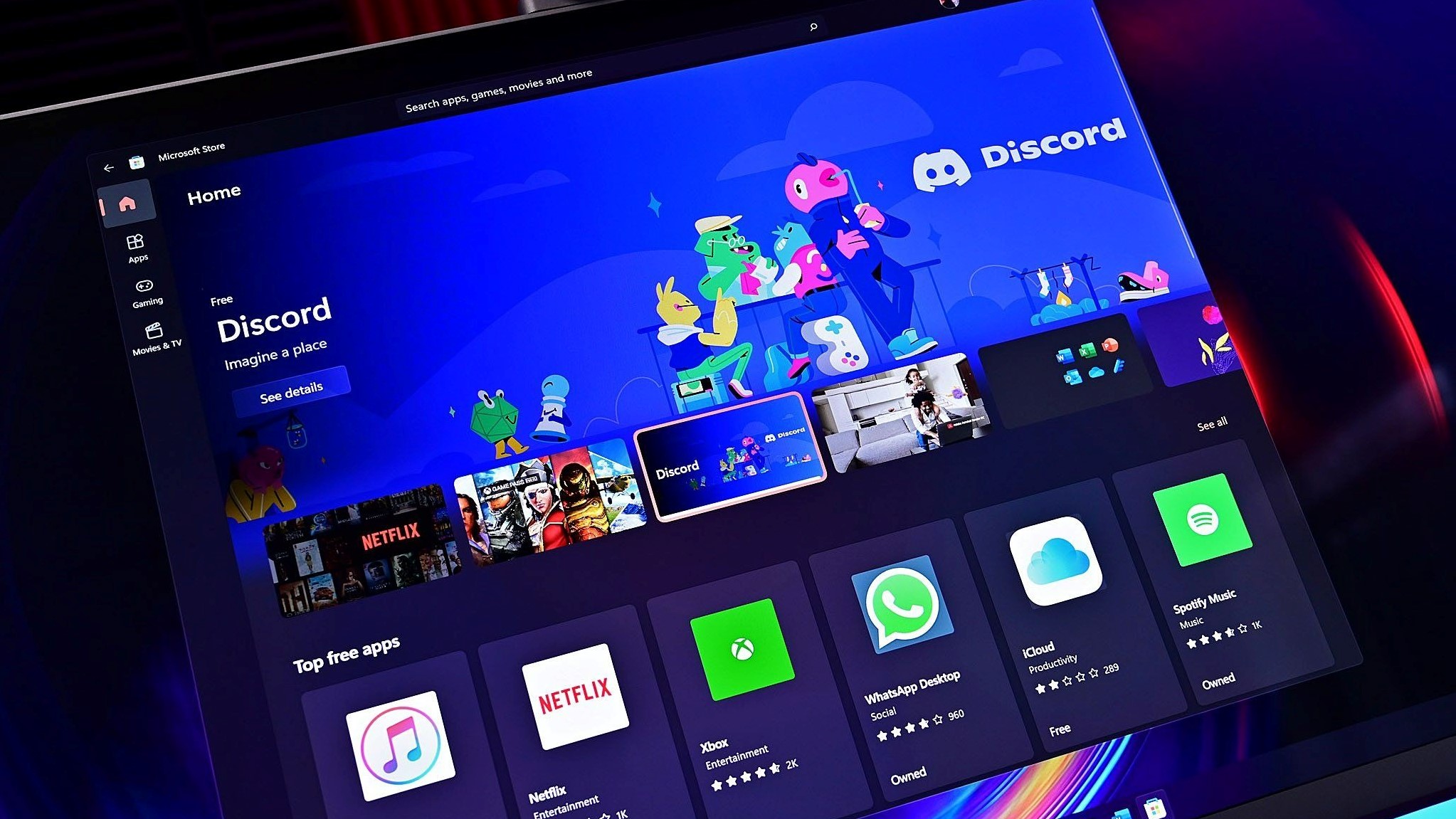
The Microsoft Store is now an incredible, reliable, and safe place to discover and download apps on Windows. Everyone should be using it, and it's time to give it another chance if you're not.
The Windows app store has taken many forms over the years, first launching with Windows 8 in 2012 as the "Windows Store," a marketplace for "modern" apps that never fully materialized. The store was slowly updated, improved, and relaxed over the course of Windows 10's lifecycle, eventually being rebranded as the "Microsoft Store" we know today.
But it wasn't until 2021, with the launch of Windows 11, where the Microsoft Store really came into its own. Up until a few years ago, I almost never opened the Microsoft Store because it was ugly, slow, and didn't include most of the apps I needed to download. Now, the Microsoft Store is an entirely different beast, with a beautiful fluid UI and catalog of apps that covers everything I need to use on Windows.
Microsoft has made some key changes to the Microsoft Store in recent years that has transformed it into a genuinely useful app marketplace for Windows users. The first big change Microsoft made was opening the floodgates to legacy and desktop-class Windows apps, no longer requiring developers to make code changes to their apps to make them compliant with the store.
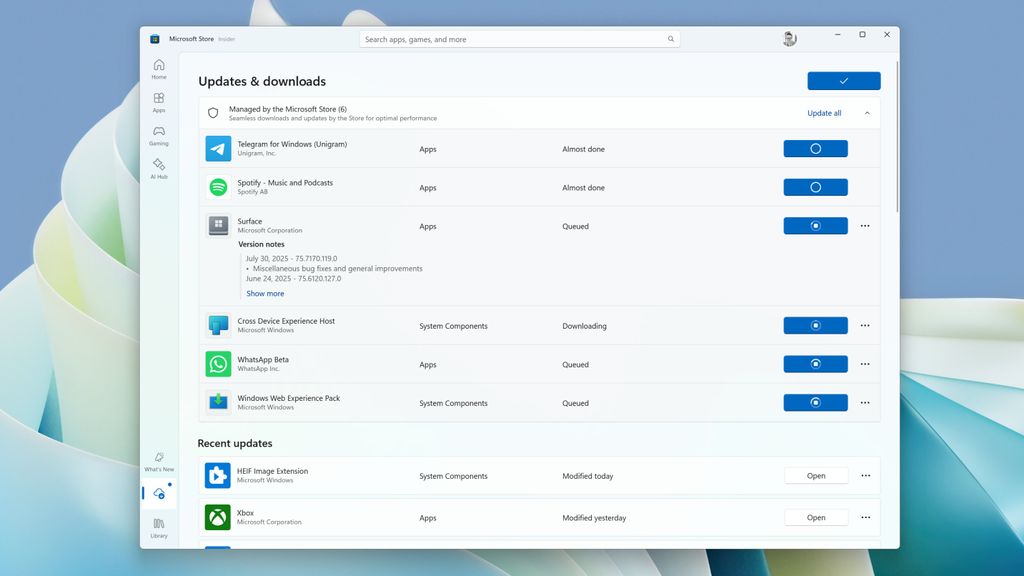
Apps that are hosted on Microsoft's servers and third-party developer servers can appear here now.
(Image credit: Windows Central)
The second big change was allowing developers to host their apps on their own servers while still being listed in the Microsoft Store. That means app developers can distribute their apps and app updates via the same systems they've always used instead of relying on and paying for Microsoft's hosting servers or in-app purchase fee. The Microsoft Store acts as a search engine, listing the app but pulling the bits directly from the developer.
Because of these key changes, there are now more apps available to download via the Microsoft Store than ever before. For me, all the apps I use on Windows on a daily basis are available to find via the Microsoft Store, offering one-click downloads for everything I need and making setting up a new Windows PC easy.
Here's just a handful of apps I use that I was surprised to see in the Microsoft Store:
- OBS Studio
- Adobe Creative Cloud
- Discord
- Slack
- Spotify
- Paint.NET
- Audacity
- Apple Music
- ChatGPT
- Brave
- Firefox
- Telegram
And it's not just downloading new apps that the Microsoft Store does well, either. The Microsoft Store also handles app updates, which makes keeping my Windows PC up to date so much easier. I just hit one "check for updates" button in the Microsoft Store, and all the apps on my PC get updated should there be a new update available.
It will even list app updates for the apps that aren't hosted on Microsoft's store servers in a separate category that lets you manually trigger the download of the newest bits. This ensures that the Microsoft Store doesn't interrupt your workflow should you have those apps open, which is a nice touch.
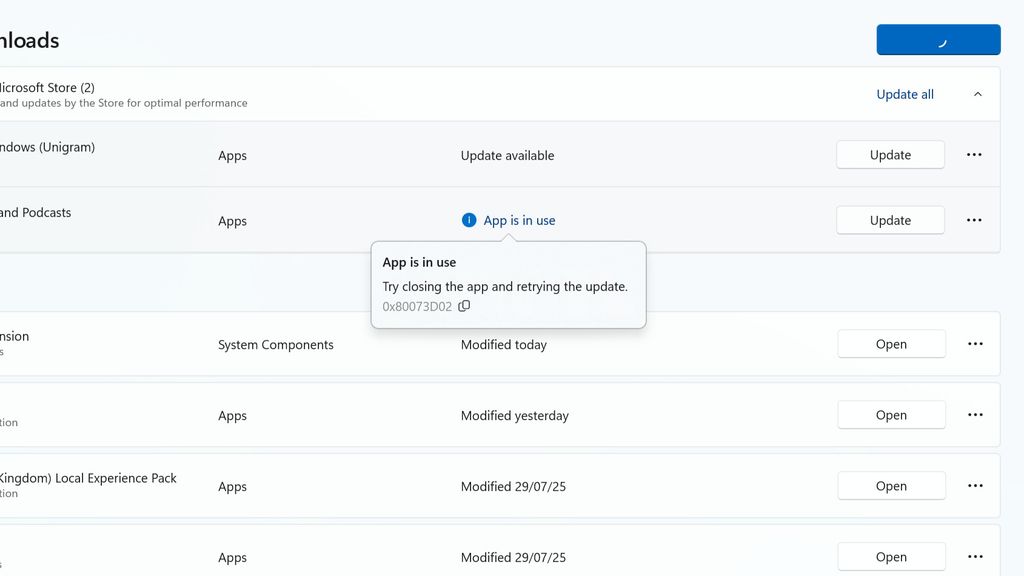
No longer does the Microsoft Store present you with generic errors with no troubleshooting steps.
(Image credit: Windows Central)
Microsoft has also made improvements to the backend of the Microsoft Store. In the past, app updates and downloads would almost always fail for unknown reasons, but today that rarely happens. When it does happen, the Microsoft Store finally gives you a helpful error code and explains what caused the update to fail and how to fix it, which is really great.
The UI of the Microsoft Store itself is also something to be celebrated. It has come such a long way since the Windows 10 days, where it was a slow and ugly web app that was unresponsive and terrible to use. The new Microsoft Store is a complete redesign from the ground up, using beautiful native Windows UI frameworks for a fast, fluid, and dynamic experience.
The entire app is responsive, with features such as hovering over app listings for more information and a quick install button. The homepage is also dynamic, showing you apps it thinks you might want to download based on your other app downloads, which I've found to be genuinely useful when discovering new apps I didn't know I needed. It's so good, I'd argue it's Windows 11's best in-box app, bar none.
The ultimate one stop shop for all your apps
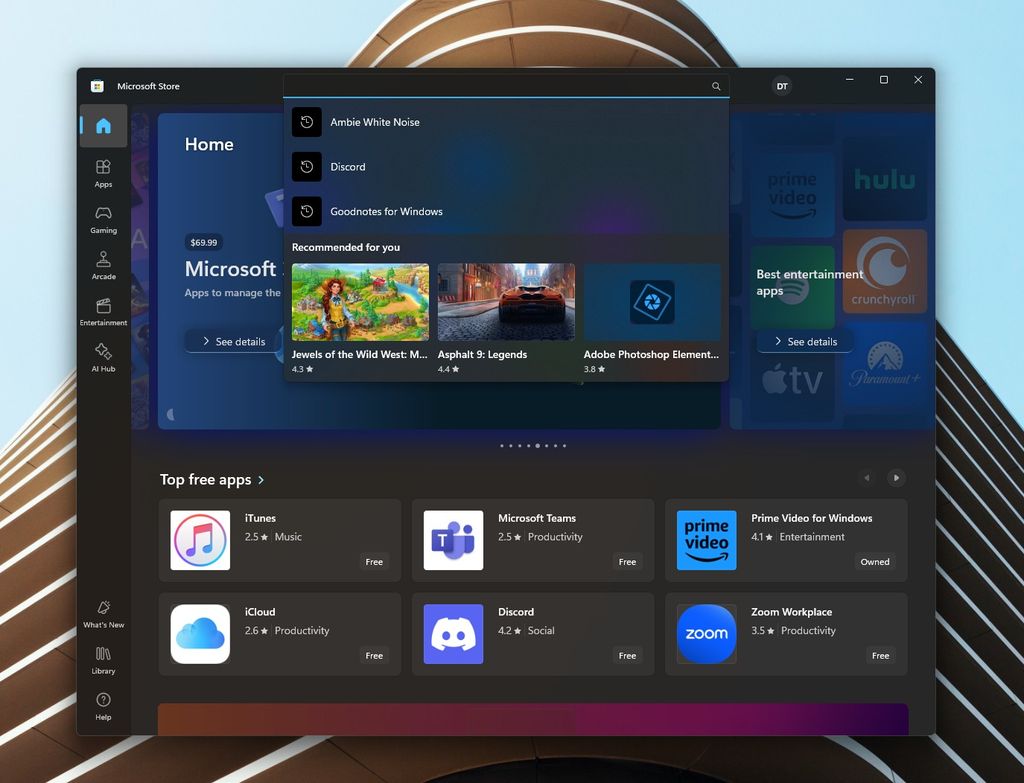
You can use the Microsoft Store as a search engine to find apps.
(Image credit: Microsoft)
It took over a decade, but the Microsoft Store is finally a useful app marketplace for Windows users. I would wager that most users can now find all the apps they need on Windows via the Microsoft Store, and that's great news for everyone. The only app I can think of that most people use that isn't in the store is Google Chrome, but at this point that's Google's fault, not Microsoft's.
All the other big name browsers, from Opera to Firefox, are available to download in the Microsoft Store. Even apps like Adobe Creative Cloud, OBS Studio, Apple Music, and Paint.NET are available in the Store. If you are an app developer building a Windows app, there is no excuse to not have your app listed in the Microsoft Store today.
It's not only more convenient for the end user, but it's also safer, too. The Microsoft Store does a great job at surfacing the officially listed store apps for developers that put them in there. The same cannot be said for web search engines, which will often place sponsored links above the actual website where an app developer has hosted their app.
At this point, we really should be encouraging more app developers to get their apps into the store for this reason alone. Google, Valve, and others are letting their own users down by not being included here, and that's a shame. It's no longer Microsoft's fault if an app isn't in the Microsoft Store, as there's no policy stopping them from being there. We need to start pointing the finger at developers.
It's time to give the Microsoft Store another chance
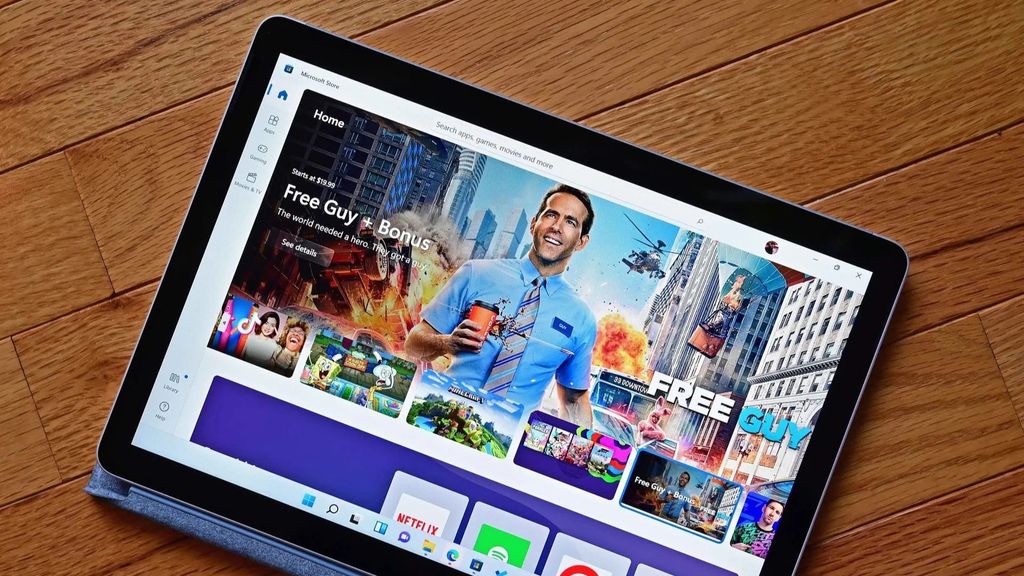
If you haven't used the Microsoft Store in a while, it's time to give it another go.
(Image credit: Future)
If you're not using the Microsoft Store today because of the reputation it gained over the last decade, it's time to reevaluate that mindset and give it another try. The Microsoft Store is an entirely different beast today, embracing an open-platform ideology that has allowed its selection of apps to expand exponentially. It really is at a point where most of the Windows apps you likely use are available in there.
For the apps that aren't, it's time to start encouraging those app developers to get a move on. Of course, Windows will always be an open platform and app developers are free to distribute their apps in any way they like, but if they want to make finding and downloading their apps easier and safer, it's time to consider the Microsoft Store.
A lot of apps in the Microsoft Store don't even require a Microsoft Account to download them, so if you've not been using it because you think it requires an online account, that's not actually true. There really isn't an excuse not to give it a try!
Of course, everything mentioned in this article also applies to Windows 10, not just Windows 11. Microsoft brought the Windows 11 version of the Microsoft Store to Windows 10, meaning all these improvements are also available on that platform. So give it a try if you're still using Windows 10.
The days of the Microsoft Store on Windows being a pain to use with a sorry selection of apps is well and truly over. It's genuinely great now!
Hope you enjoyed this news post.
Posted Friday 1 August 2025 at 4:32 am AEST (my time).
News posts... 2023: 5,800+ | 2024: 5,700+ | 2025 (till end of July): 3,458
RIP Matrix | Farewell my friend
Recommended Comments
There are no comments to display.
Join the conversation
You can post now and register later. If you have an account, sign in now to post with your account.
Note: Your post will require moderator approval before it will be visible.