


With Microsoft now having officially ended support for Windows 10, several otherwise capable laptops are being relegated to the sidelines. This isn't because they lack power or capacity, but simply because Microsoft's hardware rules for Windows 11 are restrictive. Switching to Linux is a viable option if you're willing to learn new tools and give up familiar software.
A second option is Tiny11 25H2. This community-built, ultra-light version of Windows 11 may be a smarter way forward. It avoids Secure Boot and TPM checks, and runs smoothly even with as little as 2GB of RAM. In many ways, it's preferable to Linux distributions, especially for someone who still appreciates the Windows experience and environment.
As Windows 10 hits its end of support, Tiny11 steps in
A full Windows 11 experience without the hardware gatekeeping
For Windows 11, Microsoft included TPM 2.0, Secure Boot, and newer CPU lists—strict hardware checks—as safeguards. However, this has excluded capable hardware. You can ignore all those limits using Tiny11 25H2 and get the Windows 11 experience on a five- or six-year-old computer.
Tiny11 25H2 is based on the latest Windows 11 25H2 update. It’s not a visual mockup or a pale imitation; it’s the actual modern Windows 11. It gives you Windows 11's Start menu, centered taskbar, and redesigned File Explorer. You can still use everyday software like Office, Steam, and Adobe apps on machines with limited RAM and modest eMMC storage.
It has the advantage of continuity, since you're not relearning workflows or troubleshooting drivers in a completely different way. Your old computers feel current again without making steep compromises.
As Windows 10 hits its end of support, Tiny11 steps in
A full Windows 11 experience without the hardware gatekeeping

For Windows 11, Microsoft included TPM 2.0, Secure Boot, and newer CPU lists—strict hardware checks—as safeguards. However, this has excluded capable hardware. You can ignore all those limits using Tiny11 25H2 and get the Windows 11 experience on a five- or six-year-old computer.
Tiny11 25H2 is based on the latest Windows 11 25H2 update. It’s not a visual mockup or a pale imitation; it’s the actual modern Windows 11. It gives you Windows 11's Start menu, centered taskbar, and redesigned File Explorer. You can still use everyday software like Office, Steam, and Adobe apps on machines with limited RAM and modest eMMC storage.
It has the advantage of continuity, since you're not relearning workflows or troubleshooting drivers in a completely different way. Your old computers feel current again without making steep compromises.
Leaner, faster, and stripped of the clutter
How removing bloatware turns Windows 11 into the OS people actually wanted
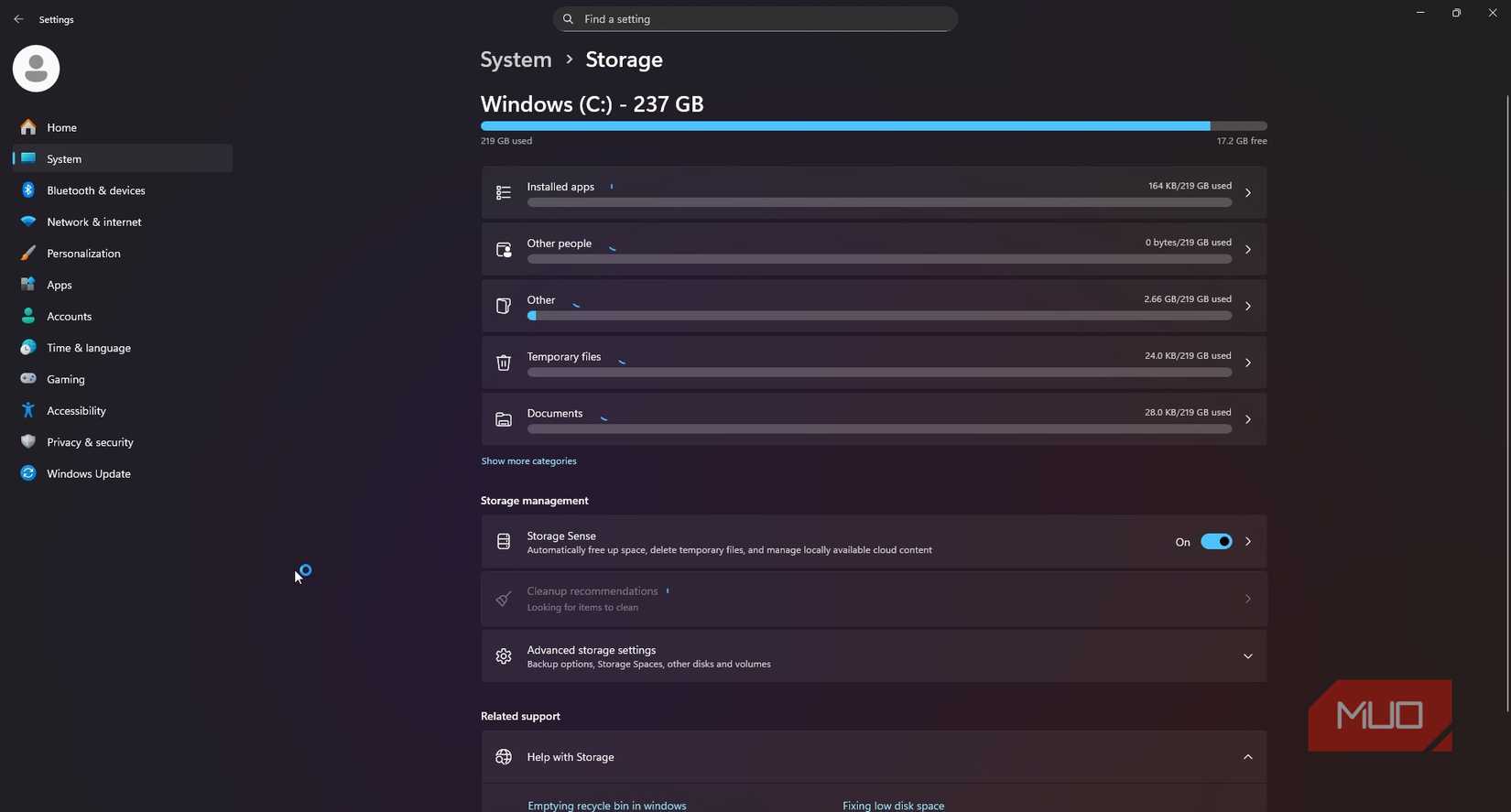
In addition to removing the stringent hardware checks, Tiny11 also offers Windows 11 without the distractions. It removes Copilot, stops Teams from auto-running, plus strips out Clipchamp, Weather, and other unnecessary Windows Store apps.
This is a tangible difference. On older laptops, it boots quickly, leaves the CPU's power for your apps, and uses minimal RAM while idle. Windows 11 doesn't give that same level of responsiveness on older laptops.
It also dramatically reduces disk usage. Where Windows 11 requires more than 20GB, Tiny11 25H2 easily fits under 10GB, freeing up storage for your personal files and software. With the often-limited eMMC storage on cheaper machines, this is a tangible change.
Tiny11 cuts away those services you rarely use to give you the speed and focus Windows 11 should have had from the start. It's a modern Windows 11 experience that still respects your old hardware. Where Windows 11 may use up to 4GB after booting, thanks to background services, Tiny11 can dip below 1.2GB.
Tiny11 succeeds where Linux still stumbles
The power of keeping your software, workflow, and habits intact
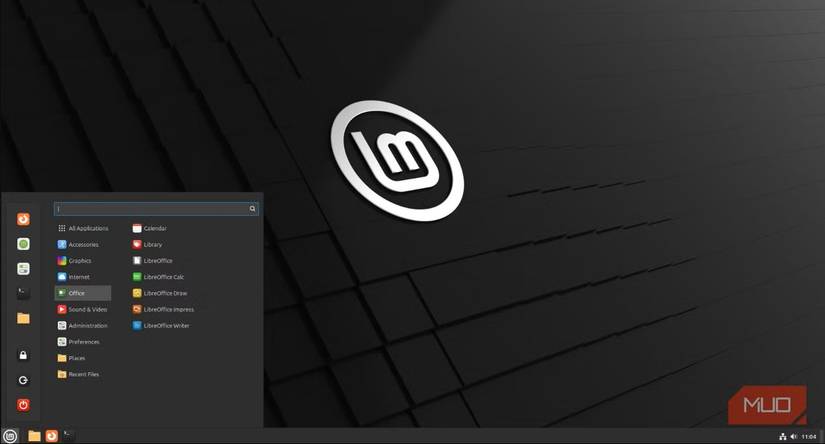
Linux is a commonly suggested Windows 10 alternative. However, for a lifelong Windows user, it creates friction. This is true even for polished distros; they can suffer from inconsistent app support, unfamiliar interfaces, and an overall steep learning curve. The time and effort required take away from the perceived gain in speed.
For anyone used to Windows 10, Tiny11 25H2 gives great performance without the same adjustment demands of Linux. You get broad, complete compatibility with a Windows software ecosystem that you're already familiar with. This means no guesswork in finding apps and no relying on compatibility layers—unlike Linux, where you may need compatibility layers such as Wine or Valve's Proton.
I've been in the Linux ecosystem for years, and the lack of support for older hardware drivers is a major frustration. Forum searching or knowing complex terminal commands are often necessary to get built-in Wi‑Fi, trackpads, or power features working properly. Tiny11 25H2 uses Windows' driver base, ensuring your peripherals work out of the box.
However, security continuity is what makes Tiny11 the ideal Windows 10 alternative. It gives you access to Microsoft's security update channel of essential ongoing patches. This is the biggest step up, since Windows 10 will no longer receive support. If you're already in Microsoft's ecosystem, this is something no Linux distro will offer.
Tiny11 25H2 competes with Linux in a unique way. It's not trying to be a better alternative OS; it is rather a lighter version of an ecosystem you already use. It perfectly bridges maximizing performance and maintaining familiarity. Linux's long-standing promise is speed, freedom, and control without requiring compromise, and Tiny11 25H2 perfectly fulfills it.
How to start using Tiny11 25H2
The right way to install Tiny11 25H2 without the risks

If you’re going to try Tiny11 25H2, you want to download it from the best sources. The first part of getting Tiny11 25H2 is downloading the latest Windows 11 ISO. Here are the steps to follow:
- Visit the official Windows 11 download page.
- Under Download Windows 11 Disk Image (ISO) for x64 devices, select Windows 11 (Multi-edition ISO for x64 devices) in the dropdown, then click Confirm.
- Under Select the product language, pick a language and hit Confirm.
- Click 64-bit Download to initialize the Win11_25H2 download.
Now you need to download the Tiny11 builder:
- Visit the tiny11builder GitHub page.
- Click the green Code button and select Download Zip.
- Extract the Tiny11 builder.
For the last part, you need to use the downloaded Tiny11 builder to create an installable Tiny11 25H2:
- Right-click on the downloaded Windows 11 ISO and select Mount.
- Confirm the drive it’s mounted on by opening File Explorer, clicking My PC, and noting the drive letter with the mounted ISO.
- Open the Start menu, search for "PowerShell", right-click on it, and select Run as Administrator.
- Run the command Set-ExecutionPolicy Unrestricted to allow the Tiny11 script to run on your computer. When prompted, hit Y and Enter.
- Enter the path to the tiny11Coremaker.ps1 file inside the downloaded Tiny11 file and hit Enter. For example: [Download Location]\tiny11builder-main\tiny11Coremaker.ps1
- When prompted, hit Y to continue the setup, then enter the drive letter for your Windows 11 ISO.
- You’ll see a list of Tiny11 options, including Windows Pro, Home, Education, and more. Enter the number corresponding to the Tiny11 ISO you want to create from the displayed list, then press Enter.
The Tiny11 builder will proceed with creating the Tiny11 25H2 ISO file.
The reality: safety, updates, and sustainability
One of the most important points to note is that Tiny11 25H2 is a community-built modification, not an official Windows OS. It comes at the expense of direct vendor support, guaranteed feature updates, and official digital licensing assistance. Relying on this enthusiast project means willingly accepting any security risks.
I understand why some people will argue against using Tiny11. I don't use it on mission-critical work PCs, and my best advice is to use it on secondary or aging systems. If you install it correctly, you still get cumulative security patches from Windows Update. You should only download the ISO from verified sources to mitigate any risks. But alternatively, you may consider using other tools to debloat Windows 11.


Recommended Comments
Join the conversation
You can post now and register later. If you have an account, sign in now to post with your account.
Note: Your post will require moderator approval before it will be visible.