

3175x175(CURRENT).thumb.jpg.b05acc060982b36f5891ba728e6d953c.jpg)
Recent Windows 11 preview builds allow you to enable a redesigned variant of the Run dialog, an old piece of user interface that lets you run apps, execute commands, and more. The new variant features improved looks, and it is supposed to be available alongside the old Run dialog. Third-party developers are not stepping up as well, and Raycase is one such developer to offer a better alternative to the stock Run dialog.
For those unfamiliar, Raycast is a popular launcher originally developed for macOS. In 2025, Raycast arrived on Windows in beta, and developers are steadily improving it with new features and changes. Raycast lets you run apps, find files, ask AI, and do a lot more with third-party plugins. With the latest update, version 0.41, Raycast for Windows now features its own Run command with a bunch of extra features to make it very powerful.
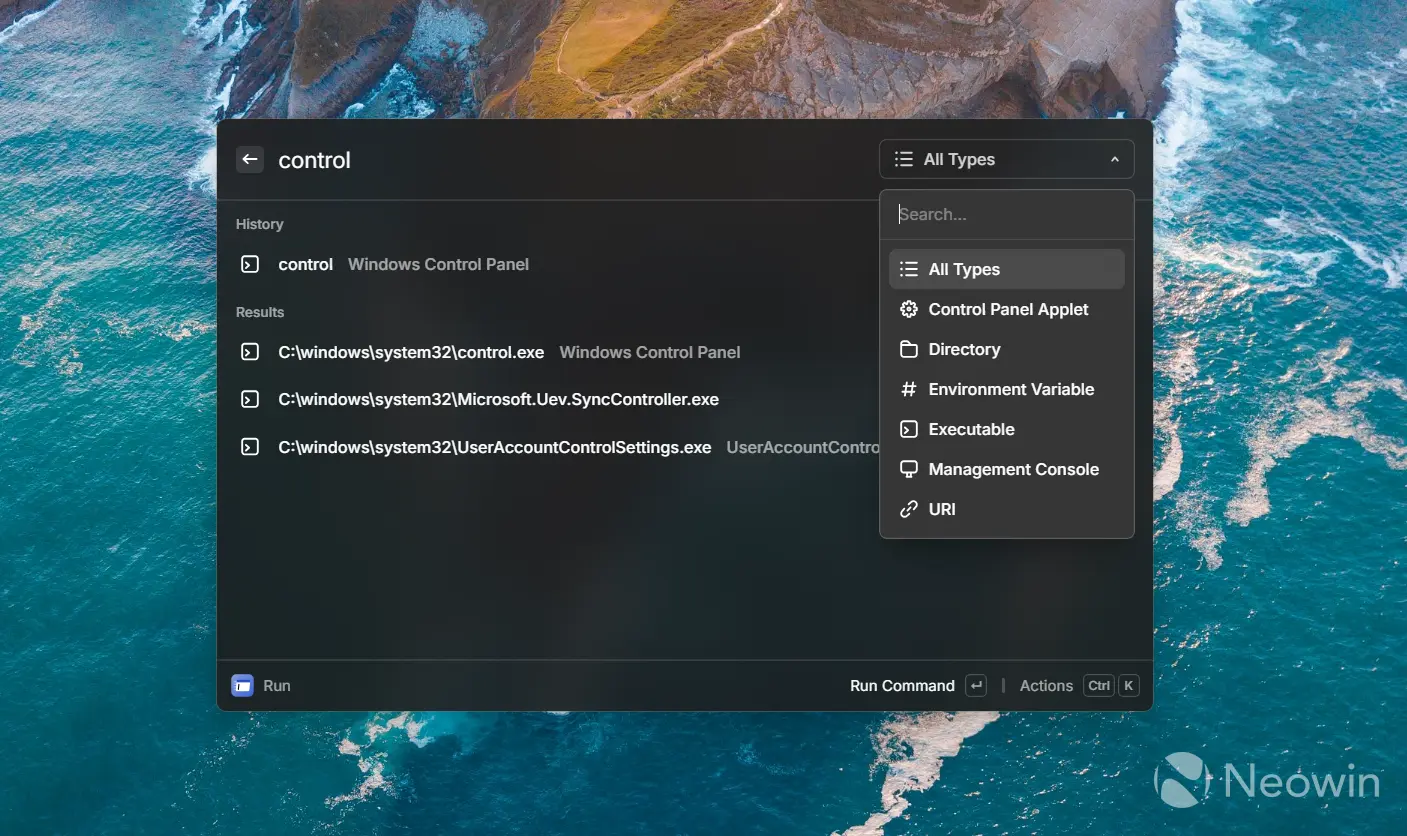
You can map Raycast's Run to the stock Win + R command and then use it to execute commands and system tools, browse your run history (data is pulled from the Windows Run dialog as well), read easy-to-understand descriptions of various tools, applets, and snap-ins, open Control Panel applets, navigate to directories, etc. You can read more about what Raycast's Run can do in the official documentation.
Here is the rest of the changelog:
- Improvements
- General: Added missing about actions menu in all extensions
- Quick AI: Disabled AI model selects when there is only a single model available
- Snippets: Injection delay config to avoid accidental triggers on similar aliases
- Store: Polished store details view design
- Fixes
- Run: Multiple small fixes and improvements
- System: Fixed an issue that would cause Raycast to crash at startup for some users.
Raycast is currently available in beta for free for all Windows users. You can download it from the official website and try it yourself.
Hope you enjoyed this news post. Feedback welcome.
Posted Friday 9 January 2026 at 5:35 am AEST (my time).
News posts... 2023: 5,800+ | 2024: 5,700+ | 2025: 5,700+
Recommended Comments
There are no comments to display.
Join the conversation
You can post now and register later. If you have an account, sign in now to post with your account.
Note: Your post will require moderator approval before it will be visible.