


3175x175(CURRENT).thumb.jpg.b05acc060982b36f5891ba728e6d953c.jpg)
The latest Debian Trixie-based update ends the era of passwordless sudo, forcing a credential check for admin actions to keep your hardware safe.
Aside from affordable computers, Raspberry Pi also develops its own operating system to run on its hardware and even other computers. Now, it has just released Raspberry Pi OS 6.2,which is also based on Debian Trixie. This update is mainly a round-up of security and bug fixes made over the past months, but it also includes a noteworthy quality-of-life change.
This update disables passwordless sudo by default, which could make the operating system slightly more inconvenient to use. For those not familiar, sudo is a command you can use in the command line that allows you to perform an action as though you were the administrator. This can come in handy if you need to make any changes to directories outside of your user’s home directory, but by disabling passwordless sudo, you won’t be able to make system-level file changes, without a password, by default.
Raspberry Pi said the old setup creates a potential security hole as anyone with access to the computer can perform admin actions from a regular user account, which could lead to malicious actions taking place, as passwordless sudo doesn’t ask for an admin password.
From this release, if you use sudo for admin-level access, you will now need to enter your password. In the terminal, the password prompt will appear inline while on desktop, a Password Request box will pop up. After entering your password, you won’t need to give a password again for five minutes, even if you do other sudo actions in that time.
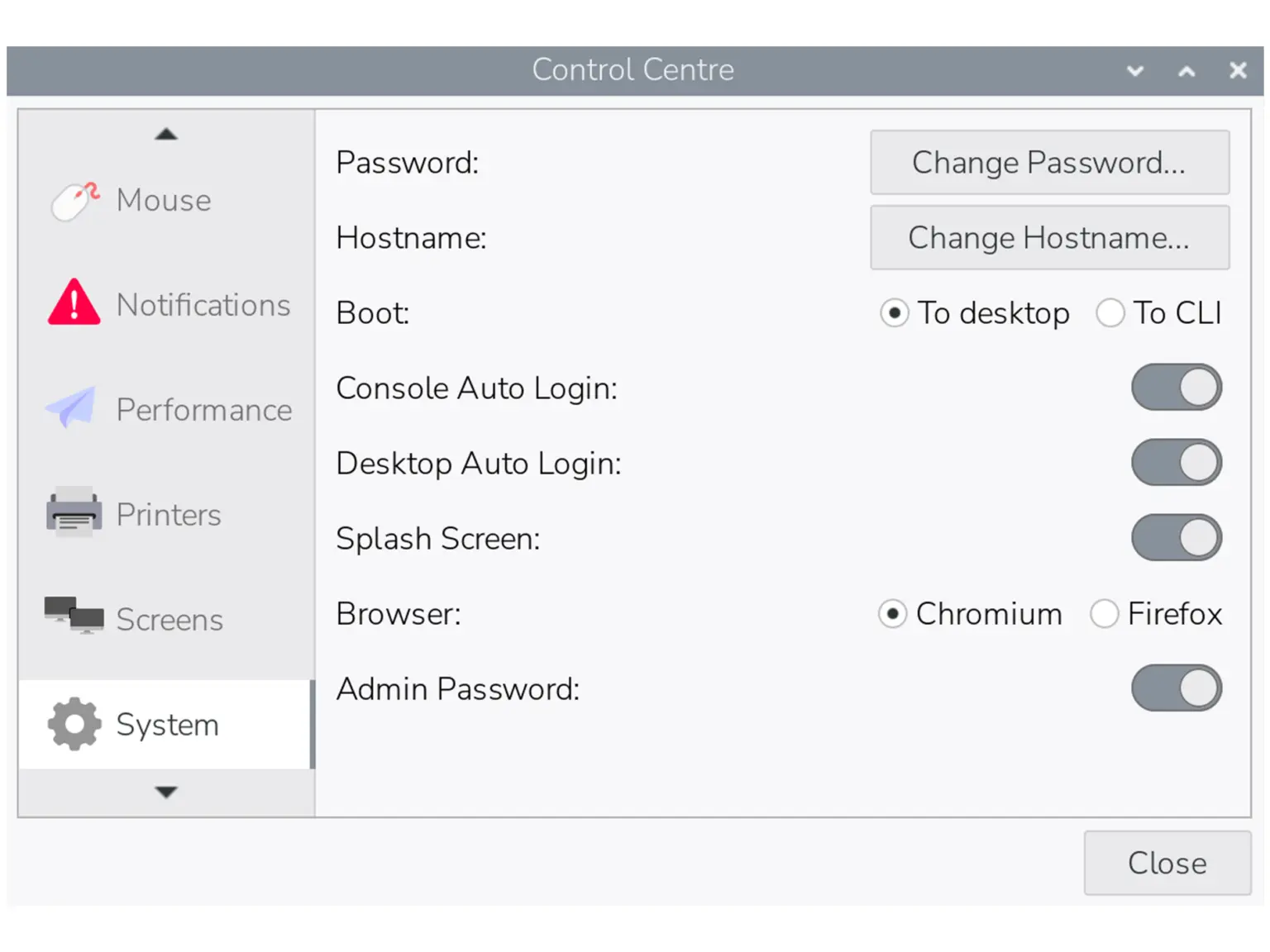
If you dislike this change and want to put things back to the way they were, head to the System tab in Control Centre and toggle the Admin Password switch to the off position. After this, the system won’t ask for a password before running sudo commands in either the terminal or desktop interface.
This change won’t affect existing installations of Raspberry Pi OS, so if you do want to enable this added security, follow the instructions above to find the toggle and move it to the on position. You can read more in Raspberry Pi’s blog post.
Hope you enjoyed this news post. Feedback welcome.
Posted Wednesday 15 April 2026 at 12:34 pm AEST (my time).
News posts: 2023 5,800+ | 2024 5,700+ | 2025 5,700+ | 2026 (to end of March) 1,297
- Mutton
-
 1
1
Recommended Comments
There are no comments to display.
Join the conversation
You can post now and register later. If you have an account, sign in now to post with your account.
Note: Your post will require moderator approval before it will be visible.