


3175x175(CURRENT).thumb.jpg.b05acc060982b36f5891ba728e6d953c.jpg)
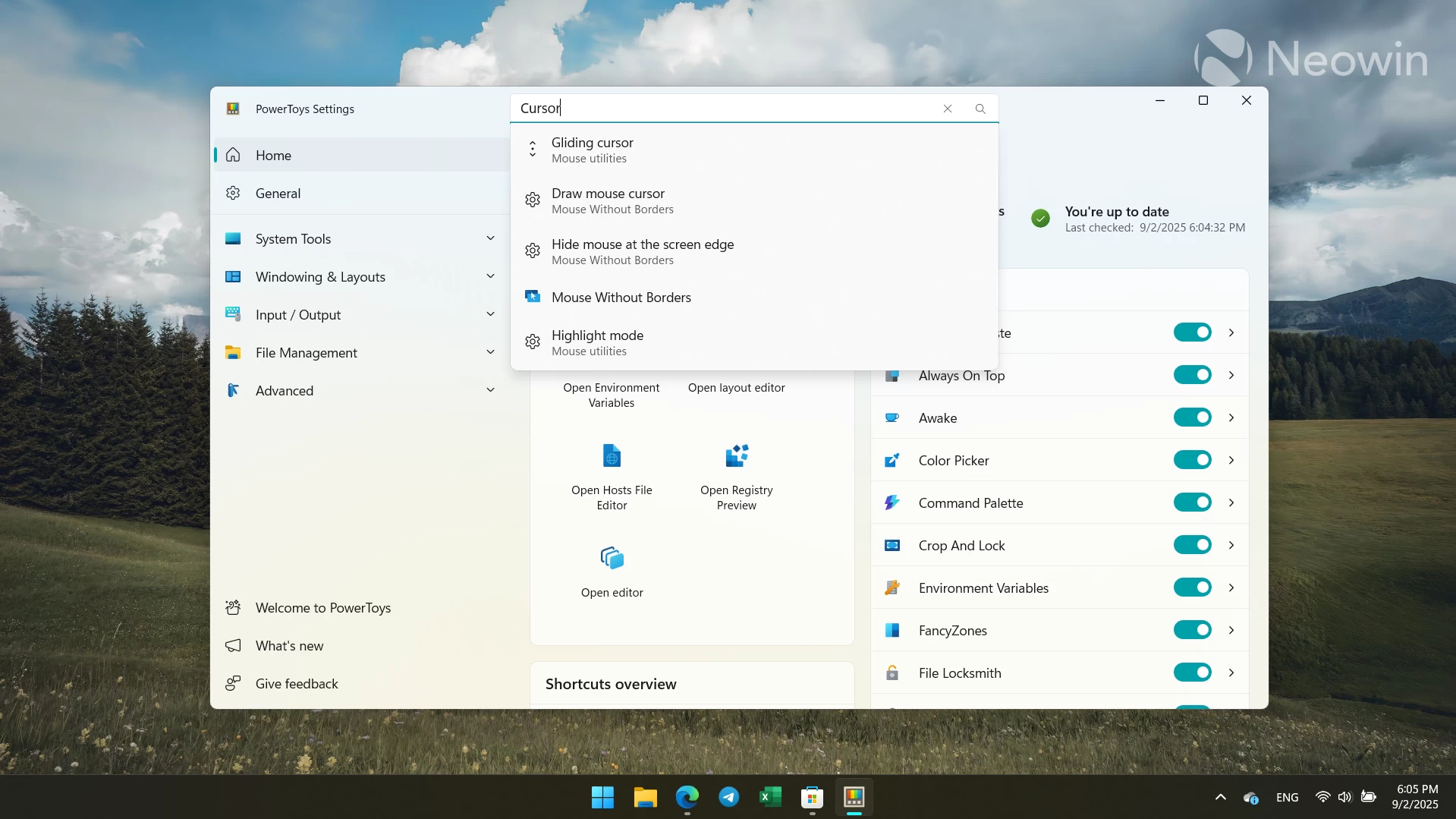
Microsoft has released a new feature update for PowerToys, bringing the app to version 0.94. With the latest update, PowerToys received some much-needed improvements, such as a search bar with fuzzy matching (no need to enter the exact setting name), suggestions, a results page, and other features that make finding modules and settings much easier.
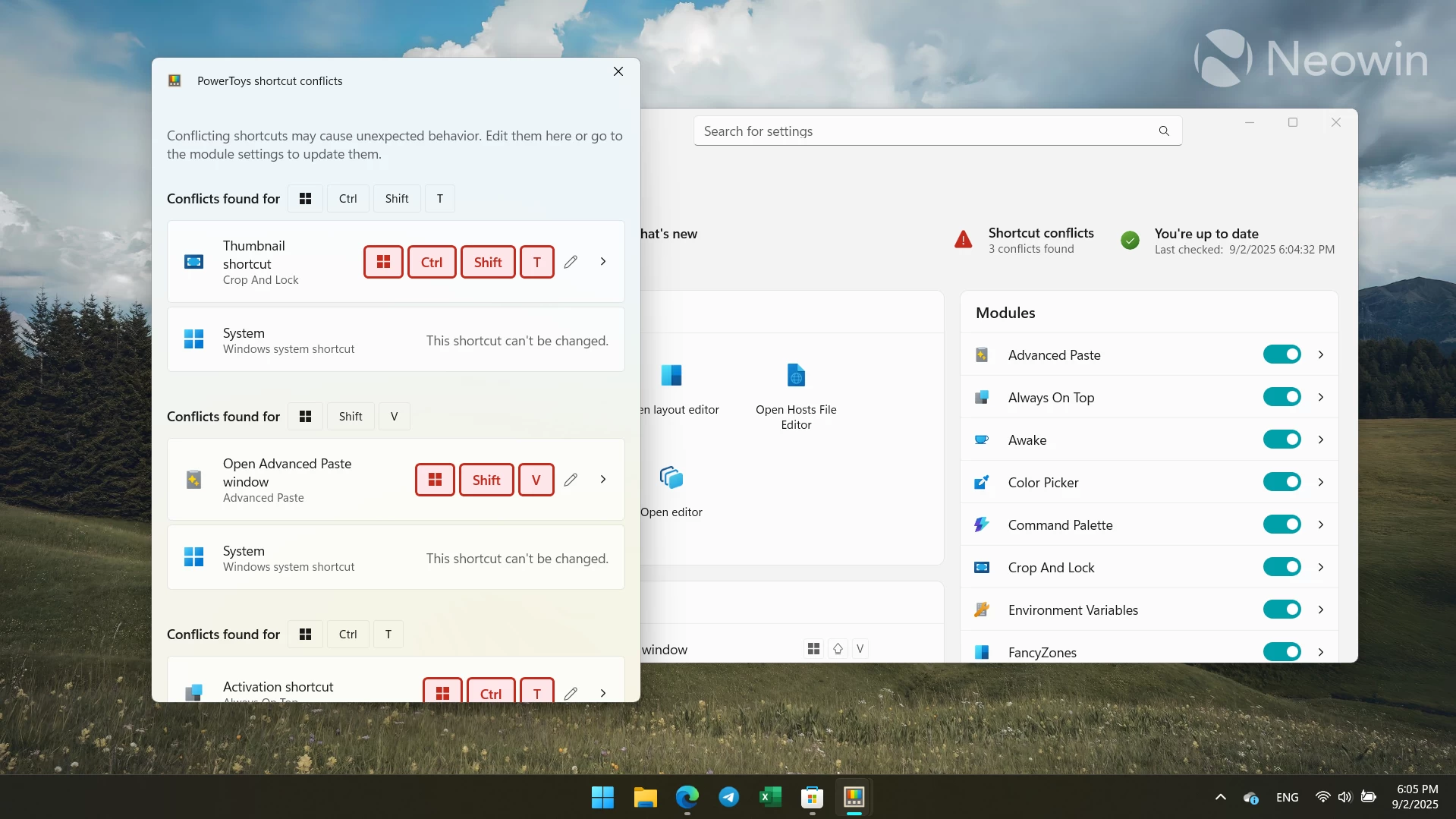
Another useful new feature is keyboard shortcut conflict detection. With it, users can see if standard or custom shortcuts clash with existing ones. The Dashboard now has a dedicated button that shows the number of conflicting shortcuts. Clicking it opens a new window with those shortcuts, allowing you to jump to their corresponding settings and remap keys to resolve conflicts.
The next addition is a new "Gliding cursor" feature that lets you move the cursor around with a single shortcut. Press the assigned keys, and the cursor will start moving horizontally. Press again, and it will begin moving vertically.
Here are the update highlights:
- PowerToys Settings added a Settings search with fuzzy matching, suggestions, a results page, and UX polish to make finding options faster.
- A comprehensive hotkey conflict detection system was introduced in Settings to surface and help resolve conflicting shortcuts. Note that the default hotkey settings (Win+Ctrl+Shift+T, Win+Ctrl+V, Win+Ctrl+T, Win+Shift+T) may overlap with existing Windows system shortcuts. This is expected. You can resolve the conflict by assigning different hotkeys.
- Mouse Utilities added a “Gliding cursor” accessibility feature to Mouse Pointer Crosshairs for single‑button cursor movement and clicking.
- The installer was upgraded to WiX 5 after WiX 3 reached end-of-life; this move improved installer security, reliability, and community support.
- Tons of bug fixes and improvements for Command Palette, including visual updates and new support for filters on ListPages (handy for extension developers).
- Hosts Editor now has a “No leading spaces” option so active host entries can start at column 0 even if others are disabled.
- Context menu registration was moved from the installer to runtime to avoid loading disabled modules (runtime registrations).
- Quick Accent now supports Maltese, and frequently used accents appear first (and are remembered across sessions).
You can find the rest of the changelog on GitHub. Also, there is a dedicated announcement post available here. You can download PowerToys from the Microsoft Store or GitHub.
Hope you enjoyed this news post. Feedback welcome.
Posted Wednesday 3 September 2025 at 3:55 am AEST (my time).
News posts... 2023: 5,800+ | 2024: 5,700+ | 2025 (till end of August): 4,048


Recommended Comments
There are no comments to display.
Join the conversation
You can post now and register later. If you have an account, sign in now to post with your account.
Note: Your post will require moderator approval before it will be visible.