

3175x175(CURRENT).thumb.jpg.b05acc060982b36f5891ba728e6d953c.jpg)
Flyoobe is a popular tool for those who want to update an unsupported PC or customize Windows 11 to reduce clutter and annoyances. The app gets frequent updates, which include useful changes, new features, and other improvements, and with the latest preview, version 2.0, the maker of Flyoobe is introducing an overhauled user interface.
In the announcement post on GitHub, Belim says that the new UI is "more streamlined, less overwhelming, and makes the initial setup flow much easier for new or casual users." While it still looks a bit unorthodox when compared to WinUI-based apps for Windows 11, Flyoobe 2.0 indeed looks much better than previous releases.
Here is what is new in Flyoobe 2.0:
- Reduced complexity with fewer menus and visual clutter
- Cleaner layout with more breathing room
- Clear primary actions to keep guidance obvious
- Less text, more direction, less cognitive overload
- Overall a much friendlier first-time setup experience
- This matters, because an OOBE assistant should be something you can complete without prior knowledge or technical experience.
Note that Flyoobe 2.0 is a standalone preview release. The "stable" version 1.51 is available for download separately while the developer is busy upgrading the user interface to something more modern and streamlined.
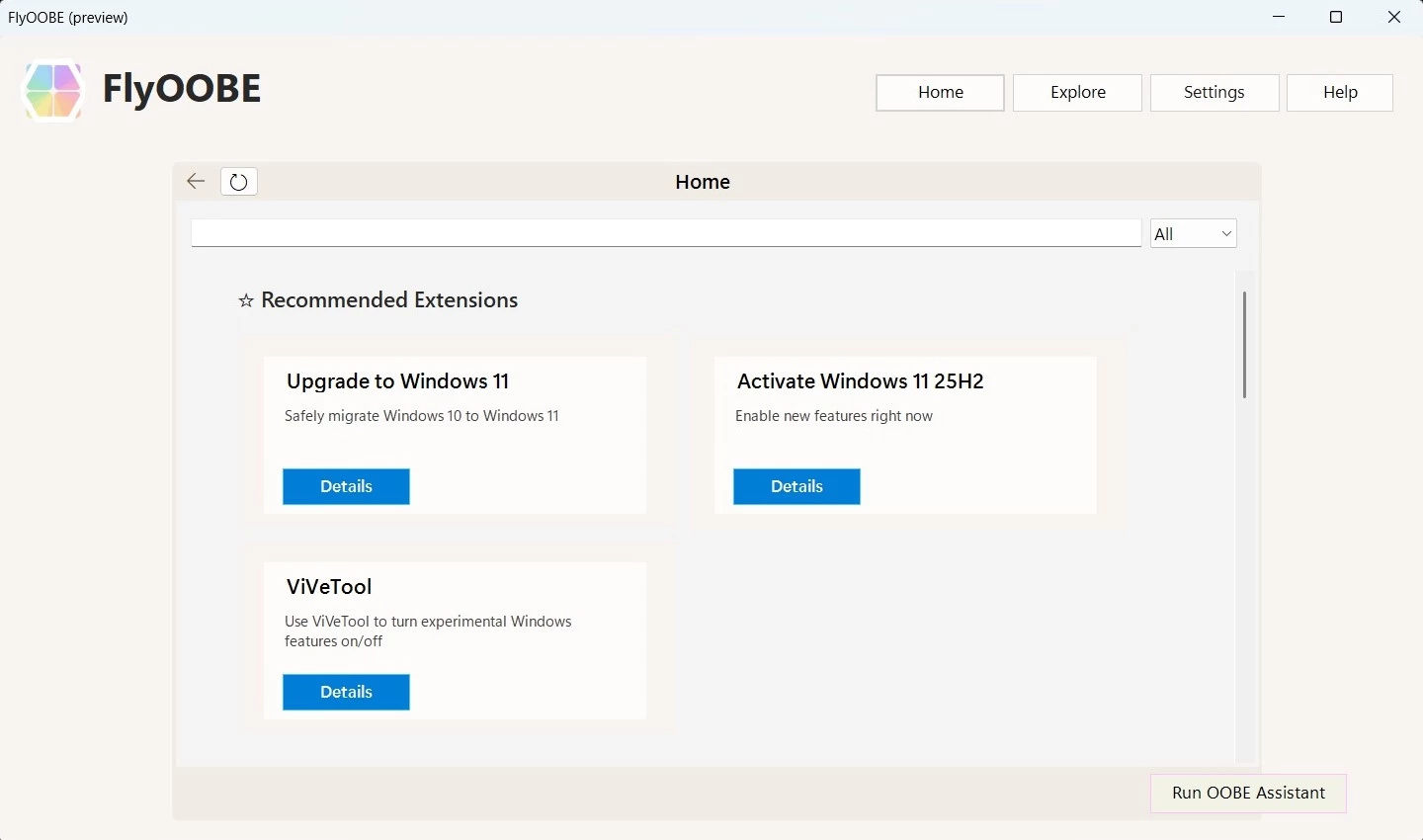
You can download Flyoobe 2.0 from the app's GitHub repository (version 1.51 is available on the same page). Keep in mind that the repository is the only reliable source of the updates, as there are websites with similar or identical names that could potentially spread malware or other kinds of digital nastiness.
Flyoobe fully supports the latest Windows 11 version 25H2, so you can use it to upgrade, customize the out-of-box experience, tweak and debloat the operating system, run setup extensions, and more. However, given the nature of such tools, you should always back up important data when using them.
Hope you enjoyed this news post. Feedback welcome.
Posted Tuesday 11 November 2025 at 12:54 pm AEST (my time).
News posts... 2023: 5,800+ | 2024: 5,700+ | 2025 (till end of October): 5,009


Recommended Comments
There are no comments to display.
Join the conversation
You can post now and register later. If you have an account, sign in now to post with your account.
Note: Your post will require moderator approval before it will be visible.