

3175x175(CURRENT).thumb.jpg.b05acc060982b36f5891ba728e6d953c.jpg)
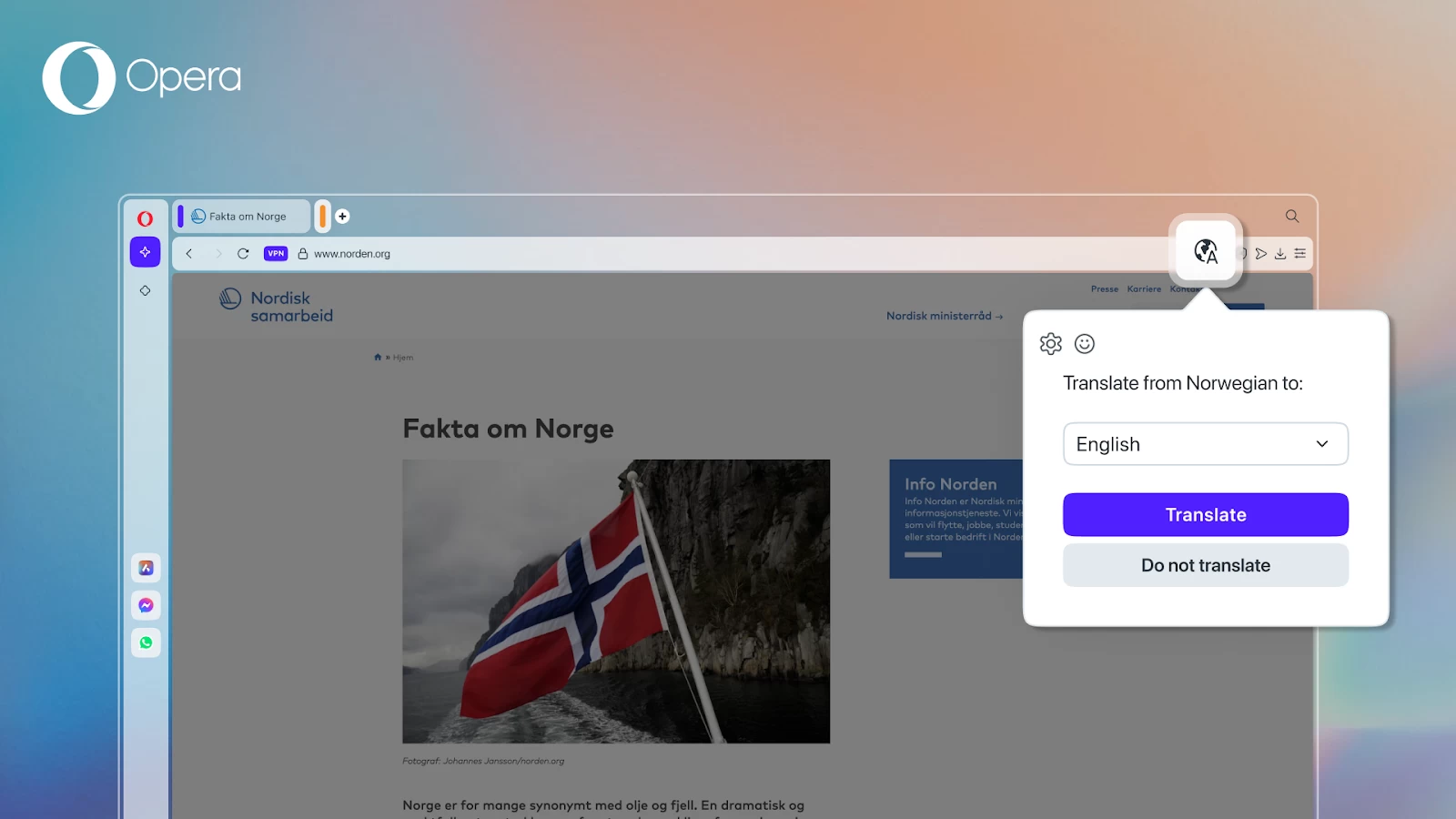
Opera has just announced the latest stable version of its desktop browser, Opera 120. The new update comes with several big features including a built-in translator that supports 40+ languages, and split screen enhancements. This version is built on top of Chromium version 135.0.7049.115.
The inclusion of a translator is a pretty big deal for Opera as it means users don’t have to install a third-party extension. It also means that Opera users can read foreign-language websites a bit easier. As for the split screen enhancements, the changelog show lots of fixes in this version which should make the feature feel more stable to use.
The translation feature is powered by Lingvanex and is powered by servers in Europe. Opera says that the information you translate is not being sent to any third party and is subject to the strictest of privacy regulations.
While an in-built translator is nice, Opera is playing catch-up at this point. Chrome, Edge, Safari, and even Firefox have in-built translation tools. It’s here now, though, and that’s the main thing. Aside from the translation feature, which is the headline of Opera 120, there are refinements for Password Management, Tab Islands, Miniplayer, and VPN.
As a bit of background for those who don’t use Opera, Tab Islands is a unique feature that helps to automatically sort tabs into groups called Tab Islands. Each island is marked with a color which you can tap to shrink or expand the island to save space. This feature helps to keep your tabs in context and your browser free of clutter.
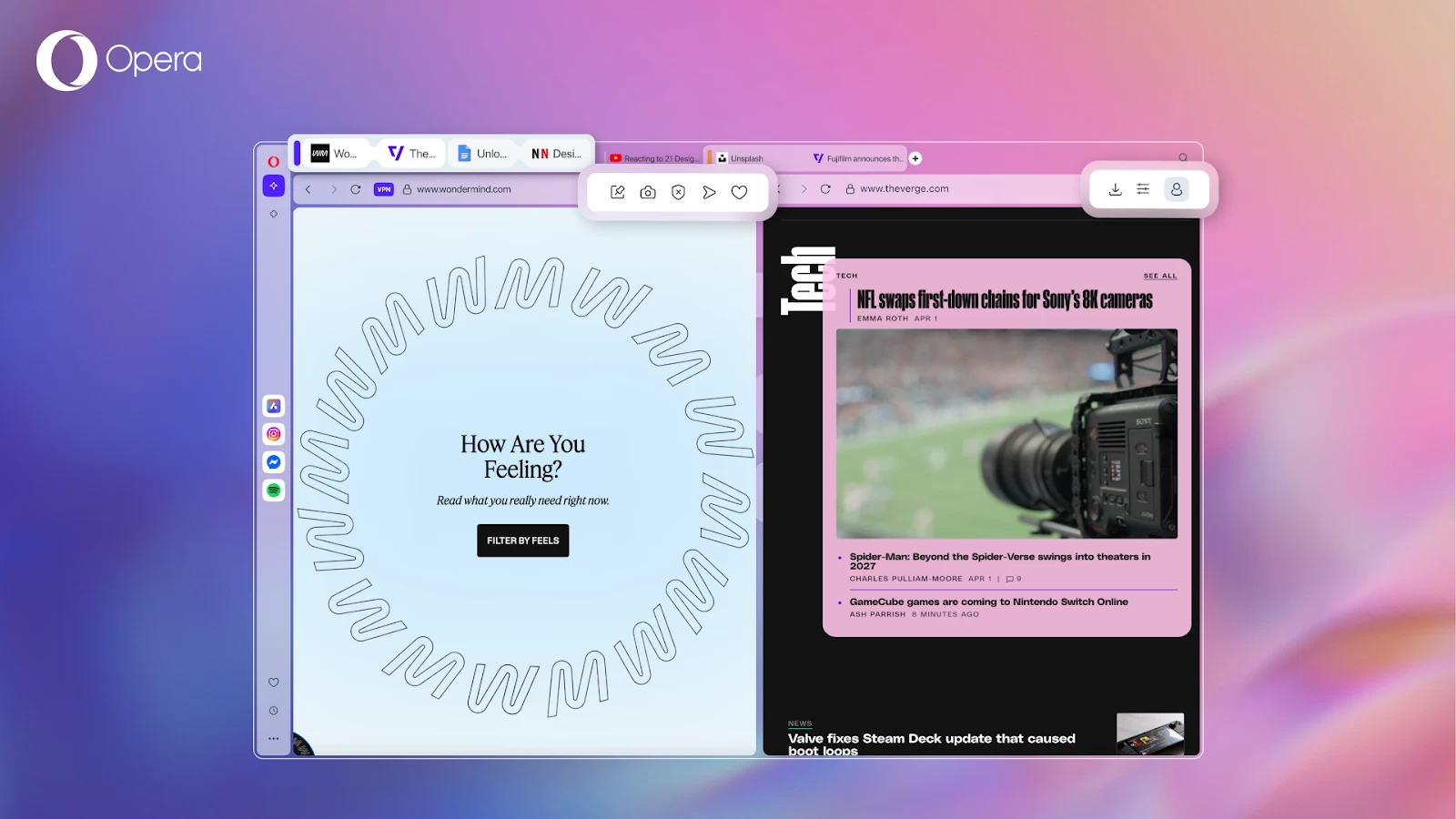
One of the new split screen options is the ability to open them as part of a Tab Island. Also, you can now move two tabs in split screen mode from one Tab Island to another, as well as out of the island. Split screen mode will be opened inside a Tab Island whenever you join two tabs that are within an island.
Another improvement to split screen is that toolbar icons will remain present, Opera explains how things work now:
- The right tab will show the following toolbar icons: Account, Easy Setup, Download, Extensions, and pinned player in toolbar.
- And, when you hover over the right or left tab, you’ll see the following icons: Pinboards, Snapshot, Privacy Protections, Flow, and Add to bookmarks – which is how it normally works outside of Split Screen mode.
While these smaller updates aren’t that exciting, in a way, they’re the most important type of updates. Think about it, who is going to stick around using a browser that’s riddled with bugs? By spending time to focus on bugs, Opera can retain existing users while trying to attract new ones.
Opera 120 is now available for download on Windows, macOS, and Linux (deb, RPM, snap). If you already have it installed, it should update automatically on Windows and macOS or be available through the update manager on Linux.
Hope you enjoyed this news post.
Thank you for appreciating my time and effort posting news every day for many years.
News posts... 2023: 5,800+ | 2024: 5,700+ | 2025 (till end of June): 2,864
RIP Matrix | Farewell my friend
- Matt
-
 1
1
Recommended Comments
There are no comments to display.
Join the conversation
You can post now and register later. If you have an account, sign in now to post with your account.
Note: Your post will require moderator approval before it will be visible.