


3175x175(CURRENT).thumb.jpg.b05acc060982b36f5891ba728e6d953c.jpg)
When you deal with complex products like Windows, bugs are anything but surprising. But things get ironic and a bit funny when bugs affect parts of the system that are supposed to be bulletproof, say, Task Manager. A newly discovered bug does exactly that.
The latest Windows 11 non-security update for versions 24H2 and 25H2 has an odd issue where closing Task Manager does not end its process. Instead, it continues running in the background, and when you open Task Manager again, the process simply duplicates, creating a new instance every time. Launch Task Manager multiple times, and you get a whole bunch of identical processes running side-by-side.
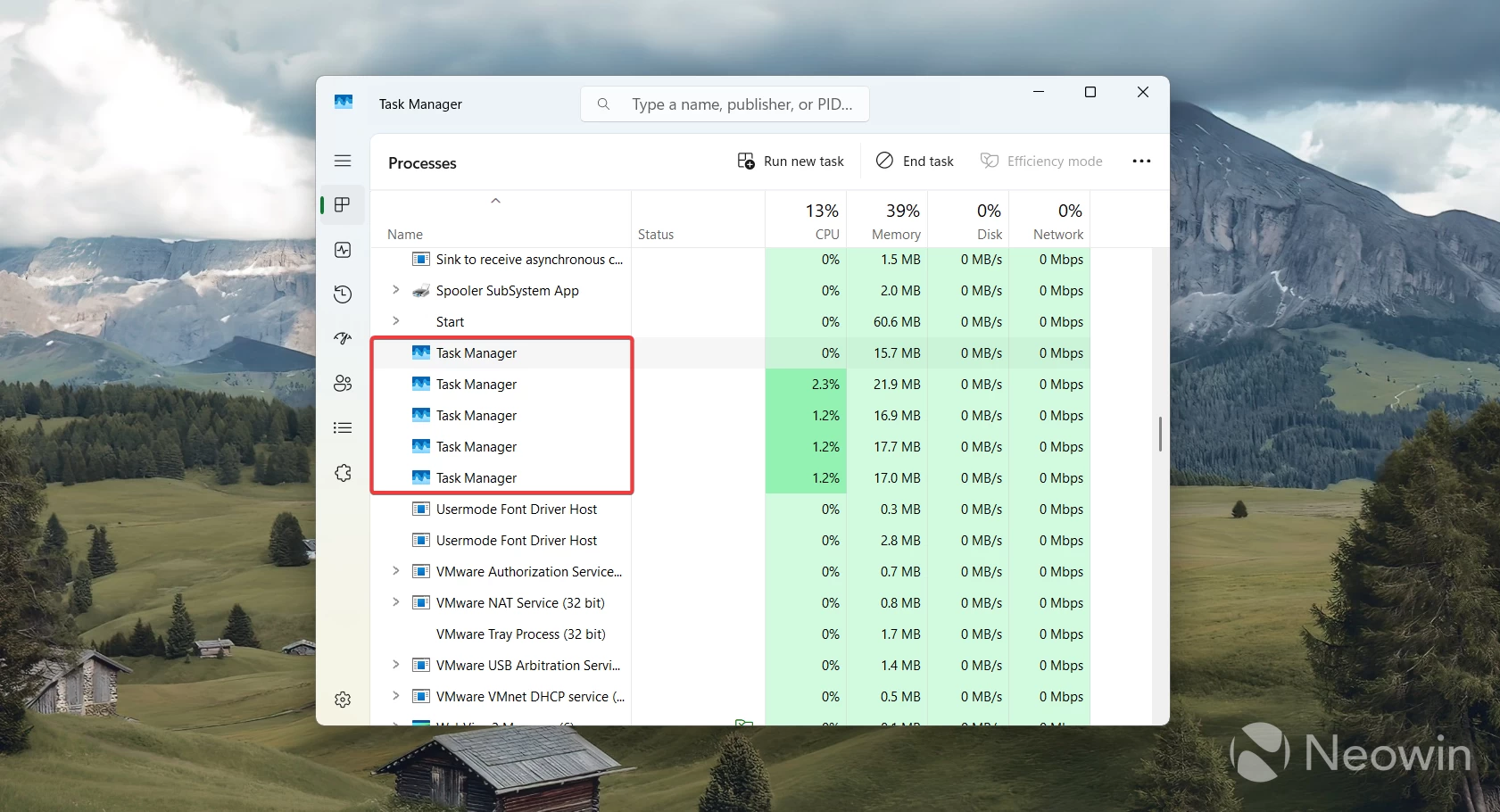
Fortunately, Task Manager is not a very resource-taxing process, so having several of them running should not affect your usage experience much. However, if you have a hundred of them running at once, the resource impact could be quite noticeable, especially on lower-end machines. If that happened to you, the easiest option is to simply restart your computer.
You can also kill all the duplicate processes and then close Task Manager with the "End task" command to make sure you do not get another copy when opening Task Manager next time. Another option is to use the "End task" option in the jump lists. It is one of those useful hidden features that every Widnows 11 user should use exactly in scenarios like this. When an app misbehaves and Task Manager is not helping, you can just right-click the app's icon on the taskbar and click "End process" to kill it on the spot.
Unfortunately, not everyone knows about this handy feature. It is a relatively new addition to Windows 11, and Microsoft keeps it turned off by default. You can enable it by navigating to Settings > Advanced and toggling on the "End Task" option.
Microsoft has not confirmed this bug yet. We tried it on several systems and virtual machines with the latest Windows 11 24H2/25H2 updates, and all of them have this problem.
Hope you enjoyed this news post. Feedback welcome.
Posted Friday 31 October 2025 at 5:17 am AEST (my time).
News posts... 2023: 5,800+ | 2024: 5,700+ | 2025 (till end of September): 4,533
Recommended Comments
There are no comments to display.
Join the conversation
You can post now and register later. If you have an account, sign in now to post with your account.
Note: Your post will require moderator approval before it will be visible.