


3175x175(CURRENT).thumb.jpg.b05acc060982b36f5891ba728e6d953c.jpg)
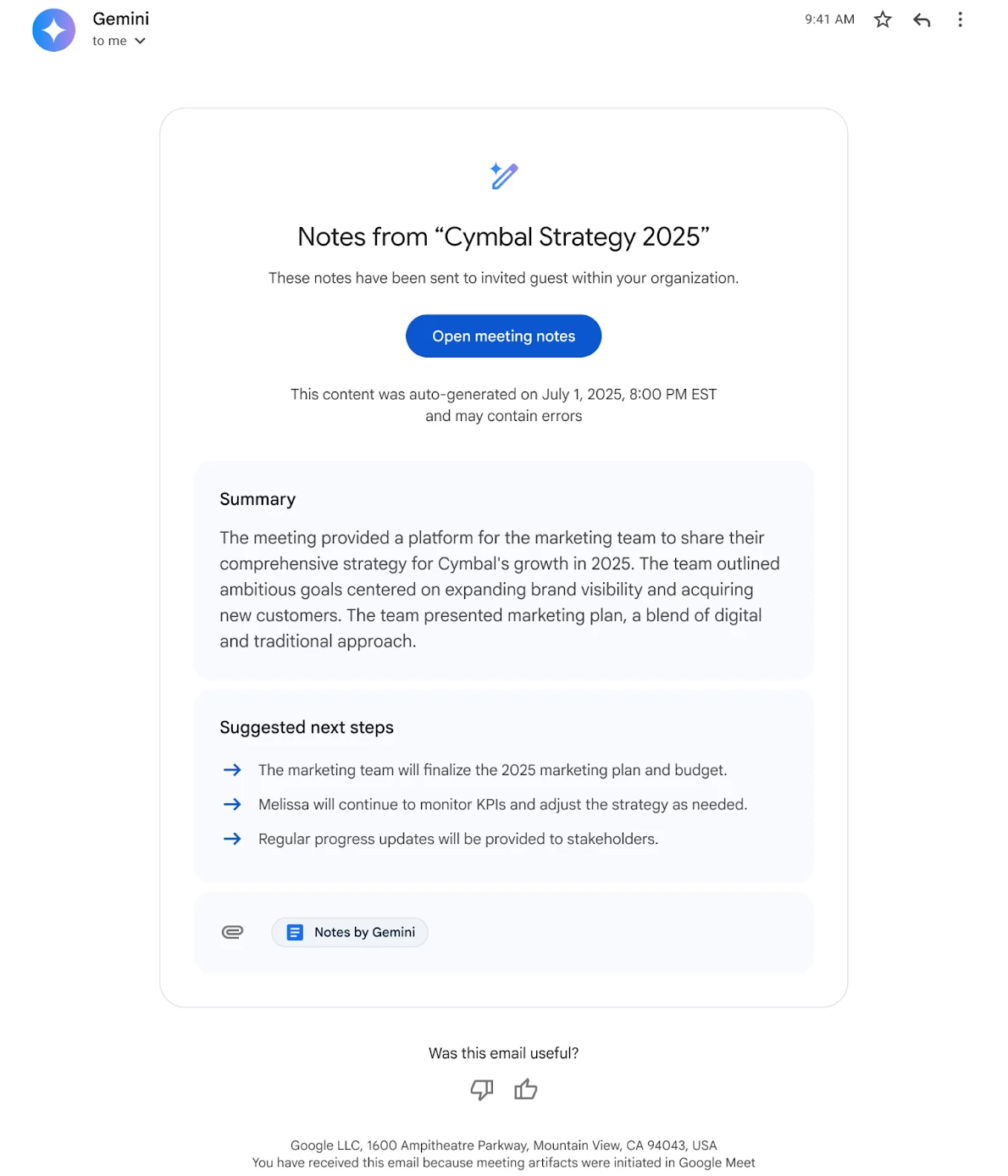
Last August, Google introduced a feature for its Meet video calling service called "Take notes for me", a tool that uses Gemini AI to transcribe and summarize meetings. After a call ends, an email is sent with a link to a Google Doc containing all the generated notes. Now the company is making that follow-up email a lot more useful on its own.
Instead of just getting a link you have to open in another tab, the recap email itself will now contain the meeting's summary and a list of "suggested next steps". This means you can get a quick overview of what happened and who is supposed to do what without ever leaving your inbox.
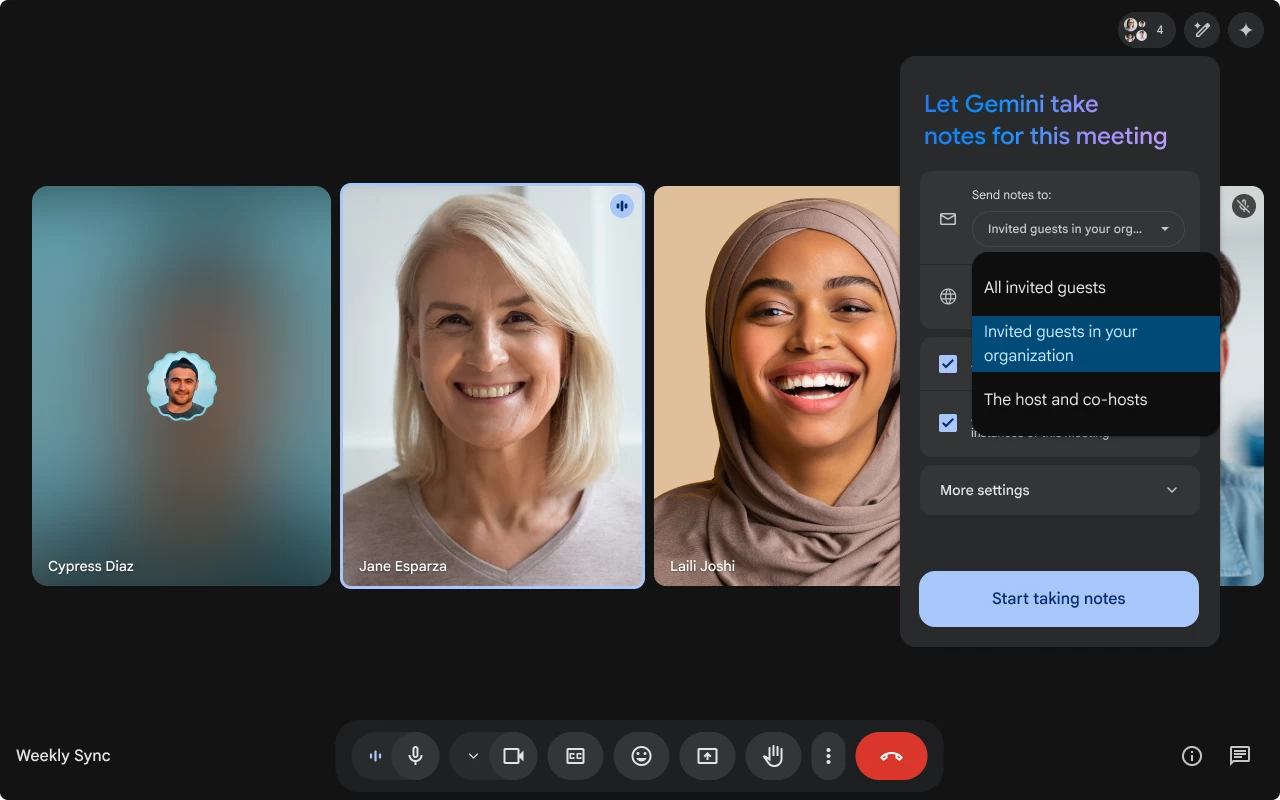
Google is also handing over more control to meeting organizers. Meeting hosts and co-hosts using a web browser can now select who receives these recap notes, with options for all invited guests, only invited guests within your organization, or just the hosts and co-hosts.
Google also says that this new sharing preference will persist for that meeting and any recurring meetings in the series.
This update has begun its journey to users, with Google calling it an "extended rollout", meaning it might take more than 15 days for the feature to appear for everyone.
If you're on Rapid Release, which is the track that gets your organization new features first, you will see the update ahead of those on the Scheduled Release track, though some patience might still be required.
The feature is available for certain Google Workspace subscribers, specifically those on Business Standard and Plus, Enterprise Standard and Plus, as well as, all users of Gemini Enterprise and the AI Meetings & Messaging add-ons.
In other Meet news, Google is making it easier to show physical stuff on a call. The company recently added an option to present directly from a camera feed, which sounds great for teachers with a document camera. The feature currently supports video up to 1080p at 30FPS, and began rollout last month.
Hope you enjoyed this news post.
Thank you for appreciating my time and effort posting news every day for many years.
News posts... 2023: 5,800+ | 2024: 5,700+ | 2025 (till end of June): 2,864
RIP Matrix | Farewell my friend
Recommended Comments
There are no comments to display.
Join the conversation
You can post now and register later. If you have an account, sign in now to post with your account.
Note: Your post will require moderator approval before it will be visible.