


3175x175(CURRENT).thumb.jpg.b05acc060982b36f5891ba728e6d953c.jpg)
ShareX 20 is now publicly available, offering users a brand-new image editor with a more modern interface and multiple effects and tools.
Although Windows 11 has a built-in screenshot-taking utility (Snipping Tool), I still prefer ShareX, a free, well-made utility with a very rich set of features. Its latest update, version 20, is finally publicly available, offering users a reworked Image Editor and various improvements under the hood.
ShareX 20 introduces a reworked Image Editor, built using Avalonia UI. The developer says the update offers a more modern user interface and improved user experience, while remaining highly powerful and feature-rich. There are 18 annotation tools, 232 image effects, background tools, customizable keyboard shortcuts, and more. The new editor looks quite different from what ShareX used to offer, so you might need some time to get used to it.
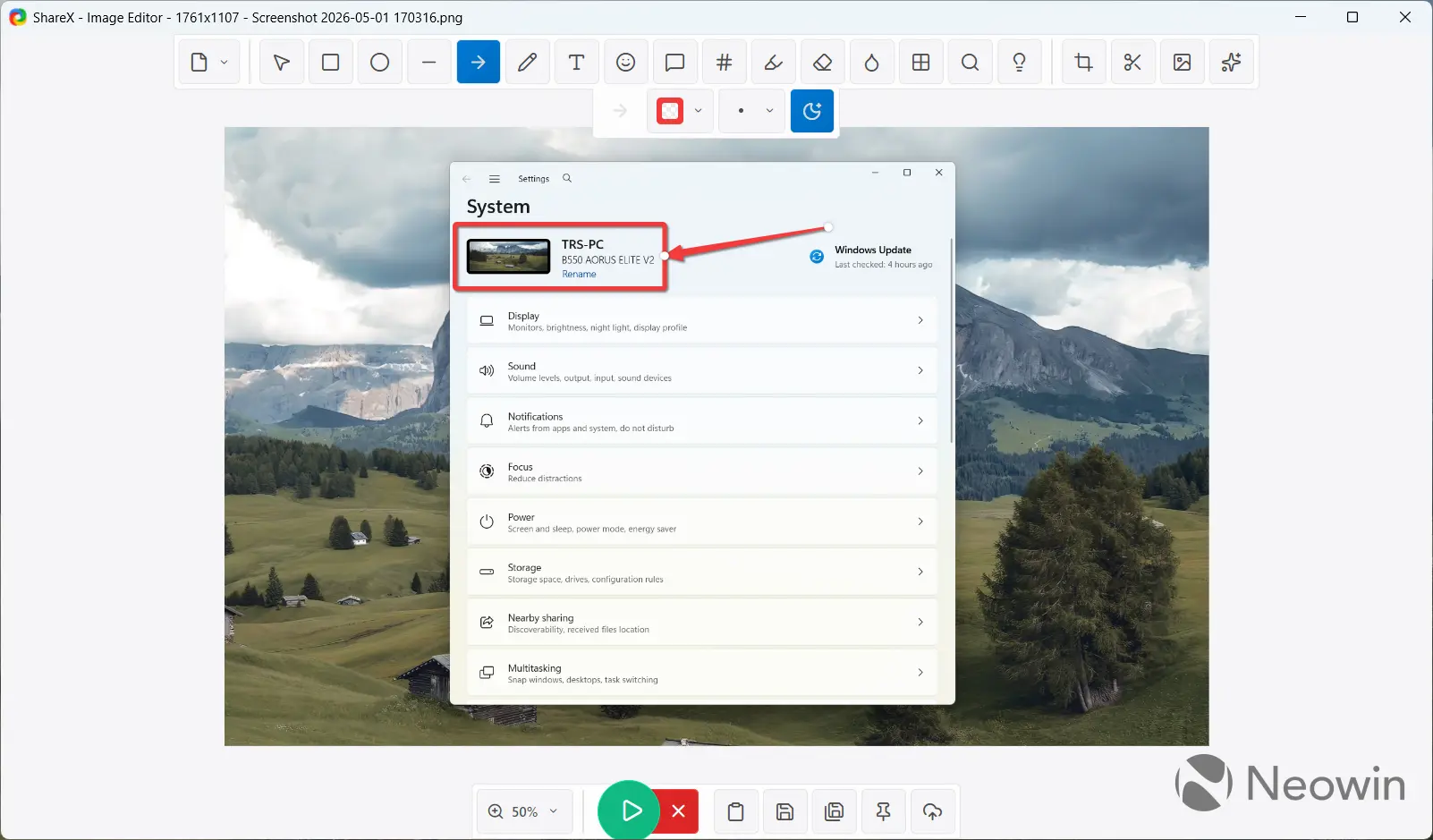
You can find the list of all tools and shortcuts in the new Image Editor in the release notes for ShareX 20 on the official website.
Other changes in the update include the following:
- Added option to disable capture region crosshair.
- Added PrivateBin text uploader
- Removed MEGA file uploader due to unmaintained library.
- Added "Load models" button to populate OpenAI models automatically.
- Added tick/cross icon to the hash checker target section to display the verification result.
- Added smoothing and curve interpolation to freehand drawing tools.
- Improved SFTP upload speed.
- Added filtering for non-activatable tool windows during region capture.
- Added OpenAI Legacy AI Provider option to support local deployments.
- Removed Custom AI Provider option instead OpenAI provider can be used for same purpose.
- Removed Blob Emojis because instead Microsoft 3D Fluent emojis are used now.
- Added "Copy folder path to clipboard" option to "After capture tasks" menu.
Finally, ShareX 20 adds native ARM64 support for those having the app installed from the Microsoft Store.
ShareX 20 is now available for download from the official website and the Microsoft Store.
Hope you enjoyed this news post. Feedback welcome.
Posted Saturday 2 May 2026 at 7:50 am AEST (my time).
News posts: 2023 5,800+ | 2024 5,700+ | 2025 5,700+ | 2026 (to end of April) 1,700
- Matt
-
 1
1
Recommended Comments
There are no comments to display.
Join the conversation
You can post now and register later. If you have an account, sign in now to post with your account.
Note: Your post will require moderator approval before it will be visible.