

3175x175(CURRENT).thumb.jpg.b05acc060982b36f5891ba728e6d953c.jpg)
By Susan Bradley
On June 24, 2026, the Microsoft Corporation KEK CA 2011 certificate will expire. But your computer will still boot. Life will go on. The sun will rise.
On June 27, 2026, the second certificate will expire for the Microsoft UEFI CA 2011 certificate. Again, your computer will still boot. Life will still go on. The sun will still rise.
If there are any issues after Tuesday, all you need to do is disable Secure Boot. By this time, any supported computer should have received the updates through a combination of BIOS updates or Windows updates.
Reminder: I’ve prepared a consumer FAQ and a business FAQ recapping the main issues for each audience. The rollout of the solution to this issue really showcased to me how the OEMs and Microsoft don’t work well together.
Consumers
The main issue under discussion is use of the “computer” name of a file, and not the name expected, when it’s being sent to the recycle bin.

Figure 1. The file-deletion dialog
Microsoft has acknowledged the issue in a post in the Release Health Learn blog:
When permanently deleting a single item from the Recycle Bin, the confirmation dialog displays the internal Recycle Bin filename (for example, $Rxxxxx.ext) instead of the original filename. The Recycle Bin itself correctly displays the original filename, and restoring the item also restores it using the original filename.
This issue occurs after installing the Windows security update released on June 9, 2026 (KB5094126).
The problem also occurs with Windows 10 (KB5094127) and the various server platforms. This will be fixed in an upcoming update. In the meantime, live with the confirmation screen that indicates the wrong file name.
I’ve never seen this bug in action because it’s very rare for me to delete only a single file. When I learned of this bug, I deliberately only one file to see it. (Maybe it’s just me, but I usually empty the entire Recycle Bin.)
In another reported event, folders for OneDrive associated with a personal Microsoft account (as opposed to a 365 account) and OneDrive for business accounts stopped working after the June updates. Yet I personally saw no such issue. Turns out the root cause was that User Account Control (UAC) was turned off, and the user was the local administrator. Merely turning UAC back on solved the problem. Very often with updates, side effects occur when things have been tweaked. Whenever you have issues, ask yourself, “What is unusual about my machine?” and then test that before uninstalling an update.
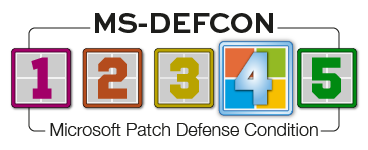
Because I’m not seeing any earth-shattering issues this month, I’m giving the approval to install the June updates at this time and have therefore lowered the MS-DEFCON level to 4.
Install the following updates:
Businesses
Businesses impacted by the Recycle Bin filename bug can either live with it or request a fix from Microsoft by calling Microsoft support. Unless you have a support contract, this is normally a $400 support call. However, because the issue was created by a security patch, the fee will be refunded to you — all you have to do is ask. Alternatively, you can just wait until next month for it to be fixed — and warn your users about it.
If you see some unexplained performance issues after installing updates, make sure you review what your third-party security tools and software are doing. I’ve seen some reports of high CPU utilization on occasion that was not the result of recent code changes; rather, there is Registry I/O contention. Whenever you see unusual issues without widespread reporting of a problem, make sure you reach back to your software vendors and open up support cases.
In January, Microsoft offered the support post How to manage Kerberos KDC usage of RC4 for service account ticket issuance changes related to CVE-2026-20833. It included a timeline for removal of support for legacy encryption methods such as RC4. The timeline ends in July 2026, when Windows is hardened against those old protocols. This will be accomplished by removing support for the RC4DefaultDisablementPhase Registry subkey (i.e., it will be ignored).
Be sure to monitor your Systems event logs for KDCSVC events.
In that same support post, Microsoft notes:
IMPORTANT Audit events related to this change are only generated when Active Directory is unable to issue AES-SHA1 service tickets or session keys. The absence of audit events does not guarantee that all non-Windows devices will successfully accept Kerberos authentication after the April update. Customers should validate non-Windows interoperability through testing before broadly enabling this behavior.
Take the time now to review the audit logs on your domain controllers. And if you haven’t been paying attention to this Kerberos matter, now’s the time to read that support post carefully.
Resources
- Susan’s Master Patch List
- The MS-DEFCON System explained
- BlockAPatch — Tools to help you hide or block updates
- Steve Gibson’s excellent InControl to manage feature releases
Hope you enjoyed this news post. Feedback welcome.
Posted Tuesday 30 June 2026 at 5:18 pm AEST (my time).
News posts: 2023 5,800+ | 2024 5,700+ | 2025 5,700+ | 2026 (to end of May) 2,092
Recommended Comments
There are no comments to display.
Join the conversation
You can post now and register later. If you have an account, sign in now to post with your account.
Note: Your post will require moderator approval before it will be visible.