

3175x175(CURRENT).thumb.jpg.b05acc060982b36f5891ba728e6d953c.jpg)
By Susan Bradley
The April updates continue to dribble out more fixes for Secure Boot certificates for some systems.
But once you receive the April updates, you still may be waiting for the new certs to be installed. That happened to me on some systems.
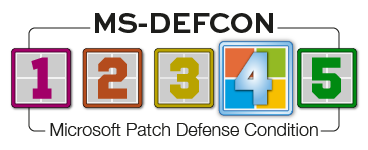
Nonetheless, the patching world is relatively quiet. Microsoft did have an out-of-band update this month, but it was limited to domain controllers and Windows Servers. I’m lowering the MS-DEFCON level to 4.
Before I review the Secure Boot certificates matter, please keep this reminder in mind, particularly on the consumer side of things: Regardless of the state of your system with respect to the new certs, your PC will still boot. Check my previous column from March, Understanding the nuances of Secure Boot, for details and for PowerShell commands you can use to examine the state of your PC. We’ve mentioned that Microsoft is improving its messages about the state of Secure Boot, but last Thursday this message showed up on my Surface Pro 7+:

Figure 1. Not enough data?
Maybe it’s just me, but I figure Microsoft ought to be able to figure out the status of its own hardware products. Note that the icon shows a green check mark, the indicator that the Secure Boot state is okay. Doesn’t seem okay to me. And that’s why you still might need those PowerShell commands to determine the actual state.
Let’s recap the current situation for Windows systems.
Between now and June, your machine will receive, or has already received, what it needs to update the certificates used to ensure that malicious code can’t be interjected into the boot process. In a business setting, having these up-to-date certificates is extremely important to ensure that no one tampers with your systems.
Newer computers purchased with Windows 11 24H2 or 25H2 are most likely already up to date. Older systems may need updates from the hardware vendor in order to receive the needed fixes.
You might also receive an additional “Secure Boot Allowed Key Exchange Key (KEK) Update.” But even after that installs, your system may show that it’s still on the old certificates.
If so, don’t panic. There is still time before June, and it’s not a death sentence for your PC. It’s just something you must take seriously and get fixed, sooner or later.
Consumers
With AI now being used to find bugs, you may start to see the bug counts reported by various vendors skyrocket. (We’ve already seen the bug count on Firefox increase.) But that doesn’t mean we should panic. As with many vulnerabilities, the attacker first has to get at you. With the built-in Windows firewall on Microsoft operating systems and the inherent kernel protections built into MacOS, your biggest risk these days is clickbait.
An attacker has a harder time getting into consumer systems and would prefer to go after bigger fish. With consumers, simpler methods such as phishing and bogus email attachments are easier and, unfortunately, still seem to bear fruit. But there is one other matter of concern in the consumer space: unpatched routers. You are more likely to be used in a bot network than be damaged by a bot network.
I’m more concerned about recent issues where tools that we’ve relied on have been hit with what’s called supply-chain infections. For example, CPU-Z’s installer was infected with malware. And I’m always concerned about reliance on VPNs whose users may not have done their due diligence.
Windows 10 ESU subscribers should be offered KB5082200, the main April update. In my own internal testing, I found no issues and had only one reboot. You may see more information on the status of Secure Boot certificates in the Windows Security section, but this is like many of Microsoft’s fixes — one that will be phased in over time. If you go to Windows Security Device security and don’t see evidence of Secure Boot status, it may not have been dribbled to you.
You may see KB5087371, the Windows Recovery Environment update, offered up to your Windows 10 machines. If it fails to install on your system, your recovery partition isn’t big enough. This update — and its similar releases — annoys me. It fails because OEMs deployed systems with recovery partitions that are too small. Either the OEM or Microsoft should take it upon themselves to code for this issue and not demand that their customers use third-party tools or complicated procedures to expand partitions. If this update fails to install, hide it and go on with life. A better option is to have a backup solution independent of WinRE so that you can roll back and reinstall at will. You should not rely on rolling back to a prior system state. The ultimate protection for any issue is to have a backup.
If only Microsoft understood that as well.
For Windows 11 machines, my recommendation is to install Windows 11 version 25H2 or 24H2 (KB5083769). Remember, the out-of-band extra updates are only for Windows Servers that are domain controllers; the bugs introduced in April will not impact desktop operating systems. In addition, the reported issue that may trigger a BitLocker recovery key will be seen only in unique and rare circumstances in a business setting. That said — and it’s broken-record time — I still want you to know exactly whether BitLocker is on or off, and where your recovery key is saved. If you do want encryption on your local hard drive, back up the key in your Microsoft account (for consumers) or in your Entra account (businesses).
I’ve seen one other unusual issue that by now may be fixed. It has to do with Classic Outlook and OneDrive. Suddenly users can’t attach OneDrive files as they used to. That Q&A at Microsoft Learn includes the following workaround:
This should only [be] an issue if you try to select the file you want to attach from the “Recent Items” list you see when you click on Attach.
Instead, click on “This PC” and navigate to your OneDrive folder and select the file you want to attach and it will work.
Businesses
For those of you with Windows Server 2016, 2019, 2022, or 2025 in the domain controller role, install the out-of-band updates for April instead of the regular patches.
Standard Windows updates
- Windows Server 2025: KB5091157 (OS Build 26100.32698) Out-of-band
- Windows Server, version 23H2: KB5091571 (OS Build 25398.2276) Out-of-band
- Windows Server 2022: KB5091575 (OS Build 20348.5024) Out-of-band
- Windows Server 2019: KB5091573 (OS Build 17763.8647) Out-of-band
- Windows Server 2016: KB5091572 (OS Build 14393.9062) Out-of-band
Windows hotpatch updates
- Windows Server 2025 Datacenter: Azure Edition: Hotpatch KB5091470 (OS Build 26100.32704) Out-of-band
- Windows Server 2022 Datacenter: Azure Edition: Hotpatch KB5091576 (OS Build 20348.5029) Out-of-band
If you have a patching environment that cannot distinguish domain controllers from other servers, go ahead and install this out-of-band on all your server deployments. Even though the bug fixes are specifically to fix a boot loop in domain controllers, I found no ill effects when testing and installing these same out-of-band updates to all my server deployments.
The April updates do include a change for anyone who clicks on a saved Remote Desktop file. If you merely browse to Remote Desktop and launch it from that shortcut, your users will see no change. But if they launch their Remote Desktop connection from a saved .rdp file shortcut, they will be faced with a new reminder and a requirement to re-enable pass-through items such as printers. You can revert the behavior.
But there’s another vulnerability that businesses should evaluate to determine whether they can do more to ensure they are protected against current and future threats. A recent write-up by Huntress showcases that attackers are coming through VPNs to attack the operating system to then target a zero day in Microsoft Defender. You should already be patched for CVE-2026-33825. Huntress indicated that they “linked the activity back to compromised FortiGate SSL VPNs,” so review whether you can turn on multifactor protection for VPN software used in your environment. I am a personal fan of Duo.com because userscan handle the two-factor without issues.
Those of you supporting Apple devices should make sure you support TLS 1.2 or later. A future update in the Apple ecosystem will mandate it as the default communication protocol between workstations, phones, and servers. Follow the guidance for running tests on your network to see whether you are ready for the upcoming change.
Resources
- Susan’s Master Patch List
- The MS-DEFCON System explained
- BlockAPatch — Tools to help you hide or block updates
- Steve Gibson’s excellent InControl to manage feature releases
Hope you enjoyed this news post. Feedback welcome.
Posted Wednesday 29 April 2026 at 7:54 am AEST (my time).
News posts: 2023 5,800+ | 2024 5,700+ | 2025 5,700+ | 2026 (to end of March) 1,297
Recommended Comments
There are no comments to display.
Join the conversation
You can post now and register later. If you have an account, sign in now to post with your account.
Note: Your post will require moderator approval before it will be visible.