

3175x175(CURRENT).thumb.jpg.b05acc060982b36f5891ba728e6d953c.jpg)
By Susan Bradley
For consumers, it’s the end of the road for 23H2, and a deadline looms.
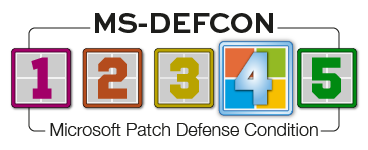
After nearly a year of urging you to delay the upgrade to Windows 11 24H2, I’m now giving you the all-clear. Accordingly, I am lowering the MS-DEFCON level to 4.
I’m also suggesting a deadline for consumers: Install 24H2 no later than December 9, 2025, otherwise known as Patch Tuesday for December. That’s because the last updates for Windows 11 23H2 will be released in November, according to the Windows Home and Pro Lifecycle and the Modern Lifecycle Policy.
Figure 1 shows a quick summary of the dates when security updates end (or have ended) for the four major feature releases of Windows 11.

Figure 1. End dates for security updates for Windows 11
From this brief table, you can see that consumers get security updates for two years after the feature version is released, while Enterprise and Education customers get three years.
With respect to consumers, I’m not particularly concerned about issues and side effects in this month’s updates. For businesses, there are still a few nagging items that must be addressed.
24H2 takes a while to install, causing downtime. You’ll need to ensure that you set aside maintenance windows to install the 24H2 update. Unlike the 23H2 install that was an enablement package and therefore fast, 24H2 is a full reinstall. It keeps your information intact.
By now, everyone should know that Windows 10 22H2 is coming to the end of the road. As I discussed in my newsletter column yesterday, consumers can obtain an inexpensive, one-year Extended Security Updates (ESU) plan at a reasonable cost or, in some cases, for free. Businesses can obtain the ESU for one, two, or three years. You will still receive updates in October, but by November you should have an ESU plan in place, be signed up for 0patch security patches, or move to Windows 11.
Consumers
I’ve not been tracking any major issues with the September updates for Windows 10 22H2. Install updates now. In addition, I’ll urge you to also ensure that you review your options going forward. We have lots of options.
There is one corner case. For those with a peer-to-peer network of PCs with Windows 10 22H2, Windows 11 23H2, and Windows 11 24H2 that continues to use Server Message Block version 1 (SMBv1), there is a puzzling issue: some machines can’t access shared or mapped folders.
Microsoft acknowledged the issue but, as of this writing, has not released a fix. If you are impacted, the only thing you can do is uninstall the September updates and then pause updates.
It’s not affecting everyone. For example, I have a peer-to-peer network at home with a mixture of Windows 10 and Windows 11 and cannot reproduce the issue. But then again, my network has SMBv2 enabled and is not using SMBv1. One person removed SMBv1 from their systems and now can access their network shares.
You can test whether SMBv1 is enabled by running the following command in PowerShell:
Get-SmbServerConfiguration | Format-List EnableSMB1Protocol

Figure 2. SMBv1 is not enabled on this PC.
Businesses
For businesses, the SMBv1 issue is most likely due to duplicate security identifiers (SIDs) occurring as a result of cloning software. You can test this at a command prompt by typing the following command to list the users’ SIDs.
wmic useraccount get name,sid
These two major issues, SMBv1 and duplicate SIDs, are not occurring on all systems. But if you are impacted, these side effects can be extremely annoying.
To remedy this issue, you have two alternatives. The first is to use the sysprep command that will reset the SIDs. It may also reset any personal software settings, so it might not be ideal. On an affected PC, perform the following steps:
Navigate to C:\Windows\System32\Sysprep;
Type in:
sysprep /generalize /oobe /shutdown
The computer will enter the out-of-box-experience (OOBE), and some apps and settings may be reset.
The second way to fix this issue is to change the SID, using third-party tools:
Determine the SID on the computers, using Sysinternals\PsGetsid64.exe;
Change the SID on one of the computers with a duplicate SID (without sysprep), using SIDCHG. You can download this from stratesave.com — follow the instructions carefully!
Remember, you can always uninstall the updates for September and put future updates on pause. To uninstall updates, go into Windows update, click on update history, scroll down to the bottom and find the most recent update, and then click on uninstall. Remember to pause updates.
Security identifiers (SIDs) are unique identifiers to a system. As Microsoft notes in a Learn post:
A SID is used to uniquely identify a security principal or security group. Security principals can represent any entity that the operating system can authenticate. Examples include a user account, a computer account, or a thread or process that runs in the security context of a user or computer account.
Each account or group, or each process that runs in the security context of the account, has a unique SID that’s issued by an authority, such as a Windows domain controller. The SID is stored in a security database. The system generates the SID that identifies a particular account or group at the time the account or group is created. When a SID is used as the unique identifier for a user or group, it can never be used again to identify another user or group.
Each time a user signs in, the system creates an access token for that user. The access token contains the user’s SID, user rights, and the SIDs for any groups the user belongs to. This token provides the security context for whatever actions the user performs on that computer.
Duplicate SIDs occur only if you have cloned a system so that the SIDs on multiple computers are duplicated — and thus the systems cannot tell one workstation from another.
Hope you enjoyed this news post. Feedback welcome.
Posted Wednesday 24 September 2025 at 5:36 am AEST (my time).
News posts... 2023: 5,800+ | 2024: 5,700+ | 2025 (till end of August): 4,048
Recommended Comments
There are no comments to display.
Join the conversation
You can post now and register later. If you have an account, sign in now to post with your account.
Note: Your post will require moderator approval before it will be visible.