

3175x175(CURRENT).thumb.jpg.b05acc060982b36f5891ba728e6d953c.jpg)
By Susan Bradley
The January updates present no issues for some, but lots of issues for others.
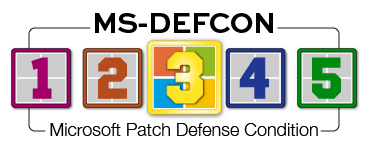
I’m always hopeful of giving everyone some time every month to apply updates after we’ve vetted them. This month, I can lower the MS-DEFCON level to only 2.5. Unfortunately, we don’t have that, so I’m forced to resort to level 3.
Once upon a time, out-of-band updates meant one thing, and one thing only — that there was an active attack on Microsoft products that needed to be evaluated, tested, and quickly patched in order to protect your computer and your network from the attackers. Now when I see an out-of-band patch, I think one thing only: What did Microsoft break in its last update that now needs a fix, one that can’t wait until next month’s release?
The term “out-of-band” refers to an update that isn’t released on Patch Tuesday (the second Tuesday of the month, the normal release tempo). Nor is it released at the end of the month, when optional preview updates become available ahead of the normal tempo. (The second week of the month is also called the “B” week, and the end-of-the-month preview updates are called the “D” week.)
Lately, out-of-band updates have been 100 percent related to a bug introduced by a regular patch that impacts Microsoft’s paying customer base. The good news — if you can call it that — is that the vast majority of these introduced bugs are not seen on consumer machines. There are a few notable exceptions that I will get to below.
I’m not ready to tell my family members that it’s time to move to a Linux distro on their daily drivers. But these sorts of problems are concerning. I hope Mr. Nadella starts getting as concerned about these pervasive problems as he is on making sure we embrace AI.
Consumers
The biggest side effect of the January updates is the interaction of the January updates with classic Outlook: whether you use a PST file and where the PST is stored. Microsoft has acknowledged these issues. Office has several issues emanating from the January updates (as documented by Microsoft), but the main one has to do with POP email and storing of PST files.
Outlook crashes if you use POP and your PST file is stored on OneDrive. The only workaround Microsoft recommends is to use Outlook on the Web. An alternative is to move the PST file to a location other than OneDrive. If you don’t use PST files and don’t use OneDrive, you probably won’t have issues installing the January updates. But if you use POP to pull in your email, the January updates for any model of PC running Windows should block/pause and/or uninstall the January updates. This applies to Windows 11 25H2, Windows 11 24H2 (KB5074109), Windows 11 23H2 (KB5073455), and Windows 10 22H2 (KB5073724).
Businesses
The January updates caused two major issues for businesses. The first impacted only Windows 11 23H2 and machines with Secure Launch enabled. Microsoft released an out-of-band update (KB5077797) to fix an issue where machines were unable to shut down after installing KB5073455. As Microsoft noted:
[Power & Battery] Fixed: Some devices with Secure Launch enabled restart instead of shutting down or entering hibernation.
However, credible reports indicate that this isn’t fixed for some models of computers, including Latitude 7450, Latitude 5450, Dell Pro 14 PC14250, and Dell Pro 13 Plus PB13250.
The second bug introduced in the January updates related to Remote Desktop:
[Remote Desktop] Fixed: Some users experienced sign-in failures during Remote Desktop connections. This issue affected authentication steps for different Remote Desktop applications on Windows such as the Windows App.
So for Windows 11 24H2 and 23H2, KB5077744 is recommended instead of KB5074109. For Windows 11 23H2, manually install KB5077797 instead of KB5073455. For Windows 10 22H2, install KB5077796 instead of the offered KB5073724. None of these out-of-band updates will be offered up via Windows update. You will need to manually install or script them onto impacted systems.
For those systems still unable to shut down after the out-of-band update, you may want to investigate options in the BIOS. I’ve seen reports that disabling the “Enhanced Sign-In Security” option in the HP BIOS solved the problem.
Bottom line: This is a bumpy release. Prepare yourself for extra steps to find ways to deploy these out-of-bands — neither WSUS, Windows Update, nor Windows Update for business will help you install these. You are on your own.
Resources
- Susan’s Master Patch List
- The MS-DEFCON System explained
- BlockAPatch — Tools to help you hide or block updates
- Steve Gibson’s excellent InControl to manage feature releases
Hope you enjoyed this news post. Feedback welcome.
Posted Wednesday 28 January 2026 at 7:20 am AEST (my time).
News posts... 2023: 5,800+ | 2024: 5,700+ | 2025: 5,700+
Recommended Comments
There are no comments to display.
Join the conversation
You can post now and register later. If you have an account, sign in now to post with your account.
Note: Your post will require moderator approval before it will be visible.