

3175x175(CURRENT).thumb.jpg.b05acc060982b36f5891ba728e6d953c.jpg)
By Susan Bradley
I’m going to do something unusual.
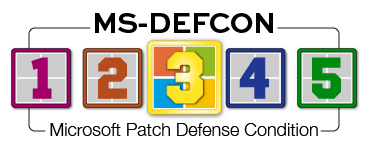
And because of that, I’m not lowering the MS-DEFCON level as much as I usually do toward the end of the month. I recommend caution for now, while at the same time recommending an out-of-band update right away.
For Windows 11 24H2 and 25H2, hold off on the regular monthly patch, KB5066835, and instead install a slightly later patch, KB5070773. Why?
Because the latter patch resolves a serious problem introduced by the earlier patch, in which the Windows Recovery Environment (WinRE) failed to recognize USB keyboards and mice. You can’t very well deal with a repair issue that puts you into WinRE if you can’t use it. So avoid KB5066835 and install KB5070773.
Depending upon your situation, this matter may have gone completely unnoticed, especially if you have Windows updates set to “Get the latest updates as soon as they are available.” If you had not otherwise paused updates, the out-of-band KB5070773 may have installed automatically (and quietly), solving the problem.
If you did pause updates and KB5066835 has not yet installed, use Windows Update or WUMgr to manually force the installation of KB5070773. To download from the Update Catalog site, click this link to get to the Microsoft Update site and then select either 24H2 or 25H2, as needed. Find the .msu file once it fully downloads, and click to install it on your machine.
There is one bug that was fixed using a known-issue rollback. I have seen it impact more business machines than consumer machines. The issue is self-hosted applications that may not be able to launch after the installation of the October updates. You may need to reboot your computer in order to fix this. Some folks who use KeePass pointed to .NET updates as the source of the problem, but I think the real fix is merely rebooting the computer several times to trigger the rollback.
Consumers
If you have a Windows 10 22H2 PC, now is the time to install KB5066791. With this update, you should (but, unfortunately, may not) finally see out-of-support notice for Windows 10. As long as your PC is not managed (i.e., controlled by policies from a business environment or Intune), your PC should get an ESU enrollment notification in Windows update.
In Windows 10’s final release, there is a major change to File Explorer. As Microsoft notes:
Starting with Windows security updates released on and after October 14, 2025, File Explorer automatically disables the preview feature for files downloaded from the internet. This change is designed to enhance security by preventing a vulnerability that could leak NTLM hashes when users preview potentially unsafe files.
If you want to unblock the file and allow it to be seen in the preview pane, right-click the file’s name, select Properties, and click Unblock. The change may not take effect until after the next login.
Next month will be the real test for those of you who signed up for Windows 10 ESU patches. November will see the first set of extended security updates released. I’ll be testing for any side effects and reporting on them, just as I’ve done for years.
You can check whether you are ready to roll for ESUs by running the following from an elevated command prompt:
See Figure 1.

Figure 1. Getting the state of ESU eligibility on a Windows 10 PC
As you can see, two Registry keys are shown, each with its value. As it turns out, there are quite a few possible values, as shown in Figure 2.

Figure 2. A long list of values for the two ESU Registry keys
Yes, it’s a long and confusing list. Need help? Visit our Windows 10 ESU forum.
Businesses
The Windows 11 25H2 and 24H2 releases are a bit bumpier. One issue affecting both is Smartcards. As noted by Microsoft in a Learn post:
You can detect if your smart card will be affected by this security enforcement if, prior to installing the October 2025 Windows security update (KB5066835), the System log contains Smart Card Service or Microsoft-Windows-Smartcard-Server Event ID: 624 with the message text: “Audit: This system is using CAPI for RSA cryptography operations. … If you encounter this issue, you can temporarily resolve it by setting the DisableCapiOverrideForRSA registry key value to 0.”
For those deploying the ESU for Windows 10 in businesses, be aware that even after manually adding the ESUs by using the MAK/SLR process on your PCs, you will still be notified that Windows 10 is past its prime and is now unsupported. That’s a bit confusing, because that notice comes up despite your having deployed ESUs. Security updates will flow.
Next, if you’ve reused and reimaged machines, you may hit an issue where duplicate Security IDs (SID) cause issues. Microsoft at one time assured us that duplicate SIDs would never cause an issue and so removed its NewSID tool from its online resources. Now this is causing problems again. After the install of the Preview updates in August or the security update in September, you might experience Kerberos and New Technology LAN Manager (NTLM) authentication failures across devices that have duplicate SIDs. There are third-party tools that will work, but if you have a support contract with Microsoft, you can reach out for a special Group Policy fix.
For businesses that still use Windows Software Update Services (WSUS), an out-of-band patch released on October 23 CVE-2025-59287 fixes a remote code execution bug. Patches are available for Windows 2016, 2019, 2022, and 2015 and should be installed on the WSUS server as well as the ConfigMgr server.
Resources
- Susan’s Master Patch List
- The MS-DEFCON System explained
- BlockAPatch — Tools to help you hide or block updates
- Steve Gibson’s excellent InControl to manage feature releases
Hope you enjoyed this news post. Feedback welcome.
Posted Wednesday 29 October 2025 at 4:19 am AEST (my time).
News posts... 2023: 5,800+ | 2024: 5,700+ | 2025 (till end of September): 4,533
Recommended Comments
There are no comments to display.
Join the conversation
You can post now and register later. If you have an account, sign in now to post with your account.
Note: Your post will require moderator approval before it will be visible.