

3175x175(CURRENT).thumb.jpg.b05acc060982b36f5891ba728e6d953c.jpg)
By Susan Bradley
We’re ending 2025 with a mixed bag of issues.
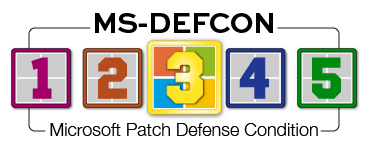
To be on the safe side, I’m lowering the MS-DEFCON level just one notch, to 3. Even though the holiday season offers many users the time to apply updates, this year it’s not quite as quiet. Use caution.
For some Windows 11 24H2 and 25H2 users, I’m seeing no side effects from this month’s KB5072033 release. Others had trouble installing the patch on new PCs or on those that had recently been refreshed from scratch. Reader Randy Hollenbeck pointed out a post regarding some Dell PCs:
The problems include failed installations, frequent system freezes, and a non-functional Start Menu.
The culprit in one case was an Intel Arc graphics card where a BIOS setting caused the issue. Disabling the Enable adaptive c-States for discrete graphics option under Advanced Setup | Performance in the BIOS stopped the system crashes.
Another weird side effect is fans that run when the machine is idle and under no load. There are some other odd effects. That’s why I say this is a mixed bag.
If you are in a business setting and need to install this month’s updates, do so — and check carefully for side effects. Consumers — especially anyone with a new PC — may want to hold back on this month’s updates.
I’ve not yet seen Microsoft officially acknowledge these strange issues, but there are enough posts around the Web to convince me that these are not one-offs. One possibility, unconfirmed, is that the underlying issue is a missing driver. Another is a problem with the update installation process itself. Keep in mind that OEMs can create their own components and include them with their build of Windows. That’s why a problem might be seen on one manufacturer’s machines but not on others.
I wish there were some sort of website that I could send you to that would scan your system and tell you that the side effects I’m describing applied in your case. I test updates on my office and home PCs, and so far I’ve seen no problems. It’s just that there are so many reports of problems that I must urge caution, even though my environment is in the clear. And, of course, there is always the possibility that media coverage is overblown, based on a few isolated reports, and turned into clickbait.
Consumers
The good news for subscribers of the Windows 10 ESU is that there are almost no side effects. I say “almost” because one known issue generated an out-of-band release to address the side effects of the December updates. Out-of-band means it’s an extra important update that is being released outside the normal Patch Tuesday cadence. It used to mean there was a worm or other severe security event that needed to be addressed. Now it’s more likely that it’s fixing some bug introduced by a security patch.
Microsoft Message Queuing (MSMQ) functionality is not often seen in consumer or small businesses but can be seen in Enterprises. Patches for Windows 10 ESU were released on December 18 to fix the issue. I don’t expect consumers to see this, but if you see error messages such as the ones below, you might be affected anyway.
- MSMQ queues becoming inactive
- IIS sites failing with “Insufficient resources to perform operation” errors
- Applications unable to write to queues
- Errors such as “The message file ’C:\Windows\System32\msmq\storage*.mq’ cannot be created” when creating message files
- Misleading logs such as “There is insufficient disk space or memory” despite sufficient disk space and memory being available
If you are seeing anything like those messages in your event logs, then install KB5074976 from the Microsoft Catalog site as noted in my forum post about MSMQ. You will have to manually click on the download to install it. But again, I’m providing this information in the consumer section only on the off chance that a reader has some unusual application installed on their Windows 10 system that would be using MSMQ. However, this is highly unlikely.
In researching patch issues this week, I did come across an interesting issue with an even more interesting resolution. Windows updates installed on a computer are a combination of two parts: the security updates and the servicing-stack update. Even though servicing-stack updates can’t be uninstalled, they don’t introduce issues and bugs into the system. Security updates are not so clean. It should be possible to uninstall them.
If you’ve been around computers for a while, you are probably used to seeing instructions to use wusa.exe with the uninstall switch. However, this no longer works with Windows 11. Instead, use DISM commands or the GUI to uninstall the update. If either method fails, try this trick that I spotted on a Microsoft support venue saying it had worked for them:
If you have Windows Sandbox enabled, that is the reason. You have to disable it in the “Turn Windows Features on and off” menu.
To do this, press the Windows key and start typing “Turn Windows features … .” Search will quickly find the Windows control panel, probably with just the word “turn.” Click the Control Panel app that shows up, scroll down until you see “Windows Sandbox,” and uncheck it (Figure 1).

Figure 1. Turn off the Windows Sandbox in Settings.
If it was checked, then reboot the PC and try uninstalling the update from the Windows update history window. Ideally, you’ve been keeping backups and can roll your machine back to right before you installed any update.
Businesses
I hope you are not planning to roll out the KB5072033 update at this time. Enough people report having issues with installing this update on brand-new systems. Because I did not have issues on any of my business systems, my thought is that this problem must be in the latest builds, not from corruption occurring on existing systems — even though the error code 0x800f093 points to system corruption. Normally, that error message means one should perform a repair install over the top to fix any components. But new machines? It seems odd — and concerning — that one has to “fix” these so soon after deployment.
To be clear, this is a worry only for a new PC with 25H2.
Once again, Microsoft is being a bit obtuse in its use of AI in its support forums. That post, generated by AI, urges impacted users to “Check for prerequisite updates” when it’s a new machine, in which case any such prerequisites should be handled by the Windows update installer in the first place. The human who steps in to clarify the steps needed to fix the issue does a much better job than AI did to answer the poster’s question.
Always vet AI responses.
Apple
I’ve noted that Apple is starting to push iOS 26, even to older iPhones and tablets. Remember that you can get rid of that glass transparent setting and even have more control over it in 26.2. There is a new slider for controlling the opacity of Liquid Glass throughout the operating system. When you select the “Glass” option, you can use the new slider to make the time look almost entirely clear or give it a more frosted, solid look.
Amazon Alexa
Surprised to see me mention Amazon? Me, too — my Patch Watch work doesn’t usually take me into the world of Amazon devices.
But this is an exception. Not only did I roll back from a forced Alexa software upgrade, I also wasn’t the only one complaining. This latest update caused Alexa’s voice to become too perky. That’s not the end of the world, but it’s like having a person you talked with an hour ago suddenly sound different. It doesn’t happen that often.
But the real problem is that the clock display vanished from my Echo Show devices. What was Amazon thinking? Almost every complaint I saw about the update had to do with the clock!
We have Alexa devices around the house, not only for the clock but also to vocally command groups of lights to be turned on or off. This is supposed to mean I have a smart home, but that will be called into question if Amazon is making stupid blunders like this.
Patch Watch for Dad
Many thanks to all who wished my dad well. He was hospitalized after suffering from low pulse oxygen levels. He’s now back at home with new medications and an oxygen generator — with battery backup — albeit a bit weaker for the experience. Progress, and just in time for Christmas!
I wish you and yours a wonderful holiday season. There’s nothing like family for the holidays!
Hope you enjoyed this news post. Feedback welcome.
Posted Thursday 25 December 2025 at 4:27 am AEST (my time).
News posts... 2023: 5,800+ | 2024: 5,700+ | 2025 (till end of November): 5,412
Recommended Comments
There are no comments to display.
Join the conversation
You can post now and register later. If you have an account, sign in now to post with your account.
Note: Your post will require moderator approval before it will be visible.