

3175x175(CURRENT).thumb.jpg.b05acc060982b36f5891ba728e6d953c.jpg)
By Susan Bradley
Here we go again: This month brings the first security patches to be released to Windows 10 during the Extended Security Update program.
Because last month, Microsoft released an additional update to all Windows 10 PCs to fix an underlying issue with the ESU deployment. As a result, even if you weren’t enrolled in the Windows 10 ESU program, you would see additional updates being offered.
KB5072653 is the Extended Security Updates Licensing Preparation Package that needs to be installed on all Windows 10 PCs participating in the ESU process.
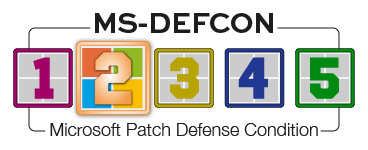
It’s time to put a pause on updates, and I’m thus raising the MS-DEFCON level to 2.
Wait to install the December updates until they are fully tested and vetted by yours truly. Already we’ve seen issues documented in the preview update released on December 1 for Windows 11 25H2 and 24H2. As Microsoft notes about KB5070311:
After installing KB5070311, you might experience issues when opening File Explorer in dark mode. The window might briefly display a blank white screen before loading files and folders.
The note goes on to explain when this might happen.
Microsoft is working on a fix. Because many geeks love dark mode, I’m sure this will be a priority.
Consumers
For either Windows 10 or Windows 11, I urge you to once again defer updates until I go through my normal process of testing. Because of the need to use a browser during the holiday season, do not defer browser updates such as those for Firefox, Chrome, Brave, or DuckDuckGo. And remember to have several browsers installed and to set one browser as your “Shopping” browser — for which you crank up the security settings to high. If you cannot get into a certain retail website, note the name, use a different browser with looser security settings, and then find the feedback button on the site and urge them to support stricter settings.
Be just as vigilant in your use of browsers on Apple and Android devices. Many times with Apple, you must be more “click-happy” and click on links that get offered to you. During the holiday season, be extra vigilant with text messages and emails you receive. Microsoft noted on LinkedIn that it had recently blocked a high-volume phishing campaign from an attacker using parking tickets and medical tests as the lure. Attackers use holidays to target consumers. Don’t fall for their tricks.
Businesses
Businesses often allow nearly everyone out on vacation when the year comes to an end, causing normal maintenance and functions to be deferred. Microsoft, in particular, historically skips putting out a preview update at the end of December because many employees are taking time off for the holidays. Attackers, knowing this, target help desks and users in order to trick them into giving up information or clicking on lures. They try new ways to enter into systems that are less carefully monitored and have fewer support resources available. Ensure you are extra vigilant at this time of year, and provide the proper resources for those employees still working.
Take extra time to remind your holiday help-desk staff members of their often unsung role in keeping the bad guys at bay by not falling for ruses and social engineering tactics to gain access to systems. Make it harder for attackers to infiltrate your network. Start with the humans, which is often the hardest part of your network to patch and defend.
Resources
- Susan’s Master Patch List
- The MS-DEFCON System explained
- BlockAPatch — Tools to help you hide or block updates
- Steve Gibson’s excellent InControl to manage feature releases
Hope you enjoyed this news post. Feedback welcome.
Posted Friday 5 December 2025 at 3:55 am AEST (my time).
News posts... 2023: 5,800+ | 2024: 5,700+ | 2025 (till end of November): 5,412
Recommended Comments
There are no comments to display.
Join the conversation
You can post now and register later. If you have an account, sign in now to post with your account.
Note: Your post will require moderator approval before it will be visible.